During VMworld 2021 we announced vRealize Operations 8.6 which now provides a lot of new features and capabilities. You can see an Whats New overview here as well as a feature walk through here.
I this blog we will be focusing specifically on the Administration menu and how it maps to the new 8.6 release. I covered the UI Navigation on my blog other here.
As you might be aware the Administration has now been redesigned to make it easier to navigate and find items. Lets jump in to it.
Data Sources and Integrations
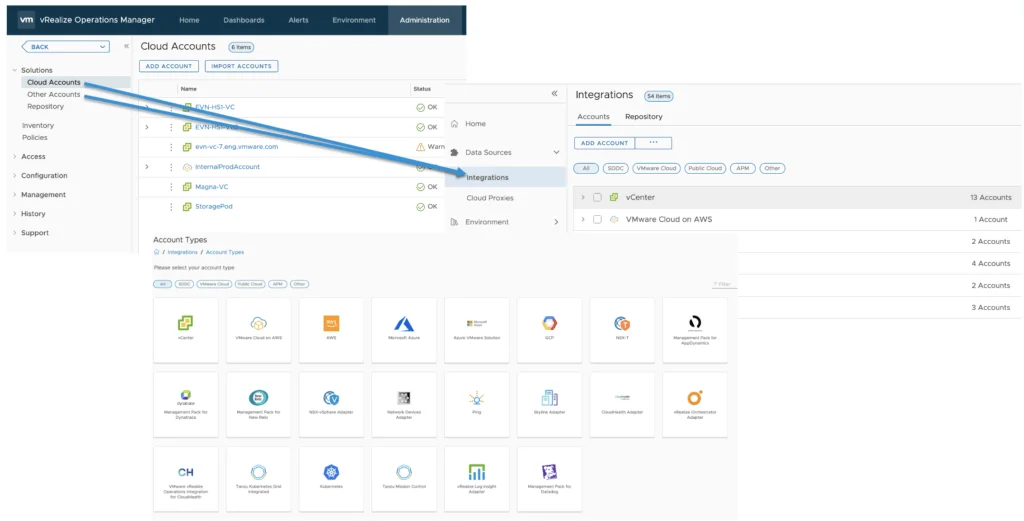
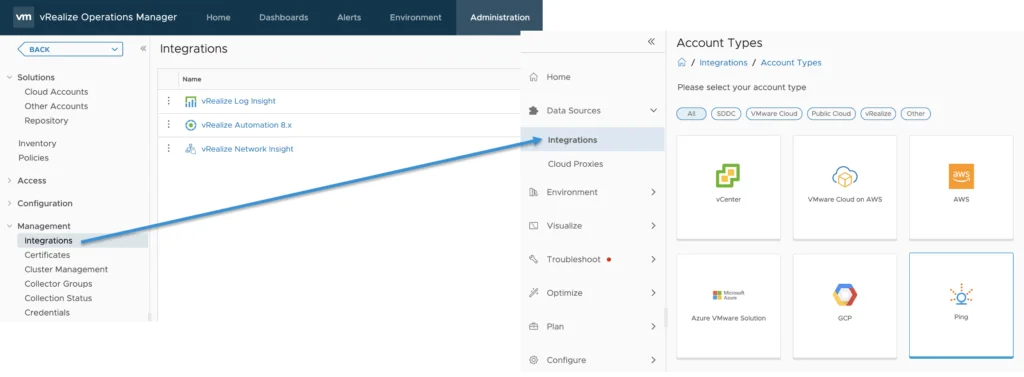
The first item on the list is Data Sources. To make it easier to get started the Data Sources can now be found on the home page as we get started. The accounts are now grouped together by account type ex: vCenter servers, AWS, Azure and so on. The Other Accounts sub-menu has been consolidated under the same menu. Because we combined the Cloud Accounts with Other Accounts we renamed the menu as Integrations.

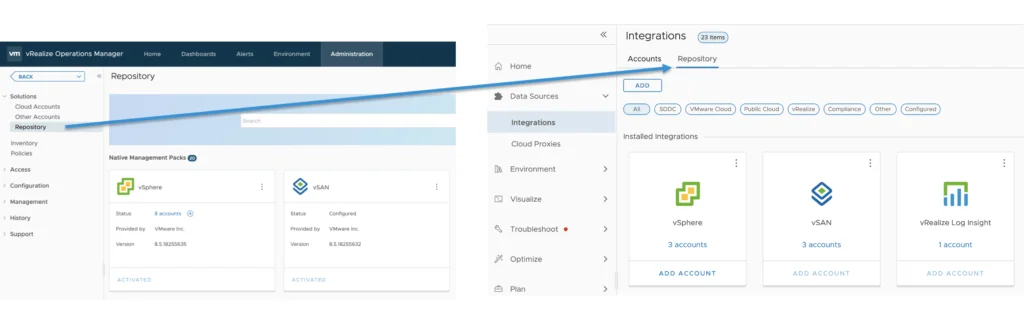
The repository is now another tab under the Data Sources -> Integrations -> Repository
Inventory, Policies, and Access Control
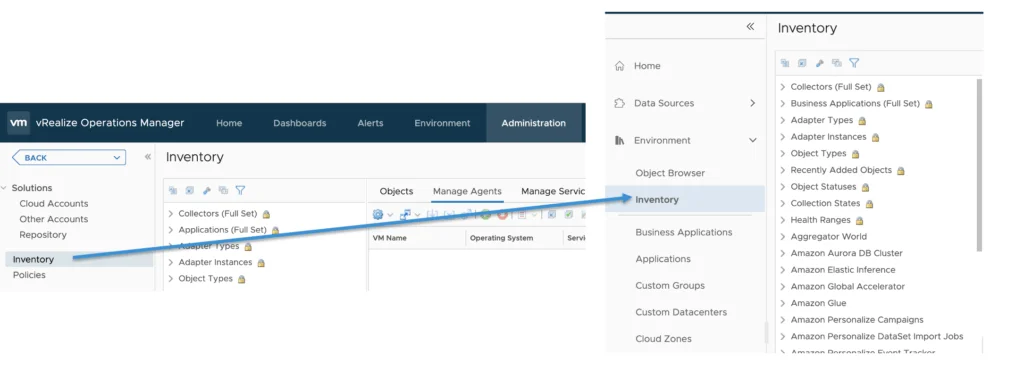
The Inventory menu has been moved under the Environment -> Inventory
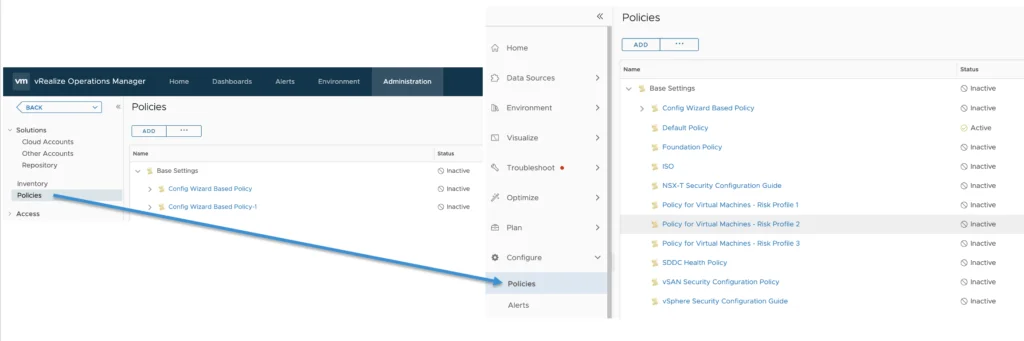
The Policies have been moved to Configure -> Policies
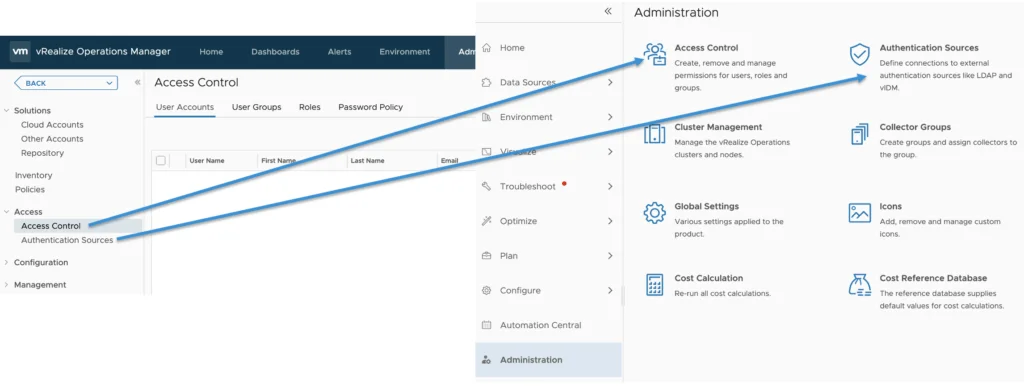
The Access Control and Authentication Sources can now be found under the Administration menu
Custom Profiles, Group Types, and Icons
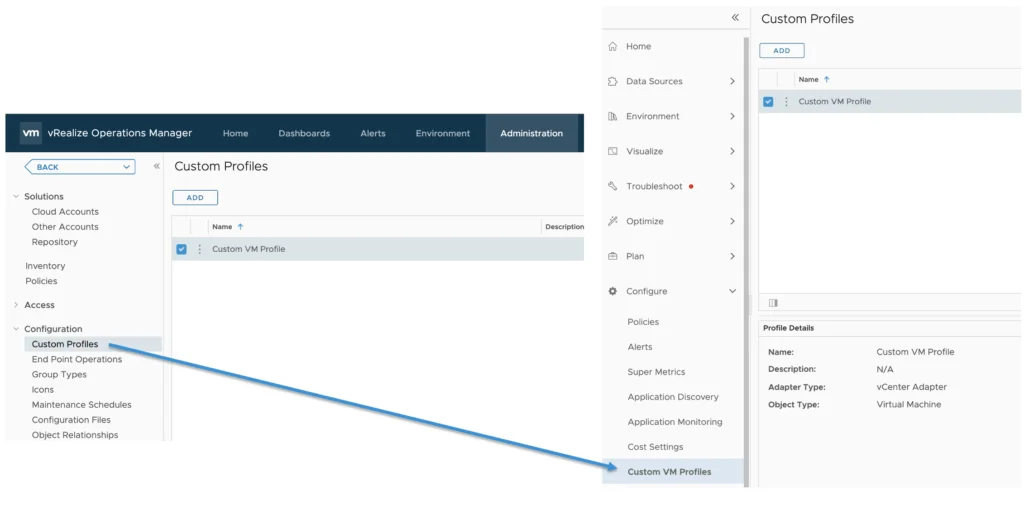
Custom Profiles has been renamed to Custom VM Profiles and it can be found under Configure -> Custom VM Profile
End Point Operations functionality is now included part of the telegraf agent via the cloud proxy and this menu item has been retired as its no longer in use.
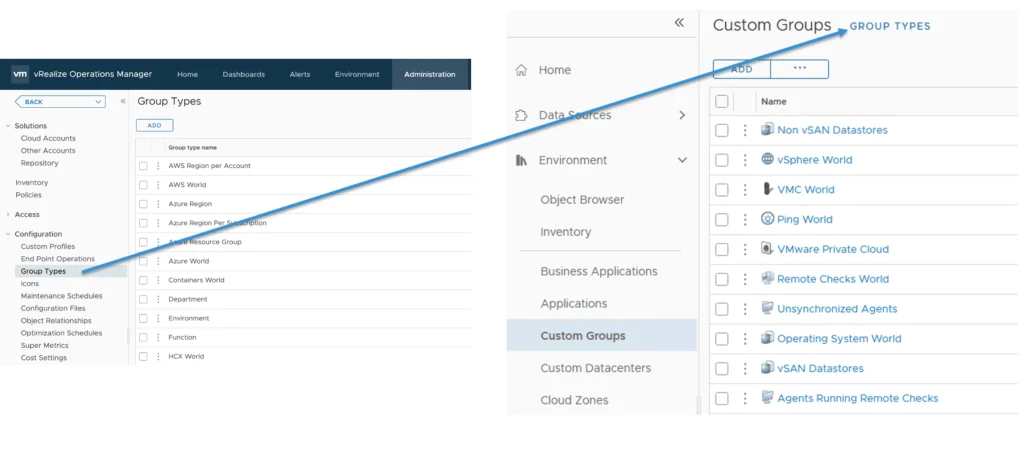
The Group Types can now be found with the Custom Groups under Environment -> Custom Groups -> Group Types
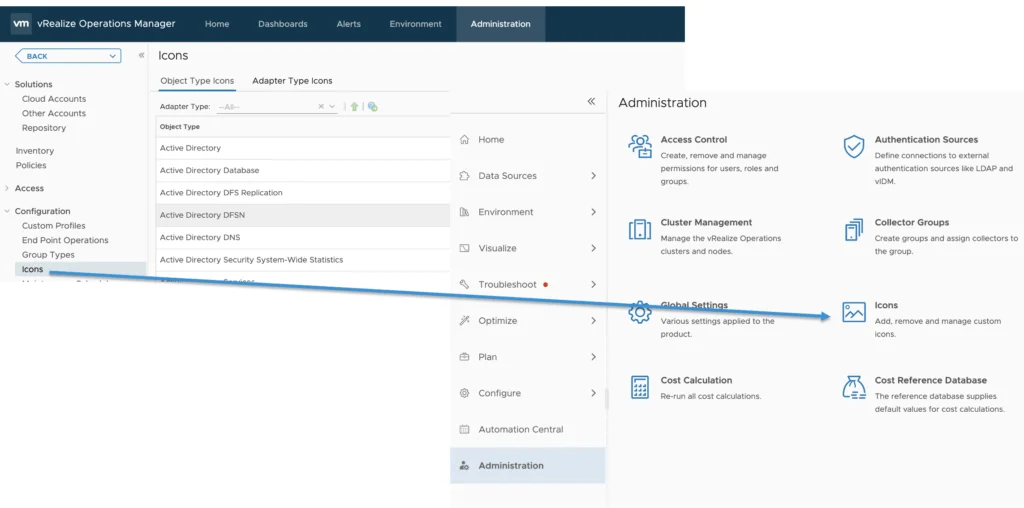
Icons is considered an Administration item and it can be found under Administration -> Icons
Schedules, Configuration Files, and Object Relationships
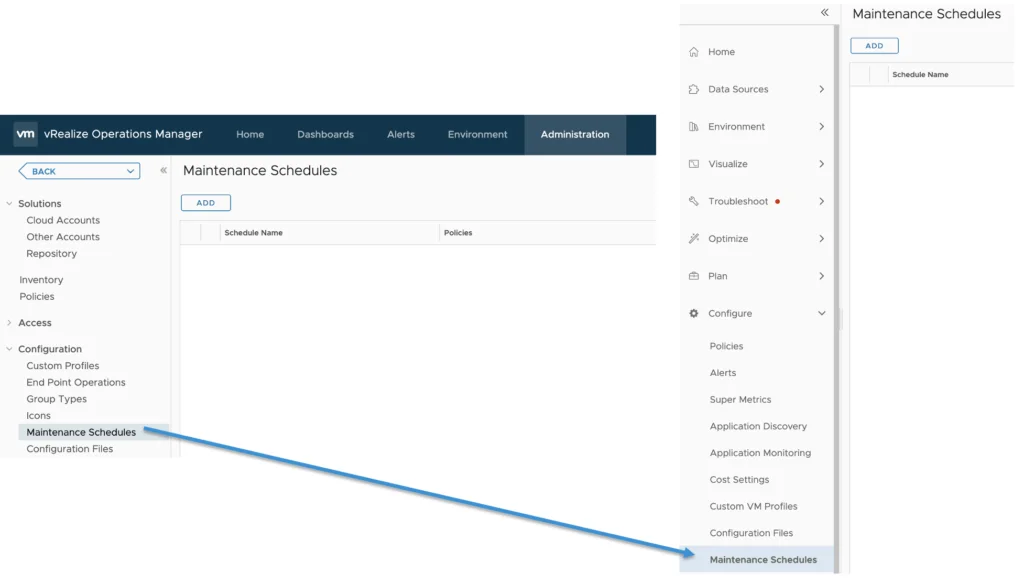
Maintenance Schedules are considered a Non Administration Option that an non vROPS admin should be able to configure so its been relocated to the Configure sub menu
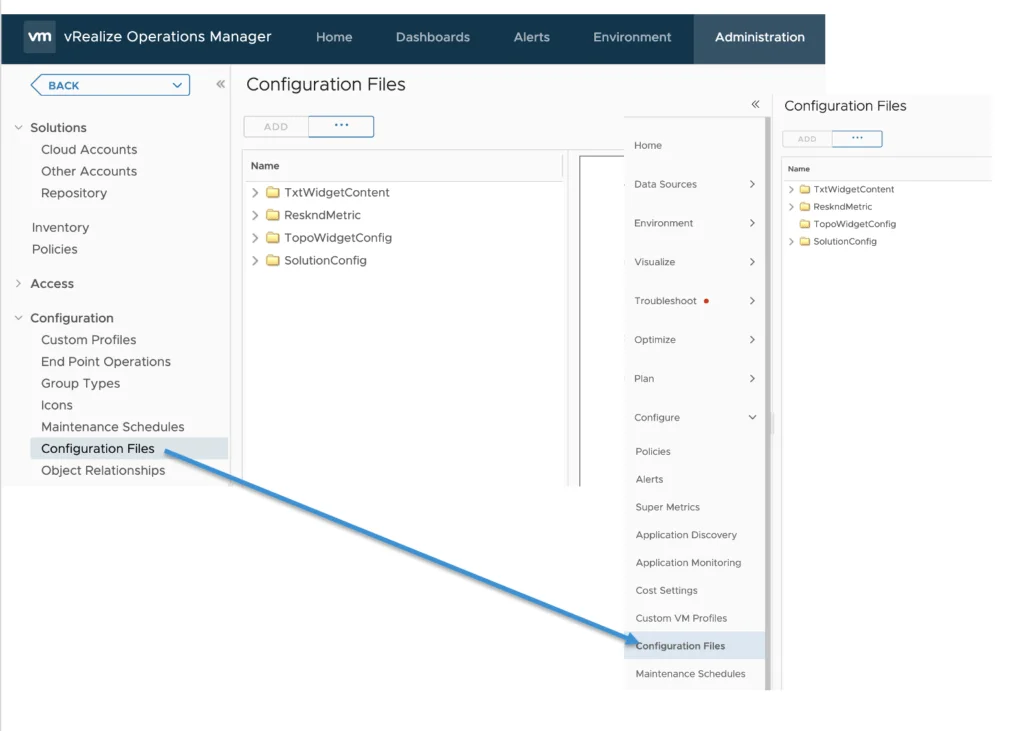
Configuration Files are locate under Configure -> Configuration Files
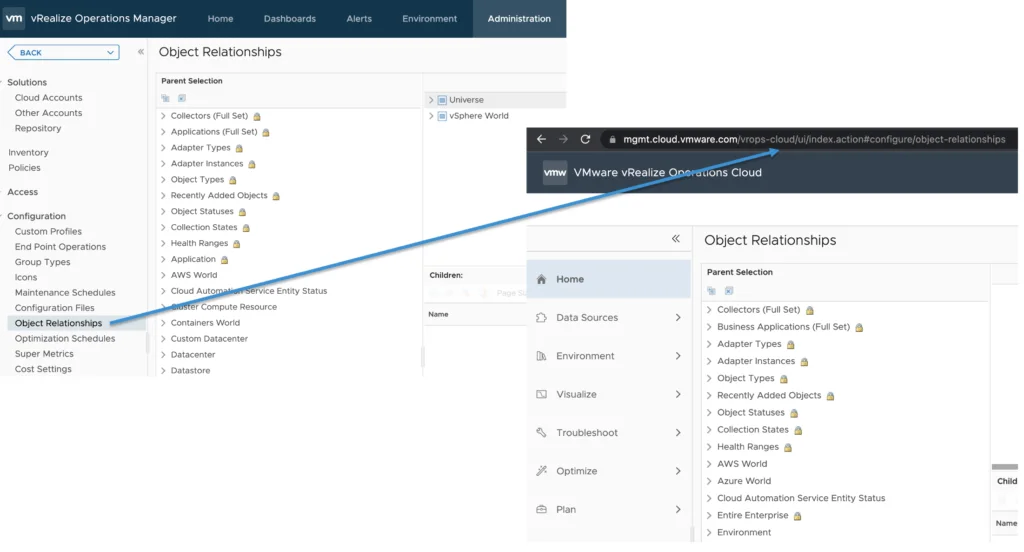
The object Relationships has been removed from the UI however it can be accessed by going directly to https://vrops_instance/ui/index.action#configure/object-relationships. The URL is the same for the SaaS as well as on premise
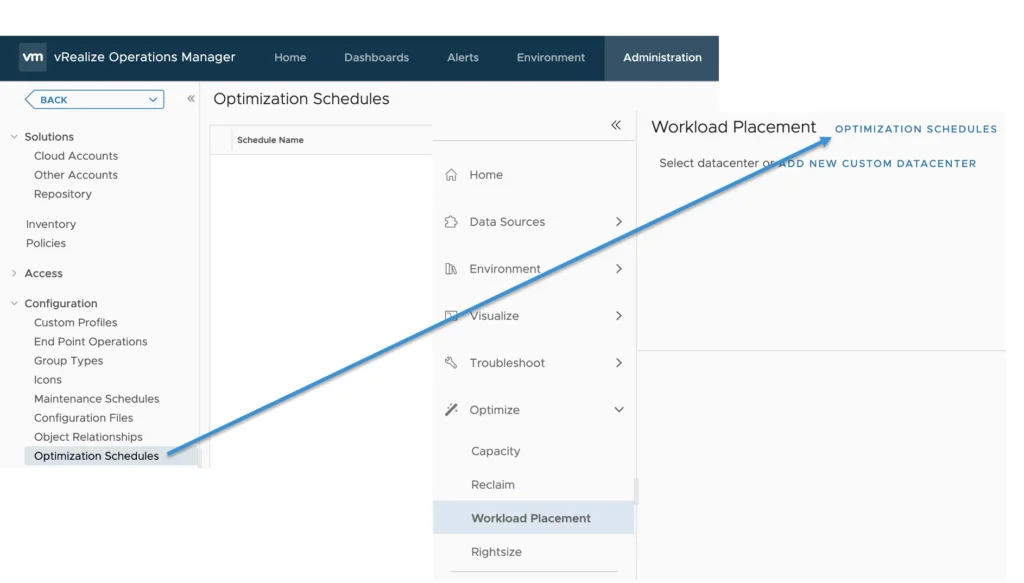
Optimizations Schedules has been moved under the Workload Optimization. It can be found by navigating to Optimize -> Workload Placement -> Optimization Schedules
Super Metrics, Cost Settings, and Integrations
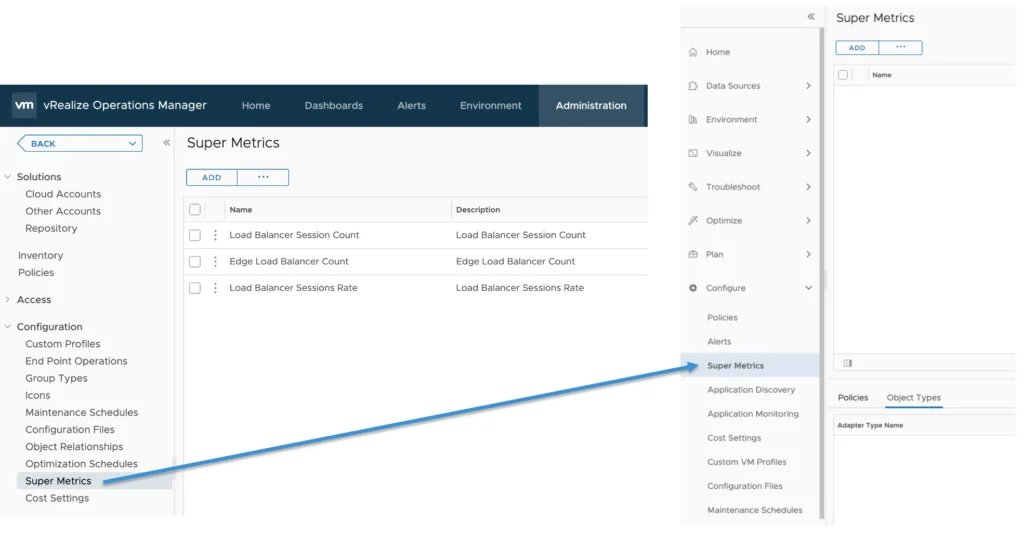
Super Metrics are under Configure -> Super Metrics
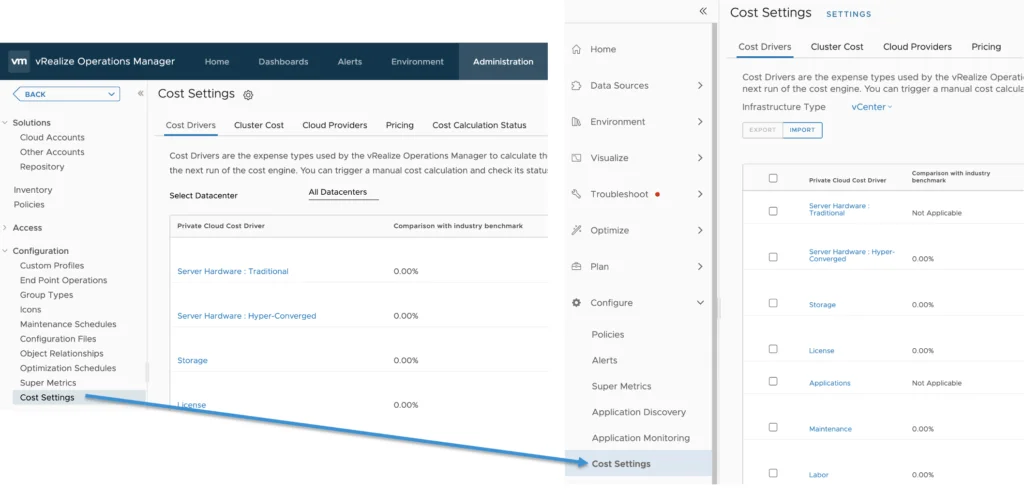
Cost Settings are found under Configure -> Cost Settings
As described earlier in this post the Integrations have been combined with Other accounts and Other Accounts under Data Sources -> Integrations
Certificates, Credentials, and Cluster Management
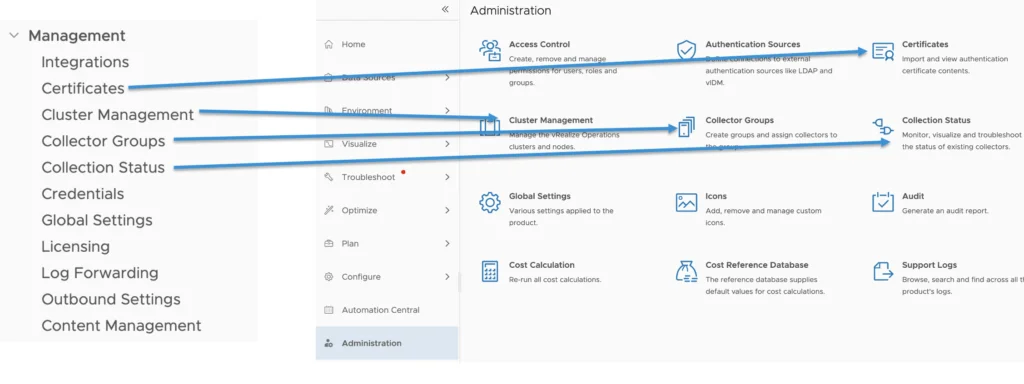
Certificates, Cluster Management, Collector Groups and Collection Status have all been moved under Administration
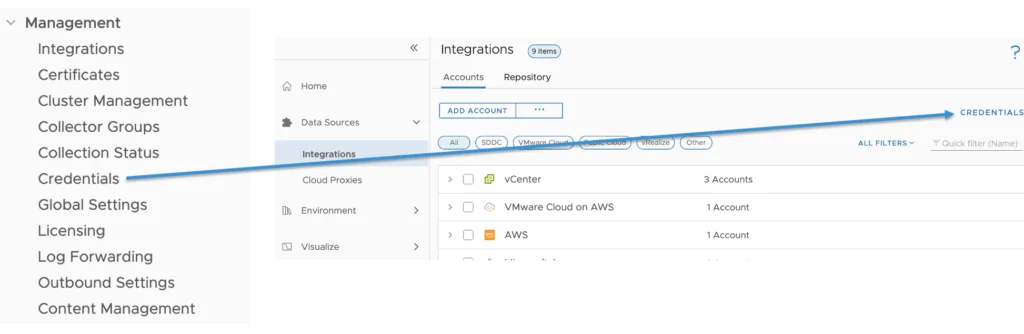
The credentials have been consolidated under Data Sources -> Integrations -> Credentials
Global Settings and Remaining Administration Items
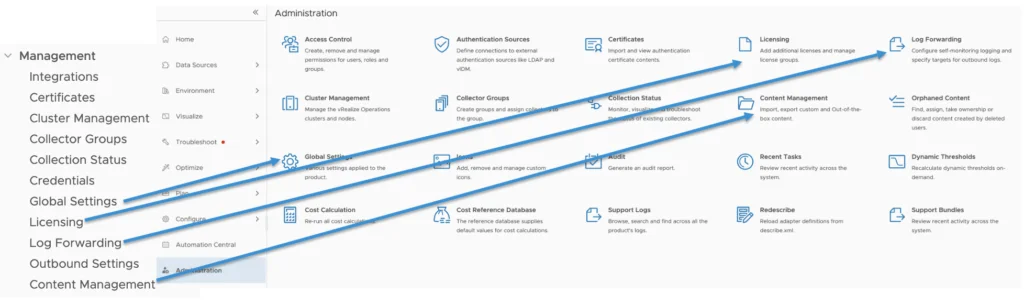
Global Settings, Licensing, Log Forwarding, Content Management can all be found under Administration
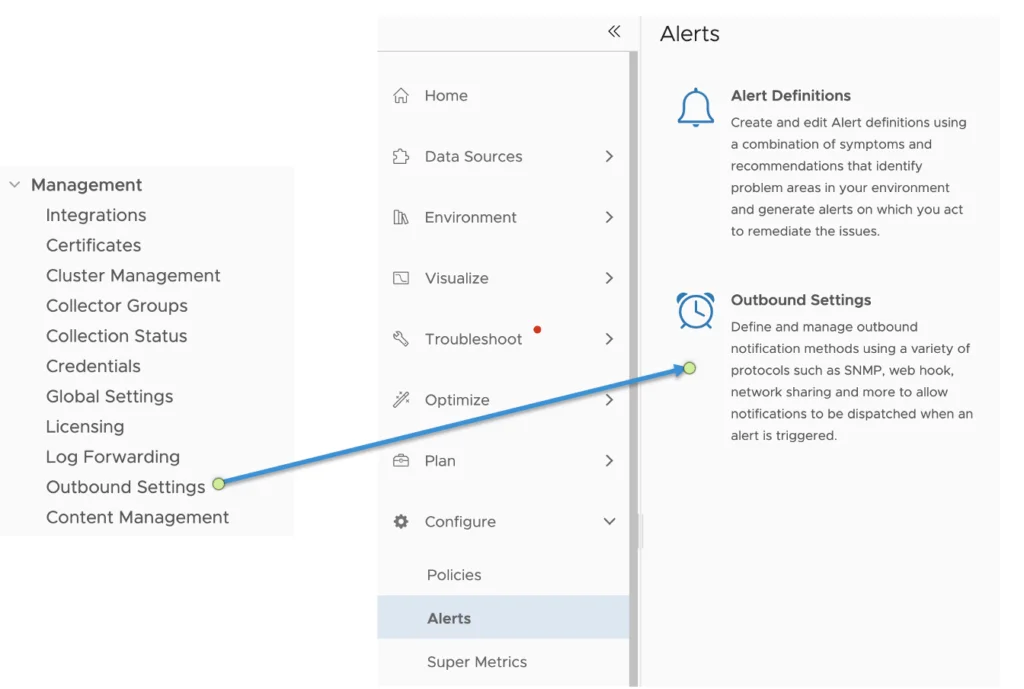
Outbound Settings are found now under Configure -> Alerts -> Outbound Settings
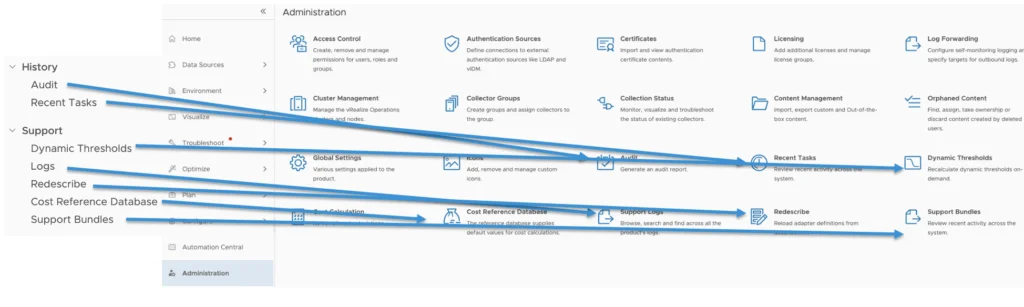
The rest of the items like Audit, Recent Tasks, Dynamic Thresholds, Logs, Redescribe, Cost Reference Database and Support Bundles can all be found under the administration menu
For more information visit us at https://www.vmware.com/products/vrealize-operations.html