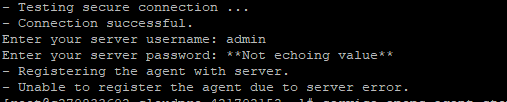
While I was doing the operations endpoint install on a new vROPS environment I experienced an strange error that I didn’t see before
- Unable to register the agent due to server error.

In order to find the issue I had to log in to my vROPS server in order to review the logs. I was able to find the End Point Adapter log file here:
/storage/log/vcops/log/adapters/EndPointAdapter/
While reviewing the log I found a strange error pointing me to the adapter
2020-09-27T12:12:01,514 ERROR [http-nio-127.0.0.1-8877-exec-4] (6) com.vmware.vcops.aim.agent.webserver.AgentAdapterController.handleCommand - Error when executing the agent command REGISTERAGENT Token:1601208564446-9168989700718889387-1917899764042627947. Failed to create agent instance. Reason:Failed to create resource: message=ResourceKind is not found: {adKind=EP Ops Adapter, resKind=EP Ops Agent}, localizedMessage=ResourceKind is not found: {adKind=EP Ops Adapter, resKind=EP Ops Agent}, code=0; message=resourceKind is null for resourceKind Key: EP Ops Agent and adapterKind Key: EP Ops Adapter, code=0
com.vmware.vcops.aim.exception.AgentAdapterException: Token:1601208564446-9168989700718889387-1917899764042627947. Failed to create agent instance. Reason:Failed to create resource: message=ResourceKind is not found: {adKind=EP Ops Adapter, resKind=EP Ops Agent}, localizedMessage=ResourceKind is not found: {adKind=EP Ops Adapter, resKind=EP Ops Agent}, code=0; message=resourceKind is null for resourceKind Key: EP Ops Agent and adapterKind Key: EP Ops Adapter, code=0
I would seem that I forgot to enable the adapter for remote monitoring… Fortunately the solution was very easy. All I had to do was log in as an administrator user in my vROPs instance and Activate the Operating System / Remote Service Monitoring
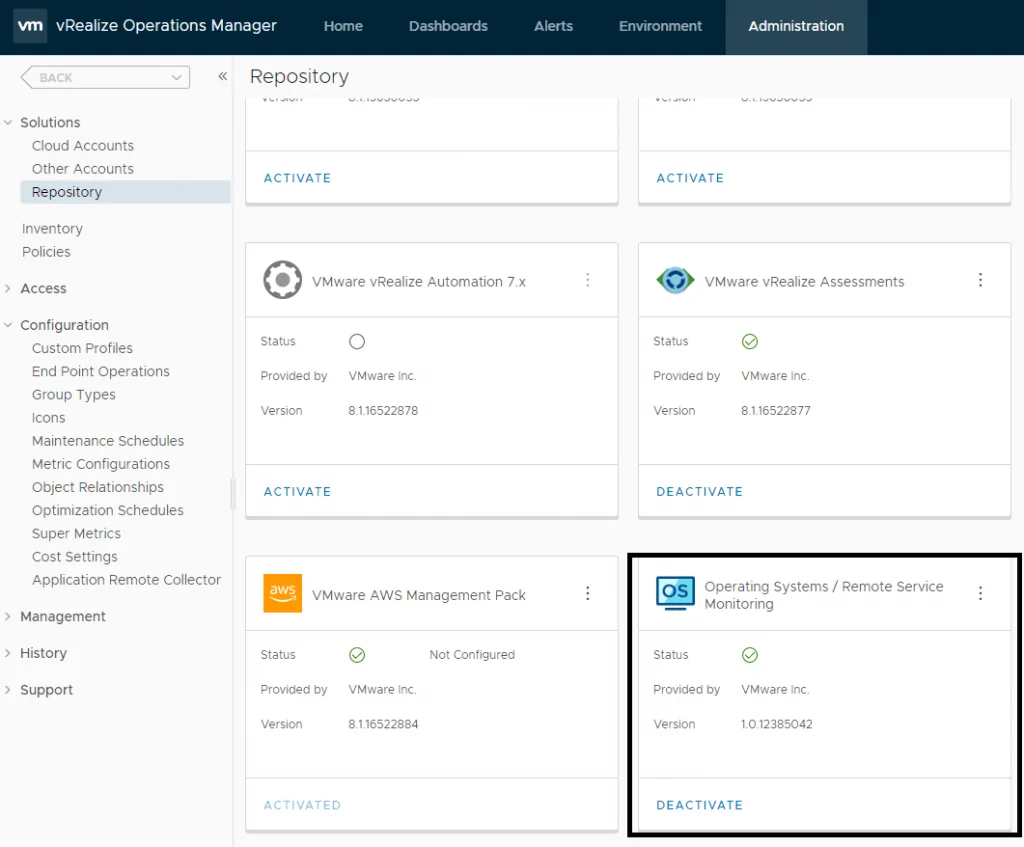
After the solution was activated the agent successfully registered. If you need to add other solutions to vROps, I covered installing a vROps management pack via vRSLCM in a separate post.
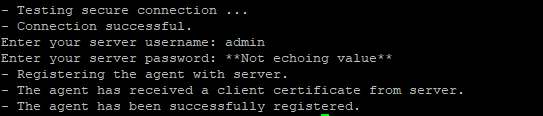
- Testing secure connection ...
- Connection successful.
Enter your server username: admin
Enter your server password: **Not echoing value**
- Registering the agent with server.
- The agent has received a client certificate from server.
- The agent has been successfully registered.