With VCF 9.1.1 released on September 3, 2026, I continued patching the management services in my lab. This post is a follow-up to my VCF 9.1 management services upgrade walkthrough and covers the Real-Time Metrics Store through VCF Operations.
The VCF 9.1.1 release notes are the source for the release scope, upgrade sequence, dependencies, and known issues. The VCF Operations 9.1.1 release notes list the Real-Time Metrics Store target build as 25714471.
The Real-Time Metrics Store is its own VCF management component. It is separate from the Real-Time Metrics component, even though both appear in the same VCF Management list. The supported lifecycle workflow is Build -> Lifecycle -> VCF Management -> Upgrade. This walkthrough covers a 9.1.0.x to 9.1.1 maintenance patch; an environment coming from an older VCF or Aria release should follow the applicable VCF upgrade procedure first.
Versions in This Upgrade
These are the versions reported by the VCF Operations UI in my lab:
| Component | Current Version | Target Version |
|---|---|---|
| Real-Time Metrics Store | 9.1.0.0200.25555874 | 9.1.1.0.25714471 |
The target build matches the Real-Time Metrics Store entry in the VCF Operations 9.1.1 release notes.
Before You Begin
For an existing 9.1.0.x environment, update Fleet Lifecycle to 9.1.1.0 before patching the other VCF components. The capture from my lab shows Fleet Lifecycle already on 9.1.1.0.25713934. After that prerequisite is complete, patch the remaining components according to their release-note dependencies. I ran this store upgrade by itself so the task and validation were easy to follow.
Before starting:
- Verify that the VCF management-services backup configuration is present and reachable under Build -> Lifecycle -> VCF Management -> Backup & Restore.
- The current VCF backup-method table does not list a standalone backup method for Real-Time Metrics Store. Keep the VCF Operations image-based backup and the backups of the supporting management services current, and use the lifecycle precheck as the final gate.
- Confirm that lifecycle metadata is current and that the 9.1.1 binaries are available in the configured software depot. If the depot is offline, prepare the binaries with the VCF Download Tool.
- Make sure no other upgrade or patch operation is running. Run the Real-Time Metrics Store upgrade separately from the Real-Time Metrics upgrade and any other management-component patch.
- Plan a maintenance window and note the Real-Time Metrics queries, dashboards, and integrations you want to test afterward.
If VCF Operations displays the warning that it must be patched independently from the other management components, finish that VCF Operations patch and wait for it to complete before continuing.
Selecting Real-Time Metrics Store
Log in to VCF Operations with an administrator account and go to Build -> Lifecycle -> VCF Management -> Upgrade.
Set the target VCF version to 9.1.1.* if it is not already selected. Expand Check Required Binaries and resolve any missing binary before continuing.
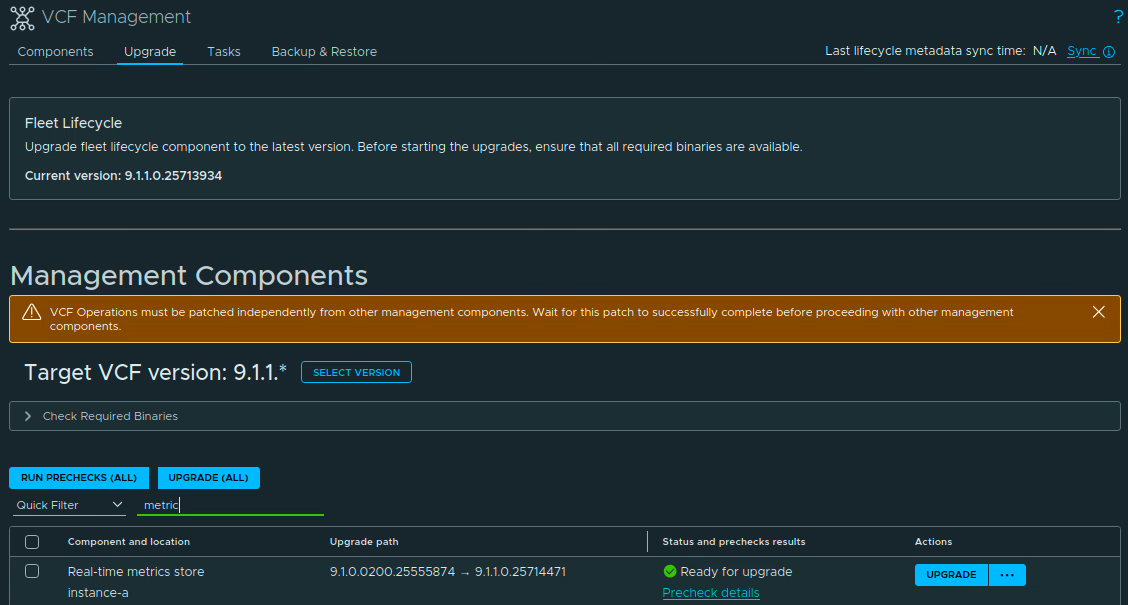
Filter the component list for metric, select Real-time metrics store, and confirm that the intended instance is selected. In my lab the instance is instance-a. The upgrade path should read 9.1.0.0200.25555874 -> 9.1.1.0.25714471.

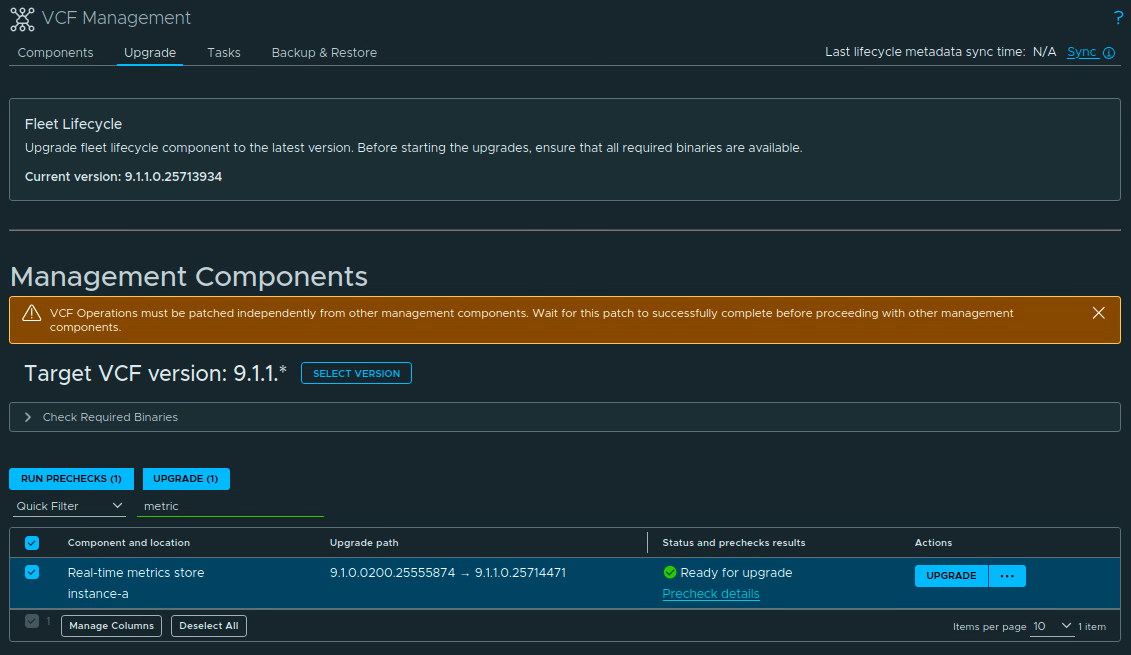
Select the row and click Run Prechecks (1). The selected row shows the component and the same source and target builds before the precheck starts.
Running the Prechecks
Open the task details and wait for the Real-time metrics store Precheck Workflow to finish. The workflow runs the component upgrade prechecks before the upgrade is allowed to start.
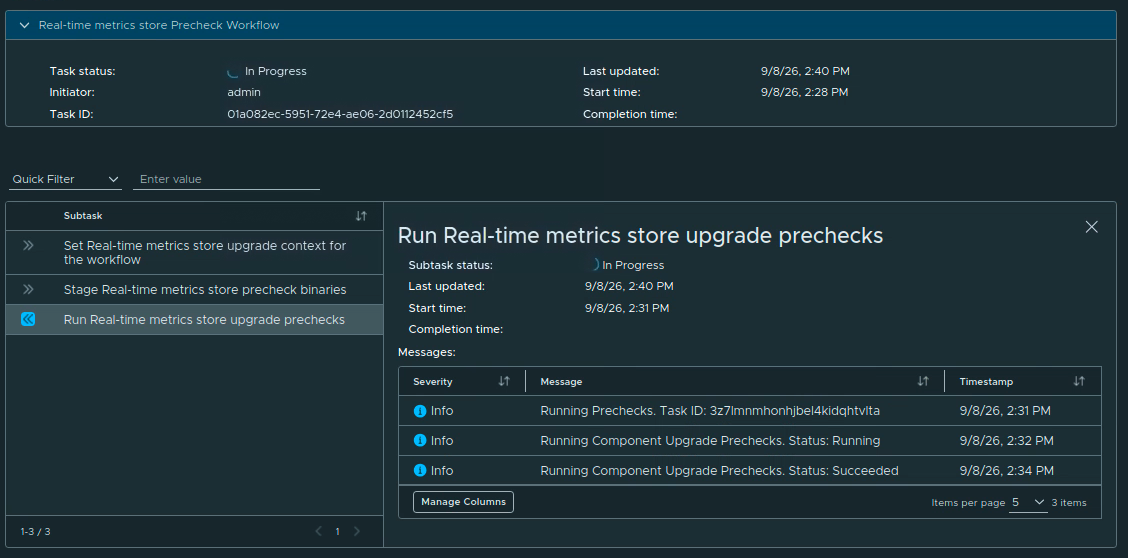
When the precheck completes, return to the component list and confirm that the row is Ready for upgrade. Do not click Upgrade while the precheck is still running. If a check fails, open its details, fix the reported issue, and run the precheck again.

Starting the Upgrade
Click Upgrade on the Real-Time Metrics Store row. The row changes to Upgrade in progress. Open Upgrade details to follow the workflow.
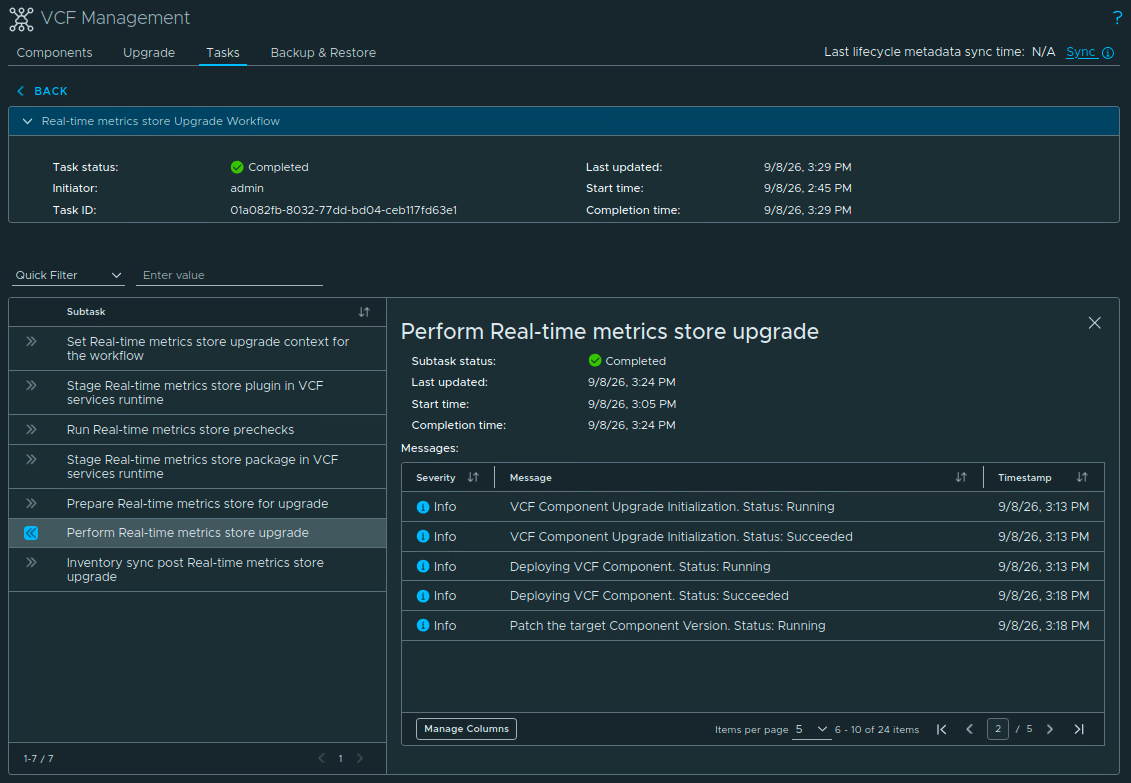
The workflow runs through these subtasks:
- Set Real-Time Metrics Store upgrade context for the workflow.
- Stage the Real-Time Metrics Store plugin in the VCF services runtime.
- Run the Real-Time Metrics Store prechecks.
- Stage the Real-Time Metrics Store package in the VCF services runtime.
- Prepare Real-Time Metrics Store for upgrade.
- Perform the Real-Time Metrics Store upgrade.
- Run the inventory sync after the Real-Time Metrics Store upgrade.
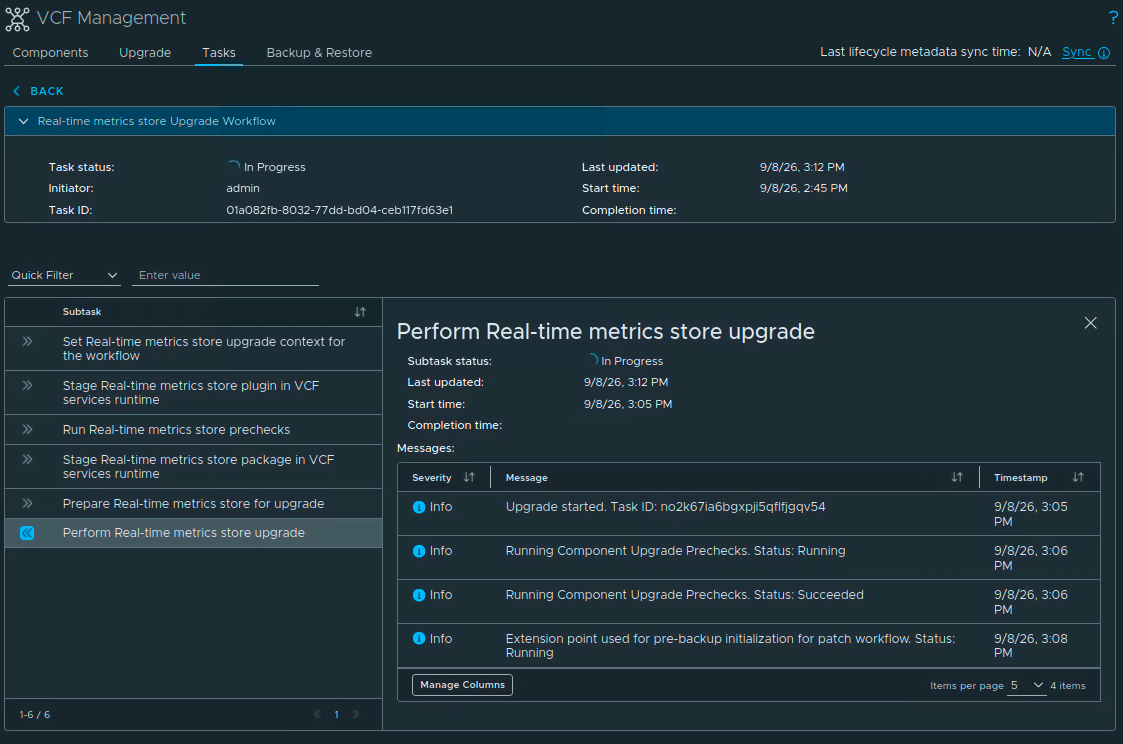
The task in my lab started at 2:45 PM and completed at 3:29 PM, for a total workflow time of about 44 minutes. That is the duration shown by my task, not a promise about service downtime in another environment. Wait for the final inventory sync and confirm that the overall task is Completed.
Verifying the New Version
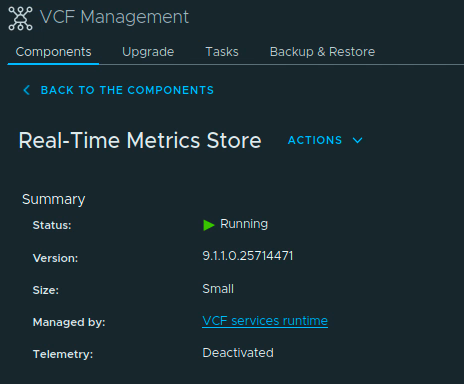
Go to Build -> Lifecycle -> VCF Management -> Components and open Real-Time Metrics Store for the instance you upgraded.
Under Summary, verify that the status is Running and the version is 9.1.1.0.25714471. In my lab the deployment size is Small, it is managed by the VCF services runtime, and telemetry is Deactivated.
The store is a backend component, so validate the data path through the Real-Time Metrics experience that uses it:
- Open Operate -> Real-Time Metrics and query a known resource.
- Confirm that fresh samples are arriving and that the expected time range is available.
- Check dashboards, saved views, Top-N views, custom PromQL queries, and any integrations that depend on Real-Time Metrics data.
- Confirm that representative vCenter, ESXi, vSAN, and NSX resources still show current data where your environment collects those metrics.
Treat the lifecycle task and the data check as separate validations. A completed task confirms that the package workflow finished; fresh samples confirm that the store is serving data in your environment.
Once the component and data path have been validated, review the supporting VCF Operations backup according to your retention policy. I also recommend clearing the browser cache before using the updated VCF Operations interface.
Real-Time Metrics Store in my lab is now on 9.1.1.0.25714471. If this is part of a larger VCF 9.1.1 maintenance run, continue with the remaining components in the order and dependency boundaries documented in the VCF 9.1.1 release notes.