On July 13, 2026 Broadcom shipped the next VCF 9.1 patch wave, and this post walks through the part of it that lives under Build -> Lifecycle -> VCF Management -> Upgrade: the VCF Management services. The headline releases on this surface are VCF Operations 9.1.0.0400 and VCF Automation 9.1.0.0200, mostly security enhancements plus a batch of fixes. This post is the follow-up to my 9.1.0.0300 walkthrough.
To be clear on scope: this post covers only the management services. SDDC Manager 9.1.0.0400 and the core components (vCenter, NSX, ESX, vSAN) go through the VCF Instances flow and are not covered here; see the short section at the end.
One thing to understand up front: patch releases are not synchronized among all VCF components, and you can pick and choose which components to apply. That is why my target list below is a mix of 0400, 0200, and 0100 builds. It looks odd the first time. It is expected.
Versions in This Update
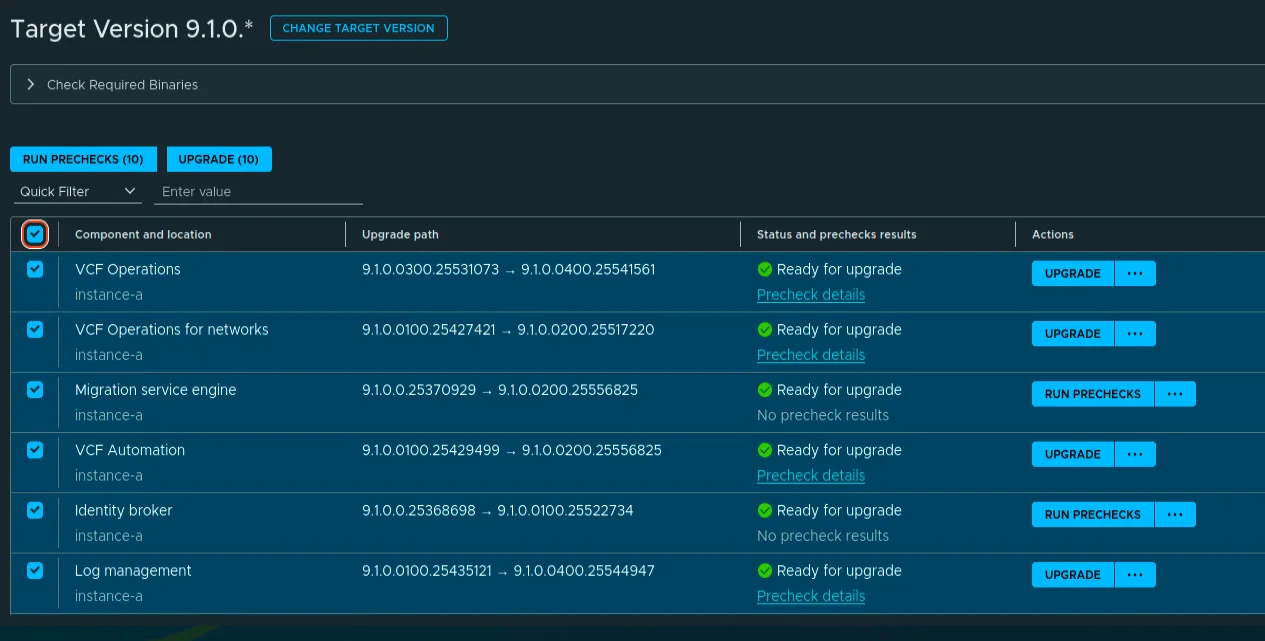
Here is the full From/To picture from my lab, exactly as the VCF Operations UI reports it.
| Component | Current Version | Target Version |
|---|---|---|
| Fleet Lifecycle | 9.1.0.0300.25536195 | 9.1.0.0400.25570104 |
| VCF Operations | 9.1.0.0300.25531073 | 9.1.0.0400.25541561 |
| VCF Operations for Networks | 9.1.0.0100.25427421 | 9.1.0.0200.25517220 |
| Identity Broker | 9.1.0.0.25368698 | 9.1.0.0100.25522734 |
| VCF Automation | 9.1.0.0100.25429499 | 9.1.0.0200.25556825 |
| Log Management | 9.1.0.0100.25435121 | 9.1.0.0400.25544947 |
| SDDC Lifecycle | 9.1.0.0300.25536194 | 9.1.0.0400.25570103 |
| Real-Time Metrics | 9.1.0.0100.25435036 | 9.1.0.0400.25544944 |
| Real-Time Metrics Store | 9.1.0.0.25370367 | 9.1.0.0200.25555874 |
| Salt Master | 9.1.0.0100.25434834 | 9.1.0.0400.25544946 |
| Salt RaaS | 9.1.0.0100.25434834 | 9.1.0.0400.25544946 |
| Software Depot | 9.1.0.0.25371105 | 9.1.0.0400.25570105 |
| Migration Service Engine | 9.1.0.0.25370929 | 9.1.0.0200.25556825 |
| VCF Services Runtime | 9.1.0.0.25370367 | 9.1.0.0200.25555874 |
SDDC Manager 9.1.0.0400 (build 25570100) ships in the same wave but lives outside this component list. See the scope section at the end of the post.
Before You Start
A few rules before clicking anything. Back up your components before patching, and remember only one upgrade or patch operation can run at a time. That single-operation rule matters more than it sounds with fourteen components in the queue, plan for a long session or spread it over a maintenance window. If your depot is online, the binaries pull directly. If you run offline, update the VCF Download Tool to 9.1.0.0400 (build 25550178) first and download the binaries with it.
Two known issues shape how I ran this:
- SDDC Lifecycle 9.1.0.0400: the batch precheck can fail with VCF_LCM_FLEET_UPGRADE_400_COMPONENT_NOT_NEEDED_USER_INPUT_SPEC_PROVIDED. Do not use Run Prechecks (ALL). Precheck each component individually.
- Software Depot 9.1.0.0400: patching the depot takes it temporarily offline. Do not run any other component patch at the same time, and retry anything that failed afterwards.
Upgrade Fleet Lifecycle
Broadcom’s ordering guidance for maintenance releases starts with Fleet Lifecycle. For patch releases the order is flexible, but I still go Fleet Lifecycle first; it drives patch deployment for the rest of the fleet components.
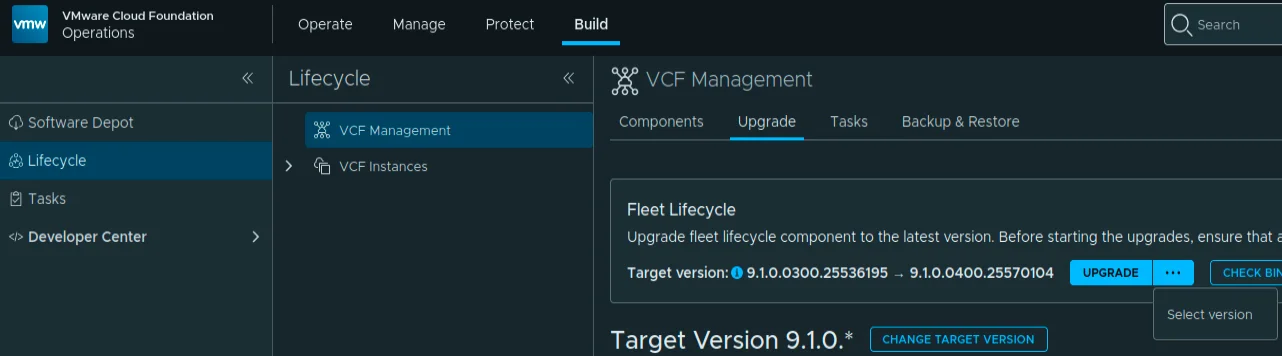
In VCF Operations, go to Build -> Lifecycle -> VCF Management -> Upgrade. Open the “…” menu on the Fleet Lifecycle card and click Select version.
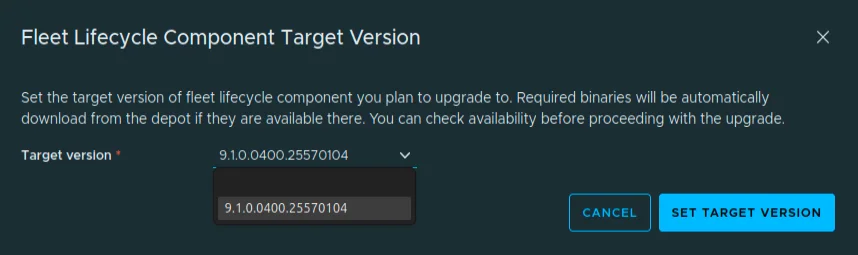
The Fleet Lifecycle Component Target Version dialog opens. Set the target to 9.1.0.0400.25570104.
Back on the card, the upgrade path now reads 9.1.0.0300.25536195 to 9.1.0.0400.25570104. Click Upgrade.

Kick off the upgrade. The card flips to Upgrade in progress.

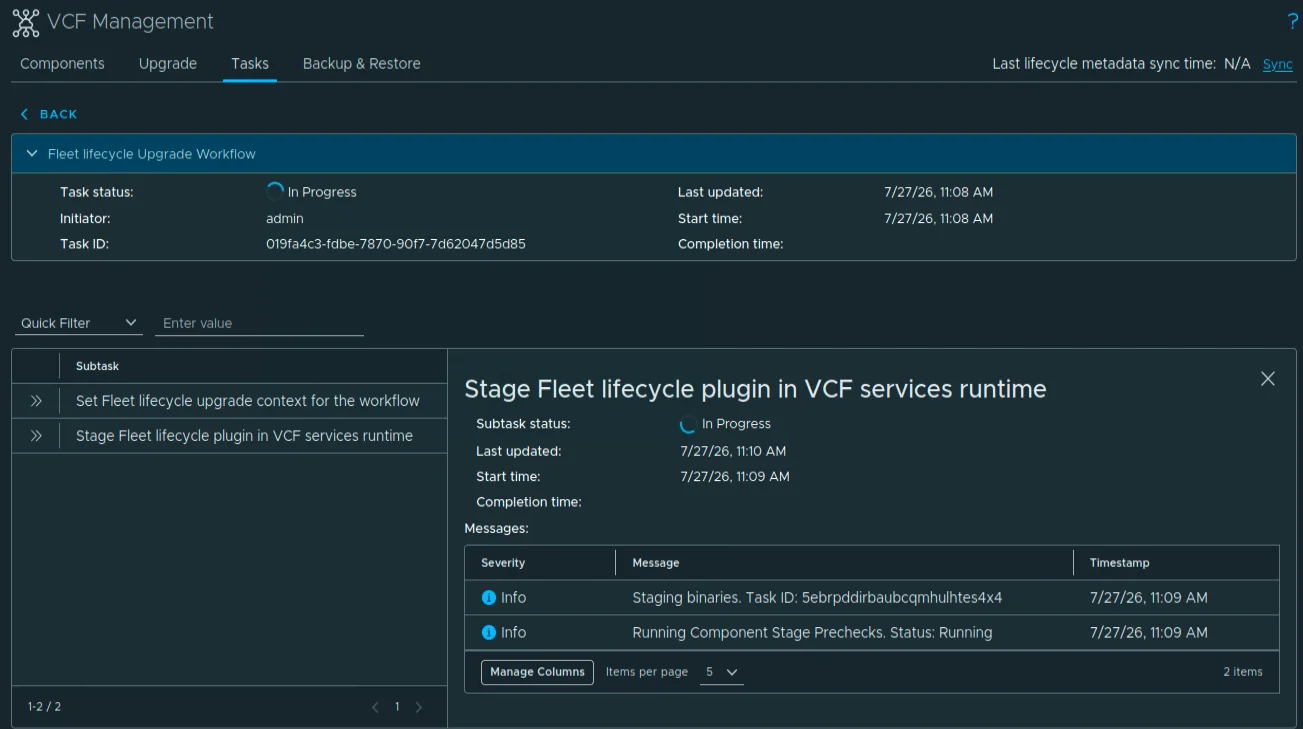
Open Upgrade details. The first two subtasks are “Set Fleet lifecycle upgrade context” and “Stage Fleet lifecycle plugin in VCF services runtime”.
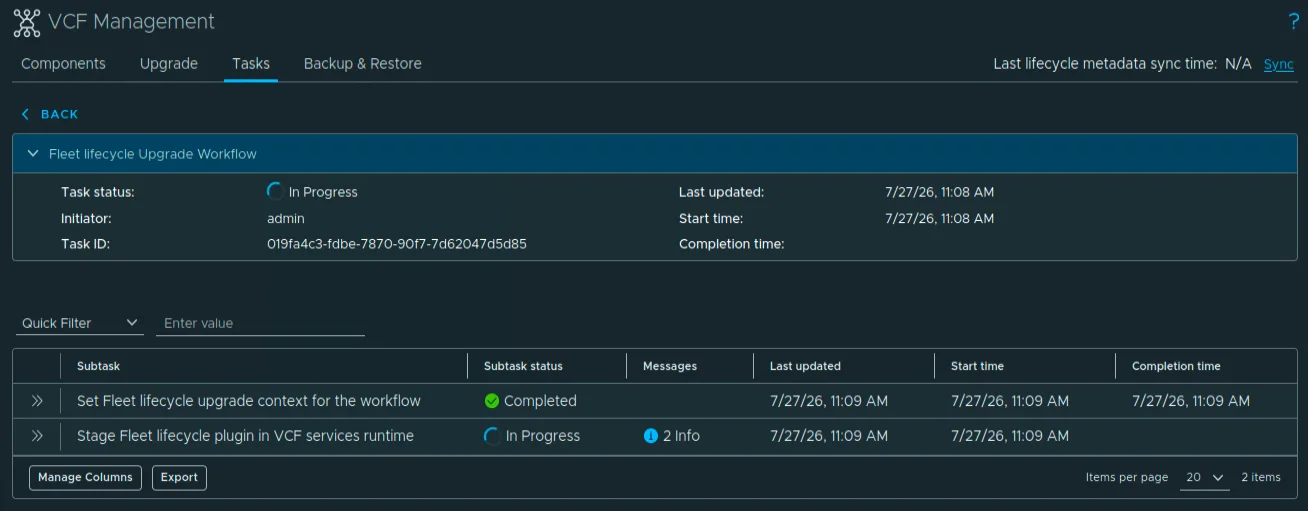
The status messages move through Staging binaries and Running Component Stage Prechecks. Nothing to do here but watch.
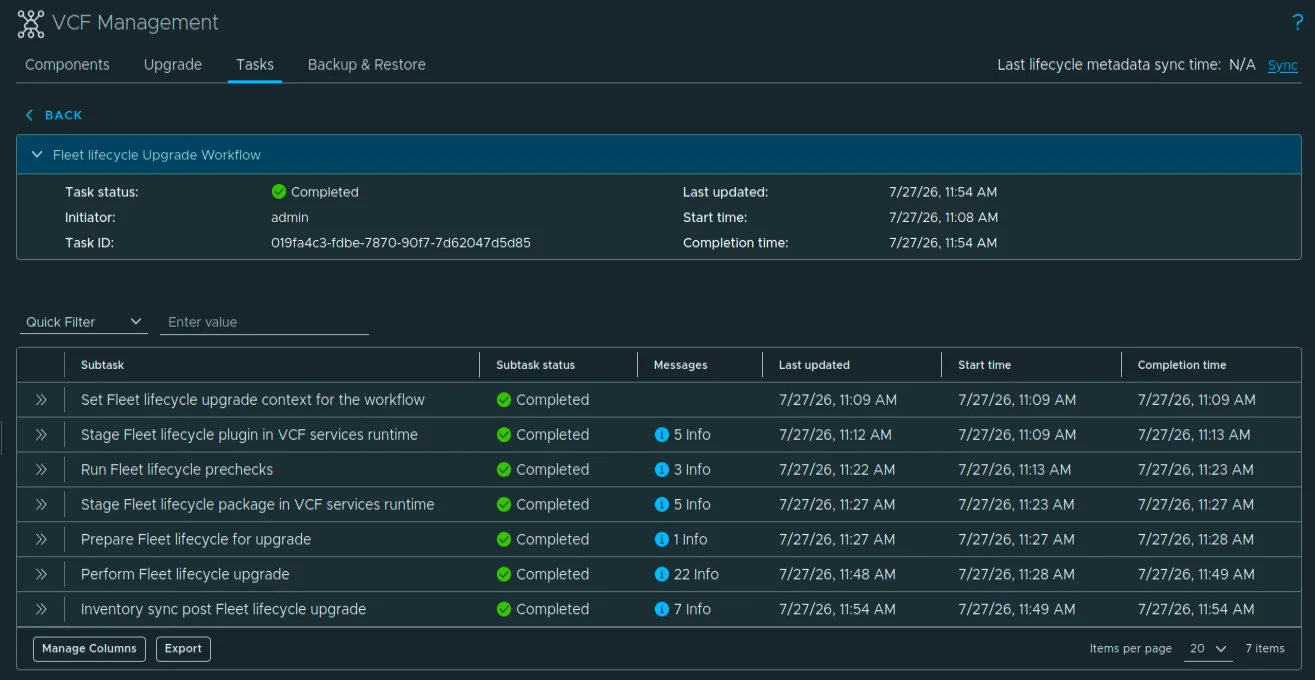
All 7 subtasks land on Completed. In this run the whole thing took about 45 minutes, 11:08 to 11:54 AM.
Set the VCF Management Target Version
With Fleet Lifecycle done, click CHANGE TARGET VERSION.

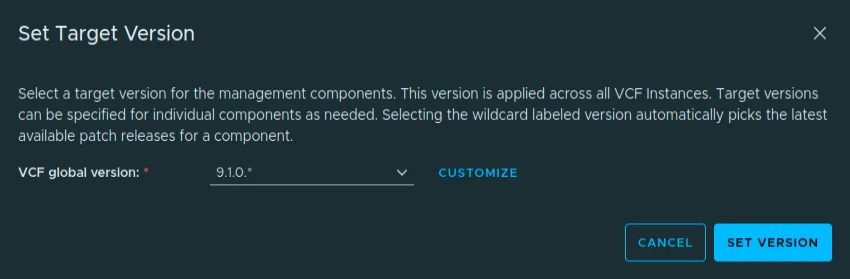
The Set Target Version dialog offers the VCF global version 9.1.0.*.
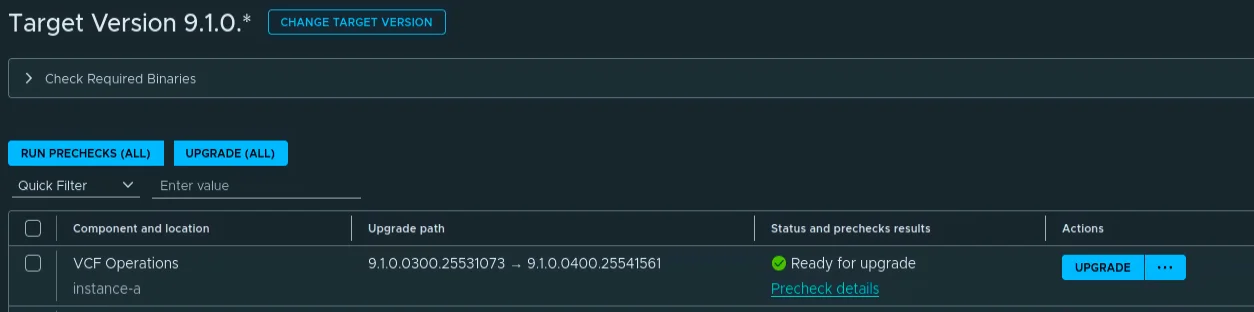
The component list now shows everything Ready for upgrade, with the mixed 0400/0200/0100 targets from the table above. This is the per-component patch numbering at work, not a depot problem.

Because of the SDDC Lifecycle known issue, I did not touch RUN PRECHECKS (ALL). I ran prechecks per component instead, right before each upgrade. It costs a few extra clicks per component, but it avoids the VCF_LCM_FLEET_UPGRADE_400_COMPONENT_NOT_NEEDED_USER_INPUT_SPEC_PROVIDED failure entirely.
Upgrade VCF Operations
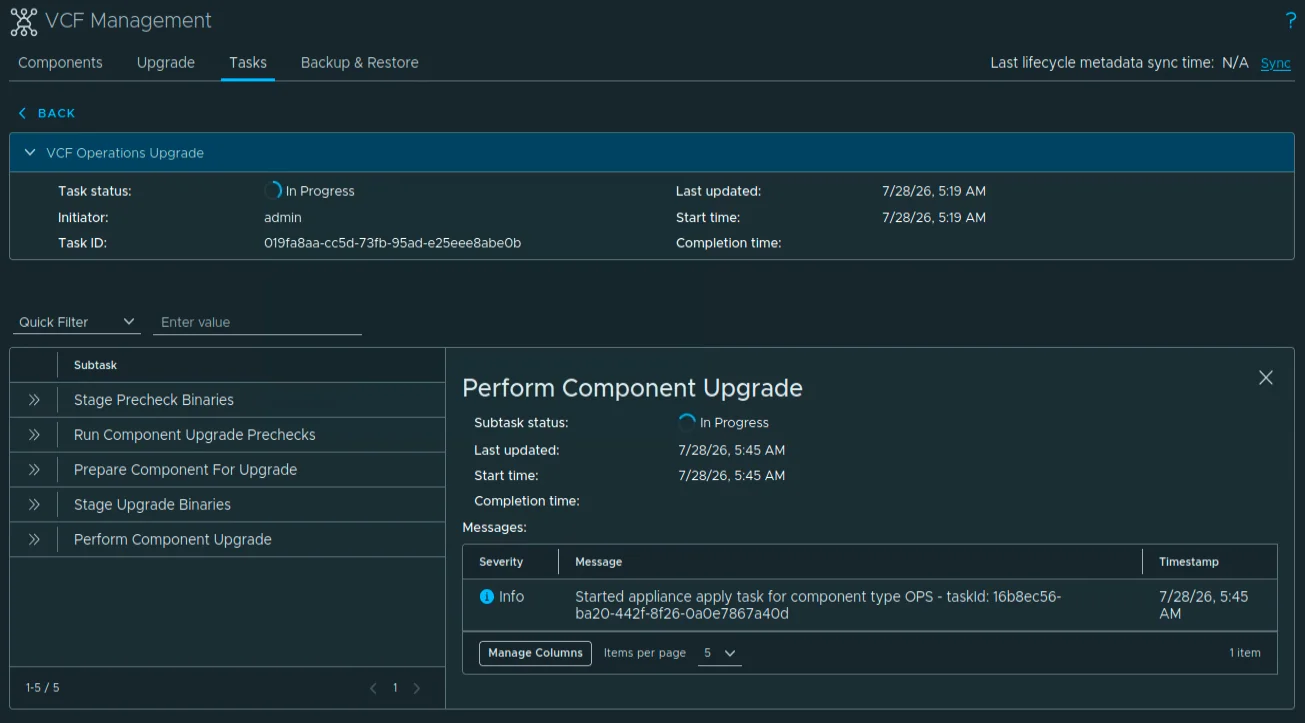
First up, VCF Operations itself to 9.1.0.0400.25541561. Note that the cloud proxy and the license server are patched automatically as part of this one, no separate steps needed for either.
The workflow runs through its subtasks; I moved on once it was In Progress.
Upgrade Identity Broker
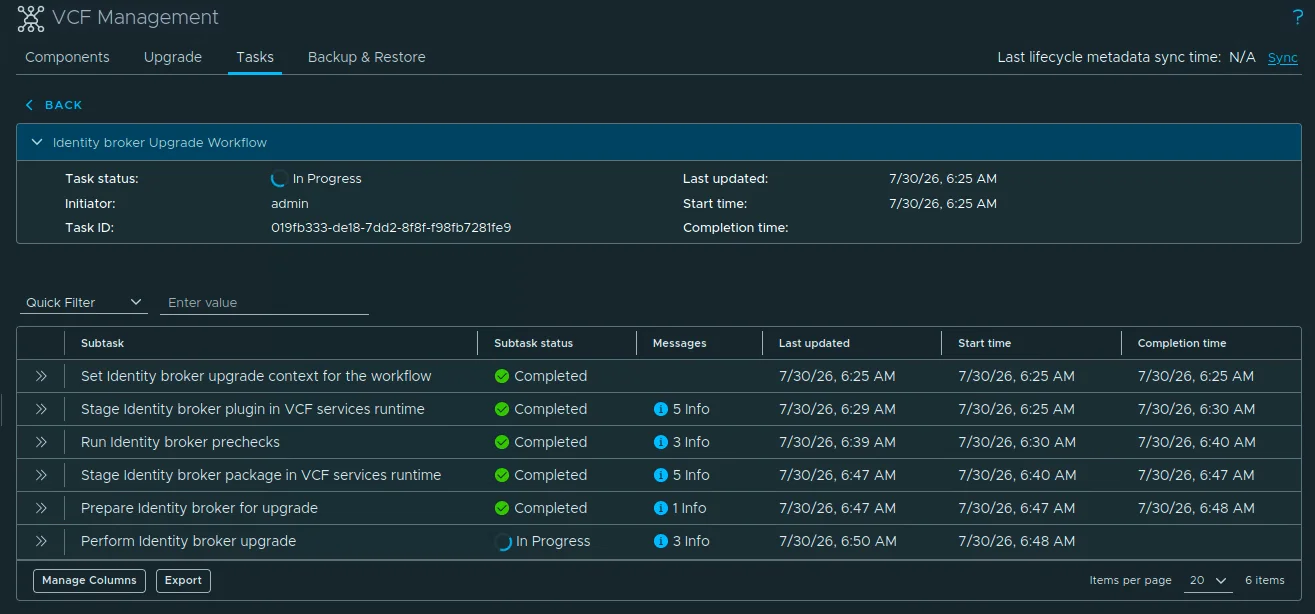
Next, Identity Broker to 9.1.0.0100.25522734.

This one is a 6-subtask workflow.
Upgrade VCF Automation
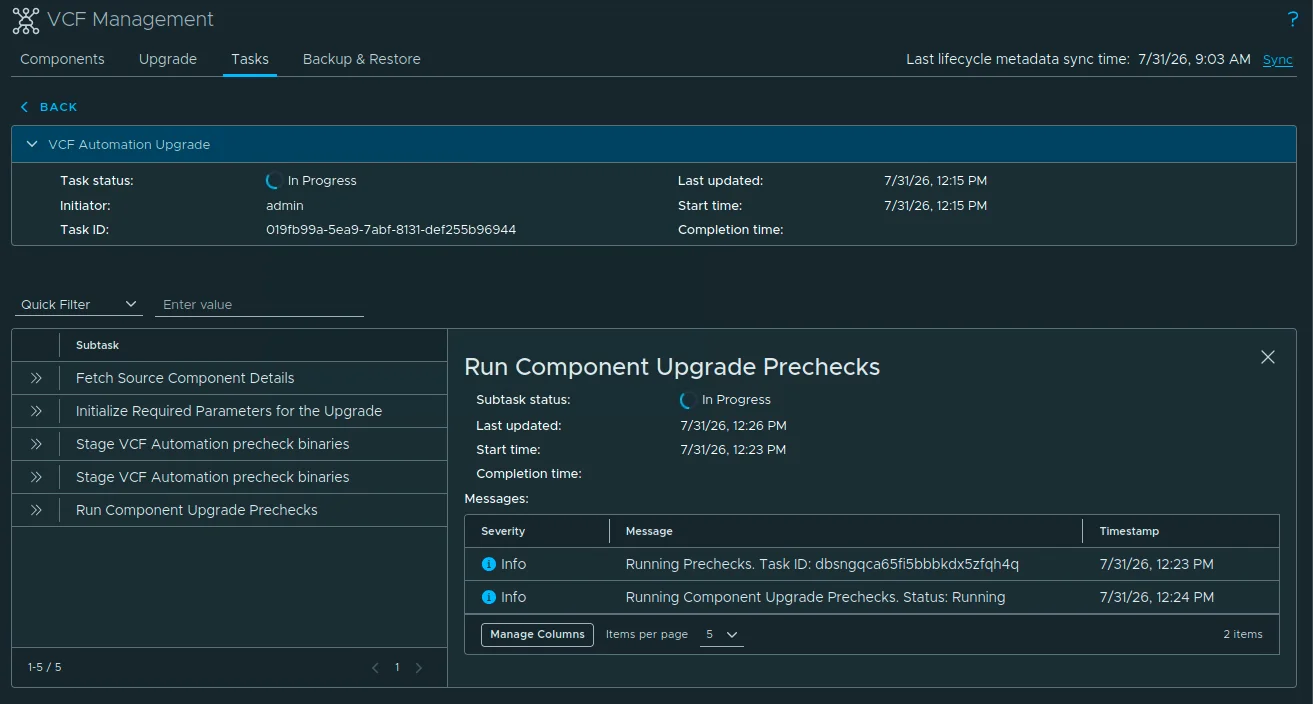
VCF Automation goes to 9.1.0.0200.25556825.

The precheck workflow runs first, then the upgrade takes over.
Upgrade VCF Operations for Networks
VCF Operations for Networks moves to 9.1.0.0200.25517220.

Upgrade Log Management
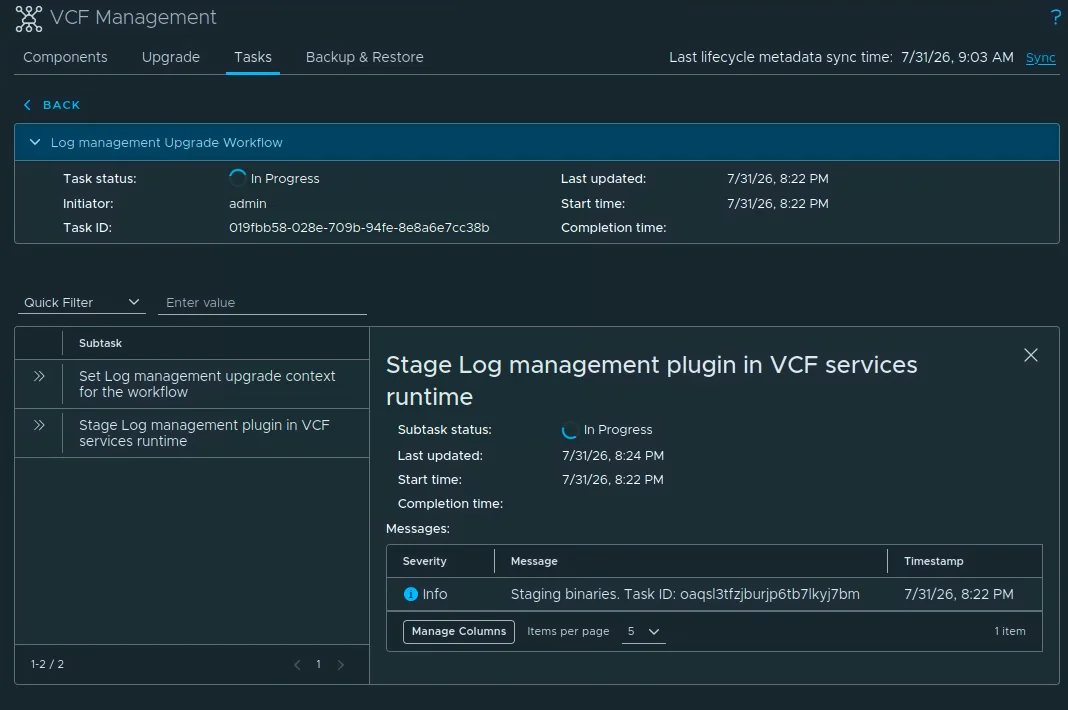
Log Management targets 9.1.0.0400.25544947.

Same pattern: precheck, then the upgrade workflow.
Upgrade SDDC Lifecycle
SDDC Lifecycle goes to 9.1.0.0400.25570103: the component behind the batch precheck known issue, upgraded here with its own individual precheck.

Upgrade Real-Time Metrics and Metrics Store
Real-Time Metrics targets 9.1.0.0400.25544944.

The Real-Time Metrics row switches to Upgrade in progress.

Then the upgrade workflow itself.
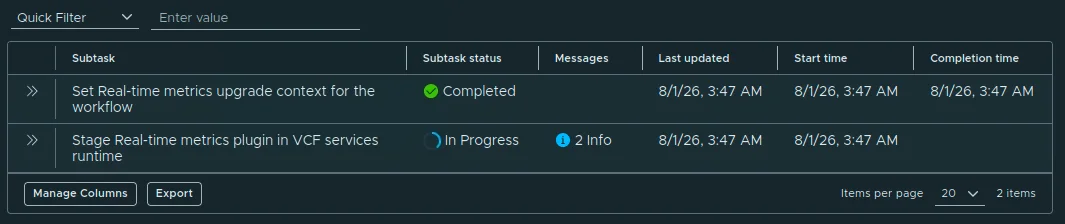
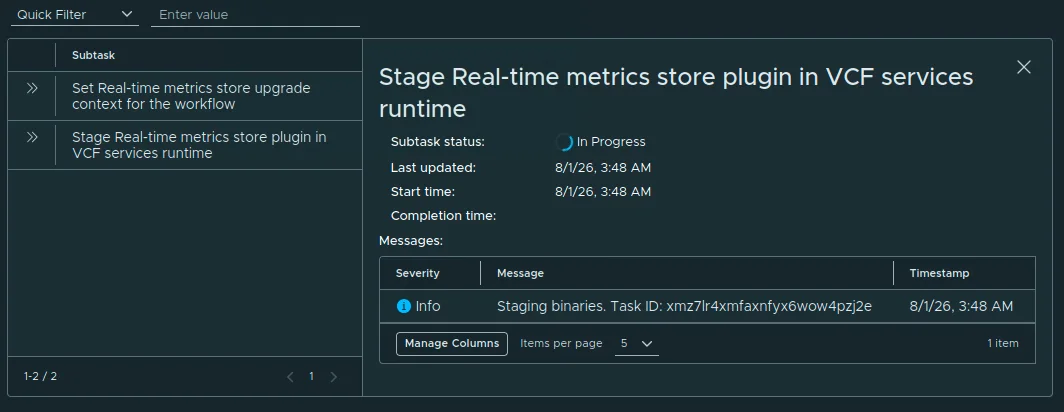
The Real-Time Metrics Store is a separate component; it targets 9.1.0.0200.25555874.

The Real-Time Metrics Store row switches to Upgrade in progress.

And the upgrade workflow follows.
Upgrade Salt Master
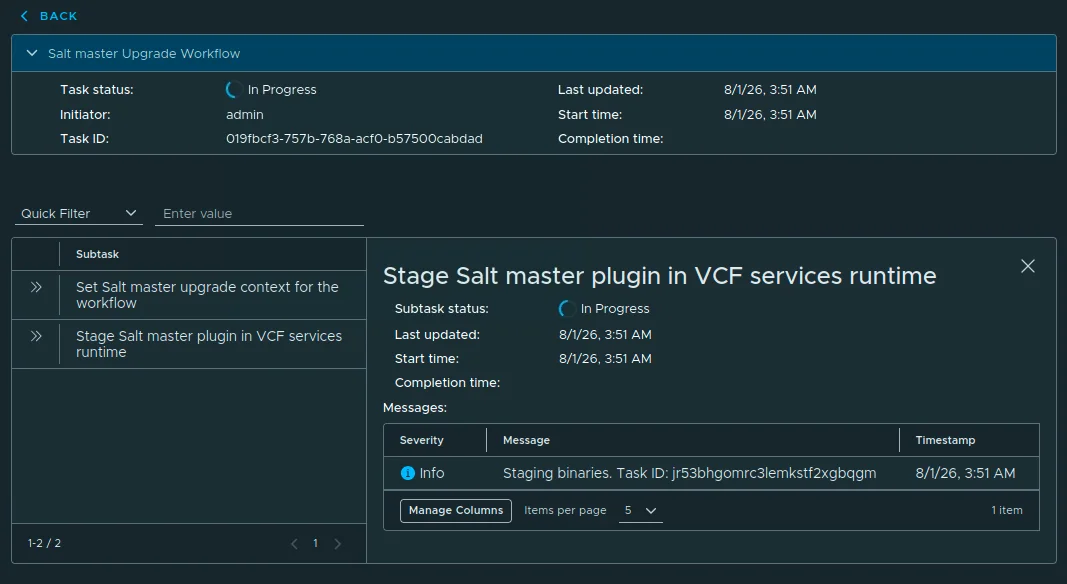
Salt Master targets 9.1.0.0400.25544946.

The Salt Master row switches to Upgrade in progress.

The upgrade workflow takes over and works through its subtasks.
Upgrade Software Depot
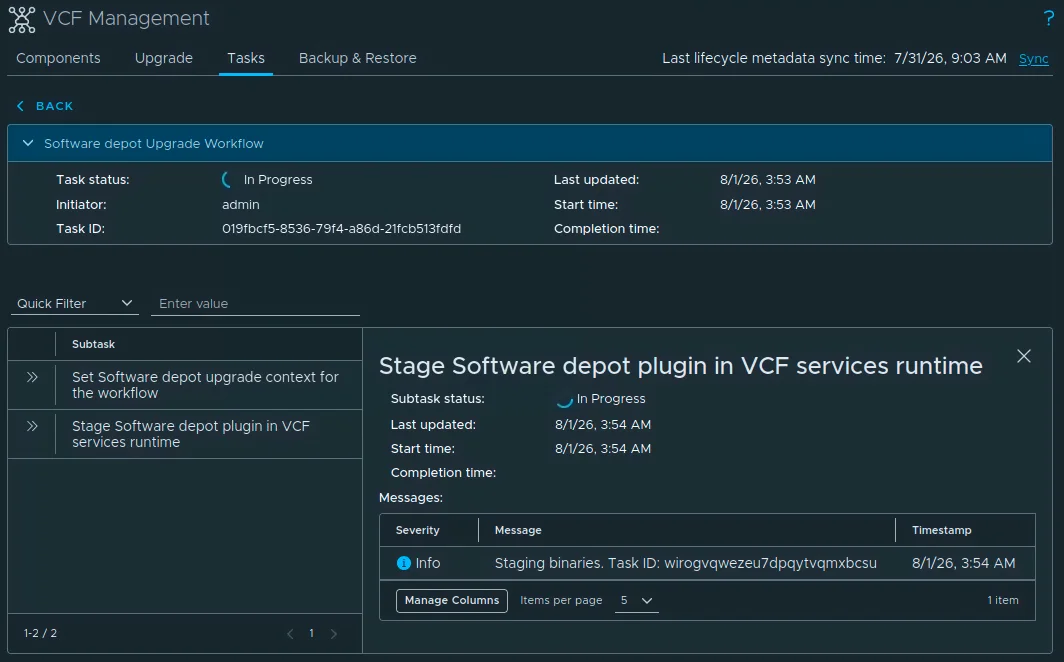
Software Depot goes to 9.1.0.0400.25570105. Per the known issue in the release notes, the depot goes briefly offline during its own patch, so avoid launching other component patches at the same time and retry anything that failed afterwards.

The Software Depot row switches to Upgrade in progress.

Then the upgrade workflow, while the depot is briefly unavailable.
Upgrade Migration Service Engine
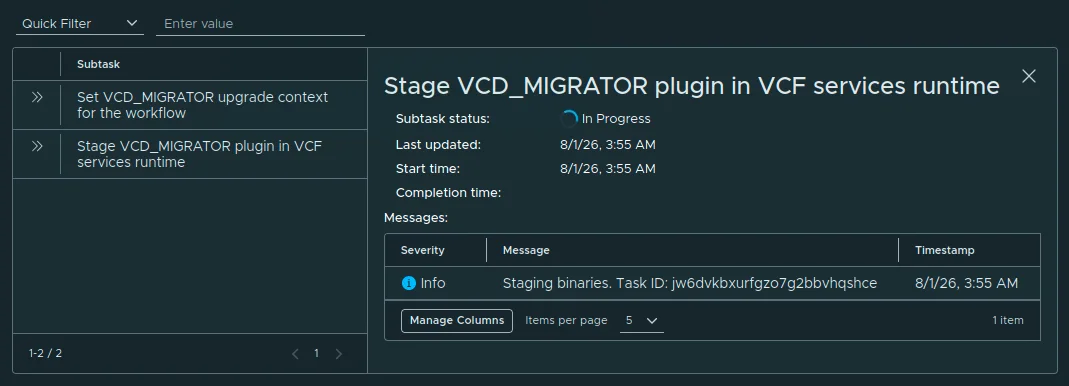
Migration Service Engine targets 9.1.0.0200.25556825.

The Migration Service Engine row switches to Upgrade in progress.

Fun detail in the workflow panel: the staging task exposes the internal component name VCD_MIGRATOR: “Stage VCD_MIGRATOR plugin in VCF services runtime”.
Upgrade VCF Services Runtime
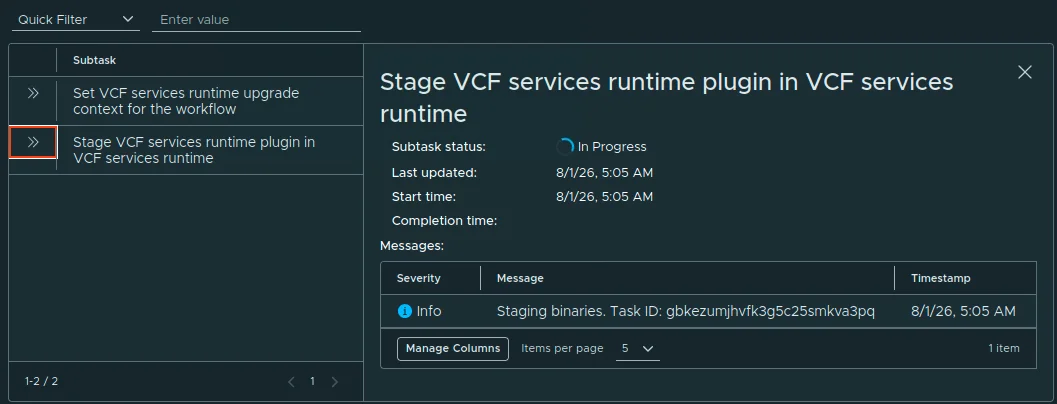
VCF Services Runtime goes to 9.1.0.0200.25555874.

The VCF Services Runtime row switches to Upgrade in progress.

Then the upgrade workflow with its subtasks.
Upgrade Salt RaaS
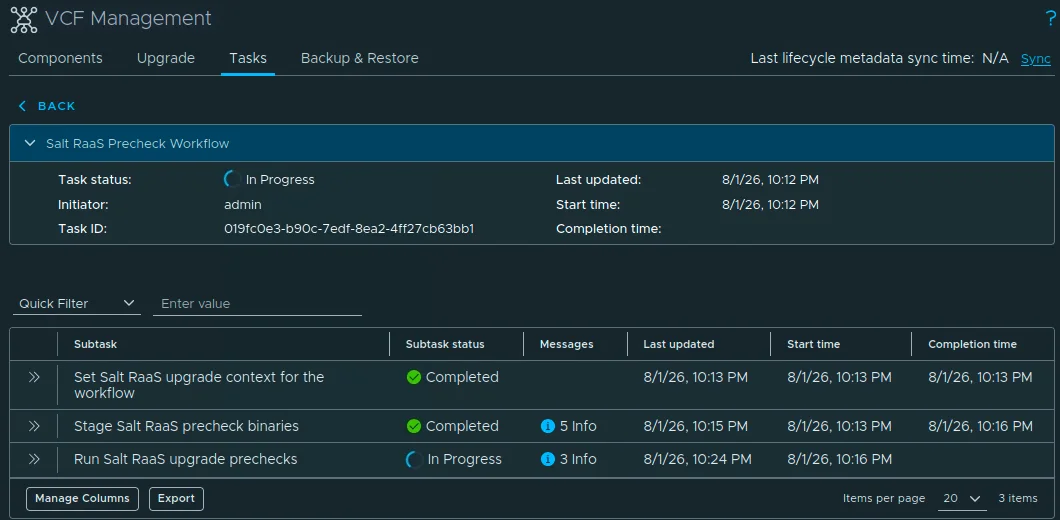
Salt RaaS ran last in my lab, targeting 9.1.0.0400.25544946.

At the time of this capture the precheck workflow was still running, “Run Salt RaaS upgrade prechecks” shows In Progress.
What About SDDC Manager and the Core Components?
They are out of scope for this post. SDDC Manager 9.1.0.0400 (build 25570100) and the core components from this wave (ESX 9.1.0.0200, vSAN 9.1.0.0200, NSX 9.1.0.0200, and vCenter 9.1.0.0200, later bumped to 9.1.0.0300 on July 29, 2026) are applied through Build -> Lifecycle -> VCF Instances. That is the same flow I documented in Upgrading VCF 9.1 to 9.1.0.0300 Step by Step.
Validate the Update
Before calling it done:
- Check the Component Versions page, every patched management component should show On Target.
- Check the task list, no failed workflows left behind.
- Confirm the VCF Operations UI is reachable and healthy.
- Retry anything that failed while the Software Depot was being patched; the depot was offline during that window.
For SDDC Manager and the core components, see the previous section, the flow in Upgrading VCF 9.1 to 9.1.0.0300 Step by Step still applies one-to-one.