
With the release of of VCF 4.1 I wanted to get my lab upgraded. The release blog can be found here and the release notes are here
Downloading the 4.1.0.0 Update Bundle
In my case I pre downloaded the VMware Cloud Foundation Update 4.1.0.0 by going to Repository -> Bundle management -> Download now

Applying the VCF 4.1.0.0 Update
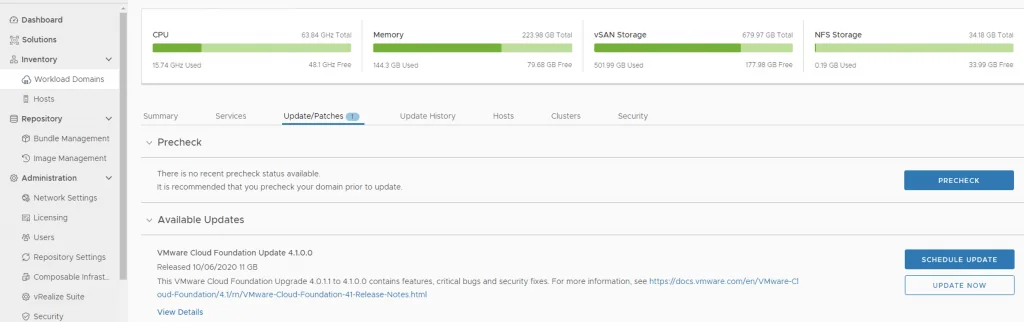
The next step is to upgrade VCF by going to Inventory -> Workload Domains -> Select the workload domain -> Update/Patches -> Update Now
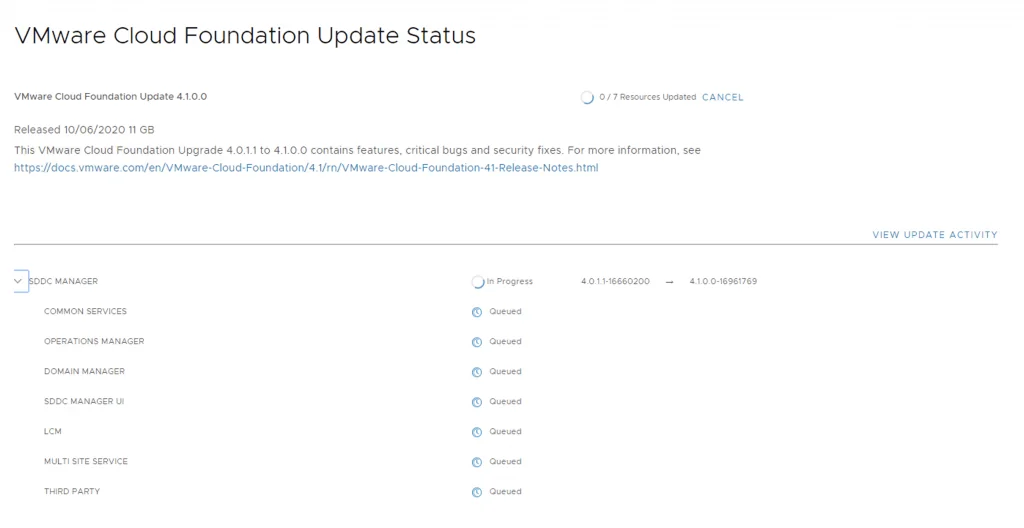
Next we are taken to the Upgrade page where we can follow the upgrade for each one of the components
Once the upgrade is complete we can click Finish to be returned back to the main screen
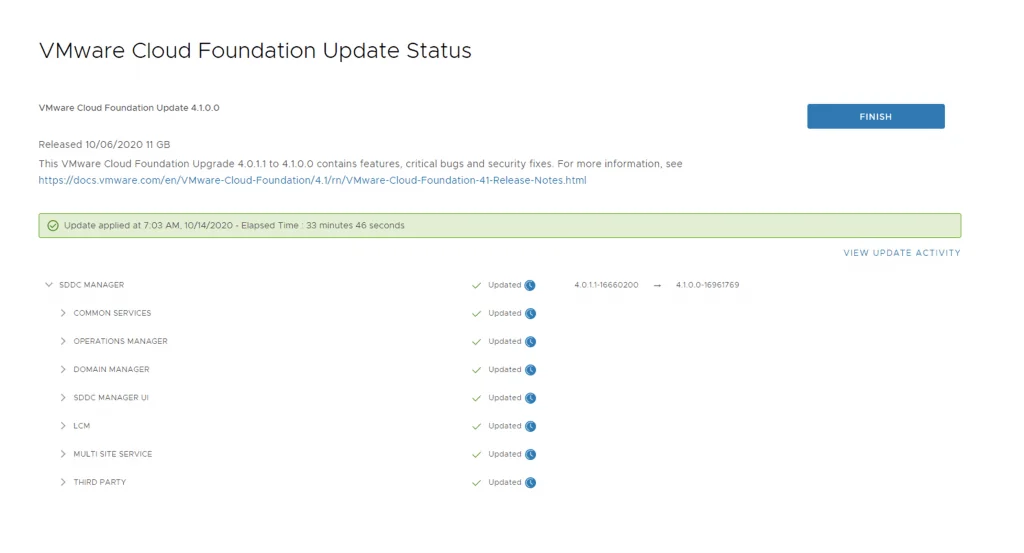
Because we are changing the SDDC-Manager version I would strongly recommend to clear cache and log back in before going forward.
Installing the Configuration Drift Bundle
The next update is the configuration drift bundle. We can go to nventory -> Workload Domains -> Select the workload domain -> Update/Patches -> Download now

Once the download is complete click on update now

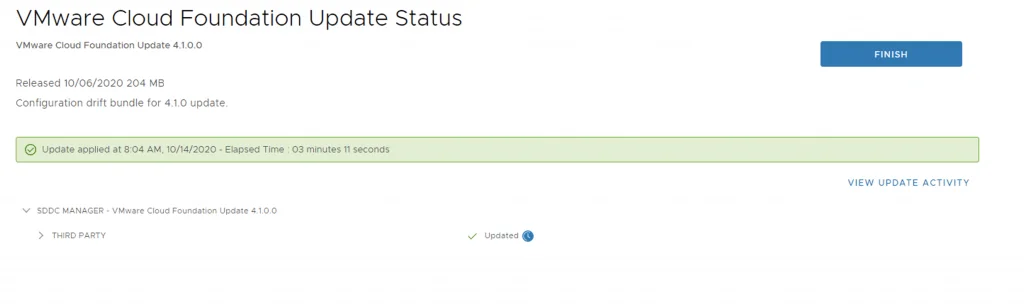
Once the upgrade started I got redirected tot he Update status page. Considering the update is only 204 MB the upgrade went through pretty quickly. Once its completed we can click finish to get back to the main sddc manager page
Upgrading NSX-T to 3.0.2
Next step is to upgrade NSX-T installation to NSX-T 3.0.2. Click on Download now from the same page as above
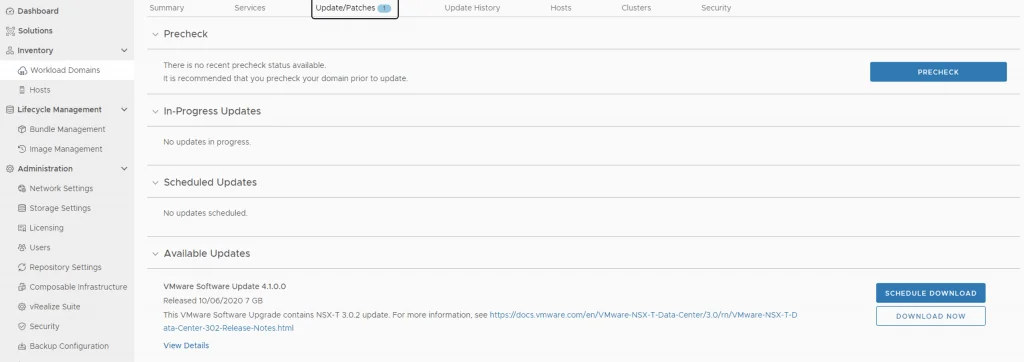
Once the download is complete click on Update Now

We can view the status and the steps by clicking on View Status. Once the upgrade is complete we are redirected back to the available upates page showing that the vCenter server is next
Upgrading vCenter Server to 7.0 Update 1

Click on Download now and wait for the download to complete. Once the download is complete click on update now

We can view the task by clicking on View Status

Upgrading the ESXi Hosts
Once the upgrade is complete we are taken back to the previous page where we can see that the ESXi servers are next. Click on Download Now

Once the download is complete we can click on Update now

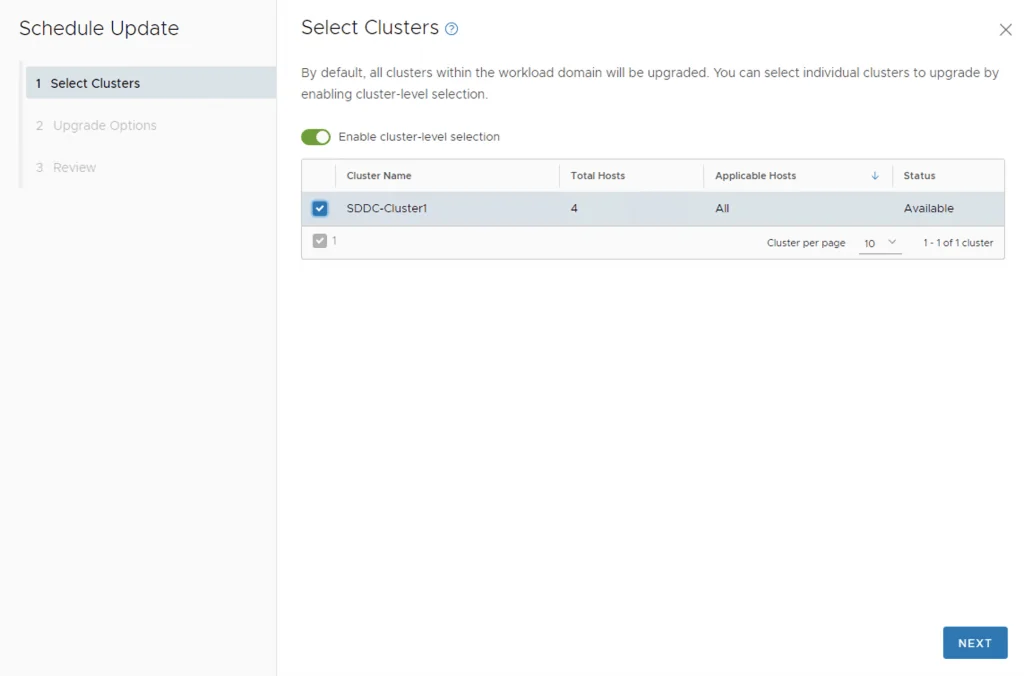
If we have multiple clusters we can enable Cluster-level selection and select the specific luster(s) we want to upgrade.
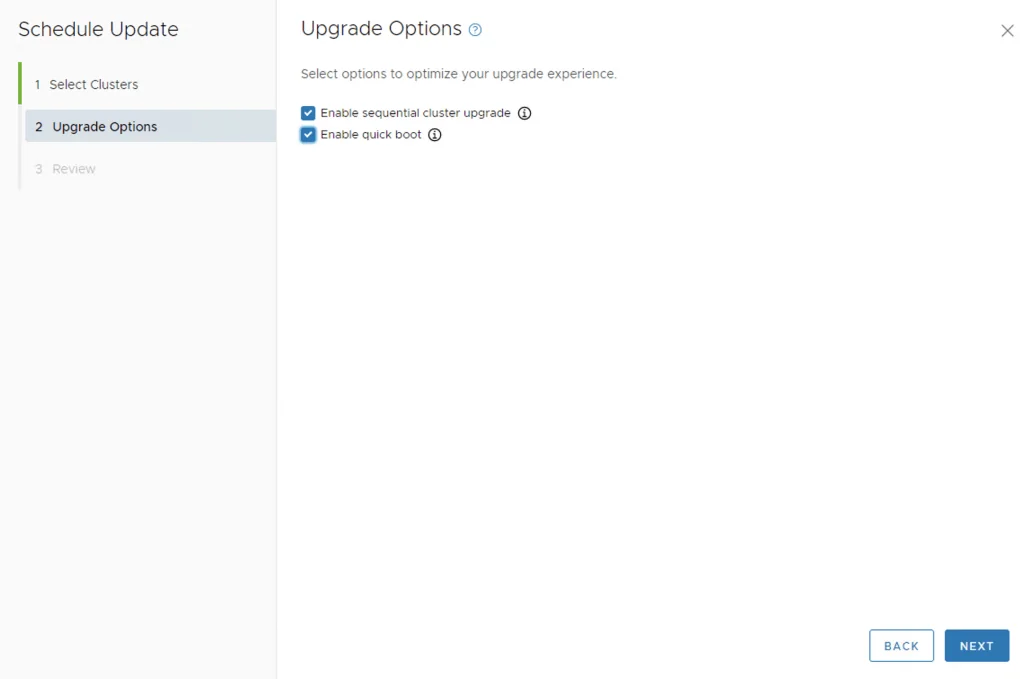
We can also enable sequential cluster upgrade as well as quick boot
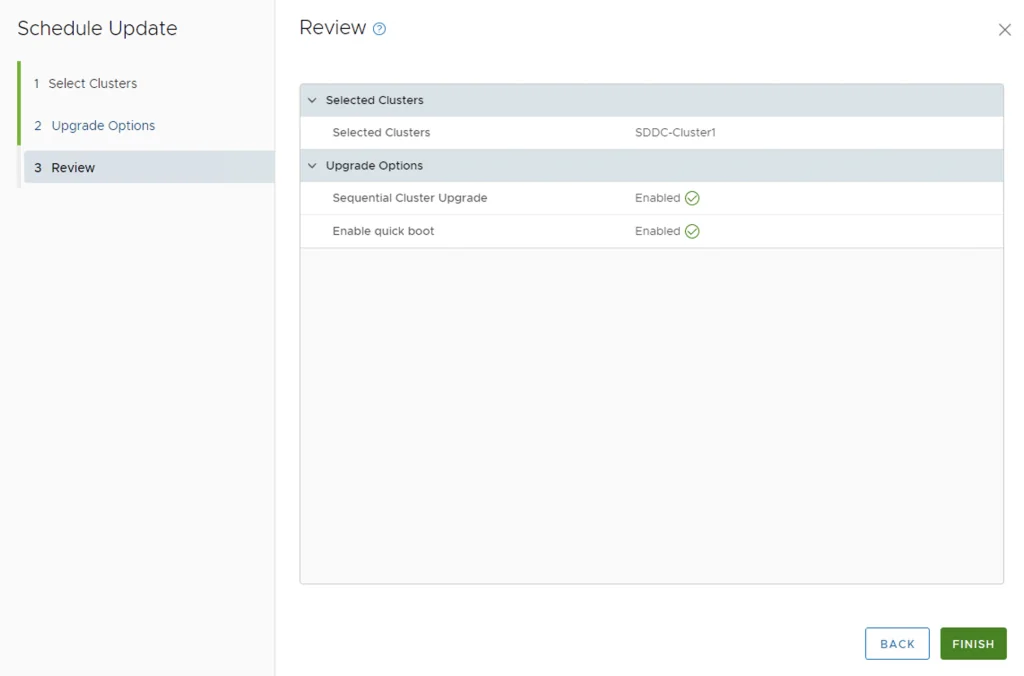
We get to review the options once again before we click finish to to submit the task
Once submitted we can view the status by clicking on View Status

Wrapping Up
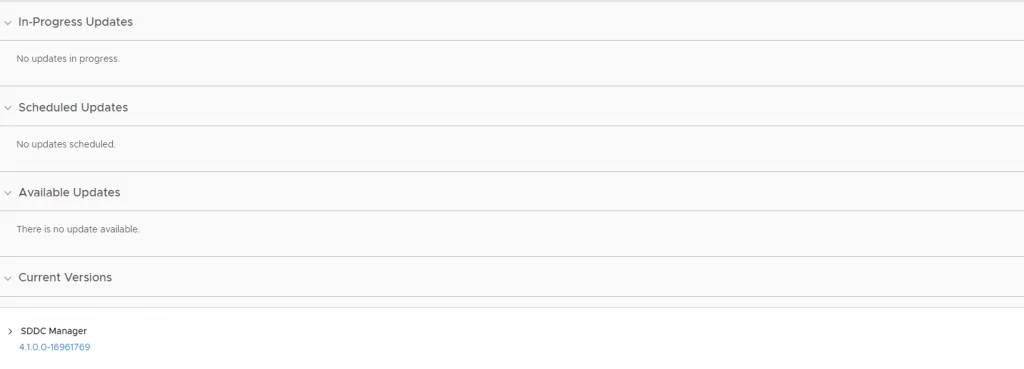
And with that we are finished with the workload domain. We can get back to the Update/Patches page to see that there are no more updates available
Next is the Workload domains where we can follow the same instructions as above. The process will be a lot quicker because the upgrades are already downloaded. If you plan to keep going, I documented the next release in Upgrading VCF 4.1.0.0 to 4.2.0.0 Step by Step.