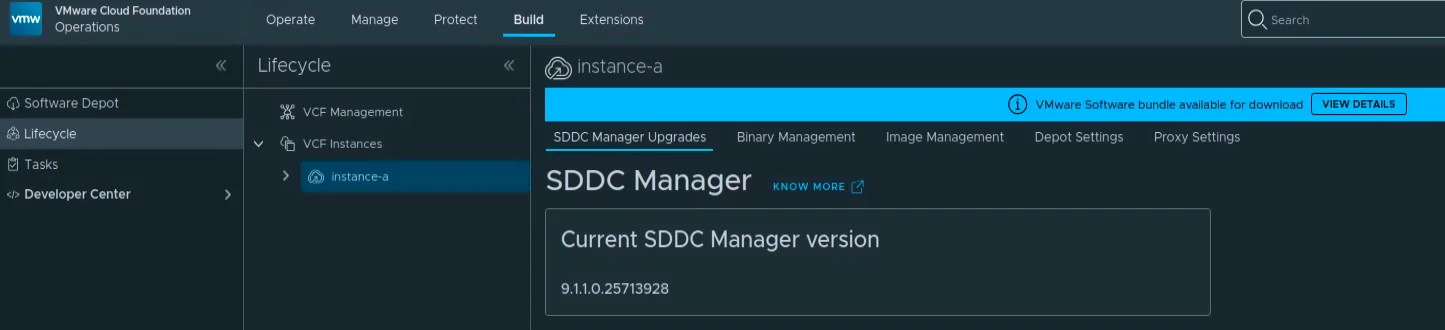
With VCF 9.1.1 available, I wanted to patch SDDC Manager in my lab. This is the follow-up to my VCF 9.0 SDDC Manager upgrade guide. In this post I will go over the upgrade from 9.1.0.0400.25570100 to 9.1.1.0.25713928 through VCF Operations.
VCF 9.1.1 is a maintenance release with an updated Bill of Materials. The VCF 9.1.1 release notes are the source of truth for supported paths and dependencies.
One naming detail before we start: these screenshots show SDDC Manager under Build -> Lifecycle -> VCF Instances. That is different from the SDDC Lifecycle management-service component under Build -> Lifecycle -> VCF Management. The procedure below is for SDDC Manager. This patches SDDC Manager only; it does not change the management-domain version or patch the other core components. Broadcom documents this standalone path in Upgrade SDDC Manager without upgrading VCF.
Before You Begin
For an existing 9.1.0.x environment, patch the Fleet Lifecycle management service to 9.1.1 first. Wait for that operation to complete before starting SDDC Manager. The release notes also require lifecycle operations to run sequentially; do not patch VCF Operations or another component in parallel.
Before opening the SDDC Manager page:
- Confirm the source and target are supported in the VCF Upgrade Planning Tool and the Broadcom Interoperability Matrix. A standalone SDDC Manager patch is supported only when the target is compatible with the BOMs in the management and workload domains.
- Download the SDDC Manager binary from Software Depot using the VCF Operations lifecycle procedure. Verify that VCF Operations can reach the configured depot. VCF 9.1 uses an activation code for depot access; resolve depot or proxy errors before downloading the bundle.
- Verify a recent, successful SDDC Manager backup and that you have the restore details and credentials available. Schedule a maintenance window and make sure the people responsible for the VCF instance are available if a task needs attention.
- Confirm that no other lifecycle task is running. The SDDC Manager bundle is about 3 GB, so allow time for the download and validation.
The versions from my lab are:
| Component | Before | After |
|---|---|---|
| SDDC Manager | 9.1.0.0400.25570100 | 9.1.1.0.25713928 |
The target build is also listed in the VCF 9.1.1 SDDC Manager release notes.
Open the SDDC Manager Upgrade Page
Log in to VCF Operations with an account that can run lifecycle operations. Go to Build -> Lifecycle -> VCF Instances, select the VCF instance, and open SDDC Manager Upgrades. Depending on the exact 9.1.x patch level, the page may present this as a planned component upgrade; follow the target version and precheck steps in the linked Broadcom procedure.
In my lab the instance is instance-a. The page shows the current build and the available 9.1.1.0.25713928 bundle. It is marked Latest Compatible, and the page displays a compatibility-warning link. Read those warnings and resolve anything that applies to your environment before continuing.
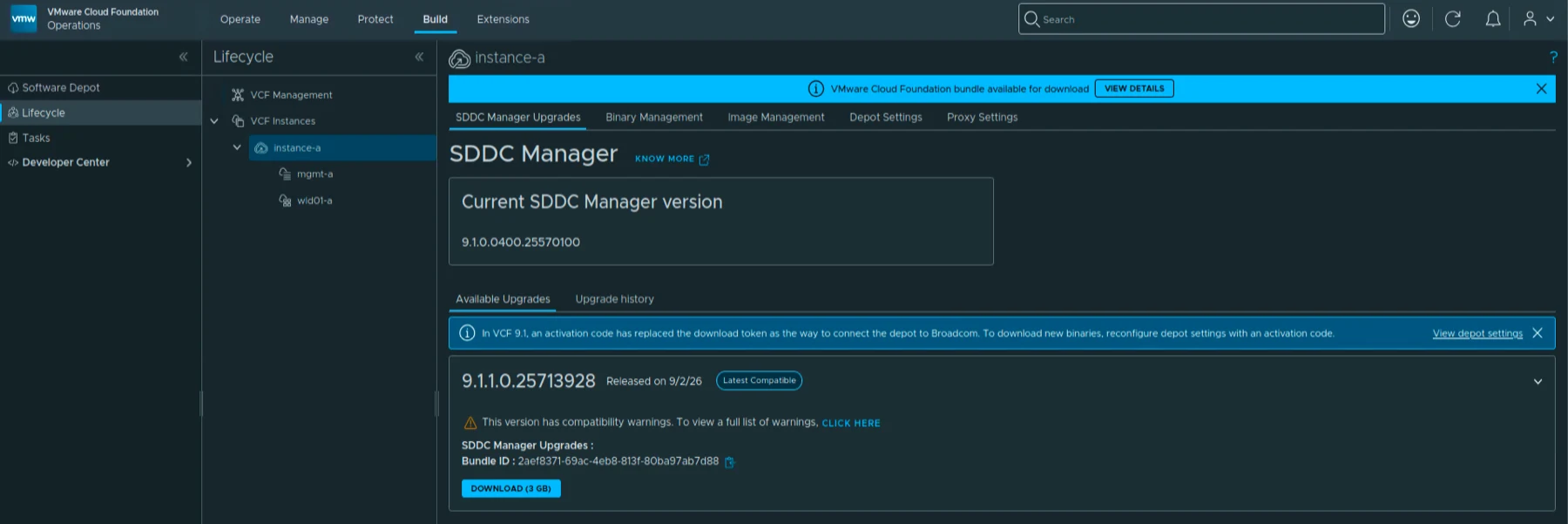
The page also shows the bundle ID and a DOWNLOAD (3 GB) button. If your page does not show the target, sync or fix the depot configuration first. Do not try to force a version that VCF Operations has not offered for the instance.
Download and Validate the Bundle
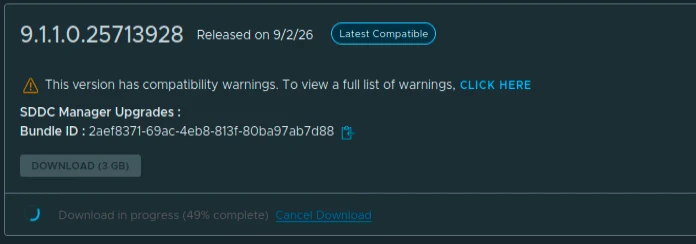
Click DOWNLOAD (3 GB) and wait for the download to finish. The bundle is staged and validated by VCF Operations; leave the task running until the status changes.
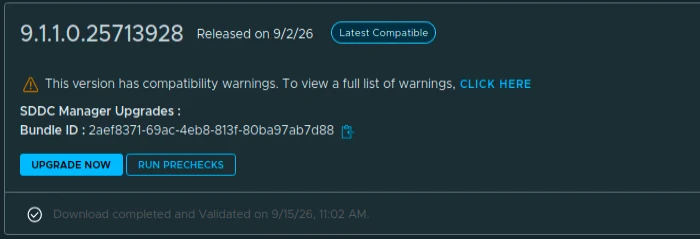
When the card reports that the download and validation are complete, confirm that the target still reads 9.1.1.0.25713928. Run the available prechecks and wait for them to pass before starting the upgrade.
Start the Upgrade
After the prechecks pass, click UPGRADE NOW. VCF Operations displays a confirmation that the SDDC Manager UI will be disconnected until the upgrade finishes. This is expected. Click START UPGRADE only after confirming that the maintenance window is open and no one needs the SDDC Manager UI during the operation.
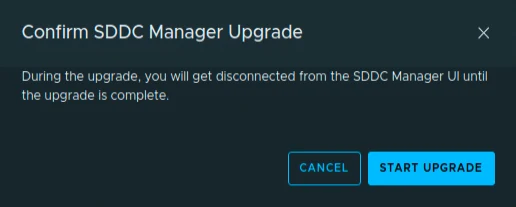
Do not cancel the task or reboot the appliance manually. If the task reports a failure, open the task details, capture the error, and follow the corrective action in the release notes or Broadcom support guidance before retrying.
Monitor the Upgrade Workflow
The VCF Upgrade Status page shows the VMware Cloud Foundation Upgrade 9.1.1.0 bundle and the SDDC Manager resource in progress. The page also provides a release-notes link; use the canonical 9.1.1 release-notes page when checking dependencies.
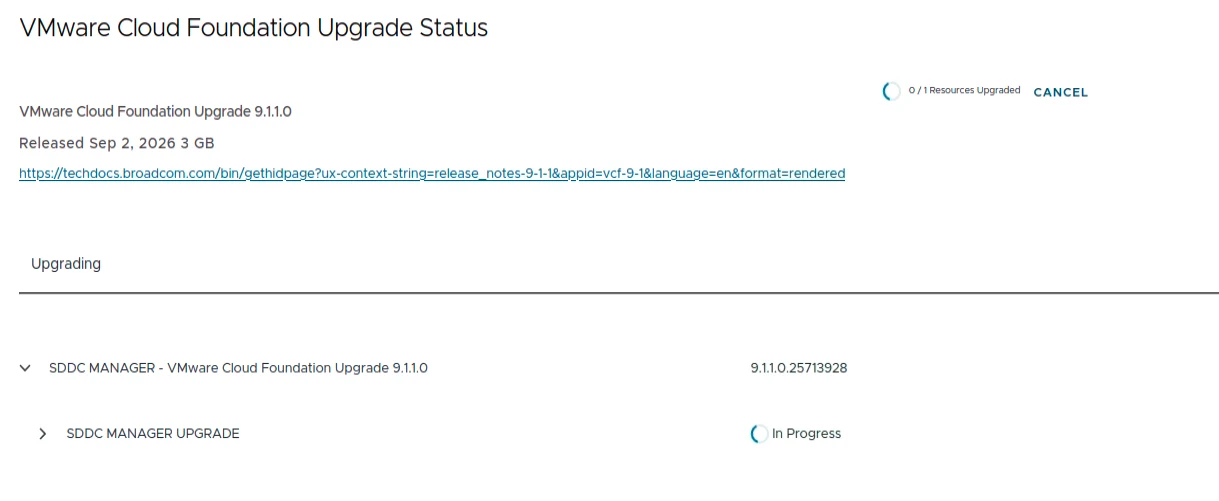
Expand SDDC MANAGER UPGRADE to follow the individual stages. In my run the workflow moved through the VCF prerequisite, common appliance platform setup, service validation, package removal, Photon 4 RPM preparation, VCF service and platform updates, authentication, the SDDC Manager RPM update, reboot, certificate refresh, appliance-version update, deployment-drift check, post-validation, service validation, cleanup, and stopping the common appliance platform service.
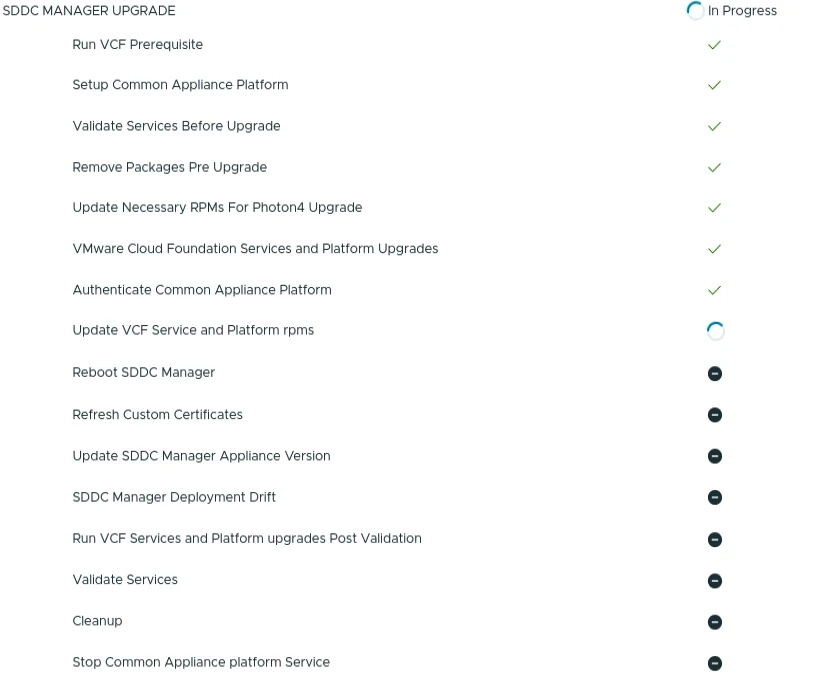
Let the workflow finish all of its stages. The UI may be unavailable for part of the process, and the duration will vary with the environment. Wait for the overall task to report Completed before starting another VCF lifecycle operation.
Verify the New Version
Return to Build -> Lifecycle -> VCF Instances -> instance-a -> SDDC Manager Upgrades. The Current SDDC Manager version should now show 9.1.1.0.25713928.

Also review Lifecycle -> Tasks for a completed upgrade and check the VCF instance health, SDDC Manager services, certificates, and management-domain access. Before patching ESX from 9.1.0.x to 9.1.1.0, patch the VCF Operations instance and its connected license servers first. Also make sure no lifecycle operation is still running.
If you use an offline depot and its settings show legacy hostname, port, or username fields after the upgrade, review the SDDC Manager release-note workaround: reconnect the depot using the supported URL format or open Edit and save the corrected settings before downloading another bundle.
SDDC Manager in my lab is now on 9.1.1.0.25713928. We can continue with the remaining VCF 9.1.1 components by following the dependencies in the release notes. For the management-service side of the update, see my VCF 9.1.1 all-in-one upgrade runbook and the separate Fleet Lifecycle walkthrough.