vROPs DRS requirements across multiple data centers

vSphere Resource Management with vRealize Operations (vROPs) DRS across multiple data centers is a critical requirement for managing large-scale virtualized environments. In this blog, we’ll discuss the requirements for using DRS in vROPs across multiple data centers. Cross vCenter vMotion (CVC-vMotion) Support: CVC-vMotion enables vMotion of virtual machines across multiple vCenter servers. This capability is a pre-requisite for vROPs DRS across multiple data centers. vCenter Server 6.7 Update 1 or later: vROPs DRS across multiple data centers requires vCenter Server 6.7 Update 1 or later. This ensures that the necessary APIs are available to enable vROPs to manage resources across multiple vCenter servers. Network Connectivity: All data centers should have a reliable and high-speed network connectivity, with the necessary firewall ports opened for communication between vCenter servers and vROPs instances. vROPs Replication: vROPs instances in different data centers must be able to communicate with each other. vROPs replication can be used to keep the data in all vROPs instances in sync, ensuring that the vROPs DRS decisions are based on consistent data. Same vROPs version: All vROPs instances must be running the same version of vROPs to ensure compatibility and prevent any issues with data consistency. Same vROPs license: All vROPs instances must be licensed with the same vROPs license, and the license should include the vROPs DRS capability. Cluster Configuration: The virtual machines that need to be managed by vROPs DRS must be in a vSphere cluster that spans across multiple vCenter servers. The vSphere cluster must be configured with the appropriate DRS settings, such as automated DRS, to ensure that vROPs DRS can make effective resource management decisions. In conclusion, vROPs DRS across multiple data centers is a powerful tool for managing virtualized environments at scale. By following these requirements, organizations can ensure that their vROPs DRS implementation is effective, efficient, and reliable. ...

January 30, 2023 · Cosmin Trif

DRS Rules in vROPs and vCenter

The Distributed Resource Scheduler (DRS) is a key component of the vSphere platform, and is used to manage resource allocation and workload distribution within virtualized data centers. DRS works by analyzing resource utilization and workload demands of virtual machines (VMs) and making recommendations for placement and resource allocation based on a set of rules. In the context of vRealize Operations Manager (vROps), DRS rules play an important role in ensuring optimal performance and utilization of virtualized resources. By using vROps, administrators can monitor resource utilization and workload demands in real-time, and make informed decisions about resource allocation based on this data. ...

January 30, 2023 · Cosmin Trif

SDDC SaltStack Modules - vSphere edition

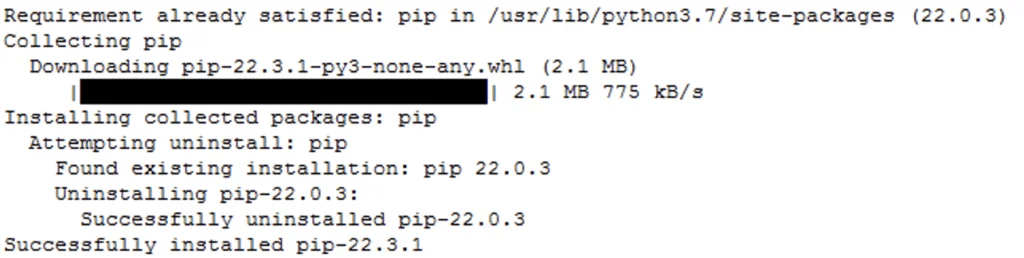
In this blog post I will go over the steps I took in order to to be able to query my vCenter components from SaltStack using the SDDC SaltStack Modules. The SDDC SaltStack Modules were introduced in 2011. You can find the technical release blog here. The modules can be found on GitHub here. There is also a getting quick start guide that can be found here. I am using the pre packaged ova for deployment which includes most of the components however it does have some outdated packages. The first step for was to upgrade pip: ...

November 7, 2022 · Cosmin Trif
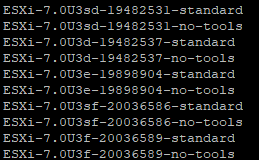
The image shows a list of ESXi versions with build numbers and "standard" or "no-tools" labels.

Patching//Upgrading ESXi 7 to ESXi7U1 via esxcli

With the latest release of ESXi7U1 i wanted to get my lab up to date. I dont have enough resources in my lab to migrate the vCenter to another ESXi server so i want to perform the upgrade via cli. More details about the release can found here The first step was to open the firewall for outgoing traffic for http esxcli network firewall ruleset set -e true -r httpClient Second step was to list the updates by executing ...

July 17, 2022 · Cosmin Trif
VM power-on fails due to missing 'cpuid.mwait' feature, other issues listed.

vCLS not starting with Failed - Feature 'cpuid.mwait' was absent, but must be present error

With the release of vCenter 7 Update 1, VMware introduced the vCLS (vSphere Clustering Service). More information can be found here. Looking at the error details it looks like it is looking for a feature called cpuid.mwait Reviewing the VMX file it seems like EVC is enabled on the vCLS VMs. I didnt want to enable EVC on the whole cluster so i wanted to do it only on the specific VMs. ...

June 6, 2022 · Cosmin Trif
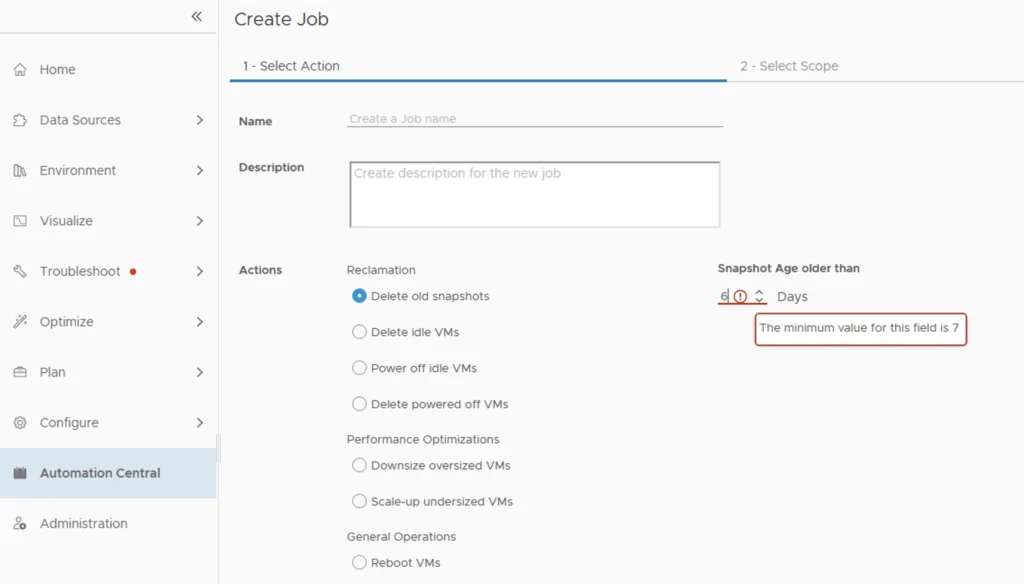
Automation Central job creation wizard shows snapshot age restriction with minimum value of 7 days.

Change Delete old snapshot restriction from 7 days in Automation Central

I recently ran through an issue where i wanted to automatically delete snapshots after 5 days instead of the default 7 days that comes out of box in automation central. I wanted to change delete old snapshot restriction from 7 days to 5 days. It seems like the restriction comes from the Reclaim Settings. In order to change it we can go to Optimize -> Reclaim -> Settings ...

February 2, 2022 · Cosmin Trif
vSphere Client shows "Authentication failed" and "Lifecycle Manager server not contacted.

Authentication failed, Lifecycle Manager server could not be contacted

I recently upgraded my vCenter to 7.0.3 18700403 and i noticed that when i went to Lifecycle Manager i was welcomed with this error. “Authentication failed, Lifecycle Manager server could not be contacted.” Im not aware of a fix for this issue however using the administrator@vsphere.local seems to be working.

October 12, 2021 · Cosmin Trif
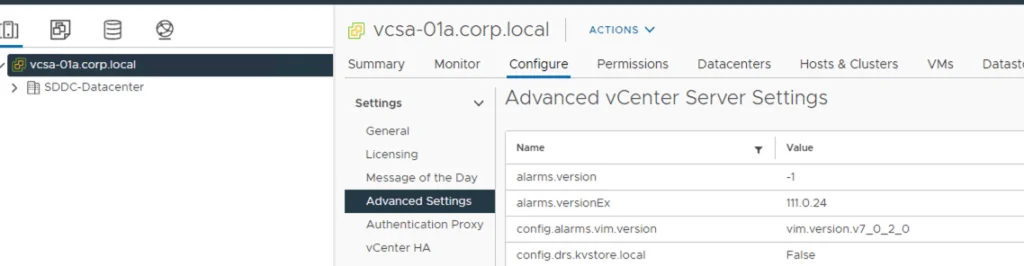
Advanced vCenter Server settings displayed in vSphere configuration UI.

Disable vCLS (vSphere Cluster Services) in vSphere

While doing maintenance on my vSAN cluster recently i had the need to disable the vCLS in order to fully shut down the cluster. Doing some reasearch i found kb article 80472 that talk about temporarily disabling the service in order to perform maintenance. The steps are fairly easy First we need to get the Cluster id from vSphere. To do so all we need to do is select the cluster and look at the url. For example ...

May 19, 2021 · Cosmin Trif
A cartoon rabbit holding a carrot with "That's all, folks!" text.

Shutting down a vSAN Cluster

I have the need to completely shut down some of my vSAN clusters for various clusters and ive been having a hard time finding the proper procedure. As of 2/16/2021 VMware released guidance here Here are the steps i took to do it on my end. If you have the vCLS service enabled follow my other instructions here prior to starting the rest of this guide. Disable cluster member updates from vCenter on each ESXi host in the cluster by running ...

March 27, 2021 · Cosmin Trif
ESXi 7.0 patch versions listed, including standard and no-tools options.

Patching//Upgrading ESXi 7 to ESXi7U1 via esxcli

With the latest release of ESXi7U1 i wanted to get my lab up to date. I dont have enough resources in my lab to migrate the vCenter to another ESXi server so i want to perform the upgrade via cli. More details about the release can found here The first step was to open the firewall for outgoing traffic for http esxcli network firewall ruleset set -e true -r httpClient Second step was to list the updates by executing ...

October 28, 2020 · Cosmin Trif