Clearing a Full vSAN Trace Ramdisk Across ESXi Hosts in Parallel

While reviewing an SOS support bundle from a VMware Cloud Foundation environment, I noticed every ESXi host in the management cluster was logging the same warning, over and over, right up to the moment the bundle was collected: [vob.visorfs.ramdisk.full] Cannot extend visorfs file /vsantraces/vsantracesLSOMVerbose--...zst because its ramdisk (vsantraceFailover) is full. These are -INFO level VOB events, not errors, and they do not touch your data or VMs. But when the same symptom appears on all hosts at once, fires continuously, and never clears on its own, it is worth understanding what is actually happening and fixing it cluster-wide rather than logging into each host by hand. This post walks through the diagnosis and a small Bash script that queries, fixes, and reclaims space on every host in parallel. ...

Clearing a Full vSAN Trace Ramdisk Across ESXi Hosts in Parallel

Comparing VMware vSAN ESA and Traditional Storage Solutions

In today’s blog, we’re diving into the world of storage solutions, specifically comparing VMware’s vSAN Express Storage Architecture (ESA) with traditional storage systems like SAN (Storage Area Network) and NAS (Network Attached Storage). If you’re wondering which storage solution is right for your environment, this post is for you. We’ll explore the key differences in architecture, performance, scalability, cost, management, and use cases to help you make an informed decision. ...

Comparing VMware vSAN ESA and Traditional Storage Solutions
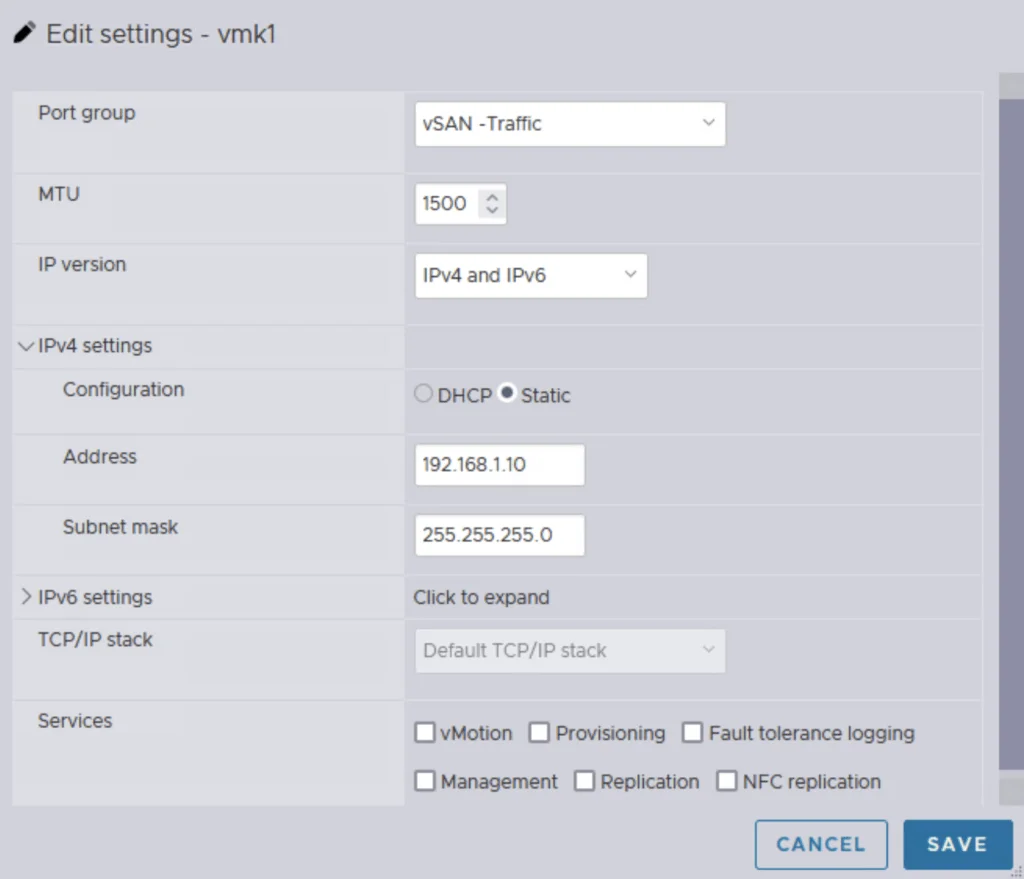
Editing vSAN traffic settings with IPv4 and IPv6, static IP, and service options.

Single Node vSAN

Setting up a vSAN cluster on a single ESXi host without vCenter is simpler than you might think. This guide walks you through a CLI-based method to configure VMware by Broadcom’s vSAN in a standalone environment. Whether you’re testing in a lab or laying the groundwork for a larger cluster, a single node vSAN deployment offers a flexible starting point that scales as your needs grow. What Is a Single Node vSAN? VMware by Broadcom’s vSAN is designed for multi-host clusters managed by vCenter, typically requiring at least two hosts for production resilience. However, with CLI tools, you can establish a vSAN cluster on a single ESXi host. This setup is ideal for experimentation or initiating a cluster, providing a solid base for later expansion with vCenter and additional nodes. ...

Single Node vSAN

Why Choose VMware vRealize Automation (vRA) over Terraform

VMware vRealize Automation (vRA) and Terraform target different infrastructure workflows. This comparison covers SDDC automation, user experience, VMware integration, security, compliance, and support. End-to-End Automation: vRA automates the entire software-defined data center (SDDC) lifecycle, from provisioning to decommissioning. Terraform is more limited, focusing only on infrastructure provisioning. User Experience: vRA provides a user-friendly interface, making it easier for non-technical users to request and manage infrastructure. Terraform, on the other hand, requires more technical expertise to use effectively. Integration with VMware: vRA integrates with other VMware products, such as vSphere, NSX, and vSAN, allowing for a seamless experience. Terraform can also integrate with VMware, but it requires more manual effort to set up the integration. Enterprise-Grade Security: vRA includes enterprise-grade security features, such as role-based access control and multi-factor authentication. Terraform does not have built-in security features, requiring additional tools or manual effort to secure the environment. Robust Compliance Features: vRA includes compliance features, such as blueprints that enforce specific policies and standards, making it easier to meet regulatory requirements. Terraform does not have built-in compliance features, leaving it up to the user to ensure compliance. Strong Support: vRA has a large, global community of users and is backed by VMware, a well-established company in the tech industry. Terraform is a relatively new tool with a smaller community, making support and resources more limited. vRA fits an SDDC workflow that needs VMware integrations, a self-service interface, and policy controls in one platform. Terraform fits infrastructure provisioning when the team is comfortable managing state and adding separate controls. I compared both approaches in the three-tier application walkthrough.
Why Choose VMware vRealize Automation (vRA) over Terraform
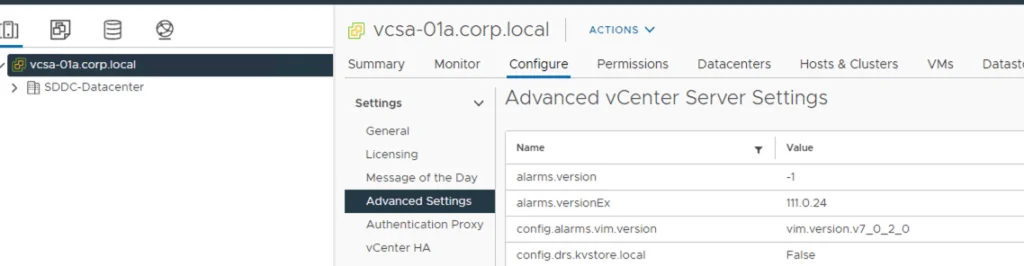
Advanced vCenter Server settings displayed in vSphere configuration UI.

Disable vCLS (vSphere Cluster Services) in vSphere

While doing maintenance on my vSAN cluster recently I had the need to disable the vCLS in order to fully shut down the cluster. Doing some reasearch I found kb article 80472 that talk about temporarily disabling the service in order to perform maintenance. The steps are fairly easy First we need to get the Cluster id from vSphere. To do so all we need to do is select the cluster and look at the url. For example ...

 · Updated  · 
Disable vCLS (vSphere Cluster Services) in vSphere
A cartoon rabbit holding a carrot with "That's all, folks!" text.

Shutting down a vSAN Cluster

I have the need to completely shut down some of my vSAN clusters for various clusters and ive been having a hard time finding the proper procedure. As of 2/16/2021 VMware released guidance here Here are the steps I took to do it on my end. If you have the vCLS service enabled follow my other instructions here prior to starting the rest of this guide. Disable cluster member updates from vCenter on each ESXi host in the cluster by running ...

 · Updated  · 
Shutting down a vSAN Cluster