This image shows the "NSX Edge Clusters" step in a VCF upgrade wizard, with options to upgrade all or specific clusters.

Upgrading VCF 4.3.x to VCF 5 Step by Step

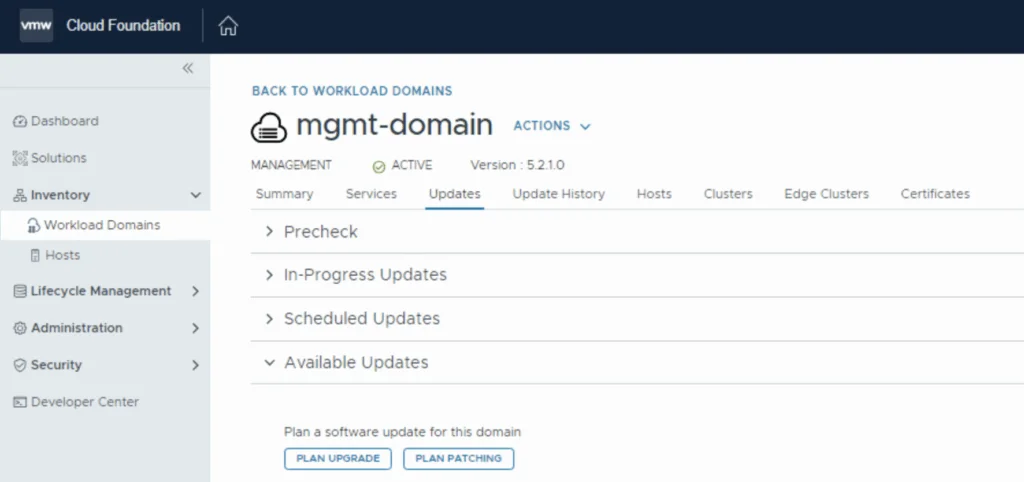
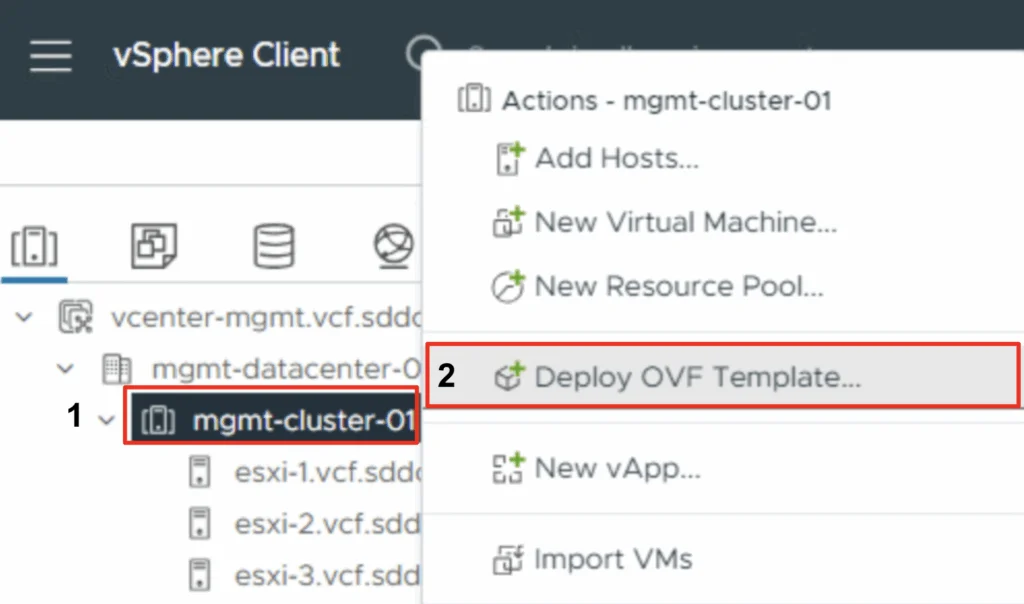
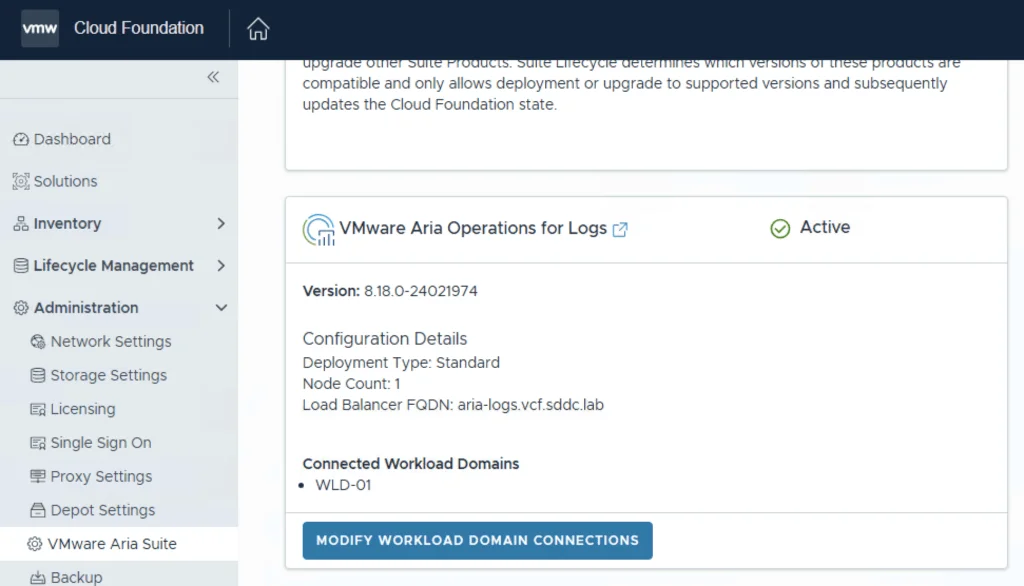
With the release of of VCF 5 I wanted to get my lab upgraded. The release blog can be found here and the release notes are here Please note that some of the components within the VCF will still need additional upgrading. Please read the release notes for additional details. We can start by going to Inventory -> Workload Domains -> Select the domain -> Update/Patches -> Select the VCF version -> Download now. If you do not see the newest releases go to Administration -> Online Depot and add a VMware Customer Connect account that has access to perform downloads. ...

June 27, 2023 · Cosmin Trif
UI for selecting NSX Edge clusters during VCF upgrade wizard.

Upgrading VCF 4.4.0 to 4.5 Step by Step

With the release of of VCF 4.5 i wanted to get my lab upgraded. The release blog can be found here and the release notes are here Please note that some of the components within the VCF will still need additional upgrading. Please read the release notes for additional details. We can start by going to Lifecycle Management -> Bundle management -> Download now. If you do not see the newest releases go to Administration -> Repository settings and add a VMware Customer Connect account that has access to perform downloads. ...

February 3, 2023 · Cosmin Trif

Why Choose VMware vRealize Automation (vRA) over Terraform

In the world of infrastructure as code (IAC), there are many tools to choose from. Two popular options are VMware vRealize Automation (vRA) and Terraform. While both have their strengths, there are compelling reasons to choose vRA over Terraform. End-to-End Automation: vRA automates the entire software-defined data center (SDDC) lifecycle, from provisioning to decommissioning. Terraform is more limited, focusing only on infrastructure provisioning. User Experience: vRA provides a user-friendly interface, making it easier for non-technical users to request and manage infrastructure. Terraform, on the other hand, requires more technical expertise to use effectively. Integration with VMware: vRA integrates with other VMware products, such as vSphere, NSX, and vSAN, allowing for a seamless experience. Terraform can also integrate with VMware, but it requires more manual effort to set up the integration. Enterprise-Grade Security: vRA includes enterprise-grade security features, such as role-based access control and multi-factor authentication. Terraform does not have built-in security features, requiring additional tools or manual effort to secure the environment. Robust Compliance Features: vRA includes compliance features, such as blueprints that enforce specific policies and standards, making it easier to meet regulatory requirements. Terraform does not have built-in compliance features, leaving it up to the user to ensure compliance. Strong Support: vRA has a large, global community of users and is backed by VMware, a well-established company in the tech industry. Terraform is a relatively new tool with a smaller community, making support and resources more limited. In conclusion, vRA offers a complete automation solution for the SDDC, making it a great choice for enterprises that want a user-friendly interface, strong security features, robust compliance features, and strong support. Terraform, while a powerful tool, is better suited for infrastructure provisioning and requires more technical expertise and manual effort to secure and ensure compliance. ...

February 1, 2023 · Cosmin Trif

SDDC SaltStack Modules - vRA edition

In this blog post I will go over the steps I took in order to to be able to query my vRA components from SaltStack using the SDDC SaltStack Modules. The SDDC SaltStack Modules were introduced in 2011. You can find the technical release blog here. The modules can be found on GitHub here. There is also a getting quick start guide that can be found here. The vRA module which needs to be installed manually can be found here. ...

November 15, 2022 · Cosmin Trif

SDDC SaltStack Modules - vSphere edition

In this blog post I will go over the steps I took in order to to be able to query my vCenter components from SaltStack using the SDDC SaltStack Modules. The SDDC SaltStack Modules were introduced in 2011. You can find the technical release blog here. The modules can be found on GitHub here. There is also a getting quick start guide that can be found here. I am using the pre packaged ova for deployment which includes most of the components however it does have some outdated packages. The first step for was to upgrade pip: ...

November 7, 2022 · Cosmin Trif
Bundle Management page showing VMware Cloud Foundation 4.4 update and drift bundle download status.

Skip-Level Upgrading VCF 4.x to 4.4.1 Step by Step

With the release of of VCF 4.4.1 i wanted to get my lab upgraded. The release blog can be found here and the release notes are here In order to get to 4.4.1.0 in the past we had to upgrade to each version incrementally. As per the documentation found here we can now upgrade from any release past 4.1.0.1 directly to 4.4.1 skipping the releases in between. We can do so by going to Repository -> Bundle management -> Download now. ...

June 6, 2022 · Cosmin Trif
The image shows a dashboard with services like Lifecycle Operations, Locker, Identity and Tenant Management, Content Management, Marketplace, and vRealize Cloud.

Installing an vROPS management pack via vRSLCM

This post we will be going over installing an vROPS management pack via vRSLCM. (If you haven’t added your My VMware credentials you will need to do that first by going to vRealize Lifecycle Manager -> Lifecycle Operations -> Settings -> My VMware) Once logged on to vRSLCM click on the marketplace. ...

April 2, 2022 · Cosmin Trif
Bundle Management screen showing VMware Cloud Foundation updates with download options.

Skip-Level Upgrading VCF 4.3.1 to 4.4 Step by Step

With the release of of VCF 4.4 i wanted to get my lab upgraded. The release blog can be found here and the release notes are here In order to get to 4.3.1.0 in the past we had to upgrade to each version incrementally. As per the documentation found here we can now upgrade from any release past 4.1.0.1 directly to 4.4 skipping the releases in between. We can do so by going to Repository -> Bundle management -> Download now. ...

March 31, 2022 · Cosmin Trif
vRealize Operations Manager Administration showing system status with cluster status as online and "Take Offline" button.

Workaround instructions to address CVE-2021-44228 and CVE-2021-45046 in vRealize Operations 7.x

In this article i will go over one of the workaround instructions to address CVE-2021-44228 and CVE-2021-45046 in vRealize Operations 7.x. I have tested the workaround on vROPS 7.5 as its still shipped with VCF 3.x and i haven’t yet seen documentation on a workaround for this version. If you are looking for instructions for version 8.x consult kb article 87076. This has been tested on December 21 2021. Please check the official documentation or open a ticket for production usage. ...

December 22, 2021 · Cosmin Trif

Downgrading the ESXi version to a different build

During one of the recent upgrades in my VCF environment i accidentally upgraded the ESXi 7.x build number to a later build that was not in the validated design which caused all kinds of issues and errors in my sddc manager. In order to address this i wanted to see i could actually downgrade the packages to a lower build number. It goes without saying that this procedure should not be done in a production environment and you should contact VMware customer support for an supported downgrade method. We will be working in the ESXi cli on this guide ...

October 25, 2021 · Cosmin Trif