Why Choose VMware vRealize Automation (vRA) over Terraform

In the world of infrastructure as code (IAC), there are many tools to choose from. Two popular options are VMware vRealize Automation (vRA) and Terraform. While both have their strengths, there are compelling reasons to choose vRA over Terraform. End-to-End Automation: vRA automates the entire software-defined data center (SDDC) lifecycle, from provisioning to decommissioning. Terraform is more limited, focusing only on infrastructure provisioning. User Experience: vRA provides a user-friendly interface, making it easier for non-technical users to request and manage infrastructure. Terraform, on the other hand, requires more technical expertise to use effectively. Integration with VMware: vRA integrates with other VMware products, such as vSphere, NSX, and vSAN, allowing for a seamless experience. Terraform can also integrate with VMware, but it requires more manual effort to set up the integration. Enterprise-Grade Security: vRA includes enterprise-grade security features, such as role-based access control and multi-factor authentication. Terraform does not have built-in security features, requiring additional tools or manual effort to secure the environment. Robust Compliance Features: vRA includes compliance features, such as blueprints that enforce specific policies and standards, making it easier to meet regulatory requirements. Terraform does not have built-in compliance features, leaving it up to the user to ensure compliance. Strong Support: vRA has a large, global community of users and is backed by VMware, a well-established company in the tech industry. Terraform is a relatively new tool with a smaller community, making support and resources more limited. In conclusion, vRA offers a complete automation solution for the SDDC, making it a great choice for enterprises that want a user-friendly interface, strong security features, robust compliance features, and strong support. Terraform, while a powerful tool, is better suited for infrastructure provisioning and requires more technical expertise and manual effort to secure and ensure compliance. ...

February 1, 2023 · Cosmin Trif

Why organizations should choose vRealize Automation as their automation solution

In our previous blog, we discussed the importance of automating virtual infrastructure and why now is the ideal time to do so. In this follow-up blog, we will delve deeper into why organizations should choose vRealize Automation as their automation solution. Improved efficiency: vRealize Automation streamlines the deployment and management of virtual infrastructure by automating manual processes, reducing the time and effort required to manage virtual resources. This leads to improved operational efficiency and reduces the risk of manual errors, which can be time-consuming and costly to rectify. With vRealize Automation, organizations can deploy and manage virtual resources in a matter of minutes, freeing up valuable IT resources to focus on more important tasks. Enhanced scalability: As businesses grow, their IT infrastructure must also grow to keep pace. vRealize Automation provides organizations with the ability to scale their virtual infrastructure as their business needs change, ensuring that their IT infrastructure can always meet the demands of their business. With vRealize Automation, organizations can easily deploy new virtual resources as required, without the need for manual intervention. Improved compliance and security: The deployment and management of virtual infrastructure must comply with various regulations and industry standards, such as HIPAA, PCI DSS, and ISO 27001. vRealize Automation provides robust security and compliance features, ensuring that virtual infrastructure is deployed and managed in a secure and compliant manner. With vRealize Automation, organizations can easily enforce security policies and ensure that their virtual infrastructure is in compliance with industry standards. Increased collaboration: vRealize Automation integrates with other VMware products, such as vSphere, NSX, and vSAN, enabling organizations to automate their entire virtual infrastructure. This improves collaboration between IT and development teams, as well as between different business units. With vRealize Automation, teams can work together to deploy and manage virtual infrastructure, ensuring that all virtual resources are deployed and managed in a consistent manner. Increased agility: In today’s fast-paced business environment, organizations must be able to quickly and easily deploy new products and services to meet customer demand. vRealize Automation provides organizations with the ability to quickly and easily deploy and manage virtual infrastructure, reducing the time to market for new products and services. With vRealize Automation, organizations can deploy new virtual resources in minutes, freeing up valuable IT resources to focus on other tasks. In conclusion, vRealize Automation provides organizations with the tools and capabilities needed to automate their virtual infrastructure, resulting in improved efficiency, scalability, compliance, security, and agility. By automating manual processes, organizations can reduce the time and effort required to manage virtual resources, freeing up valuable IT resources to focus on more important tasks. To learn more about how vRealize Automation can benefit your organization, visit the VMware website. ...
January 31, 2023 · Cosmin Trif

Enabling Basic authentication in VMware Orchestrator

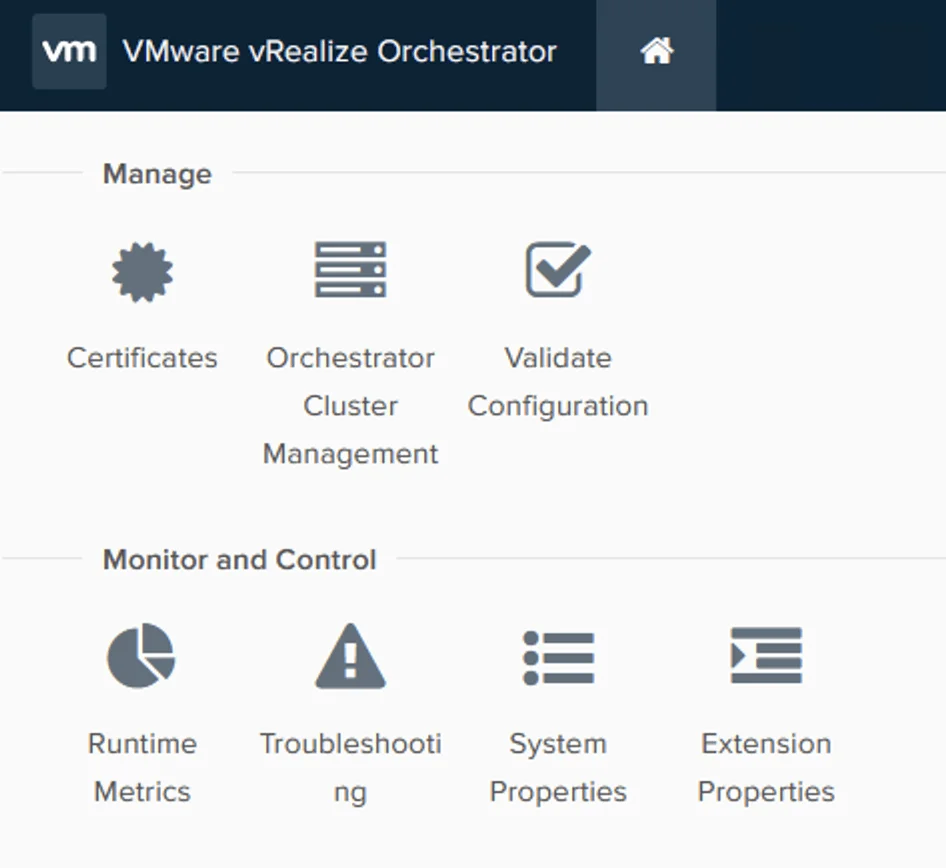
VMware Orchestrator is a powerful automation platform for administrators. In order to secure the access to the Orchestrator, it is recommended to use Single Sign-On (SSO) authentication. However, there may be instances where SSO is not available and you need to use basic authentication instead (ex: Aria Operations plugin). In this case, you can set the value of com.vmware.o11n.sso.basic-authentication.enabled property to true. Here are the steps to set com.vmware.o11n.sso.basic-authentication.enabled value in VMware Orchestrator: ...

January 29, 2023 · Cosmin Trif

SDDC SaltStack Modules - vRA edition

In this blog post I will go over the steps I took in order to to be able to query my vRA components from SaltStack using the SDDC SaltStack Modules. The SDDC SaltStack Modules were introduced in 2011. You can find the technical release blog here. The modules can be found on GitHub here. There is also a getting quick start guide that can be found here. The vRA module which needs to be installed manually can be found here. ...

November 15, 2022 · Cosmin Trif
Settings page for vRA showing options like System Details, Logs, System Patches, and more.

Upgrading vRA (vRealize Automation) to 8.9.1

In this post i will go over upgrading my 8.x vRA appliance to 8.9. As a pre requirement we do need to have vRSLCM (vRealize Lifecycle Manager) upgraded to 8.8.2 Instructions can be found here. The upgrade doesn’t include the required Product support pack. Instructions on how to get the latest product support pack can be found here. To get started we can go to vRealize Lifecycle Manager -> Lifecycle Operations -> Settings -> Binary Mapping. (If you haven’t added your My VMware credentials you will need to do that first by going to vRealize Lifecycle Manager -> Lifecycle Operations -> Settings -> My VMware) ...

September 10, 2022 · Cosmin Trif
Settings page for vRA 8.9.0 upgrade, showing options for system administration and servers/accounts.

Upgrading vRA (vRealize Automation) to 8.9.0

In this post i will go over upgrading my 8.x vRA appliance to 8.9. As a pre requirement we do need to have vRSLCM (vRealize Lifecycle Manager) upgraded to 8.8.2 Instructions can be found here. The upgrade doesn’t include the required Product support pack. Instructions on how to get the latest support pack can be found here. To get started we can go to vRealize Lifecycle Manager -> Lifecycle Operations -> Settings -> Binary Mapping. (If you haven’t added your My VMware credentials you will need to do that first by going to vRealize Lifecycle Manager -> Lifecycle Operations -> Settings -> My VMware) ...

September 9, 2022 · Cosmin Trif
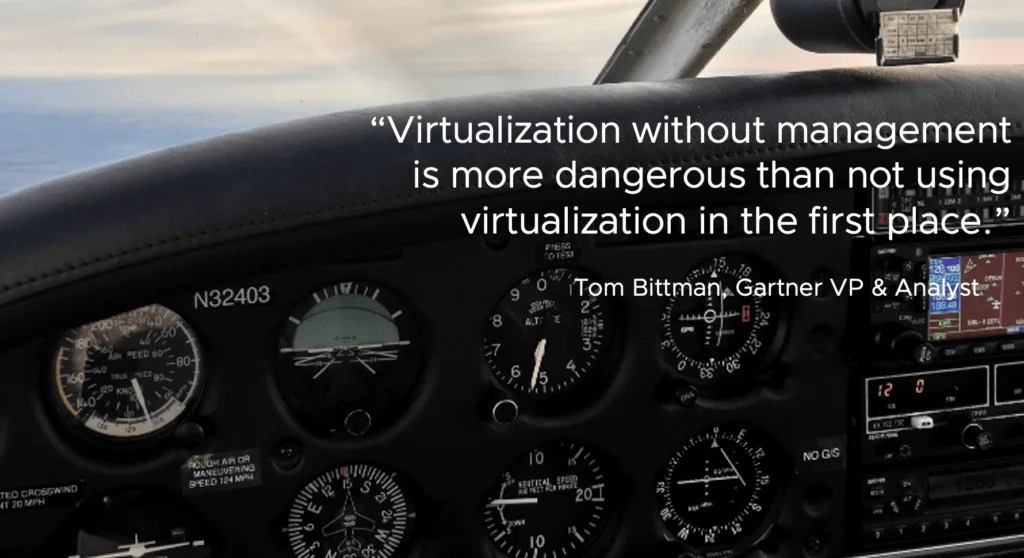
A plane cockpit dashboard with gauges and a quote about virtualization management.

Why Automate Virtual Infrastructure, Why Do it Now, and Why Do it with vRealize Automation

Our IT culture has shifted from managing infrastructure to the management of services. We deliver a self-service catalog to our consumers who manage their environment. Providing our consumers with the self-service catalog reduced delivery of workloads from weeks to hours and it significantly increased their overall satisfaction. – Senior IT director and enterprise architect (Large Healthcare System in western Pennsylvania healthcare system) Automation is a journey. The primary reason to adopt automation is to streamline manual processes, enabling your information technology teams to focus on more valuable activities. The goal is to shift lifecycle management of workloads and day-to-day actions to the internal consumer. We look to the future to see where we want to end up and then plan how to get there. ...

August 1, 2022 · Cosmin Trif
Settings page with various options for system administration and server management.

Upgrading vRA (vRealize Automation) to 8.8.2

In this post i will go over upgrading my 8.x vRA appliance to 8.8.2. As a pre requirement we do need to have vRSLCM (vRealize Lifecycle Manager) upgraded to 8.8.2 Instructions can be found here. The upgrade already includes the latest Product Support Pack so an update to the Product Support Pack is not required. To get started we can go to vRealize Lifecycle Manager -> Lifecycle Operations -> Settings -> Binary Mapping. (If you haven’t added your My VMware credentials you will need to do that first by going to vRealize Lifecycle Manager -> Lifecycle Operations -> Settings -> My VMware) ...

July 13, 2022 · Cosmin Trif
Settings page for vRA 8.8 upgrade, showing various system and server management options.

Upgrading vRA (vRealize Automation) to 8.8

In this post i will go over upgrading my 8.x vRA appliance to 8.8. As a pre requirement we do need to have vRSLCM (vRealize Lifecycle Manager) upgraded to 8.78 Instructions can be found here. The upgrade already includes the latest Product Support Pack so an update to the Product Support Pack is not required. To get started we can go to vRealize Lifecycle Manager -> Lifecycle Operations -> Settings -> Binary Mapping. (If you haven’t added your My VMware credentials you will need to do that first by going to vRealize Lifecycle Manager -> Lifecycle Operations -> Settings -> My VMware) ...

May 16, 2022 · Cosmin Trif
Settings page for vRA 8.7 upgrade, showing options like System Details, Logs, and Authentication Provider.

Upgrading vRA (vRealize Automation) to 8.7

In this post i will go over upgrading my 8.x vRA appliance to 8.7. As a pre requirement we do need to have vRSLCM (vRealize Lifecycle Manager) upgraded to 8.7. Instructions can be found here. The upgrade already includes the latest Product Support Pack so an update to the Product Support Pack is not required. To get started we can go to vRealize Lifecycle Manager -> Lifecycle Operations -> Settings -> Binary Mapping. (If you haven’t added your My VMware credentials you will need to do that first by going to vRealize Lifecycle Manager -> Lifecycle Operations -> Settings -> My VMware) ...

March 24, 2022 · Cosmin Trif