Upgrading VMware Aria Automation Config to 8.14.1

In this post i will go over upgrading my 8.x SSC appliance to 8.14.1. As a pre requirement we do need to have VMware Aria Suite Lifecycle upgraded to 8.14. Instructions can be found here. The upgrade does not include the latest PSPACK that contains the 8.14.1 Aria Automation Config release. Instructions to get the PSPACK can be found on my other blog post here. To get started we can go to VMware Aria Suite Lifecycle -> Lifecycle Operations -> Settings -> Binary Mapping. (If you haven’t added your My VMware credentials you will need to do that first by going to VMware Aria Suite Lifecycle -> Lifecycle Operations -> Settings -> My VMware) ...

December 5, 2023 · Cosmin Trif
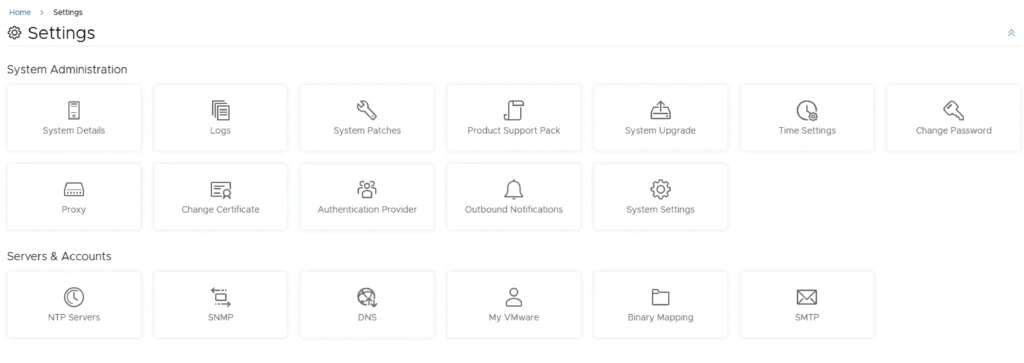
Settings page for VMware Aria Automation, showing options like System Details, Logs, and System Upgrade.

Upgrading VMware Aria Automation to 8.14

In this post i will go over upgrading my 8.x vRA appliance to 8.14. As a pre requirement we do need to have VMware Aria Suite Lifecycle upgraded to 8.14. Instructions can be found here. The upgrade already includes the latest Product Support Pack so an update to the Product Support Pack is not required. To get started we can go to VMware Aria Suite Lifecycle -> Lifecycle Operations -> Settings -> Binary Mapping. (If you haven’t added your My VMware credentials you will need to do that first by going to VMware Aria Suite Lifecycle -> Lifecycle Operations -> Settings -> My VMware) ...
October 26, 2023 · Cosmin Trif
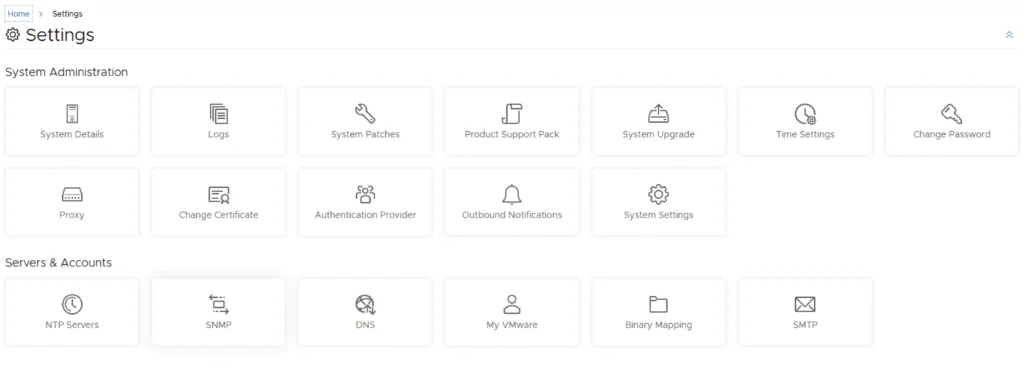
Settings page with options for system administration and servers/accounts.

Upgrading VMware Aria Automation Config to 8.14

In this post i will go over upgrading my 8.x SSC appliance to 8.14. As a pre requirement we do need to have VMware Aria Suite Lifecycle upgraded to 8.14. Instructions can be found here. The upgrade already includes the latest Product Support Pack so an update to the Product Support Pack is not required. To get started we can go to VMware Aria Suite Lifecycle -> Lifecycle Operations -> Settings -> Binary Mapping. (If you haven’t added your My VMware credentials you will need to do that first by going to VMware Aria Suite Lifecycle -> Lifecycle Operations -> Settings -> My VMware) ...

October 25, 2023 · Cosmin Trif

Overview of deploying a 3 tier app in vRA 8, Terraform, and Ansible

Introduction When it comes to deploying a three-tier application in Google Cloud Platform (GCP), there are several tools available, including vRealize Automation (vRA) 8, Terraform, and Ansible. Each tool has its own strengths and weaknesses, and choosing the right one for your project depends on several factors. In this blog post, we will compare these three tools and discuss how vRA 8 stands out as the best option for deploying a three-tier application in GCP. ...

March 7, 2023 · Cosmin Trif

Deploying a 3 tier app in GCP from vRA

Deploying a three-tier application is a common task for many organizations, and as more companies move to the cloud, it’s essential to understand how to deploy such applications in the cloud environment. In this blog post, we will explore how to deploy a three-tier application from vRealize Automation 8 in Google Cloud Platform (GCP) using a blueprint. GCP Overview Google Cloud Platform (GCP) is a suite of cloud computing services offered by Google. It provides a wide range of services such as virtual machines, storage, and networking, among others, that can be used to deploy and run applications in the cloud. One of the advantages of using GCP is its high availability and scalability, which makes it an excellent option for deploying enterprise-grade applications. ...

March 7, 2023 · Cosmin Trif

Comparing vRealize Automation to Chef

vRealize Automation and Chef are both popular tools used in IT automation, but they approach automation in different ways. In this blog, we will compare vRealize Automation with Chef to help you understand their differences and similarities. What is vRealize Automation? vRealize Automation is an IT automation tool that enables the automation of the deployment and management of virtual infrastructure and applications. It helps organizations to streamline their IT processes and create more efficient workflows. vRealize Automation provides a single platform for IT teams to manage and automate the deployment of infrastructure and applications. ...

February 15, 2023 · Cosmin Trif

Comparing vRealize Automation to Chef

vRealize Automation and Chef are both popular tools used in IT automation, but they approach automation in different ways. In this blog, we will compare vRealize Automation with Chef to help you understand their differences and similarities. What is vRealize Automation? vRealize Automation is an IT automation tool that enables the automation of the deployment and management of virtual infrastructure and applications. It helps organizations to streamline their IT processes and create more efficient workflows. vRealize Automation provides a single platform for IT teams to manage and automate the deployment of infrastructure and applications. ...

February 15, 2023 · Cosmin Trif

Comparing vRealize Automation to Jenkins

In the world of DevOps, automation tools are essential for managing infrastructure, applications, and processes. Two popular tools for automation are vRealize Automation and Jenkins. Both tools are designed to simplify and streamline processes, but they have different strengths and weaknesses. In this blog, we’ll compare vRealize Automation and Jenkins to help you decide which tool is right for your automation needs. What is vRealize Automation? vRealize Automation is a cloud automation tool developed by VMware. It is designed to automate the deployment and management of applications, infrastructure, and multi-cloud environments. vRealize Automation provides an end-to-end solution for automating infrastructure and application delivery across a hybrid cloud environment. ...

February 15, 2023 · Cosmin Trif

Why Choose vRealize Automation (vRA) over Ansible

Ansible and vRealize Automation (vRA) are both popular DevOps tools for infrastructure automation and provisioning. However, the two tools have different strengths and use cases, and choosing the right one for your organization can be a challenge. In this blog post, we’ll explore the key differences between vRA and Ansible and why you might choose vRA over Ansible. Complexity of Deployment Ansible is a simple, agentless tool that is easy to install and configure. However, as the complexity of your deployment increases, the simplicity of Ansible can quickly become a hindrance. vRA, on the other hand, is a complex tool that is designed to handle complex deployments, making it an ideal choice for large, complex environments. ...

February 1, 2023 · Cosmin Trif

Why Choose VMware vRealize Automation Over Puppet

When it comes to managing large, complex IT infrastructure, two of the most popular tools are VMware vRealize Automation (vRA) and Puppet. Both tools have their strengths and weaknesses, but in this article, we will examine why you might choose vRealize Automation over Puppet. Integrated Management: vRA integrates with VMware’s vSphere virtualization platform, allowing for a seamless management of virtual machines (VMs). With Puppet, you would need to use additional tools to manage your virtual environment. Cloud Management: vRA is capable of managing both on-premise and cloud infrastructure, making it an ideal solution for hybrid cloud environments. Puppet, on the other hand, is primarily focused on on-premise deployments. Automation: Automation is at the core of both vRA and Puppet. However, vRA provides a more comprehensive automation solution with its built-in workflows and drag-and-drop design. This makes it easier for users to automate their infrastructure without having to write complex code. Self-Service: vRA provides a self-service portal for users to request and manage their own resources, reducing the burden on IT. Puppet does not have this capability, making it a less attractive option for organizations looking to implement a self-service model. Cost: vRA is a commercial product and is typically more expensive than Puppet. However, the added features and integration with other VMware products make it a more cost-effective solution in the long run. In conclusion, if you are looking for a comprehensive and integrated management solution that covers both on-premise and cloud environments, then vRealize Automation is the way to go. It provides a more user-friendly automation solution, with a self-service portal, making it easier for users to manage their infrastructure. However, if you are on a tight budget and have a primarily on-premise deployment, Puppet might be a better fit for your organization. ...

February 1, 2023 · Cosmin Trif