How I Migrated My WordPress Blog to Hugo on Cloudflare Workers (And Why You Should Too)

After years of running my tech blog on WordPress, I finally pulled the trigger and migrated everything to Hugo — a blazing-fast static site generator — hosted on Cloudflare Workers. The result? A site that loads in milliseconds, costs nothing to host, and requires zero server maintenance. Here’s exactly how I did it, what went wrong, and what I’d do differently. Why Leave WordPress? WordPress served me well for years. But as my post count grew to 278 articles (mostly VMware VCF guides with dozens of screenshots each), the cracks started showing: ...
March 24, 2026 · 6 min · Cosmin
Article cover image

Upgrading VCF 5.2.1 to VCF 9 Step by Step

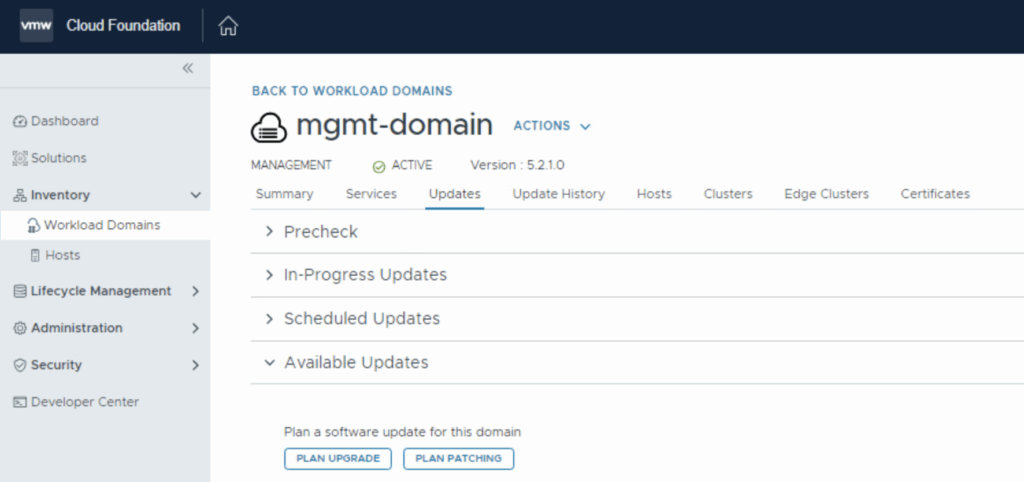
With the release of VCF 9 I wanted to get my lab upgraded. The release blog can be found here and the release notes are here Please note that some of the components within the VCF will still need additional upgrading. Please read the release notes for additional details. We can start by going to Inventory -> Workload Domains -> Select the domain -> Updates -> Plan Upgrade. Select Target Version VMware Cloud Foundation 9.0.0.0 and click Next ...

June 20, 2025 · 4 min · Cosmin
Article cover image

Deploying the VMware Aria Suite Lifecycle 8.18 using VCF 5.2.1

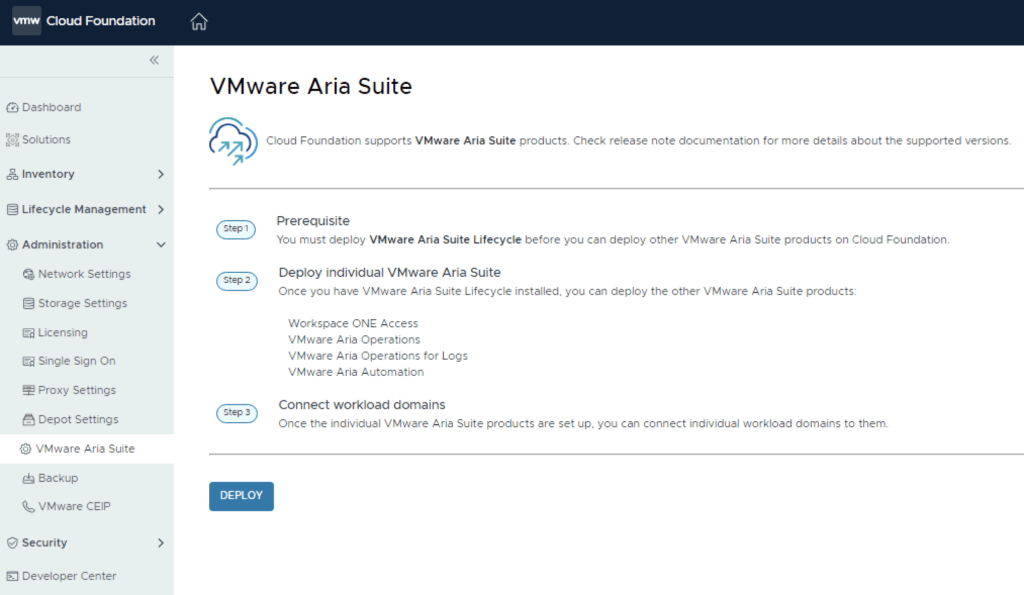
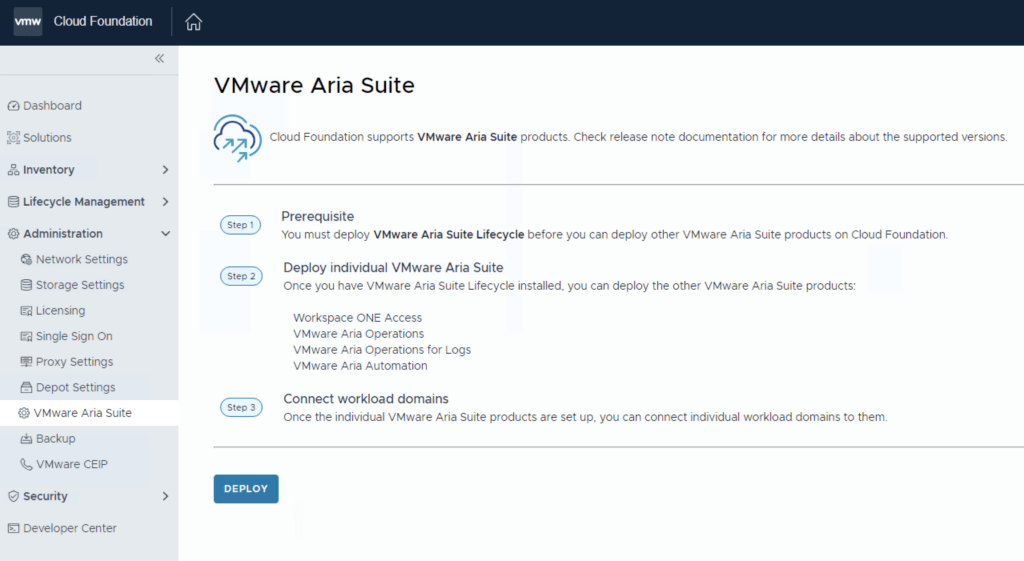
The official documentation for deploying the Aria Suite can be found here First step is to download the bundle by going to sddc-manager -> Repository -> Bundle management. Look for VMware Software Install Bundle - vRealize Suite Lifecycle Manager 8.18.0-24029603 After the download is complete we can go to Administration -> VMware Aria Suite and a Deploy button should be available. If the deploy button is not available due to X-Region Application Virtual Network is not created errorplease follow the instructions found here: ...

October 15, 2024 · 2 min · Cosmin
Article cover image

Upgrading VCF 5.x to VCF 5.2.1 Step by Step

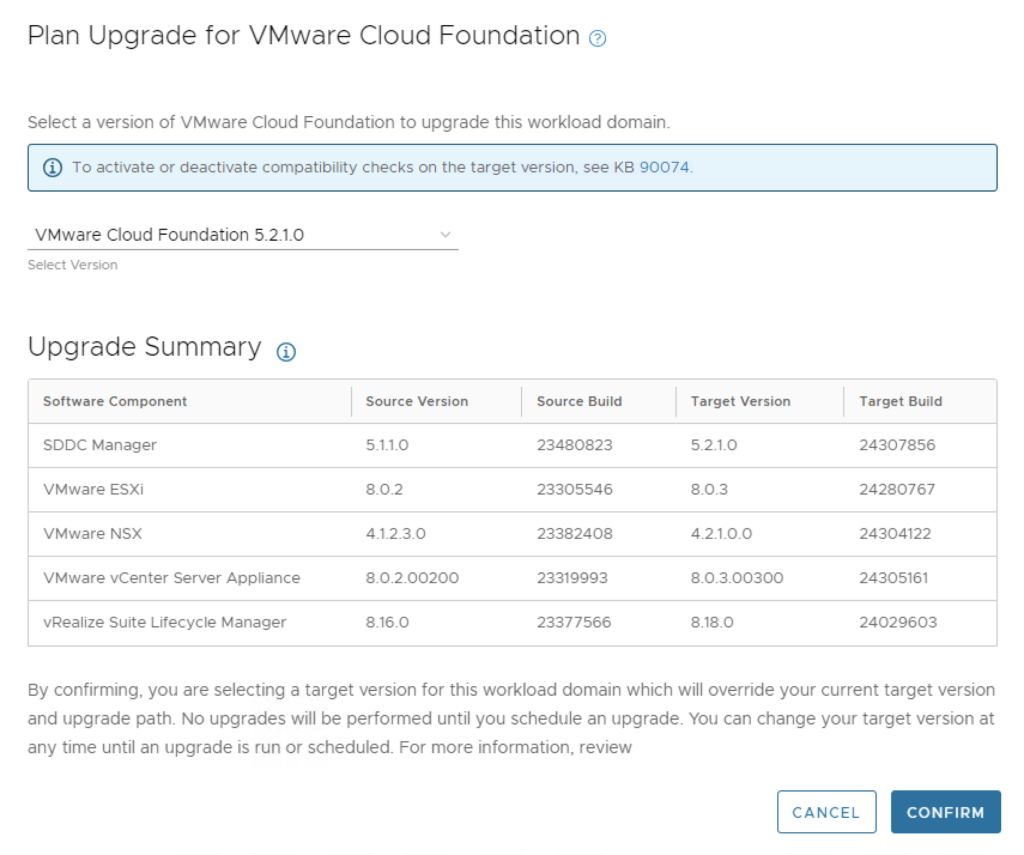
With the release of VCF 5.2.1 I wanted to get my lab upgraded. The release blog can be found here and the release notes are here Please note that some of the components within the VCF will still need additional upgrading. Please read the release notes for additional details. We can start by going to Inventory -> Workload Domains -> Select the domain -> Updates -> Plan Upgrade. Select VMware Cloud Foundation 5.2.1.0 -> Confirm ...

October 14, 2024 · 4 min · Cosmin
Article cover image

Cleaning up VCF bundles

With all the recent releases for VCF i noticed that my file system was getting full and once the updates are complete i wanted to reclaim all that used space. The first step was to identify the Bundle ID. We can find this by going to the bundle itself and checking out the details by clicking on View Details For example this specific Bundle ID is 86da0038-b68d-4368-8be1-576568a68c54 At this point i had to log in to the sddc manager and issue the following command: ...

October 14, 2024 · 1 min · Cosmin
Article cover image

Deploying the Aria Suite Lifecycle 8.18 using VCF 5.2

The official documentation for deploying the Aria Suite can be found here First step is to download the bundle by going to sddc-manager -> Repository -> Bundle management. Look for VMware Software Install Bundle - vRealize Suite Lifecycle Manager 8.18.0-24029603 After the download is complete we can go to Administration -> VMware Aria Suite and a Deploy button should be available. If the deploy button is not available due to X-Region Application Virtual Network is not created errorplease follow the instructions found here: ...

July 28, 2024 · 2 min · Cosmin
Article cover image

Upgrading VCF 5.x to VCF 5.2 Step by Step

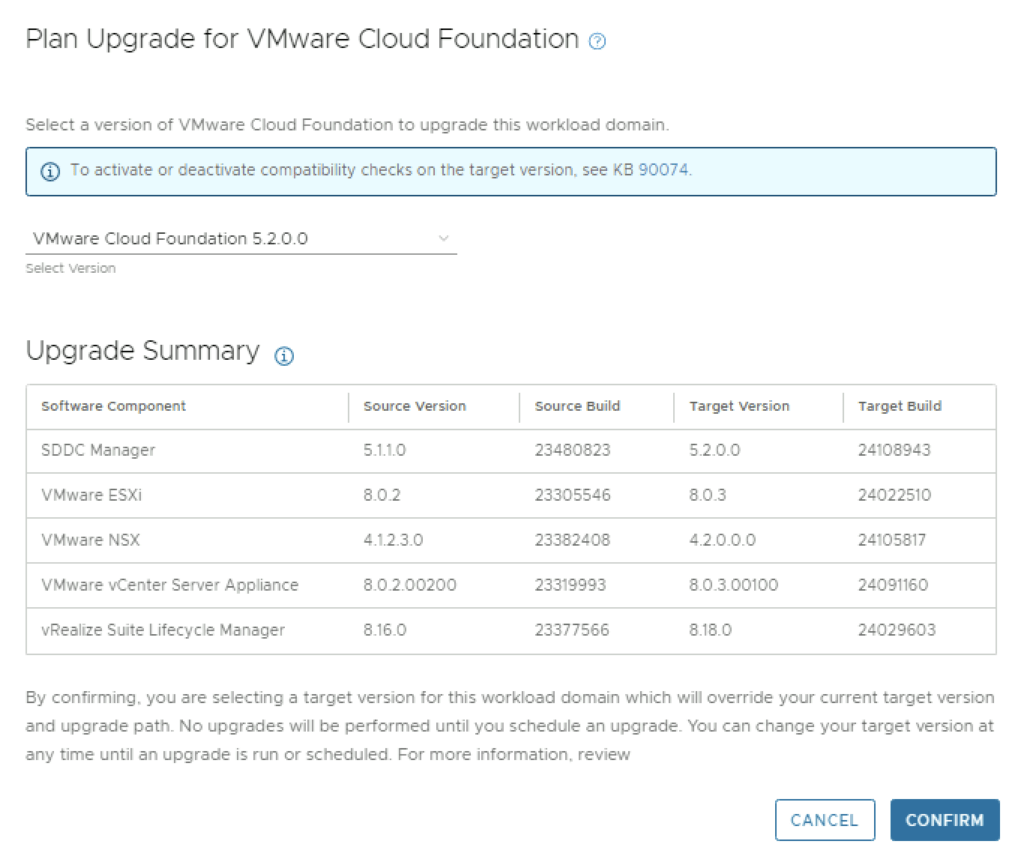
With the release of VCF 5.2 I wanted to get my lab upgraded. The release blog can be found here and the release notes are here Please note that some of the components within the VCF will still need additional upgrading. Please read the release notes for additional details. We can start by going to Inventory -> Workload Domains -> Select the domain -> Updates -> Plan Upgrade. Select VMware Cloud Foundation 5.2.0.0 -> Confirm ...

July 27, 2024 · 3 min · Cosmin

Downloading specific VCF bundles via CLI

I wanted to reuse my VCF downloaded bundles on another SDDC Manager system so that i wont have to download it from internet again. I found an easy guide here in the VMware documentation. My goal was to download the specific bundle once and upload it on other SDDC Managers. The first command from SDDC manager was to list the bundles. The lcm bundle transfer utility can be found in /opt/vmware/vcf/lcm/lcm-tools/bin ...

July 25, 2024 · 2 min · Cosmin
Article cover image

Deploying the Aria Suite Lifecycle using VCF 5

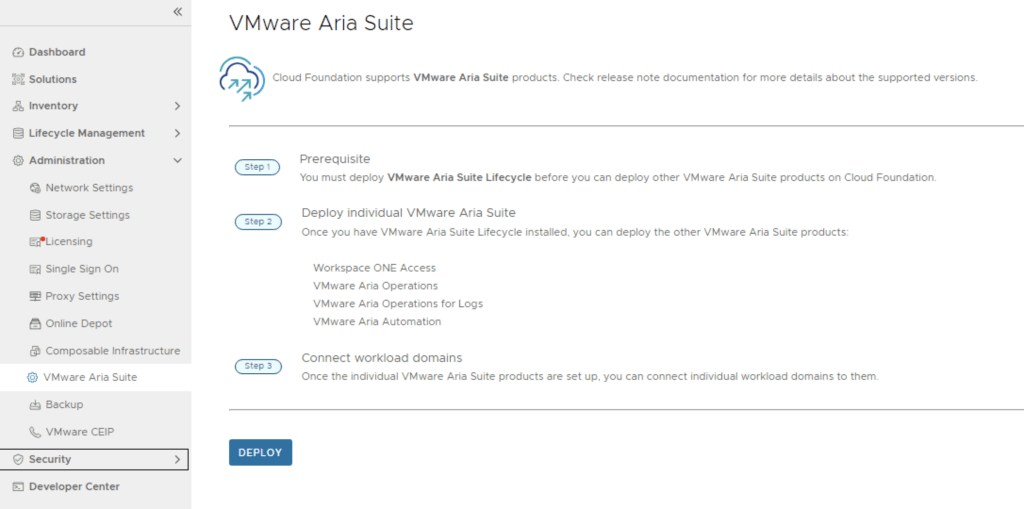
The official documentation for deploying the Aria Suite can be found here First step is to download the bundle by going to sddc-manager -> Repository -> Bundle management. Look for VMware Software Install Bundle - vRealize Suite Lifecycle Manager 8.16.0-23377566 After the download is complete we can go to Administration -> VMware Aria Suite and a deploy button should be available. If the deploy button is not available due to X-Region Application Virtual Network is not created errorplease follow the instructions found here: ...

April 7, 2024 · 2 min · Cosmin
Article cover image

Properly cleaning up VCF bundles

With all the recent releases for VCF i noticed that my file system was getting full and once the updates are complete i wanted to reclaim all that used space. The first step was to identify the Bundle ID. We can find this by going to the bundle itself and checking out the details by clicking on View Details For example this specific Bundle ID is 86da0038-b68d-4368-8be1-576568a68c54 At this point i had to log in to the sddc manager and issue the following command: ...

April 6, 2024 · 1 min · Cosmin