Installation failed due to Exception in postInstallHook, 80% progress.

vCenter upgrade fails with Exception occurred in postinstallHook error

I was recently going through a vCenter upgrade and got stuck at an error Exception occurred in postinstallHook. I tried reverting from snapshot and trying again but i ran through the same issue. The issue in my case was that the catalina.properties had the wrong permissions. The fix was to change the permissions to perfcharts:cis and then resuming the update in the VAMI interface. The catalina.properties is located /usr/lib/vmware-perfcharts/tc-instance/conf/catalina.properties. The command to fix it is ...

October 19, 2021 · Cosmin Trif
vSphere Client shows "Authentication failed" and "Lifecycle Manager server not contacted.

Authentication failed, Lifecycle Manager server could not be contacted

I recently upgraded my vCenter to 7.0.3 18700403 and i noticed that when i went to Lifecycle Manager i was welcomed with this error. “Authentication failed, Lifecycle Manager server could not be contacted.” Im not aware of a fix for this issue however using the administrator@vsphere.local seems to be working.

October 12, 2021 · Cosmin Trif
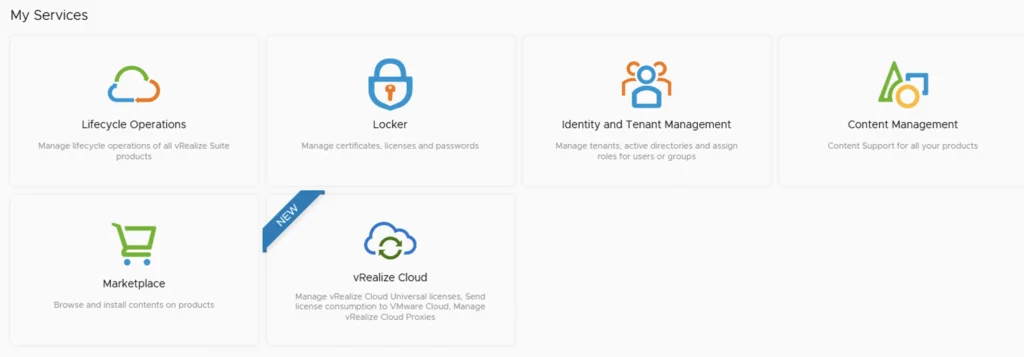
The image shows vRSLCM's service menu with options like Lifecycle Operations, Locker, Identity and Tenant Management, Content Management, and Marketplace.

Upgrading vRSLCM (vRealize Lifecycle Manager) to 8.6

In this guide i will go over the steps of getting an existing 8.x vRSLCM appliance upgraded to the latest 8.6 release. The release notes can be found here The first step is to lo in to vRealize Suite Lifecycle Manager under the Lifecycle Operations section Go to settings -> System Upgrade ...

October 12, 2021 · Cosmin Trif
Settings page for vRA 8.5 upgrade, showing various system and server management options.

Upgrading vRA (vRealize Automation) to 8.5

In this post i will go over upgrading my 8.x vRA appliance to 8.5. As a pre requirement we do need to have vRSLCM (vRealize Lifecycle Manager) upgraded to 8.4.1. Instructions can be found here. You will also need to apply the latest Product Support Pack (version 8.4.1.4). The instructions can be found here. To get started we can go to vRealize Lifecycle Manager -> Lifecycle Operations -> Settings -> Binary Mapping. (If you havent added your My VMware credentials you will need to do that first by going to vRealize Lifecycle Manager -> Lifecycle Operations -> Settings -> My VMware) ...
August 20, 2021 · Cosmin Trif
UI showing lifecycle operations, locker, identity management, content, and marketplace options.

Patching vRSLCM (vRealize Lifecycle Manager) to 8.4.1.1 Patch 1

In this guide i will go over the steps of getting an existing 8.x vRSLCM appliance upgraded to the latest 8.4.1 Patch 1 release. The release notes can be found here. If you are not yet on 8.4.1.1, I covered upgrading vRSLCM to 8.4.1.1 in a previous post. The first step is to lo in to vRealize Suite Lifecycle Manager under the Lifecycle Operations section ...

August 4, 2021 · Cosmin Trif
The image shows vRSLCM services: Lifecycle Operations, Locker, Identity and Tenant Management, Content Management, and Marketplace.

Upgrading vRSLCM (vRealize Lifecycle Manager) to 8.4.1.1

In this guide i will go over the steps of getting an existing 8.x vRSLCM appliance upgraded to the latest 8.4 release. The release notes can be found here The first step is to lo in to vRealize Suite Lifecycle Manager under the Lifecycle Operations section Go to settings -> System Upgrade ...

August 4, 2021 · Cosmin Trif
Settings page with options for System Administration and Servers & Accounts.

Upgrading vRA (vRealize Automation) to 8.4

In this post i will go over upgrading my 8.x vRA appliance to 8.4. As a pre requirement we do need to have vRSLCM (vRealize Lifecycle Manager) upgraded to 8.4. Instructions can be found here To get started we can go to vRealize Lifecycle Manager -> Lifecycle Operations -> Settings -> Binary Mapping. (If you havent added your My VMware credentials you will need to do that first by going to vRealize Lifecycle Manager -> Lifecycle Operations -> Settings -> My VMware) ...

May 19, 2021 · Cosmin Trif
This image shows vRSLCM services: Lifecycle Operations, Locker, Identity and Tenant Management, Content Management, and Marketplace.

Upgrading vRSLCM (vRealize Lifecycle Manager) to 8.4

In this guide i will go over the steps of getting an existing 8.x vRSLCM appliance upgraded to the latest 8.4 release. The release notes can be found here The first step is to lo in to vRealize Suite Lifecycle Manager under the Lifecycle Operations section ...

May 19, 2021 · Cosmin Trif
Error message: "No networking detected. Please login and run the command to configure the network.

vIDM upgrade to 3.3.4 no networking detected

If you are like me and you tried to perform an upgrade of vIDM 3.3.x to 3.3.4 you were most likely greeted by no network connectivity after upgrade with the following screen: If you made a backup of the network configuration this is where we would restore it. If not we can perform it manually by running /opt/vmware/share/vami/vami_config_net Press 6 and go through the screens to configure the ip ...

February 17, 2021 · Cosmin Trif
Running an update installer for vIDM 3.3.4 online upgrade.

vIDM 3.3.4 online upgrade

I wanted to go through the upgrade of vIDM 3.3.4 outside of lifecycle manager. I wanted to do it using the online upgrade via the console. Official documentation can be found here. First step is to log on to the console via the root credentials and upgrade the upgrade manager to 3.3.4 /usr/local/horizon/update/updatemgr.hzn updateinstaller Set the upgrade version that you are upgrading from in my case was 3.3.2 so i ran ...

February 17, 2021 · Cosmin Trif