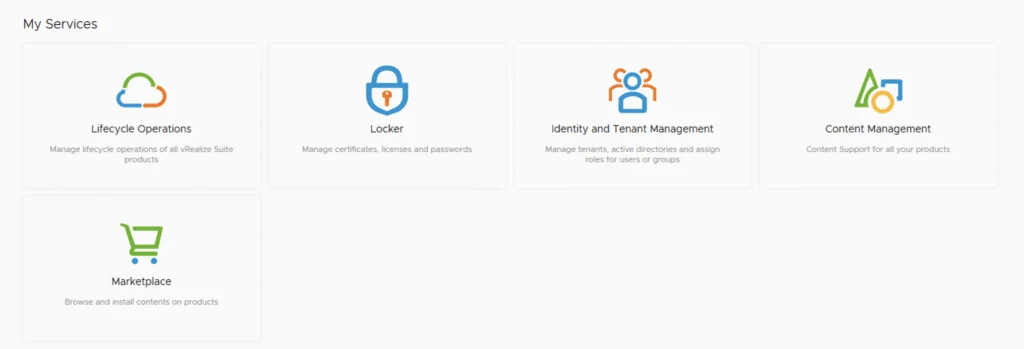
UI showing lifecycle operations, locker, identity management, content, and marketplace options.

Patching vRSLCM (vRealize Lifecycle Manager) to 8.4.1.1 Patch 1

In this guide I will go over the steps of getting an existing 8.x vRSLCM appliance upgraded to the latest 8.4.1 Patch 1 release. The release notes can be found here. If you are not yet on 8.4.1.1, I covered upgrading vRSLCM to 8.4.1.1 in a previous post. The first step is to lo in to vRealize Suite Lifecycle Manager under the Lifecycle Operations section ...

Patching vRSLCM (vRealize Lifecycle Manager) to 8.4.1.1 Patch 1
The image shows vRSLCM services: Lifecycle Operations, Locker, Identity and Tenant Management, Content Management, and Marketplace.

Upgrading vRSLCM (vRealize Lifecycle Manager) to 8.4.1.1

In this guide I will go over the steps of getting an existing 8.x vRSLCM appliance upgraded to the latest 8.4 release. The release notes can be found here The first step is to lo in to vRealize Suite Lifecycle Manager under the Lifecycle Operations section Go to settings -> System Upgrade ...

 · Updated  · 
Upgrading vRSLCM (vRealize Lifecycle Manager) to 8.4.1.1
Settings page with options for System Administration and Servers & Accounts.

Upgrading vRA (vRealize Automation) to 8.4

In this post I will go over upgrading my 8.x vRA appliance to 8.4. As a pre requirement we do need to have vRSLCM (vRealize Lifecycle Manager) upgraded to 8.4. Instructions can be found here Adding the Upgrade Binary in vRSLCM To get started we can go to vRealize Lifecycle Manager -> Lifecycle Operations -> Settings -> Binary Mapping. (If you haven’t added your My VMware credentials you will need to do that first by going to vRealize Lifecycle Manager -> Lifecycle Operations -> Settings -> My VMware) ...

Upgrading vRA (vRealize Automation) to 8.4
This image shows vRSLCM services: Lifecycle Operations, Locker, Identity and Tenant Management, Content Management, and Marketplace.

Upgrading vRSLCM (vRealize Lifecycle Manager) to 8.4

In this guide I will go over the steps of getting an existing 8.x vRSLCM appliance upgraded to the latest 8.4 release. The release notes can be found here The first step is to lo in to vRealize Suite Lifecycle Manager under the Lifecycle Operations section Go to settings -> System Upgrade ...

 · Updated  · 
Upgrading vRSLCM (vRealize Lifecycle Manager) to 8.4
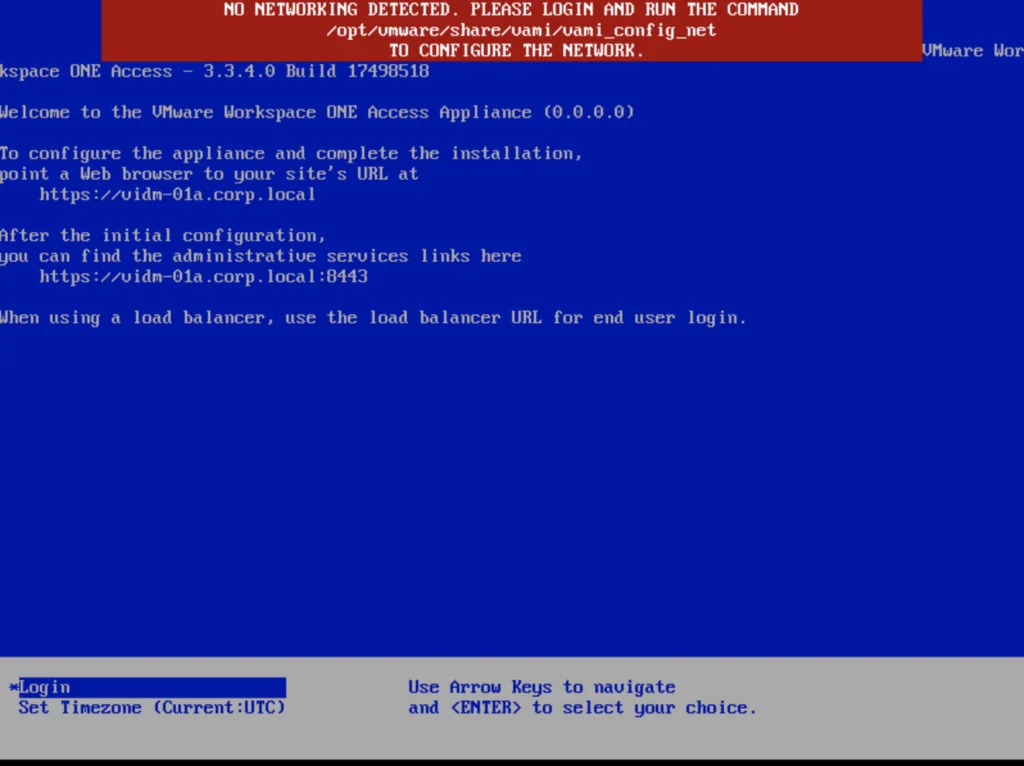
Error message: "No networking detected. Please login and run the command to configure the network.

vIDM upgrade to 3.3.4 no networking detected

If you are like me and you tried to perform an upgrade of vIDM 3.3.x to 3.3.4 you were most likely greeted by no network connectivity after upgrade with the following screen: If you made a backup of the network configuration this is where we would restore it. If not we can perform it manually by running /opt/vmware/share/vami/vami_config_net Press 6 and go through the screens to configure the ip ...

 · Updated  · 
vIDM upgrade to 3.3.4 no networking detected
Running an update installer for vIDM 3.3.4 online upgrade.

vIDM 3.3.4 online upgrade

I wanted to go through the upgrade of vIDM 3.3.4 outside of lifecycle manager. I wanted to do it using the online upgrade via the console. Official documentation can be found here. First step is to log on to the console via the root credentials and upgrade the upgrade manager to 3.3.4 /usr/local/horizon/update/updatemgr.hzn updateinstaller Set the upgrade version that you are upgrading from in my case was 3.3.2 so I ran ...

 · Updated  · 
vIDM 3.3.4 online upgrade
Settings page for vRA 8.3 upgrade, showing various administration and server management options.

Upgrading vRA (vRealize Automation) to 8.3

In this post I will go over upgrading my 8.2 vRA appliance to 8.3. As a pre requirement we do need to have vRSLCM (vRealize Lifecycle Manager) upgraded to 8.3. Instructions can be found here Downloading the vRA 8.3 Binaries To get started we can go to vRealize Lifecycle Manager -> Lifecycle Operations -> Settings -> Binary Mapping. (If you haven’t added your My VMware credentials you will need to do that first by going to vRealize Lifecycle Manager -> Lifecycle Operations -> Settings -> My VMware) ...

 · Updated  · 
Upgrading vRA (vRealize Automation) to 8.3
Screenshot of vRealize Lifecycle Manager's 'My Services' section with icons and labels for Lifecycle Operations, Locker, Identity and Tenant Management, Content Management, and Ma...

Upgrading vRSLCM (vRealize Lifecycle Manager) to 8.3

In this guide I will go over the steps of getting an existing 8.x vRSLCM appliance upgraded to the latest 8.3 release The first step is to lo in to vRealize Suite Lifecycle Manager under the Lifecycle Operations section Go to settings -> System Upgrade ...

 · Updated  · 
Upgrading vRSLCM (vRealize Lifecycle Manager) to 8.3
Error stack shows a sync depot failure due to 'integrity.fault.HostPatchInvalidVendorCode'.

Unable to Sync Lifecycle Manager 'integrity.fault.HostPatchInvalidVendorCode'

After upgrading my vCenter Server to the latest vSphere 7.0 Update 1, I was unable to see ESXi 7.0 Update 1 Image. When I attempted to sync the updates I got the error “Download patch definitions task failed while syncing depots. Error: ‘integrity.fault.HostPatchInvalidVendorCode’.” Seeing as the error mentioned the depots, navigate to Menu->Lifecycle Manager and then select the Settings tab and then Patch Setup. ...

 · Updated  · 
Unable to Sync Lifecycle Manager 'integrity.fault.HostPatchInvalidVendorCode'

