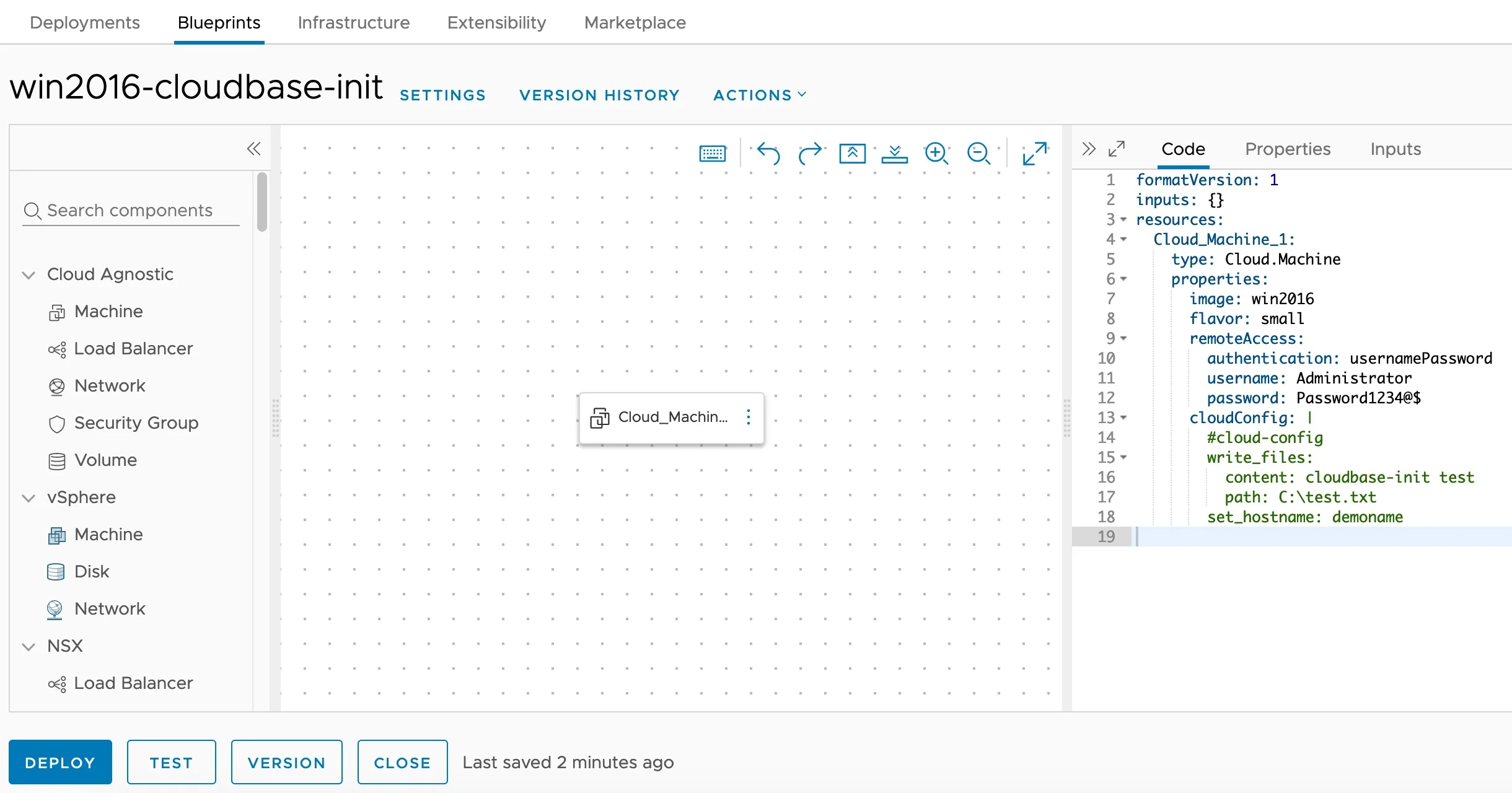
Cloudbase-Init Windows Guest Customization — Blueprint Editor

Installing and Configuring Cloudbase-Init on Windows for VCF Automation Guest Customization

Customizing Windows guest instances in VMware environments has traditionally been handled by the VMware Guest Customization Specification (Sysprep-based). While this approach works, it has limitations — especially when you need cloud-agnostic blueprints that work across vCenter, Azure, AWS, and GCP cloud accounts. Enter Cloudbase-Init — the Windows equivalent of Cloud-Init. It provides powerful guest customization capabilities including user creation, password injection, hostname configuration, SSH public keys, and user-data script execution. This guide walks through the full process of installing and configuring Cloudbase-Init on a Windows Server template for use with VCF Automation (formerly VMware Aria Automation / vRealize Automation). ...
April 16, 2026 · Cosmin Trif

Custom Rightsizing Guardrails in VCF Operations 9 with Super Metrics

In a previous post I covered how to configure VCF Operations 9 to use 90 days of usage data for rightsizing recommendations. That gives you a solid foundation — but once you start reviewing the recommendations, you will quickly notice that the engine does not enforce any organizational sizing standards. For example, the engine might recommend reducing a VM from 8 vCPUs to 5, or suggest removing just 1 GB of RAM. Both are technically valid from a demand perspective, but in practice: ...

March 31, 2026 · Cosmin Trif
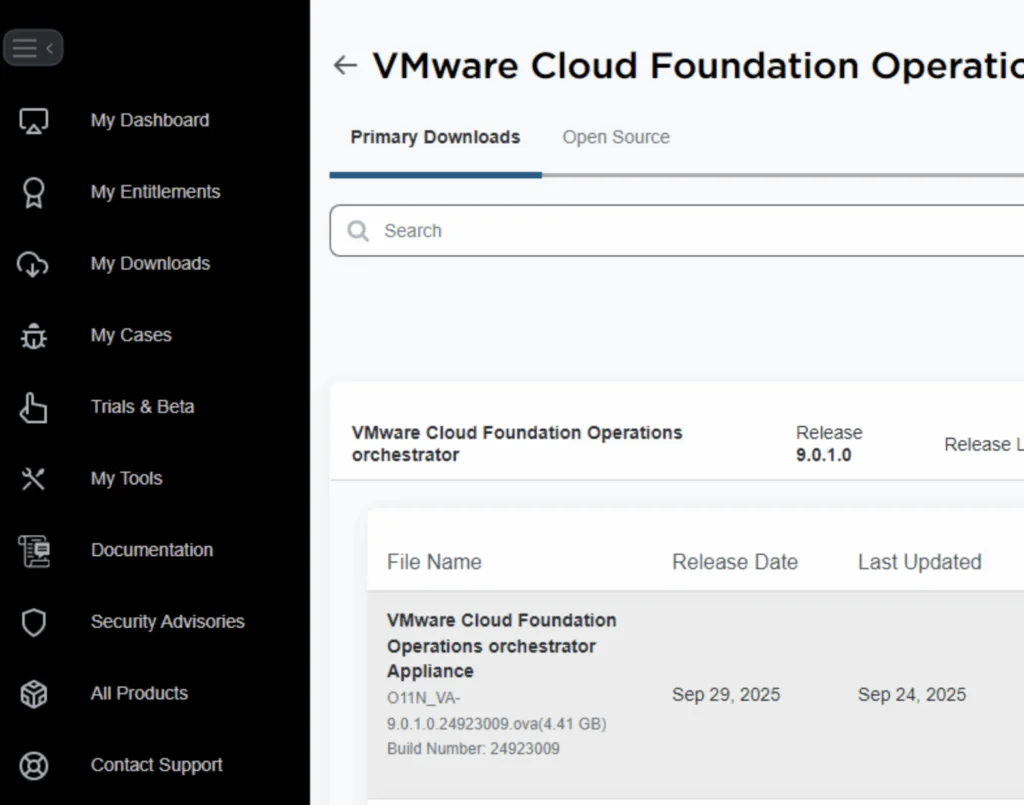
UI shows VMware Cloud Foundation Operations Orchestrator download page with release version 9.0.1.0 and file details.

Deploying an External VCF Operations Orchestrator 9 Appliance

VMware Cloud Foundation (VCF) 9 brings a suite of powerful automation tools, and for many administrators, deploying the Operations Orchestrator (formerly vRO) as a standalone, external appliance provides greater flexibility and isolation. In this guide, I will walk you through the process of deploying VCF Operations Orchestrator 9 using the OVA method, followed by the necessary command-line configurations to get your authentication up and running. Prerequisites Before you begin, ensure you have the following: ...

November 21, 2025 · Cosmin Trif
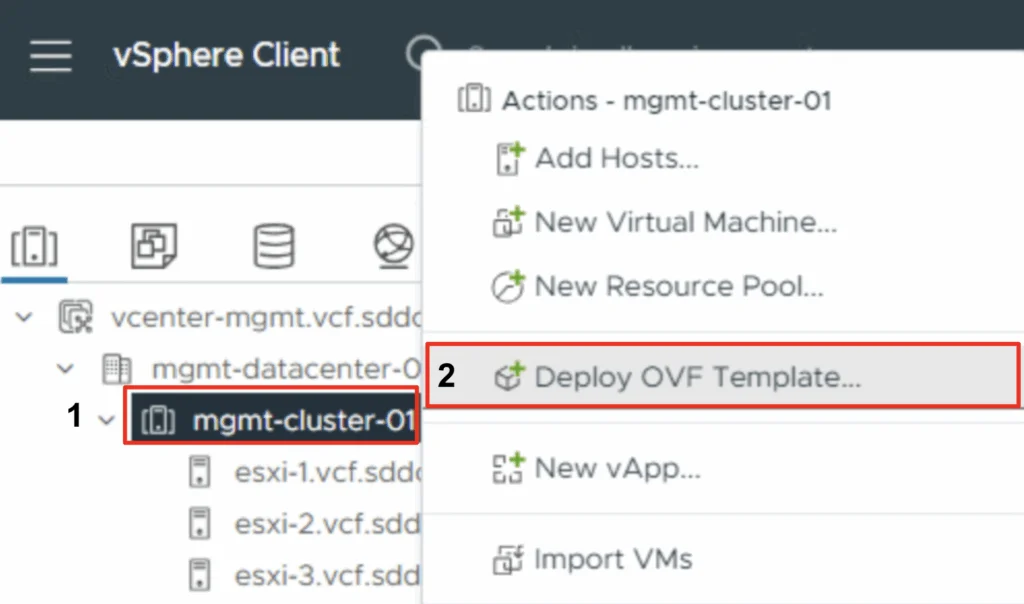
The image shows the vSphere Client interface with options for deploying an OVF template in the "mgmt-cluster-01" datacenter.

Deploying the VMware Cloud Foundation Installer appliance Step-by-step instructions

With the release of VCF 9 (Official What’s New blog can be found here) I wanted to get my lab environment upgraded so I can try out all of the new features. To get started we need to download the VMware Cloud Foundation Installer from the VMware Cloud Foundation 9.0.0.0 page found here. In this post we will cover only the deployment. The configuration is available in another post. Deploy the VMware Cloud Foundation Installer appliance Once the appliance is downloaded we need to get the ova deployed. ...

June 17, 2025 · Cosmin Trif

How to Add Custom Disks with Drive Letters and Labels in Aria Automation (VMware by Broadcom)

If you’re working withAria Automation (formerly vRealize Automation) and want to give users the ability to add extra disks to a Windows VM — and define their drive letter and volume label — you’re in the right place. This guide shows you how to build a flexible and reusable cloud template (blueprint) that handles additional disks dynamically. We’ll cover: YAML blueprint inputs for user-defined disks Cloud-init with PowerShell to configure drives Handling drive letter and label assignment dynamically Ensuring all disks are initialized and formatted properly Step 1: Define Inputs for Additional Disks In your Aria Automation blueprint YAML, start by defining an input array that allows users to specify up to 4 additional disks, including their desired SCSI unit number, disk size, drive letter, and volume label. ...

March 25, 2025 · Cosmin Trif

Tracking Licensed Assets in VMware Aria Automation

I often find myself fielding questions about how to effectively manage and monitor licensing in VMware Aria Automation. Licensing is a critical piece of the puzzle when it comes to ensuring compliance, optimizing resource usage, and maintaining operational efficiency in your automation environment. Recently, I was asked about tracking licensed assets, and I’m excited to share a practical approach using the powerful vracli command-line interface (CLI), specifically the vracli license usage command. In this blog, I’ll walk you through how to leverage this tool to gain visibility into your licensed assets, why it matters, and some actionable insights for managing your Aria Automation deployment. ...

February 27, 2025 · Cosmin Trif