VMSA-2025-0004: Current Remediation and Fixed Versions

Broadcom published VMSA-2025-0004 on March 4, 2025, for three vulnerabilities affecting VMware ESXi and related desktop and cloud products. Fixed versions are available, and the advisory lists no workarounds for any of the three vulnerabilities. The practical response is therefore straightforward: identify every affected product, move it to a fixed or later supported build using its supported update method, and verify the resulting build. Access restrictions and monitoring remain useful defense-in-depth controls, but they do not replace the update. ...

August 25, 2026 · Cosmin Trif

Fixing an NSX Service Account Rotation Loop in VCF 9.1: PASSWORD_MANAGER_NSX_USER_API_FAILED and the 128-Character Password

Continuing the credential cleanup in the same 9.1 environment from the expired password sync and VCFOPSPWID03 posts, one credential refused to settle: the service account SDDC Manager uses to talk to the NSX Manager API, svc-sddcmanager-a-nsx-mgmt--8199 in my lab. It showed up as disconnected, every remediation attempt failed, and the environment kept trying to rotate it in a loop. This one took several wrong turns before the actual root cause surfaced, and almost every wrong turn taught me something worth writing down. The short version: ...

July 15, 2026 · Cosmin Trif
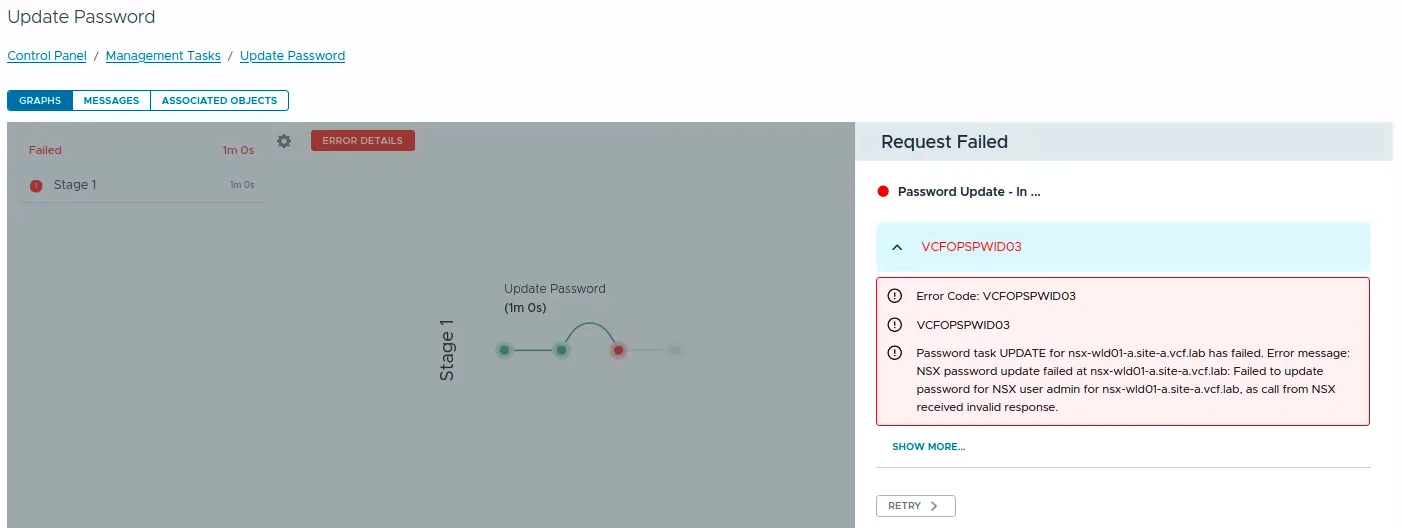
VCF Operations Update Password task failed with error code VCFOPSPWID03.

Fixing VCFOPSPWID03: NSX Password Update Failed as Call from NSX Received Invalid Response (VCF 9.1)

While rotating credentials in the same 9.1 environment I covered in the expired password sync post, an Update of the NSX Manager admin password (credential type API) from VCF Operations kept failing after about a minute with error code VCFOPSPWID03 and a spectacularly unhelpful message: “call from NSX received invalid response.” The actual cause turned out to be simple, NSX rejected the new password because it had already been used on that manager. This being a lab, I was deliberately recycling a previous password. That goes against best practices, and NSX enforces it. But the way the error surfaces (and the way the reuse policy behaves in this build) is worth writing down. ...

July 11, 2026 · Cosmin Trif

Fixing Expired Password Sync in VCF 9.1 Fleet Management

In VCF 9.1, Fleet Password Management accounts can get stuck in EXPIRED status, and the password workflows changed compared to 9.0. In 9.0, you may have seen UI actions such as Disconnected or Remediate. In the 9.1 environment I was working on, those actions were not available. The UI exposed Update, and the Fleet Password Management API provides the same kind of workflow: query password accounts, then update or rotate the password. ...

July 7, 2026 · Cosmin Trif
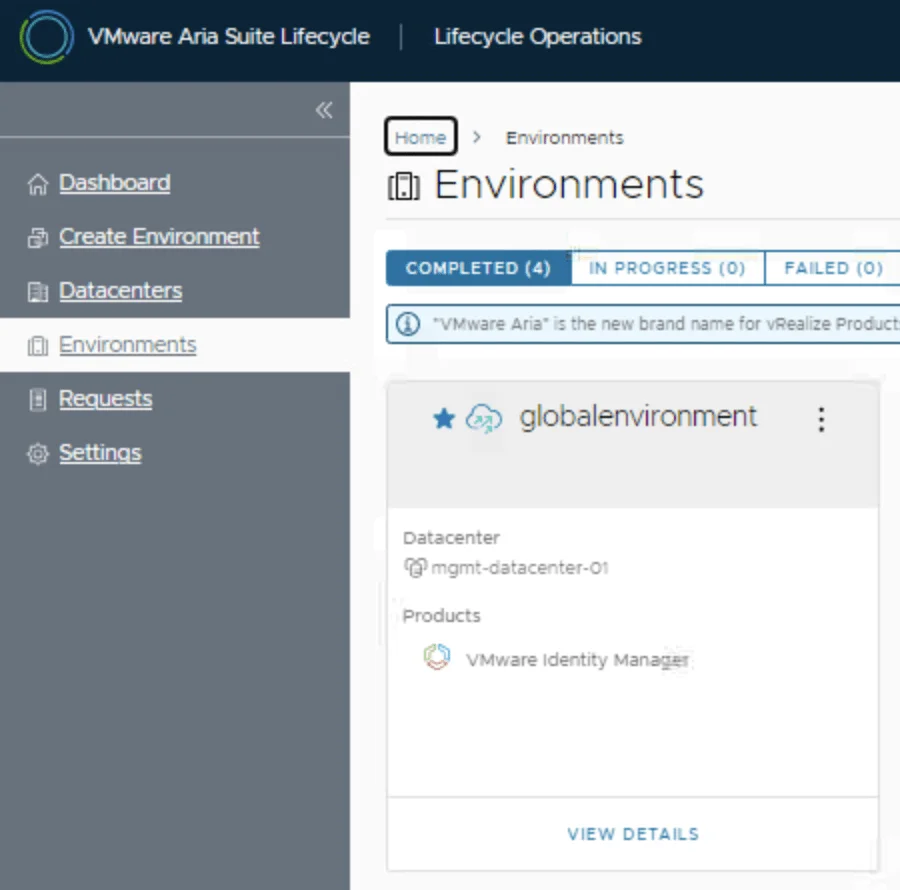
VMware Aria Suite Lifecycle dashboard showing environments and datacenters, with "globalenvironment" highlighted.

Replacing the VMware Identity Manager (vIDM) Certificate using VMware Aria Suite Lifecycle 8.18

Overview: Why and When to Replace the vIDM Certificate VMware Identity Manager (vIDM), also known as Workspace ONE Access, uses an SSL certificate to secure its web interface and establish trust with integrated VMware products (like vRealize/Aria Automation and Operations). Replacing this certificate is important in scenarios such as: Certificate Expiry: SSL certificates have expiration dates. You should replace the vIDM certificate before it expires to avoid service disruptions. An expired certificate can cause login failures and management tasks (like powering on vIDM or updating it) to fail. Self-Signed to CA-Signed: Out-of-the-box or lab deployments often use self-signed certificates, which trigger browser warnings and may not be trusted by other systems. Replacing a self-signed certificate with one signed by a trusted Certificate Authority (CA) eliminates these trust warnings and meets security compliance requirements. Security or Policy Requirements: Your organization might require using specific corporate CA certificates or updating certificates periodically for security. If the current certificate was compromised or if the domain name of the vIDM appliance changes, a replacement is needed. Integration Trust Issues: vIDM acts as the authentication provider for other VMware products. If those products do not trust vIDM’s certificate (e.g., after an update or if using a new CA), you should replace or re-trust the certificate to ensure seamless integration. In summary, proactively replace the vIDM certificate before it expires or whenever you need to switch to a certificate signed by a trusted CA. This ensures uninterrupted user access and integration with other services. Always schedule certificate updates during a maintenance window, as the process will restart services on vIDM and could temporarily disrupt logins. ...
May 8, 2025 · Cosmin Trif

Understanding VMSA-2025-0004 and Protecting Your VMware Environment

Current update: This March 2025 article is retained as historical context. Its original version incorrectly said patches were not yet available, but Broadcom’s initial advisory already included fixed versions. Use VMSA-2025-0004: Current Remediation and Fixed Versions for current, remediation-first guidance. Broadcom released VMSA-2025-0004 on March 4, 2025. The advisory covers serious vulnerabilities in VMware ESXi, Workstation, and Fusion, plus products that consume ESXi such as VMware Cloud Foundation and VMware Telco Cloud Platform. Fixed versions were available in the advisory’s response matrix at publication. ...

March 4, 2025 · Cosmin Trif

Setting User SSH Keys in NSX

In VMware NSX, configuring SSH keys for users with specific labels and types provides a tailored access control approach that enhances both security and management capabilities. This blog walks through the process of setting user-specific SSH keys in NSX, using customized labels and types for better organization and identification. Before You Begin Overview SSH keys are crucial for secure authentication in NSX environments, allowing administrators to manage access without exposing systems to the risks of password-based logins. By setting SSH keys with specific labels and types, you can streamline user access management and improve security configurations. ...

January 28, 2025 · Cosmin Trif
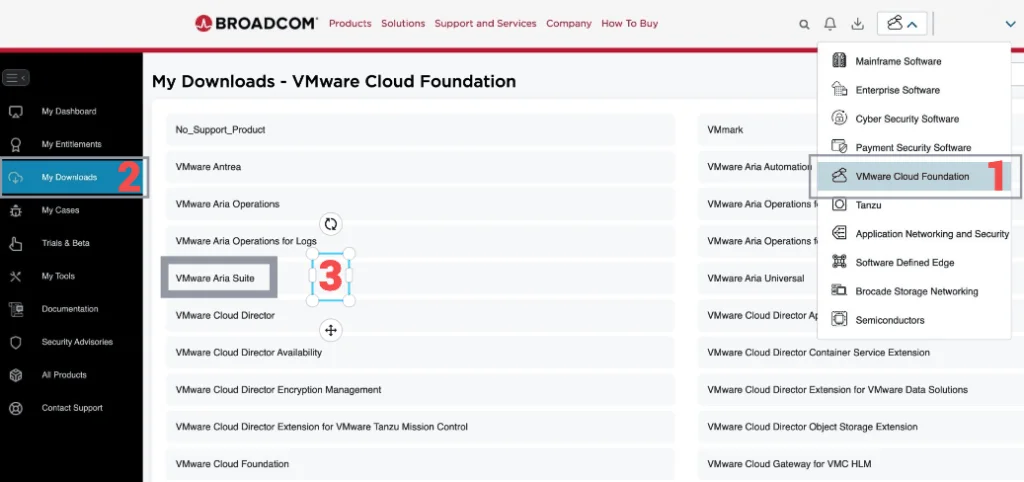
Broadcom portal with a menu for VMware Cloud Foundation, highlighting the 'My Downloads' section and a step in upgrading Aria Operations.

Upgrading Aria Operations to 8.18.2 Using a .PAK File

Upgrading Aria Operations (formerly VMware vRealize Operations) is a crucial task to ensure you’re using the latest features, security patches, and performance improvements. In this guide, we’ll walk through the step-by-step process of upgrading Aria Operations using a .pak file. Preparing for the Upgrade Prerequisites Before starting the upgrade, ensure the following prerequisites are met: Backup the Existing Deployment: Take a snapshot of all nodes in the Aria Operations (Master, Cloud proxies, and any other nodes). ...

January 16, 2025 · Cosmin Trif
Broadcom portal with 'My Downloads' section, listing VMware products, highlighting 'VMware Aria Suite' for upgrade.

Step-by-Step Guide: Upgrading Aria Operations for Logs to 8.18.1 Using a .PAK File

Upgrading Aria Operations for Logs (formerly VMware vRealize Log Insight) is a crucial task to ensure you’re using the latest features, security patches, and performance improvements. In this guide, we’ll walk through the step-by-step process of upgrading Aria Operations for Logs using a .pak file. Preparing for the Upgrade Prerequisites Before starting the upgrade, ensure the following prerequisites are met: Backup the Existing Deployment: Take a snapshot of all nodes in the Aria Operations for Logs cluster (Master, Worker, and any nodes). ...

January 16, 2025 · Cosmin Trif

Upgrading Aria Automation to 8.18 via CLI: A Step-by-Step Guide

Upgrading Aria Automation (formerly known as vRealize Automation, vRA) is crucial for maintaining the efficiency, security, and compatibility of your automation tasks. For environments without VMware Aria Suite Lifecycle, you can still perform the upgrade using the vracli command-line utility. If your environment does have Lifecycle Manager, I covered upgrading VMware Aria Automation to 8.18 through it in a separate guide. This blog post will guide you through the process of upgrading Aria Automation using two different methods: from a mounted ISO (CD-ROM) and from an online update repository URL. ...

July 28, 2024 · Cosmin Trif