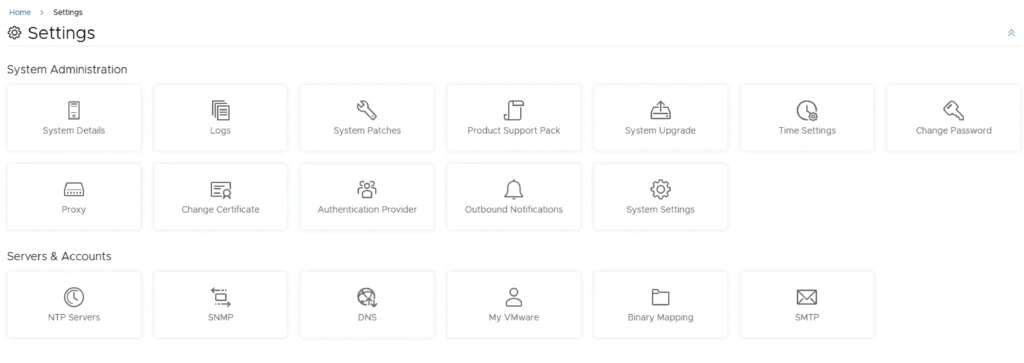
Settings page for vROPS upgrade via vRSLCM, showing various administration and server configuration options.

Upgrading vROPS (vRealize Operations Manager) to 8.6.3 via vRSLCM

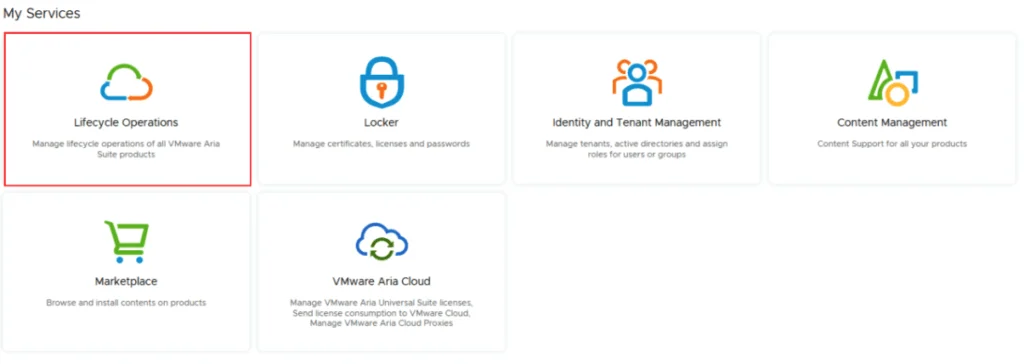
In this post i will go over upgrading my 8.x vROPS appliance to 8.6.3 using vRSLCM (vRealize Suite Lifecycle Manager). As a pre requirement we do need to have vRSLCM (vRealize Lifecycle Manager) upgraded to 8.8 Instructions can be found here. The upgrade already includes the latest Product Support Pack so an update to the Product Support Pack is not required. To get started we can go to vRealize Lifecycle Manager -> Lifecycle Operations -> Settings -> Binary Mapping. (If you haven’t added your My VMware credentials you will need to do that first by going to vRealize Lifecycle Manager -> Lifecycle Operations -> Settings -> My VMware) ...
May 16, 2022 · Cosmin Trif
Settings page for vRLI upgrade via vRSLCM, showing options like System Details, Logs, and Authentication Provider.

Upgrading vRLI (vRealize Log Insight) to 8.6.2 via vRSLCM

In this post i will go over upgrading my 8.x vRLI appliance to 8.6.2 using vRSLCM (vRealize Suite Lifecycle Manager). As a pre requirement we do need to have vRSLCM (vRealize Lifecycle Manager) upgraded to 8.6.2 or 8.7. Instructions can be found here. The upgrade already includes the latest Product Support Pack so an update to the Product Support Pack is not required. To get started we can go to vRealize Lifecycle Manager -> Lifecycle Operations -> Settings -> Binary Mapping. (If you haven’t added your My VMware credentials you will need to do that first by going to vRealize Lifecycle Manager -> Lifecycle Operations -> Settings -> My VMware) ...

May 16, 2022 · Cosmin Trif
Settings page for vRA 8.8 upgrade, showing various system and server management options.

Upgrading vRA (vRealize Automation) to 8.8

In this post i will go over upgrading my 8.x vRA appliance to 8.8. As a pre requirement we do need to have vRSLCM (vRealize Lifecycle Manager) upgraded to 8.78 Instructions can be found here. The upgrade already includes the latest Product Support Pack so an update to the Product Support Pack is not required. To get started we can go to vRealize Lifecycle Manager -> Lifecycle Operations -> Settings -> Binary Mapping. (If you haven’t added your My VMware credentials you will need to do that first by going to vRealize Lifecycle Manager -> Lifecycle Operations -> Settings -> My VMware) ...

May 16, 2022 · Cosmin Trif
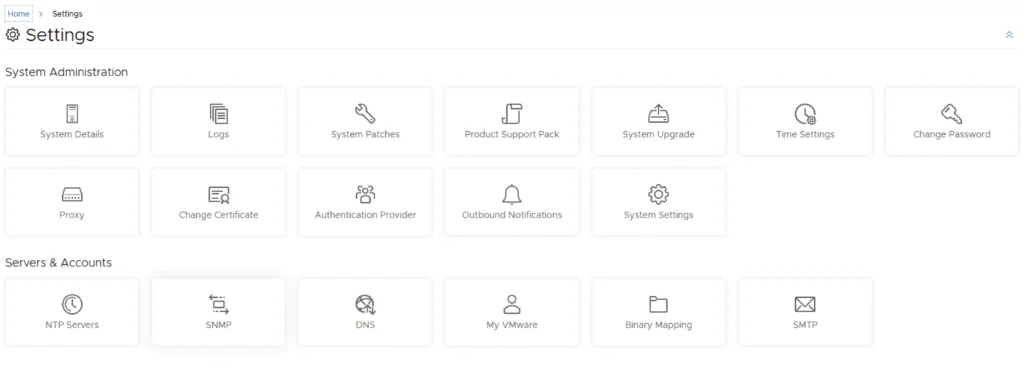
Settings page with options for system administration and server accounts, including System Details, Logs, and NTP Servers.

Upgrading SSC (SaltStack Config) to 8.8

In this post i will go over upgrading my 8.x SSC appliance to 8.8. As a pre requirement we do need to have vRSLCM (vRealize Lifecycle Manager) upgraded to 8.8. Instructions can be found here. The upgrade already includes the latest Product Support Pack so an update to the Product Support Pack is not required. To get started we can go to vRealize Lifecycle Manager -> Lifecycle Operations -> Settings -> Binary Mapping. (If you haven’t added your My VMware credentials you will need to do that first by going to vRealize Lifecycle Manager -> Lifecycle Operations -> Settings -> My VMware) ...
May 15, 2022 · Cosmin Trif
Settings page for vROPS upgrade via vRSLCM, showing various system and server management options.

Upgrading vROPS (vRealize Operations Manager) to 8.6.2 via vRSLCM

In this post i will go over upgrading my 8.x vROPS appliance to 8.6.2 using vRSLCM (vRealize Suite Lifecycle Manager). As a pre requirement we do need to have vRSLCM (vRealize Lifecycle Manager) upgraded to 8.6.2 or 8.7 Instructions can be found here. The upgrade already includes the latest Product Support Pack so an update to the Product Support Pack is not required. To get started we can go to vRealize Lifecycle Manager -> Lifecycle Operations -> Settings -> Binary Mapping. (If you haven’t added your My VMware credentials you will need to do that first by going to vRealize Lifecycle Manager -> Lifecycle Operations -> Settings -> My VMware) ...

April 2, 2022 · Cosmin Trif
Settings page for VMware Identity Manager showing various system administration and server management options.

Upgrading vIDM (VMware Identity Manager ) to 3.3.6 via vRSLCM

In this post i will go over upgrading my 3.3.5 vIDM appliance to 3.3.6 using vRSLCM (vRealize Suite Lifecycle Manager). If you want to upgrade to LCM 8.6 instructions can be found here. The upgrade already includes the latest Product Support Pack so an update to the Product Support Pack is not required. To get started we can go to vRealize Lifecycle Manager -> Lifecycle Operations -> Settings -> Binary Mapping. (If you haven’t added your My VMware credentials you will need to do that first by going to vRealize Lifecycle Manager -> Lifecycle Operations -> Settings -> My VMware) ...

April 1, 2022 · Cosmin Trif
Settings page for vRA 8.7 upgrade, showing options like System Details, Logs, and Authentication Provider.

Upgrading vRA (vRealize Automation) to 8.7

In this post i will go over upgrading my 8.x vRA appliance to 8.7. As a pre requirement we do need to have vRSLCM (vRealize Lifecycle Manager) upgraded to 8.7. Instructions can be found here. The upgrade already includes the latest Product Support Pack so an update to the Product Support Pack is not required. To get started we can go to vRealize Lifecycle Manager -> Lifecycle Operations -> Settings -> Binary Mapping. (If you haven’t added your My VMware credentials you will need to do that first by going to vRealize Lifecycle Manager -> Lifecycle Operations -> Settings -> My VMware) ...

March 24, 2022 · Cosmin Trif
Settings page for vRNI upgrade via vRSLCM, showing options like System Details, Logs, and Authentication Provider.

Upgrading vRNI (vRealize Network Insight) to 6.5.1 via vRSLCM

In this post i will go over upgrading my 6.x vRNI appliance to 6.5.1 using vRSLCM (vRealize Suite Lifecycle Manager). As a pre requirement we do need to have vRSLCM (vRealize Lifecycle Manager) upgraded to 8.7. Instructions can be found here. The upgrade already includes the latest Product Support Pack so an update to the Product Support Pack is not required. To get started we can go to vRealize Lifecycle Manager -> Lifecycle Operations -> Settings -> Binary Mapping. (If you haven’t added your My VMware credentials you will need to do that first by going to vRealize Lifecycle Manager -> Lifecycle Operations -> Settings -> My VMware) ...

March 23, 2022 · Cosmin Trif
Settings page with options for system administration and servers/accounts.

Upgrading SSC (SaltStack Config) to 8.7

In this post i will go over upgrading my 8.x SSC appliance to 8.7. As a pre requirement we do need to have vRSLCM (vRealize Lifecycle Manager) upgraded to 8.7. Instructions can be found here. The upgrade already includes the latest Product Support Pack so an update to the Product Support Pack is not required. To get started we can go to vRealize Lifecycle Manager -> Lifecycle Operations -> Settings -> Binary Mapping. (If you haven’t added your My VMware credentials you will need to do that first by going to vRealize Lifecycle Manager -> Lifecycle Operations -> Settings -> My VMware) ...

March 23, 2022 · Cosmin Trif
Settings page for vRNI showing various administration and server management options.

Upgrading vRNI (vRealize Network Insight) to 6.4.0 via vRSLCM

In this post i will go over upgrading my 6.x vRNI appliance to 6.4.0 using vRSLCM (vRealize Suite Lifecycle Manager). As a pre requirement we do need to have vRSLCM (vRealize Lifecycle Manager) upgraded to 8.6. Instructions can be found here. The upgrade already includes the latest Product Support Pack so an update to the Product Support Pack is not required. To get started we can go to vRealize Lifecycle Manager -> Lifecycle Operations -> Settings -> Binary Mapping. (If you haven’t added your My VMware credentials you will need to do that first by going to vRealize Lifecycle Manager -> Lifecycle Operations -> Settings -> My VMware) ...

October 27, 2021 · Cosmin Trif