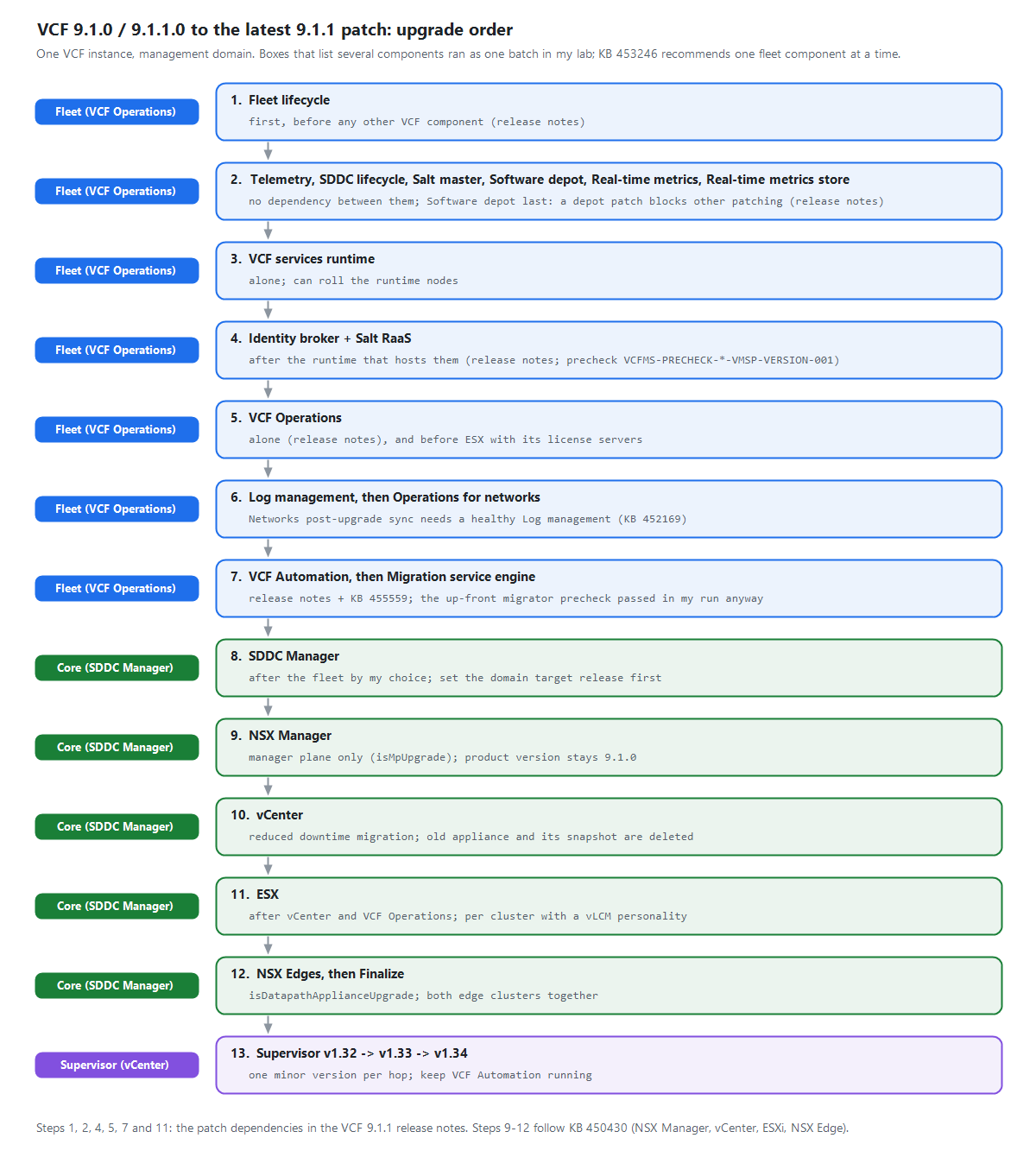
VCF 9.1.1 Patch Upgrade Order: Fleet Lifecycle to Supervisor
My fleet was on 9.1.1.0, but the management domain was still on 9.1.0. I patched NSX in two passes, took the Supervisor through two minor versions, and recorded what actually ran together.
My fleet was on 9.1.1.0, but the management domain was still on 9.1.0. I patched NSX in two passes, took the Supervisor through two minor versions, and recorded what actually ran together.
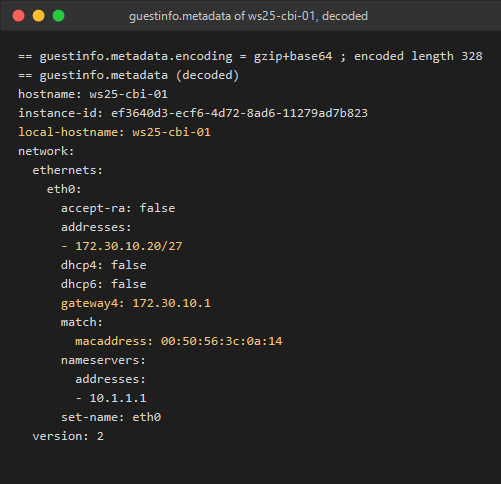
Set Cloudbase-Init to read VMware GuestInfo, then map the requested host name, static IP, gateway and DNS to the values Windows applies at deployment.
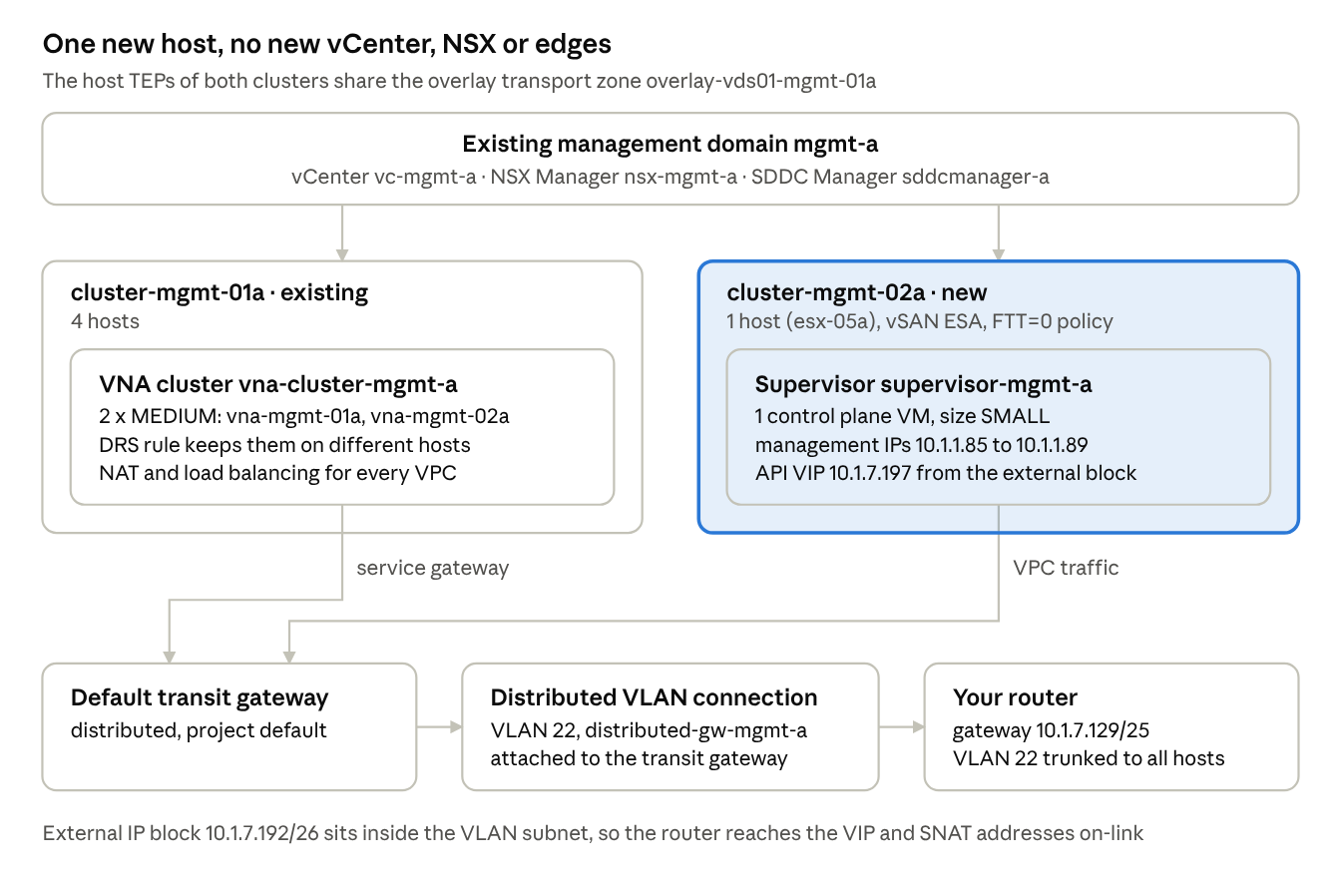
In Part 2 we built the one-host cluster. Before we can enable a Supervisor on it, NSX needs a way to get VPC traffic in and out. My management domain has NSX with an overlay transport zone, but no edge cluster, no Tier-0 and no Tier-1. In VCF 9.1 that is fine: a Supervisor on VPC networking can use a distributed transit gateway and a small cluster of Virtual Network Appliances (VNAs) instead of edges. ...
This is the corrected follow-up to my older article about simplifying NSX Edge removal in VCF. The most important correction is that the Edge Cluster Deployment Removal Tool does not preserve everything attached to an Edge cluster. Broadcom requires added dependencies to be removed or disconnected before the cleaner runs. The procedure below is based on Broadcom KB 316110, reviewed on August 25, 2026. Always reopen the KB before a change because the attachment, checksum, prerequisites, and supported releases can change. ...
This post replaces the unsafe package-removal command that appeared in my older article about removing stale NSX packages from an ESXi host. Broadcom now documents a clear distinction between removing NSX through its management workflow and cleaning up VIBs that remain afterward. Warning: Do not manually remove individual NSX VIBs with esxcli software vib remove. Broadcom identifies that method as unsupported. It can break distributed-switch state, disconnect host networking, and in some failure cases leave reimaging as the recovery path. ...
If you spent years typing flows where firewall action = deny into vRealize Network Insight, then watched the product get renamed to Aria Operations for Networks and then absorbed into VCF Operations as VCF Operations for Networks, you probably have one practical question: did the search language survive? It did, completely. I compared the VCF Operations for Networks 9.1 search documentation against the legacy Aria Operations for Networks 6.13 docs page by page, and the query grammar is identical: same entity types, same where operators, same group by / order by / limit clauses, same planning and path queries. Even the REST API still answers under the old /api/ni/ (Network Insight) namespace. Your saved searches and your muscle memory carry over as-is. ...
Continuing the credential cleanup in the same 9.1 environment from the expired password sync and VCFOPSPWID03 posts, one credential refused to settle: the service account SDDC Manager uses to talk to the NSX Manager API, svc-sddcmanager-a-nsx-mgmt--8199 in my lab. It showed up as disconnected, every remediation attempt failed, and the environment kept trying to rotate it in a loop. This one took several wrong turns before the actual root cause surfaced, and almost every wrong turn taught me something worth writing down. The short version: ...
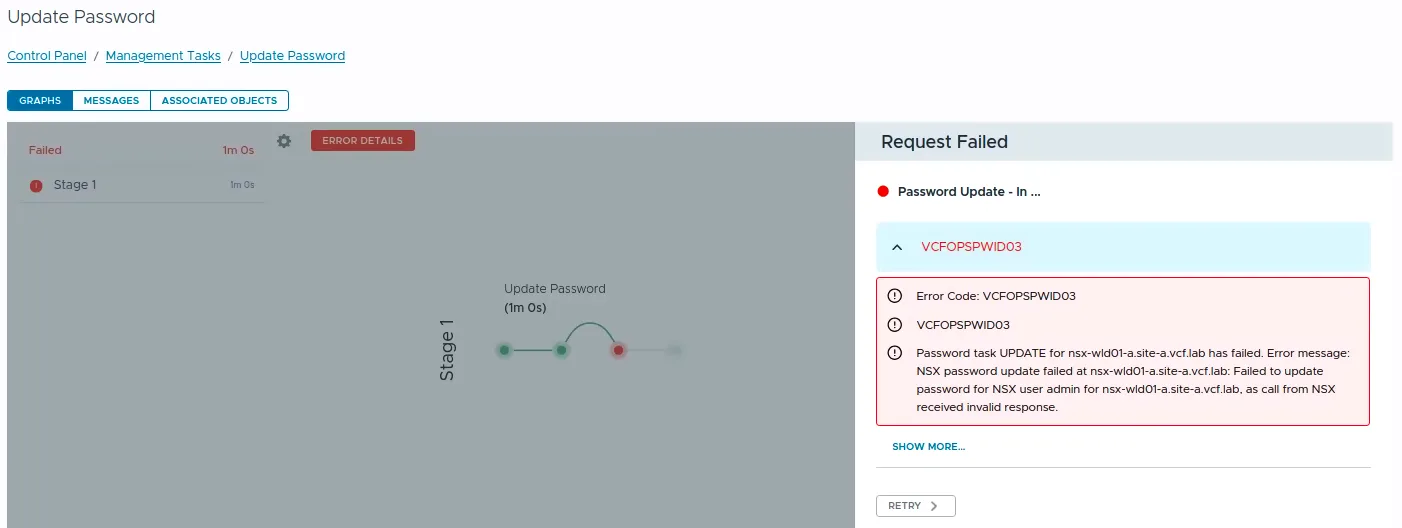
While rotating credentials in the same 9.1 environment I covered in the expired password sync post, an Update of the NSX Manager admin password (credential type API) from VCF Operations kept failing after about a minute with error code VCFOPSPWID03 and a spectacularly unhelpful message: “call from NSX received invalid response.” The actual cause turned out to be simple, NSX rejected the new password because it had already been used on that manager. This being a lab, I was deliberately recycling a previous password. That goes against best practices, and NSX enforces it. But the way the error surfaces (and the way the reuse policy behaves in this build) is worth writing down. ...
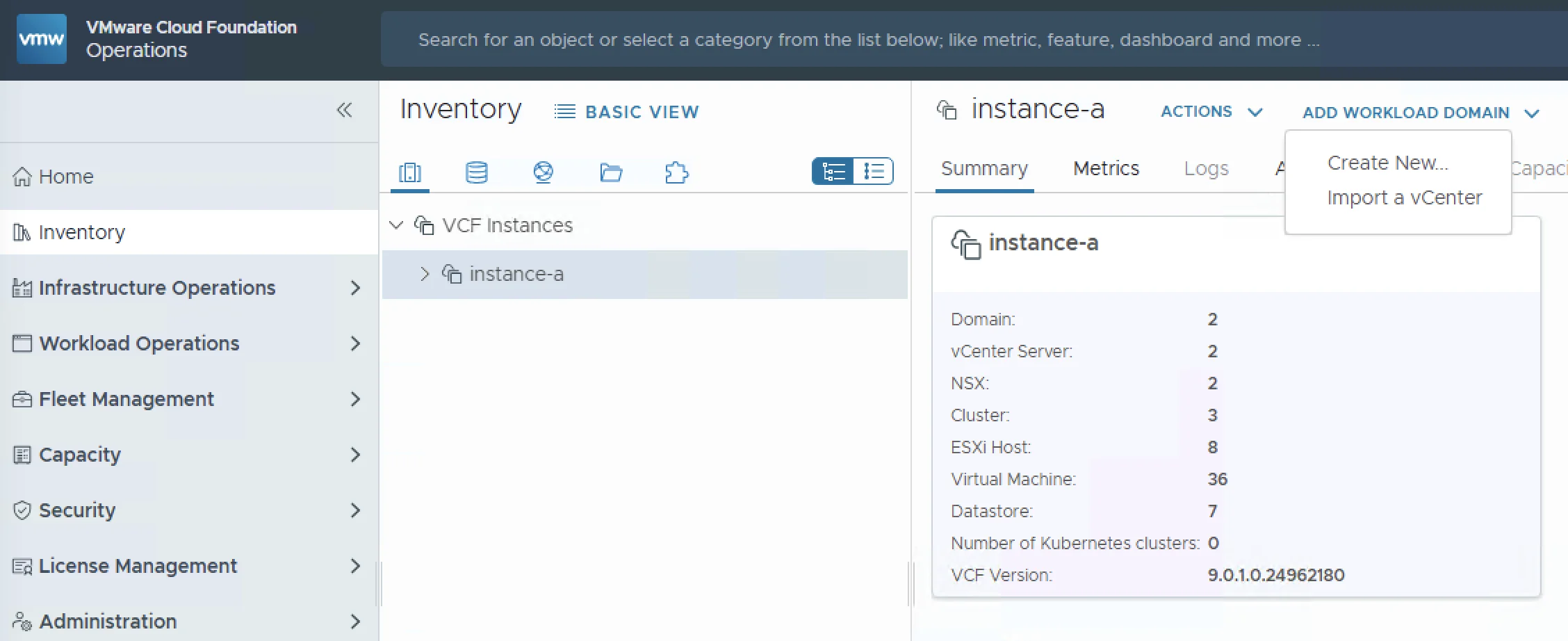
As organizations adopt VMware Cloud Foundation 9.0, a common question comes up: what do I do with my existing vCenter 8.x environments? The good news is that VCF 9.0 supports backwards compatibility with 8.x vCenter instances. You can import them as workload domains directly from the VCF Operations console, bringing your legacy infrastructure under VCF management without rebuilding from scratch. In this post I will walk through the full import process (from prerequisites and networking requirements to NSX deployment and validation) so you know exactly what to expect before you hit the “Import” button. ...
In VMware NSX, configuring SSH keys for users with specific labels and types provides a tailored access control approach that enhances both security and management capabilities. This blog walks through the process of setting user-specific SSH keys in NSX, using customized labels and types for better organization and identification. Before You Begin Overview SSH keys are crucial for secure authentication in NSX environments, allowing administrators to manage access without exposing systems to the risks of password-based logins. By setting SSH keys with specific labels and types, you can streamline user access management and improve security configurations. ...