License a Standalone ESX 9.1 Host Using the New License Server Appliance (No VCF Operations Required)

In the previous post, I covered how to license a standalone ESX 9.0 host by importing a private license file directly on the host with esxcli. That workflow was straightforward: generate a keypair, grab a license file from the portal, scp both files to the host, run two esxcli commands, done. VCF 9.1 changes everything. Starting with 9.1, you cannot generate individual ESX host licenses from the VCF Business Services console and apply them directly. Instead, Broadcom introduced a License Server appliance — a small OVA that sits between the portal and your hosts. You import your private license file into the License Server, and the License Server issues host-scoped licenses to each ESX host via API. ...

May 15, 2026 · Cosmin Trif

Custom Rightsizing Guardrails in VCF Operations 9 with Super Metrics

In a previous post I covered how to configure VCF Operations 9 to use 90 days of usage data for rightsizing recommendations. That gives you a solid foundation — but once you start reviewing the recommendations, you will quickly notice that the engine does not enforce any organizational sizing standards. For example, the engine might recommend reducing a VM from 8 vCPUs to 5, or suggest removing just 1 GB of RAM. Both are technically valid from a demand perspective, but in practice: ...
March 31, 2026 · Cosmin Trif

License a Standalone ESX 9.0 Host with a Private License File (When the Trial Expired and vCenter Won’t Boot)

If you upgraded (or deployed) ESX/ESXi 9.0 in a lab and let the evaluation expire, you can end up in the classic chicken-and-egg situation: your vCenter is a VM, but you can’t power it on because the host is no longer licensed. With VCF / vSphere Foundation 9.0, licensing moved away from the old 25-character keys and into license files(normally handled through VCF Operations), which is great… until you don’t have VCF Ops up yet. (VMware Blogs) ...

February 23, 2026 · Cosmin Trif

Tracking Licensed Assets in VMware Aria Automation

I often find myself fielding questions about how to effectively manage and monitor licensing in VMware Aria Automation. Licensing is a critical piece of the puzzle when it comes to ensuring compliance, optimizing resource usage, and maintaining operational efficiency in your automation environment. Recently, I was asked about tracking licensed assets, and I’m excited to share a practical approach using the powerful vracli command-line interface (CLI), specifically the vracli license usage command. In this blog, I’ll walk you through how to leverage this tool to gain visibility into your licensed assets, why it matters, and some actionable insights for managing your Aria Automation deployment. ...

February 27, 2025 · Cosmin Trif
Error LCMVSSC10018: vRealize Automation SaltStack Config import failed due to license validation issue.

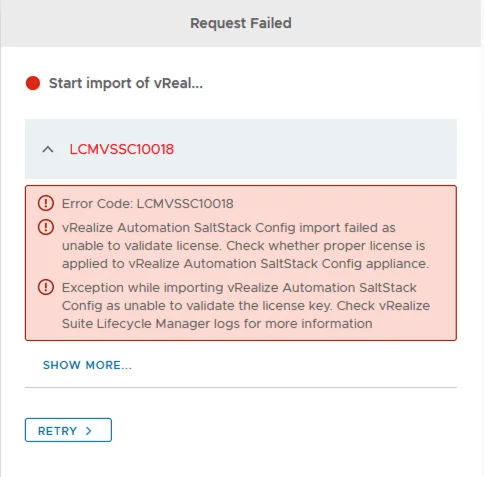
Error Code: LCMVSSC10018

If you like me deployed SSC (SaltStack Config) outside of LCM and are now trying to import it under LCM management you probably ran in to the following error: Error Code: LCMVSSC10018 vRealize Automation SaltStack Config import failed as unable to validate license. Check whether proper license is applied to vRealize Automation SaltStack Config appliance. Exception while importing vRealize Automation SaltStack Config as unable to validate the license key. Check vRealize Suite Lifecycle Manager logs for more information ...

October 4, 2021 · Cosmin Trif
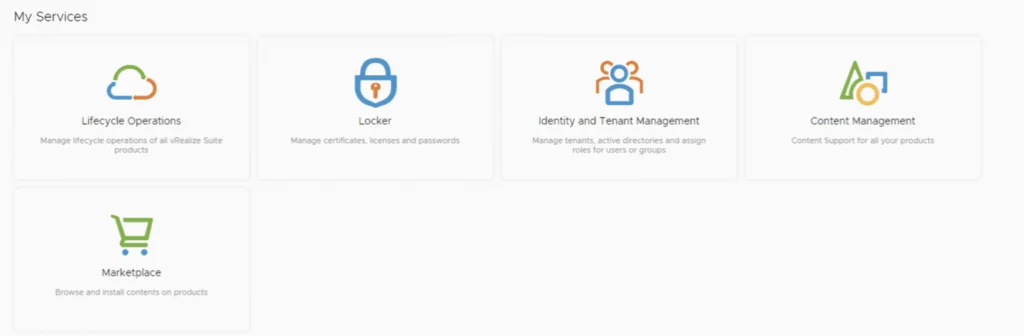
The image shows a user interface with five services: Lifecycle Operations, Locker, Identity and Tenant Management, Content Management, and Marketplace.

Usage Report for vRealize Cloud Licenses

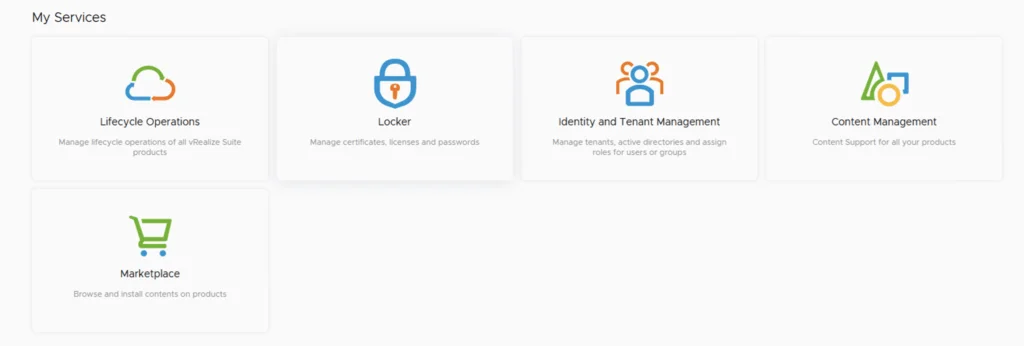
In this post i will go over the Usage Report for vRealize Cloud Licenses. I will cover the online method which does the reporting automatically as well as the offline method that requires us to upload the usage manually. The documentation for the Usage Report can be found here. The vRealize Cloud Universal service description EULA and requirements can be found here. As described the EULA our responsibilities include: Deploy the latest version of vRealize Suite Lifecycle Manager in your on-premiseenvironment, and establish a connection between vRealize Suite Lifecycle Manager and your VMware customer account. Use vRealize Suite Lifecycle Manager to apply the vRealize Cloud Universal license key to on-premise components of the Service Offering and activate these components. Connect vRealize Suite Lifecycle Manager to vRealize Cloud Subscription Manager to enable usage reporting to VMware. If the on-premise environment is offline and unable to connect to vRealize Cloud Subscription Manager, you are responsible for periodically exporting a license report from vRealize Suite Lifecycle Manager and uploading the report to vRealize Cloud Subscription Manager, but no less than once per VMware fiscal quarter. We will be spending most of our time in vRealize® Suite Lifecycle Manager. Log in and go to the locker page either from the welcome screen ...

September 15, 2021 · Cosmin Trif
vRealize Lifecycle Manager dashboard with services like Lifecycle Operations, Locker, Identity and Tenant Management, Content Management, and Marketplace.

vRealize Lifecycle Manager (vRSLCM) enable product and licensing downloads

In order to enable product and licensing downloads in lifecycle manager we need to go to Lifecycle Operations Settings -> My vmware Add my vmware account. Make sure the account added has a proper entitlement to perform downloads and patches. ...

September 15, 2021 · Cosmin Trif
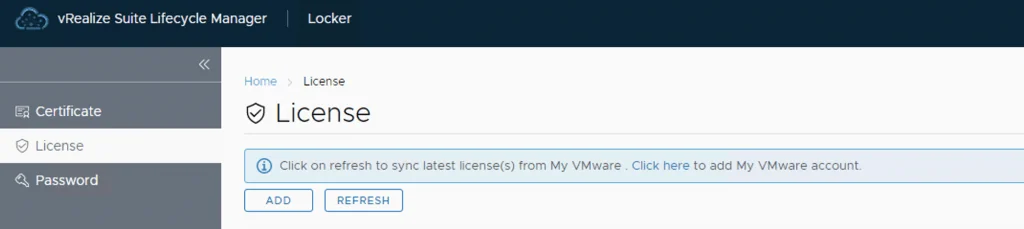
UI shows License tab in vRealize Lifecycle Manager with options to add or refresh licenses.

Adding keys in vRealize Lifecycle Manager in a VCF 4 Environment

From a lifecycle manager perspective we have a couple of ways to add keys to the environment If the my vmware user that is added to lifecycle manager has access to they keys, the keys can automatically discovered and imported. For this we can go to the locker from Home -> Locker -> License. If the keys are not discovered we can click on the refresh button up top to perform a manual sync ...

September 13, 2020 · Cosmin Trif