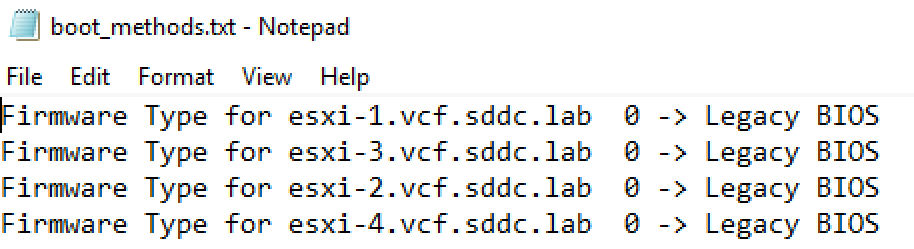
Notepad file listing firmware type settings for ESXi hosts, indicating Legacy BIOS for all entries.

Automating Legacy Boot Option Checks Across ESXi Hosts with PowerShell and Plink

In the evolving landscape of VMware ESXi environments, maintaining compatibility and ensuring that systems adhere to specific boot requirements is essential. As more environments transition towards UEFI, there might still be a need to check or enforce legacy BIOS boot methods on certain ESXi servers, especially for compatibility with older hardware or specific operational requirements. This blog post will guide VMware administrators on how to automate the process of checking the boot option (UEFI or Legacy BIOS) on multiple ESXi hosts using PowerShell and Plink. ...


April 11, 2024 · Cosmin Trif

Managing the ESXi SSH Server Firewall Exception Across Hosts with PowerCLI

VMware PowerCLI can manage the firewall exceptions on ESXi hosts through vCenter Server. The commands in this guide change the SSH Server firewall exception on ESXi; they do not configure the firewall of the vCenter Server Appliance (VCSA). Enabling this exception permits inbound SSH traffic through an ESXi host’s firewall. It does not start the SSH service. Opening SSH on many hosts also increases the management-plane attack surface, so target only the hosts that require access and disable the exception as soon as the work is complete. ...

March 21, 2024 · Cosmin Trif

Mastering the /v1/credentials API in SDDC Manager for Enhanced Security Management

In the rapidly evolving landscape of VMware’s Cloud Foundation, security management is a cornerstone for maintaining the integrity and confidentiality of the software-defined data center (SDDC). The SDDC Manager, a critical component of VMware’s Cloud Foundation, offers a comprehensive suite of APIs for managing various aspects of the SDDC, including credentials management. This blog post delves into the specifics of leveraging the /v1/credentials API in SDDC Manager, offering a detailed guide for VMware professionals to enhance their security posture through efficient credentials management. ...

March 16, 2024 · Cosmin Trif

Downgrading ESXi to a Different Build

During one of the upgrades in my VCF lab, I accidentally installed an ESXi 7.x build outside that VCF release’s validated design. This historical example records the lab recovery I tried. It is not a general production downgrade procedure. Warning: For a VCF-managed host or a production downgrade, stop and engage Broadcom Support. Downgrading can remove or replace drivers and components, can be incompatible with the current vCenter/NSX/firmware combination, and might leave the host unable to boot or rejoin its cluster. Use a supported rollback, reinstall or restore procedure when directed. ...

October 25, 2021 · Cosmin Trif
A cartoon rabbit holding a carrot with "That's all, folks!" text.

Shutting down a vSAN Cluster

I have the need to completely shut down some of my vSAN clusters for various clusters and ive been having a hard time finding the proper procedure. As of 2/16/2021 VMware released guidance here Here are the steps I took to do it on my end. If you have the vCLS service enabled follow my other instructions here prior to starting the rest of this guide. Disable cluster member updates from vCenter on each ESXi host in the cluster by running ...

March 27, 2021 · Cosmin Trif
Error stack shows a sync depot failure due to 'integrity.fault.HostPatchInvalidVendorCode'.

Unable to Sync Lifecycle Manager 'integrity.fault.HostPatchInvalidVendorCode'

After upgrading my vCenter Server to the latest vSphere 7.0 Update 1, I was unable to see ESXi 7.0 Update 1 Image. When I attempted to sync the updates I got the error “Download patch definitions task failed while syncing depots. Error: ‘integrity.fault.HostPatchInvalidVendorCode’.” Seeing as the error mentioned the depots, navigate to Menu->Lifecycle Manager and then select the Settings tab and then Patch Setup. ...

October 10, 2020 · Cosmin Trif