Querying Aria Operations for Logs API by Hostname – A Complete Guide

If you need to pull log events programmatically from VMware Aria Operations for Logs (formerly vRealize Log Insight), filtering by a specific hostname, this guide walks you through the entire process — from authentication to querying the powerful internal API endpoint. This approach is inspired by Brock Peterson’s excellent series on the Aria Operations for Logs API, expanded here with full session authentication steps and hostname-specific query examples. Prerequisites Before we begin, you’ll need: ...

April 2, 2026 · 6 min · Cosmin

Fixing “PostgreSQL won’t start after reboot” on VCF Operations Fleet Management 9.0.1 — and automating it

When upgrading the VCF Operations Fleet Management appliance to 9.0.1, you might hit a reboot surprise: vPostgres fails to start, and the fleet-management certificate is regenerated. You’ll see journal errors like: pg_ctl: could not open PID file "/var/vmware/vpostgres/current/pgdata/postmaster.pid": Permission denied systemd[1]: vpostgres.service: Control process exited, code=exited, status=1/FAILURE Broadcom’s KB confirms the symptoms and provides the manual steps to fix permissions on the Postgres data dir and to normalize the regenerated cert/key filenames, followed by service restarts. (manual steps) Fix pgdata permissions chmod 700 /var/vmware/vpostgres/current/pgdata/ Normalize the regenerated certificate & key in /opt/vmware/vlcm/cert by renaming the timestamped server.crt.* / server.key.* back to server.crt / server.key, then restart services (nginx, vrlcm-server.service) and verify status/logs. One-shot automated remediation (idempotent) Run this as root on the Fleet Management appliance (e.g., via SSH). It: ...

September 30, 2025 · 4 min · Cosmin
Article cover image

Replacing the VMware Identity Manager (vIDM) Certificate using VMware Aria Suite Lifecycle 8.18

Overview: Why and When to Replace the vIDM Certificate VMware Identity Manager (vIDM), also known as Workspace ONE Access, uses an SSL certificate to secure its web interface and establish trust with integrated VMware products (like vRealize/Aria Automation and Operations). Replacing this certificate is important in scenarios such as: Certificate Expiry: SSL certificates have expiration dates. You should replace the vIDM certificate before it expires to avoid service disruptions. An expired certificate can cause login failures and management tasks (like powering on vIDM or updating it) to fail. Self-Signed to CA-Signed: Out-of-the-box or lab deployments often use self-signed certificates, which trigger browser warnings and may not be trusted by other systems. Replacing a self-signed certificate with one signed by a trusted Certificate Authority (CA) eliminates these trust warnings and meets security compliance requirements. Security or Policy Requirements: Your organization might require using specific corporate CA certificates or updating certificates periodically for security. If the current certificate was compromised or if the domain name of the vIDM appliance changes, a replacement is needed. Integration Trust Issues: vIDM acts as the authentication provider for other VMware products. If those products do not trust vIDM’s certificate (e.g., after an update or if using a new CA), you should replace or re-trust the certificate to ensure seamless integration. In summary, proactively replace the vIDM certificate before it expires or whenever you need to switch to a certificate signed by a trusted CA. This ensures uninterrupted user access and integration with other services. Always schedule certificate updates during a maintenance window, as the process will restart services on vIDM and could temporarily disrupt logins. ...
May 8, 2025 · 22 min · Cosmin
Article cover image

Step-by-Step Guide for Changing the IP Address in Workspace ONE Access 3.3.7

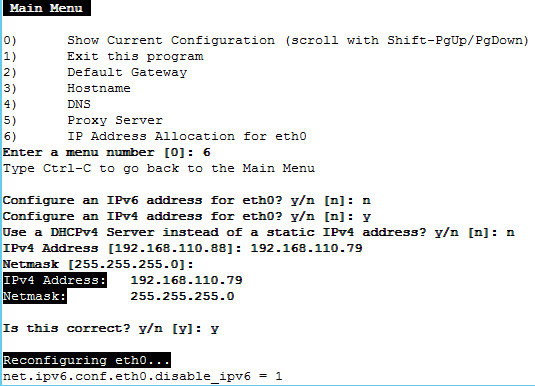
Changing the IP address of the Workspace ONE Access 3.3.7 appliance is a multi-step process that requires careful attention to avoid service disruptions. Below are the key steps involved: 1. Stop Workspace ONE Access Services SSH into the appliance and stop all services to prevent any inconsistencies during the IP address change. service horizon-workspace stop 2. Update DNS Entries Modify both forward and reverse DNS records to reflect the new IP address. This is crucial for both name resolution and certificate validation. 3. Update the IP Address Access the vami configuration interface using the following command: /opt/vmware/share/vami/vami_config_net Follow the on-screen instructions to change the IP address, gateway, and subnet mask as needed. ...

September 5, 2024 · 2 min · Cosmin
Article cover image

Configure NSX-T to use vIDM as authentication

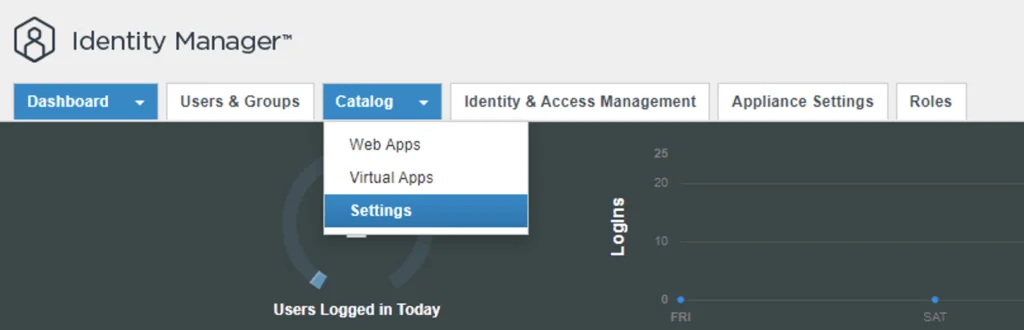
I needed to create a few additional accounts in NSX-T for outside sources. Instead of creating individual accounts i wanted to use the existing ones from AD. To get started we need to get the certificate from the vIDM server. Log on to the vIDM server as root and run the following: openssl1 s_client -connect <FQDN of vIDM host>:443 < /dev/null 2> /dev/null | openssl x509 -sha256 -fingerprint -noout -in /dev/stdin Next we need to create the OAuth client ID in vIDM. Log in to the vIDM UI using the url SAAS/admin/app/page#!/dashboard as admin and Navigate to Catalog -> Settings ...

March 3, 2023 · 2 min · Cosmin
Article cover image

vRealize Lifecycle Manager (vRSLCM) 8 certificate management

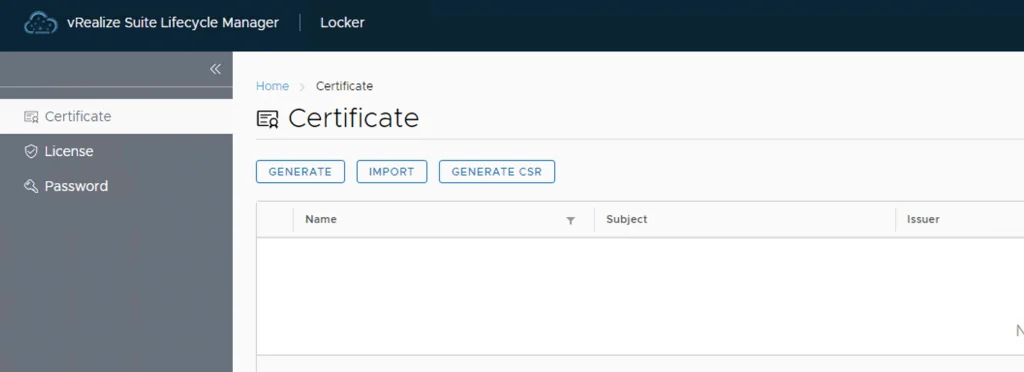
vRealize Lifeycycle Manager (vRSLCM) come with a Certificate Management feature. We can access the certificate management from Home -> Locker -> Certificate We can generate Self Signed certificates for products managed by Lifecycle Manager as well as certificate requests to be signed by a certification authority Generate a new CSR Download the CSR and take it to the certified authority, in my case im using a Microsoft server /certsrv/certrqxt.asp ...

June 6, 2022 · 1 min · Cosmin
Article cover image

vIDM 3.3.5 HA

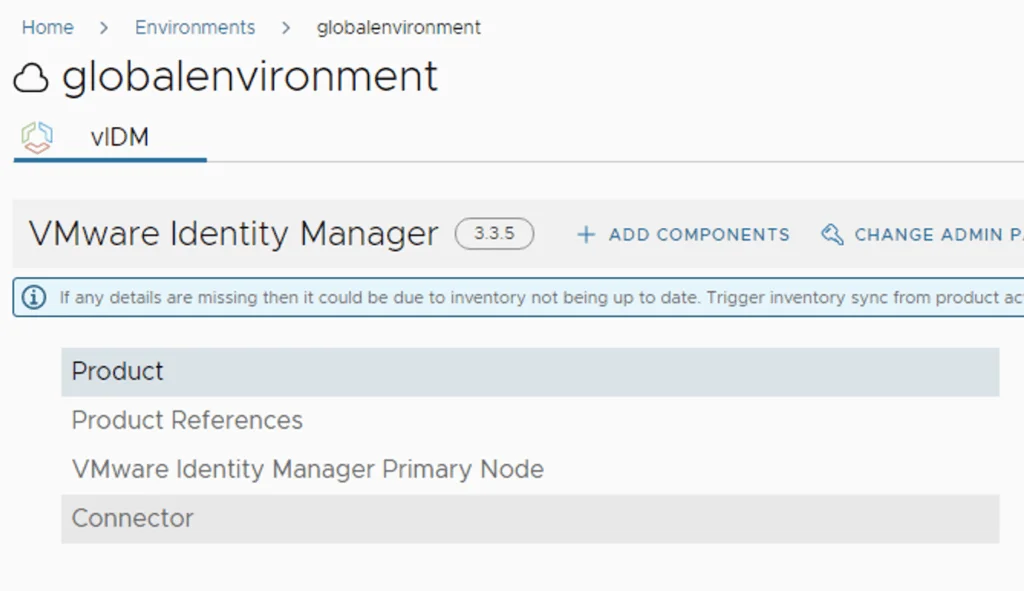
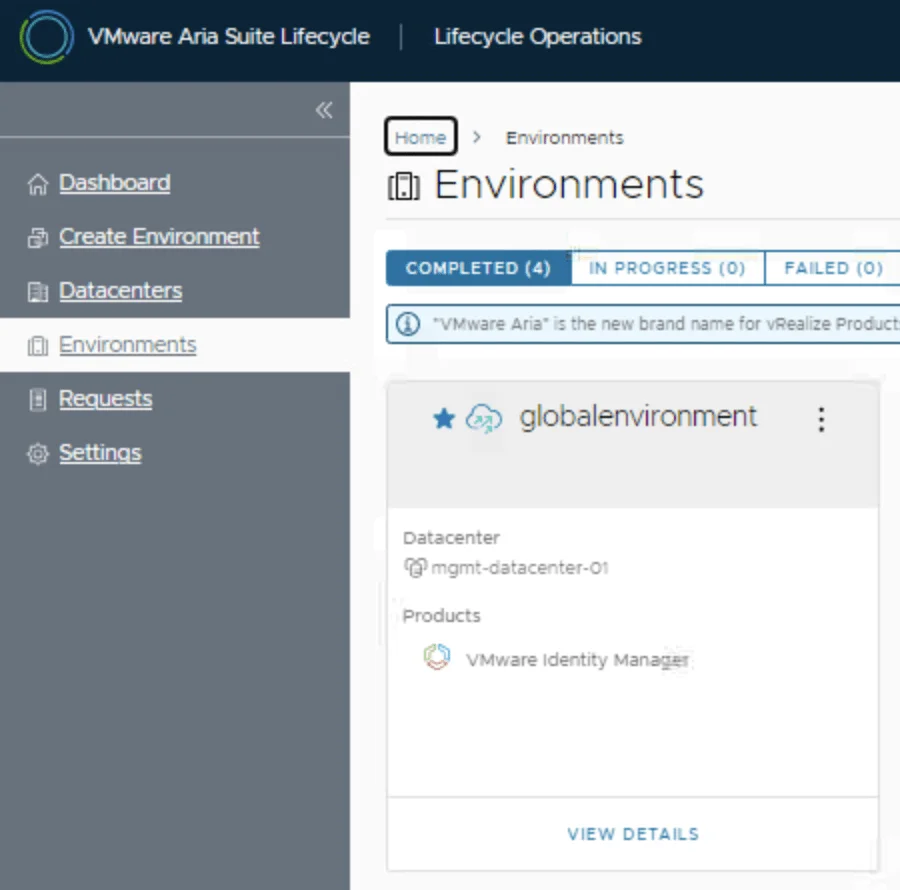
In this guide we will go over the vIDM 3.3.5 HA configuration. The official documentation can be found here Im going to assume that the load balancer configuration is already completed, the vIDM appliance has a the required certificate in the LCM inventory. Please read the official documentation for the full requirements. We will be using the scale out feature in Lifecycle Manager. To do so we can navigate to Lifecycle Operations -> Environments -> globalenvironment -> View Details -> Click on Add Components ...

December 13, 2021 · 2 min · Cosmin
Article cover image

Deploying SaltStack Config via Lifecycle Manager in a VRA environment

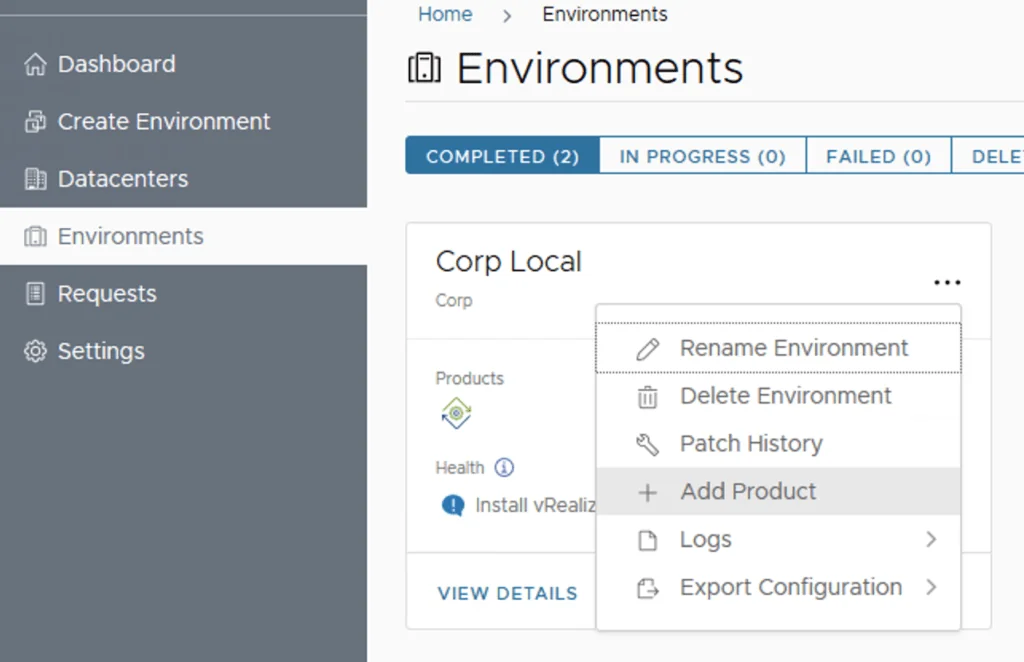
Assuming that you already downloaded the SaltStack Config binaries in this guide we will go over the deployment of SaltStack Config in an existing VRA 8.3 environment via Lifecycle Manager 8.3 Log on to Lifecycle Manager -> Go to environments, on the vRA environment click on the Menu and go to Add Product Select the checkbox next to vRealize Automation SaltStack Config and click Next Review the EULA, click on the agree box on the bottom of the page and click on next ...

February 2, 2021 · 2 min · Cosmin
Article cover image

vRealize Lifeycycle Manager (vRSLCM) 8 certificate mangement

vRealize Lifeycycle Manager (vRSLCM) come with a Certificate Management feature. We can access the certificate management from Home -> Locker -> Certificate We can generate Self Signed certificates for products managed by Lifecycle Manager as well as certificate requests to be signed by a certification authority Generate a new CSR Download the CSR and take it to the certified authority, in my case im using a Microsoft server /certsrv/certrqxt.asp ...

September 13, 2020 · 1 min · Cosmin