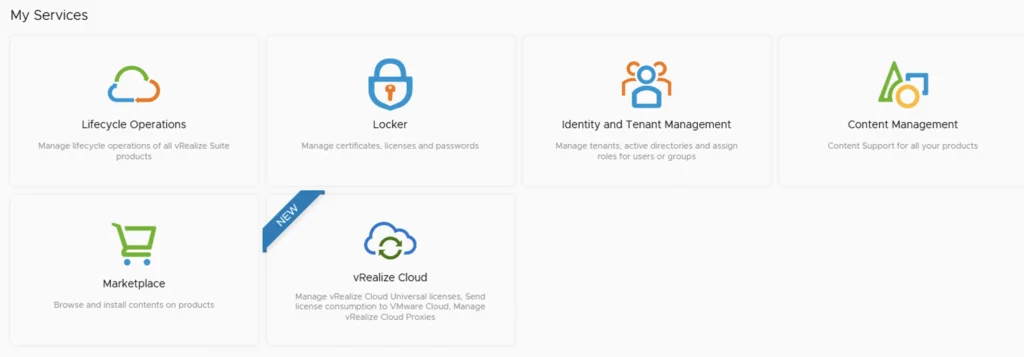
My Services UI showing Lifecycle Operations, Locker, Identity Management, Content Management, Marketplace, and vRealize Cloud options.

Upgrading vRSLCM (vRealize Lifecycle Manager) to 8.10

In this guide i will go over the steps of getting an existing 8.x vRSLCM appliance upgraded to the latest 8.10 release. The release notes can be found here The first step is to log in to vRealize Suite Lifecycle Manager under the Lifecycle Operations section Go to settings -> System Upgrade ...

October 13, 2022 · Cosmin Trif
My Services UI showing lifecycle operations, locker, identity management, content management, marketplace, and vRealize Cloud options.

Upgrading vRSLCM (vRealize Lifecycle Manager) to 8.8.2

In this guide i will go over the steps of getting an existing 8.x vRSLCM appliance upgraded to the latest 8.8.2 release. The release notes can be found here The first step is to log in to vRealize Suite Lifecycle Manager under the Lifecycle Operations section ...
July 13, 2022 · Cosmin Trif

ccp-backups folder missing in NSX-T backup

If you like me tried to to cleanup the backups in NSX-T and ran into error Cleanup script works only in folders, that contains subfolders "cluster-node-backups", "ccp-backups" and "inventory-summary" this post is for you. I was trying to cleanup the backups before going to the next major release of nsx and i kept getting an error running the nsx_backup_cleaner.py script. It would seem that the ccp-backups folder has been removed from the backup job so it simply doesn’t exist. VMware did fix the script with the 3.2 release. ...

June 6, 2022 · Cosmin Trif
This image shows the 'My Services' section in vRSLCM, with options like Lifecycle Operations, Locker, Identity and Tenant Management, Content Management, Marketplace, and vRealize Cloud.

Upgrading vRSLCM (vRealize Lifecycle Manager) to 8.8

In this guide i will go over the steps of getting an existing 8.x vRSLCM appliance upgraded to the latest 8.8 release. The release notes can be found here The first step is to lo in to vRealize Suite Lifecycle Manager under the Lifecycle Operations section Go to settings -> System Upgrade ...

May 15, 2022 · Cosmin Trif
The image shows a screenshot of vRealize Lifecycle Manager services with icons and labels like Lifecycle Operations, Locker, Identity and Tenant Management, Content Management, Marketplace, and vRe...

Upgrading vRSLCM (vRealize Lifecycle Manager) to 8.7

In this guide i will go over the steps of getting an existing 8.x vRSLCM appliance upgraded to the latest 8.7 release. The release notes can be found here The first step is to lo in to vRealize Suite Lifecycle Manager under the Lifecycle Operations section ...

March 23, 2022 · Cosmin Trif
My Services UI showing Lifecycle Operations, Locker, Identity and Tenant Management, Content Management, Marketplace, and vRealize Cloud options.

Upgrading vRSLCM (vRealize Lifecycle Manager) to 8.6.1

In this guide i will go over the steps of getting an existing 8.x vRSLCM appliance upgraded to the latest 8.6.1 release. The release notes can be found here The first step is to lo in to vRealize Suite Lifecycle Manager under the Lifecycle Operations section ...

December 12, 2021 · Cosmin Trif
The image shows vRSLCM's service menu with options like Lifecycle Operations, Locker, Identity and Tenant Management, Content Management, and Marketplace.

Upgrading vRSLCM (vRealize Lifecycle Manager) to 8.6

In this guide i will go over the steps of getting an existing 8.x vRSLCM appliance upgraded to the latest 8.6 release. The release notes can be found here The first step is to lo in to vRealize Suite Lifecycle Manager under the Lifecycle Operations section Go to settings -> System Upgrade ...

October 12, 2021 · Cosmin Trif
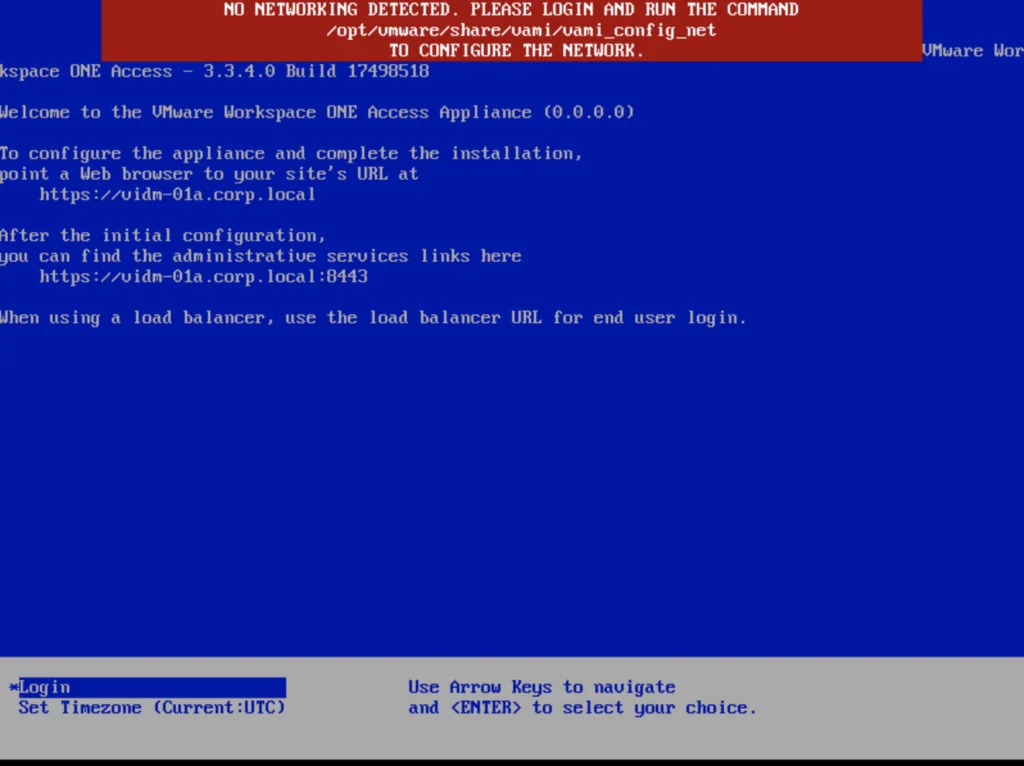
Error message: "No networking detected. Please login and run the command to configure the network.

vIDM upgrade to 3.3.4 no networking detected

If you are like me and you tried to perform an upgrade of vIDM 3.3.x to 3.3.4 you were most likely greeted by no network connectivity after upgrade with the following screen: If you made a backup of the network configuration this is where we would restore it. If not we can perform it manually by running /opt/vmware/share/vami/vami_config_net Press 6 and go through the screens to configure the ip ...

February 17, 2021 · Cosmin Trif