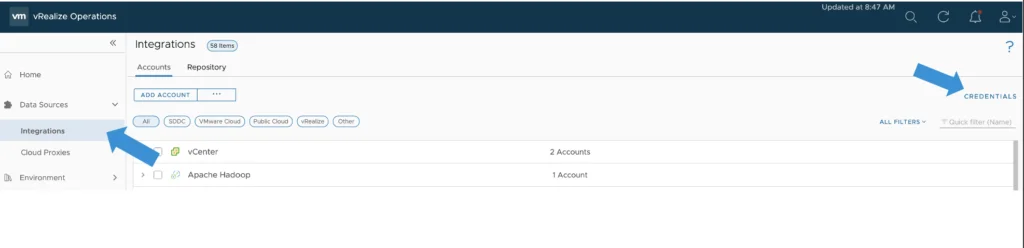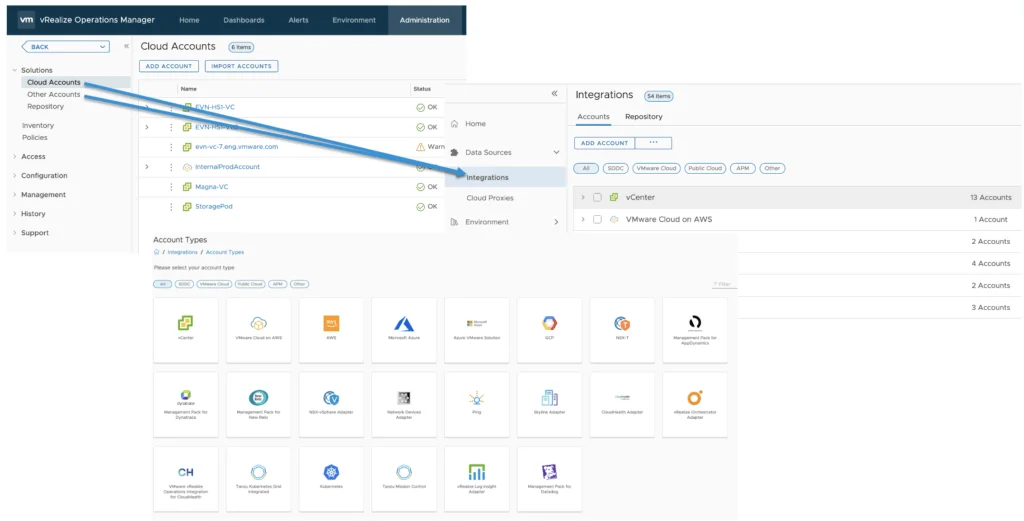
The image shows vRealize Operations Manager 8.6 with Cloud Accounts and Integrations sections, highlighting account types and integration options.

vROPS 8.6 Administration - Where is it now?

During VMworld 2021 we announced vRealize Operations 8.6 which now provides allot of new features and capabilities. You can see an Whats New overview here as well as a feature walk through here. I this blog we will be focusing specifically on the Administration menu and how it maps to the new 8.6 release. I covered the UI Navigation on my blog other here. As you might be aware the Administration has now been redesigned to make it easier to navigate and find items. Lets jump in to it. ...

October 27, 2021 · Cosmin Trif
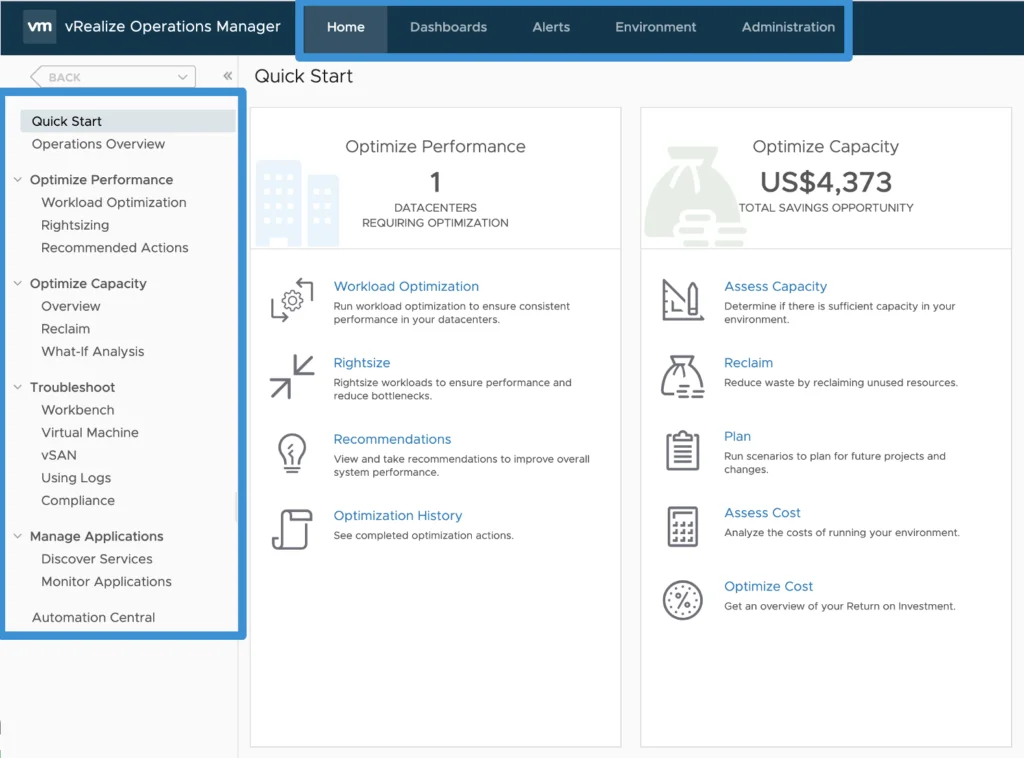
vRealize Operations Manager UI showing Quick Start, Optimize Performance, and Optimize Capacity options.

vROPS 8.6 UI Navigation - Where is it now?

During VMworld 2021 we announced vRealize Operations 8.6 which provides a lot of new features and capabilities. You can see an Whats New overview here as well as a feature walk through here. With the new UI release some of the content might not be where were used to find it in the previous versions. In this post we will navigate through some of the changes and point to “Where is it now”. I also covered the UI overview on my blog here ...

October 27, 2021 · Cosmin Trif
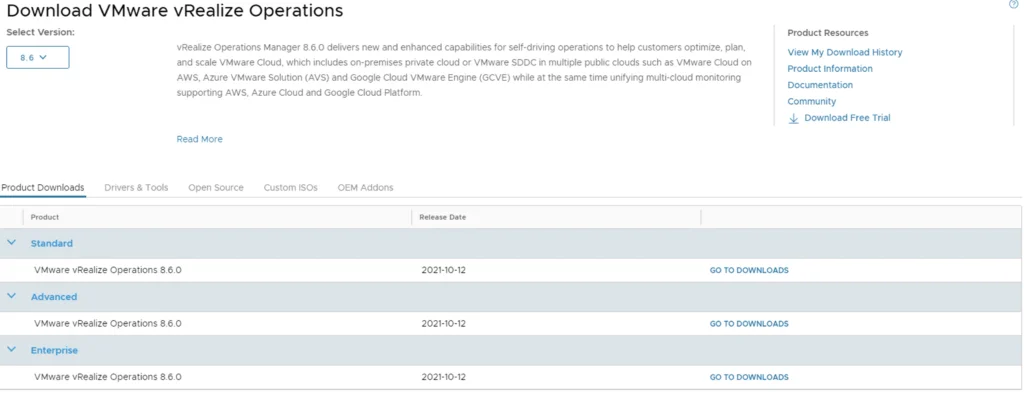
UI shows VMware vRealize Operations Manager 8.6.0 download options with "Standard," "Advanced," and "Enterprise" versions.

Upgrading vROPS (vRealize Operations Manager) to 8.6 via the .pak file

In this guide we will go over upgrading vROPS (vRealize Operations Manager) to the latest 8.6 releases using the .pak file. If you you vRSLCM (vRealize Suite Lifecycle Manager) i would strongly recommend upgrading using the vRSLCM method found here as it does additional checks of the environment like compatibility with the rest of the vRealize Products we might have installed. The release notes for vROPS 8.6 can be found here To get started we need to download the .pak file from the new customerconnect portal (previously known as my vmware). The direct link to the product download page can be found here. Make sure we have 8.6 selected under the Select Version and click on any of the Go To Downloads links ...

October 25, 2021 · Cosmin Trif
Settings page for vROPS upgrade via vRSLCM, showing options like System Details, Logs, and System Upgrade.

Upgrading vROPS (vRealize Operations Manager) to 8.6 via vRSLCM

In this post i will go over upgrading my 8.x vROPS appliance to 8.6 using vRSLCM (vRealize Suite Lifecycle Manager). As a pre requirement we do need to have vRSLCM (vRealize Lifecycle Manager) upgraded to 8.6. Instructions can be found here. The upgrade already includes the latest Product Support Pack so an update to the Product Support Pack is not required. To get started we can go to vRealize Lifecycle Manager -> Lifecycle Operations -> Settings -> Binary Mapping. (If you haven’t added your My VMware credentials you will need to do that first by going to vRealize Lifecycle Manager -> Lifecycle Operations -> Settings -> My VMware) ...

October 25, 2021 · Cosmin Trif
vRealize Operations Manager UI showing Quick Start, Optimize Performance, and Capacity options.

vROPS 8.6 UI Overview

During VMworld 2021 we announced vRealize Operations 8.6 which now provides allot of new features and capabilities. You can see an Whats New overview here as well as a feature walk through here. I this post we will focus specifically on the UI enhancements. The UI changes are the same for the SaaS version as well as the on premise release. Lets dive in! When we used to log on to vRealize Operations in the past we used to have a list of menu items up top as well as the left side example: ...

October 21, 2021 · Cosmin Trif
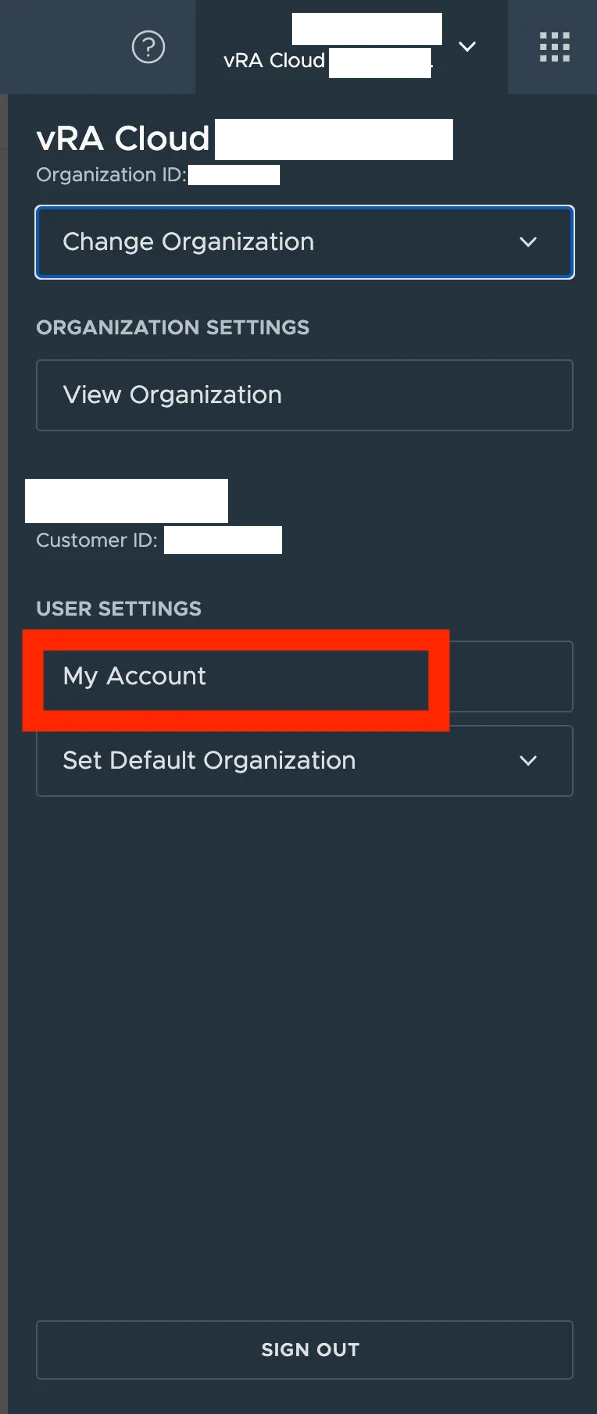
The image shows a user interface for managing cloud organization settings in vRA Cloud, with options to change organization, view settings, and access user account details.

vROps cloud API getting started

I wanted to keep track of what needs to be done prior to actually being able to query API on vROps cloud. Ive been having a hard time finding the documentation i needed in the past First step is to get an API token for the specific username. We can do this by going to My account under User Settings in vROps Cloud ...

August 4, 2021 · Cosmin Trif
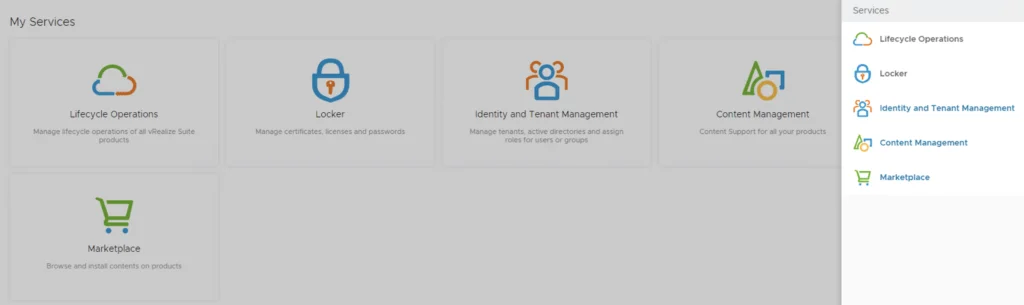
UI shows services for managing lifecycle operations, locker, identity, content, and marketplace in vRealize Suite Lifecycle Manager.

Changing passwords for the vRealize suite via vRSLCM (vRealize Suite Lifecycle Manager)

In this guide i will go over one of the Locker feature in vRealize Lifecycle Manager specifically the password management. As a reminder vRSLCM can manage the following: Type of Password Change vRealize Product Name Admin Password Change vRealize Automation, vRealize Operations Manager, vRealize Network Insight, vRealize Log Insight, VMware Identity Manager Root Password Change vRealize Automation, vRealize Operations Manager, vRealize Network Insight, vRealize Log Insight, VMware Identity Manager Support Password Change vRealize Network Insight Console User Password Change vRealize Network Insight SSH User Password Change VMware Identity Manager The first step is to create a new password. We can do so by going to Locker from the welcome screen or the menu on top right ...

May 19, 2021 · Cosmin Trif
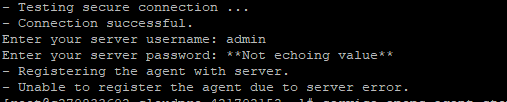
Error message shows server registration failure due to server error during vRealize Operation Endpoint Agent setup.

vRealize Operation Endpoint Agent (EPops) Unable to register error

While i was doing the operations endpoint install on a new vROPS environment i experienced an strange error that i didnt see before - Unable to register the agent due to server error. In order to find the issue i had to log in to my vROPS server in order to review the logs. I was able to find the End Point Adapter log file here: ...

September 27, 2020 · Cosmin Trif