Querying Aria Operations for Logs API by Hostname – A Complete Guide

If you need to pull log events programmatically from VMware Aria Operations for Logs (formerly vRealize Log Insight), filtering by a specific hostname, this guide walks you through the entire process — from authentication to querying the powerful internal API endpoint. This approach is inspired by Brock Peterson’s excellent series on the Aria Operations for Logs API, expanded here with full session authentication steps and hostname-specific query examples. Prerequisites Before we begin, you’ll need: ...

April 2, 2026 · 6 min · Cosmin
Article cover image

Bulk Delete Alerts in VCF Operations (formerly know as Aria Operations)

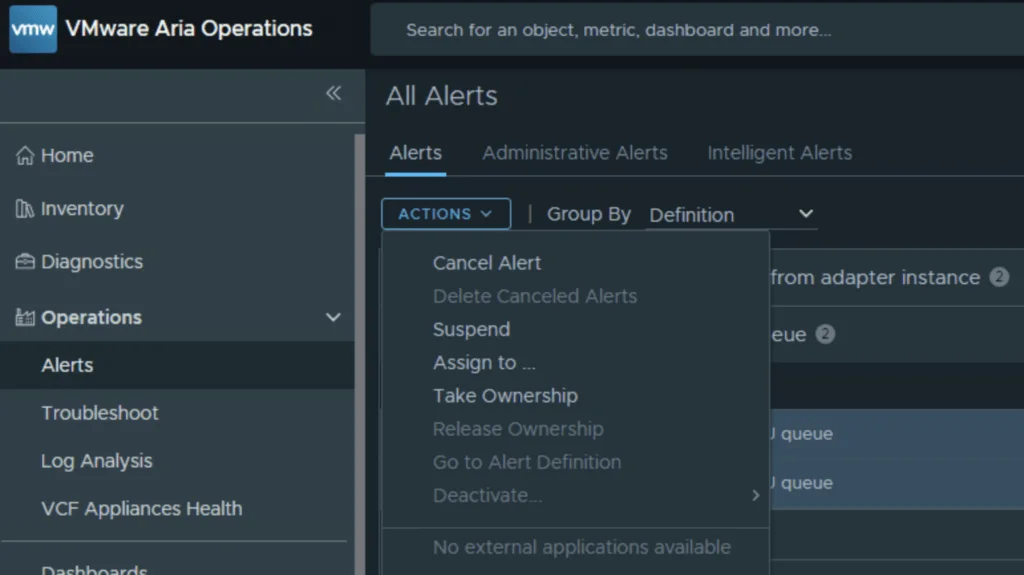
If you manage a VMware Aria Operations (formerly vROps) environment, you know how quickly alert fatigue can set in. In this guide i will focus specifically on the “Guest OS Experiencing CPU queue” alert. While helpful in identifying CPU-constrained VMs, it can quickly generate thousands of entries if you have a heavily over provisioned environment. Inspired by Brock Peterson’s excellent guide on Alert Hygiene, we are going to look at exactly how to cancel and delete these specific CPU queue alerts, both via the User Interface and programmatically via the API. ...

March 17, 2026 · 5 min · Cosmin
Article cover image

Troubleshooting notification plugins in VCF Operations

In the world of modern infrastructure operations, observability is only as good as the actions it drives. Integrating VMware Cloud Foundation (VCF) Operations (formerly Aria Operations) with ITSM platforms like ServiceNow is a critical step for many of my clients. It transforms passive monitoring into active incident management. However, as with any integration involving webhooks and external APIs, things don’t always go according to plan. Recently, while implementing a ServiceNow integration following standard deployment guides (kudos to Brock Peterson for his excellent documentation on ServiceNow Management Packs and Webhooks), I hit a roadblock. My instance was failing to send notifications, and the standard UI errors were vague. ...

November 26, 2025 · 4 min · Cosmin
Article cover image

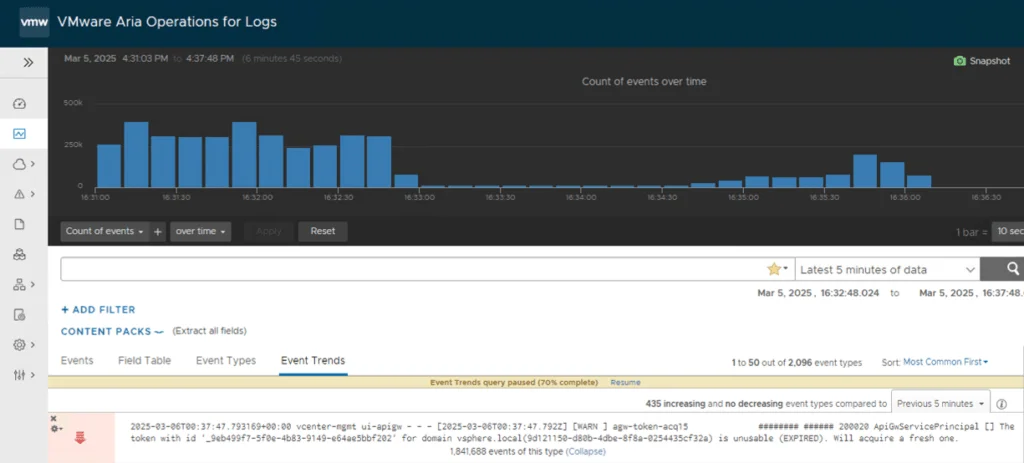
How to Fix Excessive ApiGwServicePrincipal Logging in vCenter

If your vCenter logs are flooded with ApiGwServicePrincipal messages about token expirations, you’re not alone. These frequent “info” level logs in the apigw.log file can clutter your system, making it tough to identify real issues. Fortunately, there’s a simple workaround: adjust the logging severity from “info” to “error.” Below, I’ll guide you through the exact steps to reduce this log noise effectively. The Issue: Too Many ApiGwServicePrincipal Logs In vCenter, you might see repeated log entries like: ...

March 6, 2025 · 3 min · Cosmin

Mastering the /v1/credentials API in SDDC Manager for Enhanced Security Management

In the rapidly evolving landscape of VMware’s Cloud Foundation, security management is a cornerstone for maintaining the integrity and confidentiality of the software-defined data center (SDDC). The SDDC Manager, a critical component of VMware’s Cloud Foundation, offers a comprehensive suite of APIs for managing various aspects of the SDDC, including credentials management. This blog post delves into the specifics of leveraging the /v1/credentials API in SDDC Manager, offering a detailed guide for VMware professionals to enhance their security posture through efficient credentials management. ...

March 16, 2024 · 3 min · Cosmin

vROPs DRS requirements across multiple data centers

vSphere Resource Management with vRealize Operations (vROPs) DRS across multiple data centers is a critical requirement for managing large-scale virtualized environments. In this blog, we’ll discuss the requirements for using DRS in vROPs across multiple data centers. Cross vCenter vMotion (CVC-vMotion) Support: CVC-vMotion enables vMotion of virtual machines across multiple vCenter servers. This capability is a pre-requisite for vROPs DRS across multiple data centers. vCenter Server 6.7 Update 1 or later: vROPs DRS across multiple data centers requires vCenter Server 6.7 Update 1 or later. This ensures that the necessary APIs are available to enable vROPs to manage resources across multiple vCenter servers. Network Connectivity: All data centers should have a reliable and high-speed network connectivity, with the necessary firewall ports opened for communication between vCenter servers and vROPs instances. vROPs Replication: vROPs instances in different data centers must be able to communicate with each other. vROPs replication can be used to keep the data in all vROPs instances in sync, ensuring that the vROPs DRS decisions are based on consistent data. Same vROPs version: All vROPs instances must be running the same version of vROPs to ensure compatibility and prevent any issues with data consistency. Same vROPs license: All vROPs instances must be licensed with the same vROPs license, and the license should include the vROPs DRS capability. Cluster Configuration: The virtual machines that need to be managed by vROPs DRS must be in a vSphere cluster that spans across multiple vCenter servers. The vSphere cluster must be configured with the appropriate DRS settings, such as automated DRS, to ensure that vROPs DRS can make effective resource management decisions. In conclusion, vROPs DRS across multiple data centers is a powerful tool for managing virtualized environments at scale. By following these requirements, organizations can ensure that their vROPs DRS implementation is effective, efficient, and reliable. ...

January 30, 2023 · 2 min · Cosmin

SSC 8.8 sseapi_rpc_queue: could not connect to SSE server

I recently upgraded my LCM deployed SSC server to 8.8. If you need a guide to go through the upgrade you can find my other post here. After the upgrade was completed i was noticing strange behavior in the SSC UI so i checked the status the of the services. Here are the errors i found and how i fixed them The first step was to check the status of the service ...

May 15, 2022 · 3 min · Cosmin
Article cover image

vRSLCM 8.x change admin@local password via API

I recently had an use case where i wanted to change the admin@local LCM password via an API call in order to automate the password rotation. If you need a guide to get started you can find my other blog here To change the password we can use postmanPUT call to https://$vRLCM/lcm/authzn/api/v2/users/password Don`t forget to include the new password under the body field formatted in JSON format ex: We can also leverage curl using: ...

April 13, 2022 · 1 min · Cosmin
Article cover image

vRSLCM 8 API getting started

I`ve been having a hard time finding one article that covers the vRSLCM (vRealize Suite Lifecycle Manager) API. The official documentation can be found here As we can see we can leverage the swagger UI by going to https://$vRLCM/api/swagger-ui.html but… i wanted to leverage curl from the cli or postman and as per best practices i wanted to generate a Bearer token. First step was to authenticate using the credentials. We can do so in Postman by completing the Authorization fields using basic auth and running an POST against https://$vRLCM/lcm/authzn/api/login Example: ...

April 4, 2022 · 2 min · Cosmin

vRA 8 API getting started

I wanted to keep track of what needs to be done prior to actually being able to query API on vRA 8. Ive been having a hard time finding the documentation i needed in the past. If you are looking for the Cloud version it can be found here First step is to get an API token for the specific username. We can do this by using curl or postman. The call would look similar: ...

January 31, 2022 · 1 min · Cosmin