
This walkthrough covers a targeted replacement of a node-scoped Global Manager (GM) Corfu certificate. The screenshots were captured on NSX 4.1.0.2; the exact UI differs in later releases.
Version and safety note: On NSX 4.2.x and VCF NSX 9.x, Broadcom prefers the built-in NSX Manager certificate-replacement UI. For a broader self-signed-certificate assessment or recovery, use the current Certificate Analyzer, Results and Recovery (CARR) procedure. CARR requires a dry run before remediation. Use the API below only when a targeted GM Corfu binding is appropriate for the installed release.
Before changing a certificate:
- Confirm that all Global Manager nodes and federation sites are healthy and synchronized.
- Confirm that no upgrade, restore, node replacement, or other certificate operation is running.
- Take and verify a current supported NSX file-based backup. Do not snapshot NSX Manager, Global Manager, or Edge appliances; Broadcom does not support VM snapshots of NSX appliances.
- Schedule a maintenance window and retain console access.
I covered the MP Corfu and CCP Corfu profiles separately. Do not reuse their service types for GM Corfu.
Identifying the Expired GM Corfu Certificate
In this example, the existing GM Corfu certificate had expired. In a production environment, replace an expiring certificate before it reaches its expiration date whenever possible.

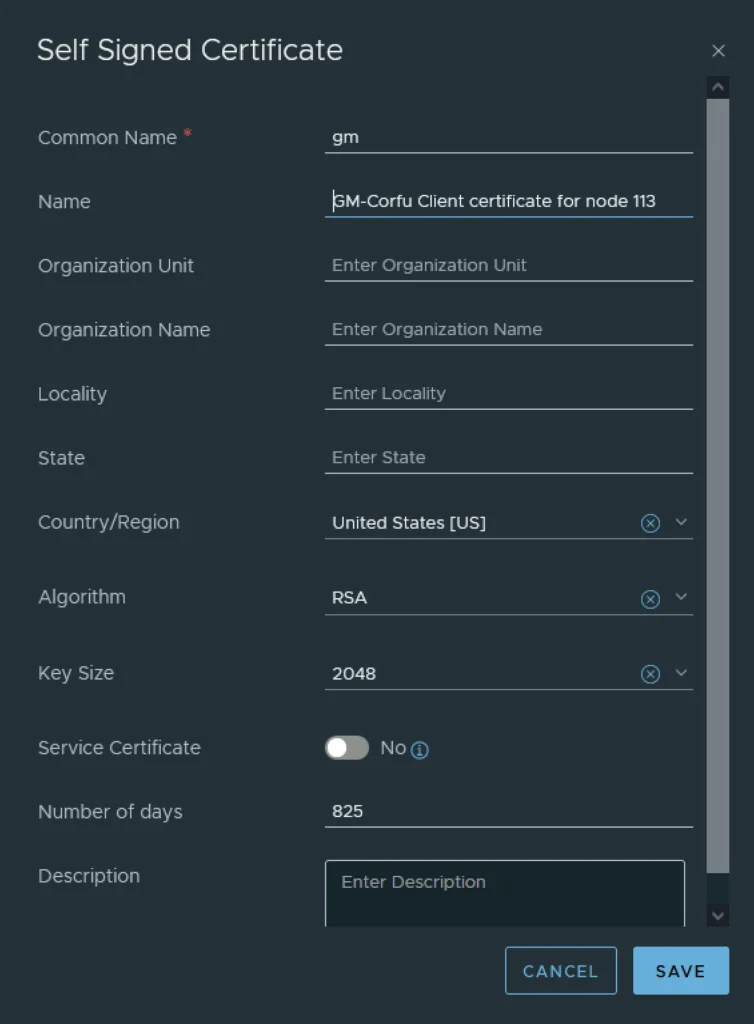
Generating a Self-Signed Certificate
In the certificate UI, select Generate > Generate Self Signed Certificate. Create the certificate for the intended Global Manager node and record its certificate ID. If organizational policy requires a CA-signed certificate, use the documented CSR/import workflow instead of generating a self-signed certificate.
Record the new certificate ID after the certificate appears in the store.
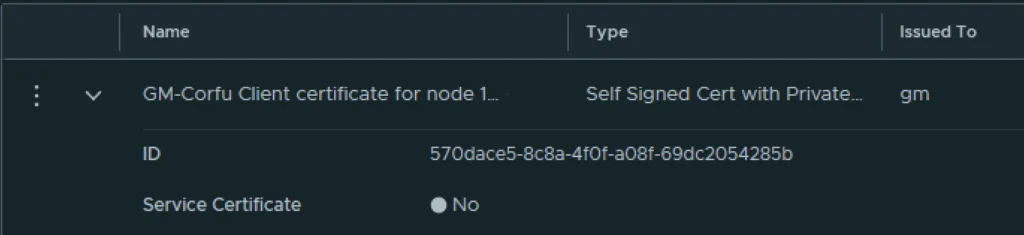
Applying the New Certificate via API
The Global Manager Apply Certificate API uses an HTTP POST. The certificate ID belongs in the path; service_type and node_id belong in the query string:
POST https://<global-manager-fqdn>/api/v1/trust-management/certificates/<certificate-id>?action=apply_certificate&service_type=CBM_GM&node_id=<global-manager-node-id>
The required service type is CBM_GM. CBM_MP is the Management Plane Corfu profile and must not be used for this Global Manager procedure.
Find the node ID under System > Appliances, open the intended Global Manager node’s details, and copy its UUID. The menu wording varies by NSX release.
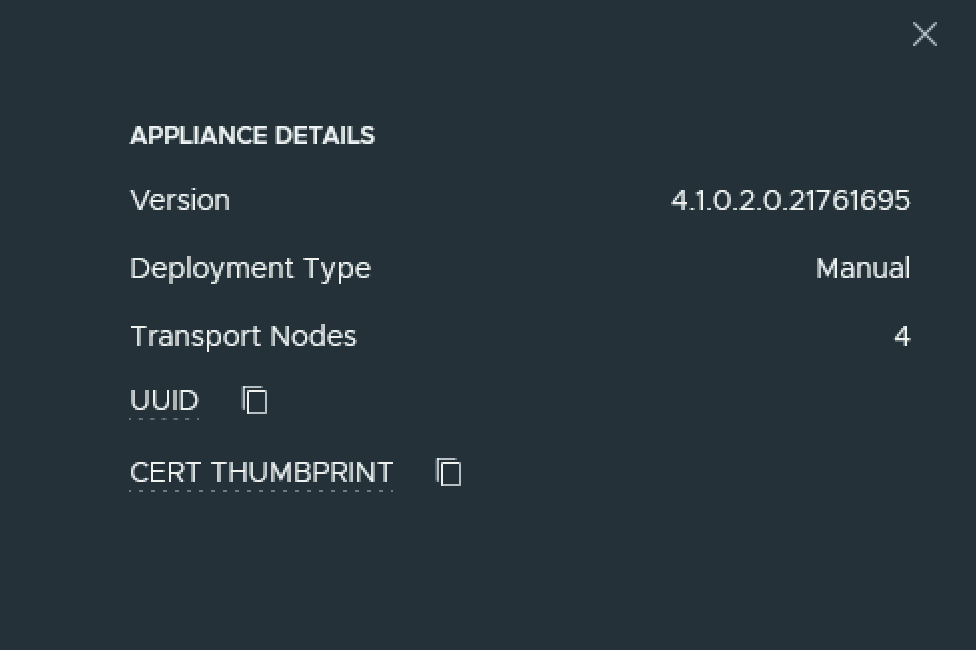
Authenticate with an account that has the required certificate-management permission, using an authentication method supported by the installed NSX release. Configure credentials in the API client or a protected secret store; do not embed them in scripts, shell history, or documentation.
This operation has no request body. Do not send the JSON object shown in the earlier version of this post. Because the request is bodyless, a Content-Type header is not required.
Submit the request once for the intended node. A successful request returns 200 OK with no response body. If multiple GM nodes have node-scoped Corfu certificates to replace, inventory each existing binding and repeat the supported replacement flow for every affected node with the correct node ID and matching replacement certificate. Do not assume one successful request updates the entire cluster.
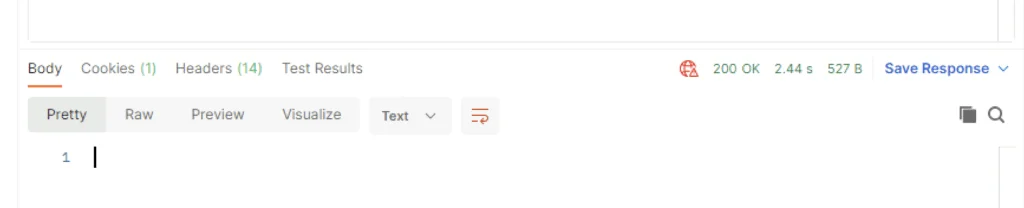
Verifying Every Node and Service
Do not delete the previous certificate immediately after receiving 200 OK. First verify all of the following:
- The new certificate shows the expected GM Corfu usage for the intended node.
- The old certificate’s Used By count has fallen to
0. - Every Global Manager appliance is up and stable.
- Global Manager cluster and federation-location synchronization are healthy.
- The NSX UI and API are reachable and no new certificate, Corfu, or cluster alarms are present.
Repeat the checks for every affected node. If any old certificate still has a nonzero Used By count, stop: it is still associated with an NSX service.
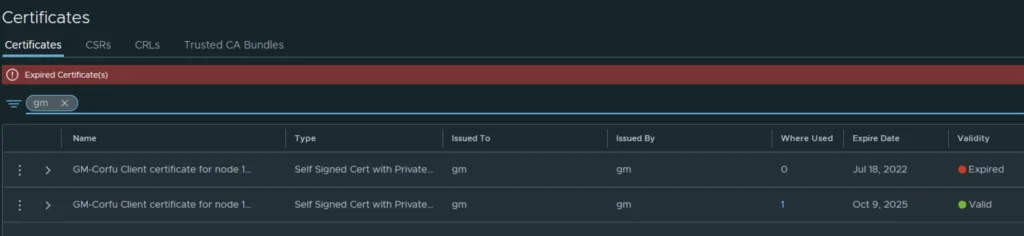
Retiring the Old Certificate
Delete the old certificate only after an equivalent valid replacement is visibly in use, the old certificate shows Used By: 0, and all node/service-health checks pass. In the certificate UI, open the menu beside the unused certificate and select Delete.
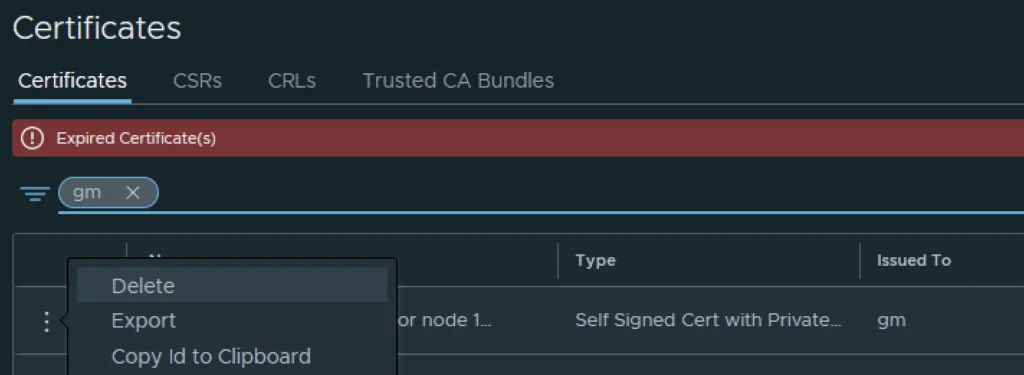
If deletion fails, if the old certificate remains in use, or if any node or federation site is unhealthy, do not force the deletion. Collect the certificate inventory and support bundle and open a Broadcom Support case. See Broadcom’s certificate-expiration guidance and the CARR procedure for current recovery options.