
In this blog we will go over replacing the Corfu API certificate in NSX. In this example I will be using the UI to generate the self signed certificate and then an API call to replace the certificate.
Identifying the Expired Corfu Certificate
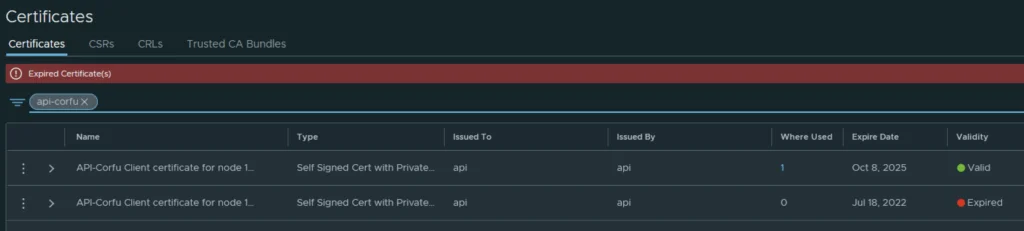
In my case the Corfu API certificate has already expired

Generating a New Self-Signed Certificate
In the top menu bar I went to Generate -> Generate Self Signed Certificate
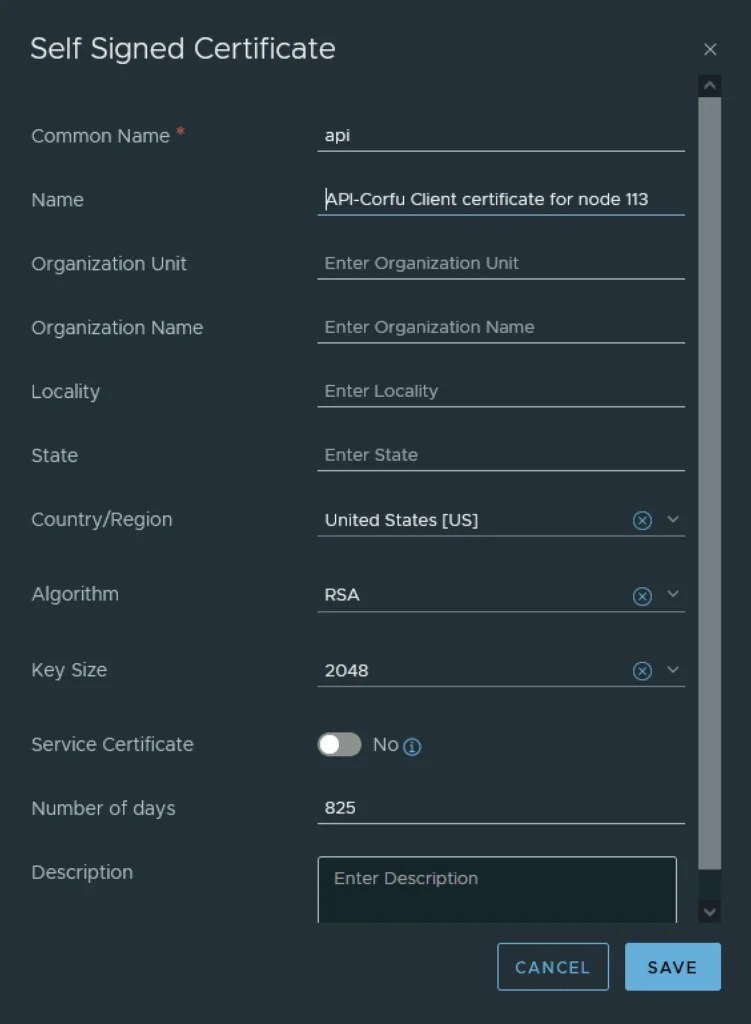
Next I had to grab the new certificate ID

Applying the New Certificate via the NSX API
The next step is to replace the old certificate with the new certificate via an API call. For this I used Postman but any other tool could potentially be used.
The URL for the post call would go against https://nsx-vip-01a.corp.local/api/v1/trust-management/certificates/cert_id?action=apply_certificate&service_type=API&node_id=node_id
The node ID can be found under Appliances -> View details on node, the value to the right for UUID ex
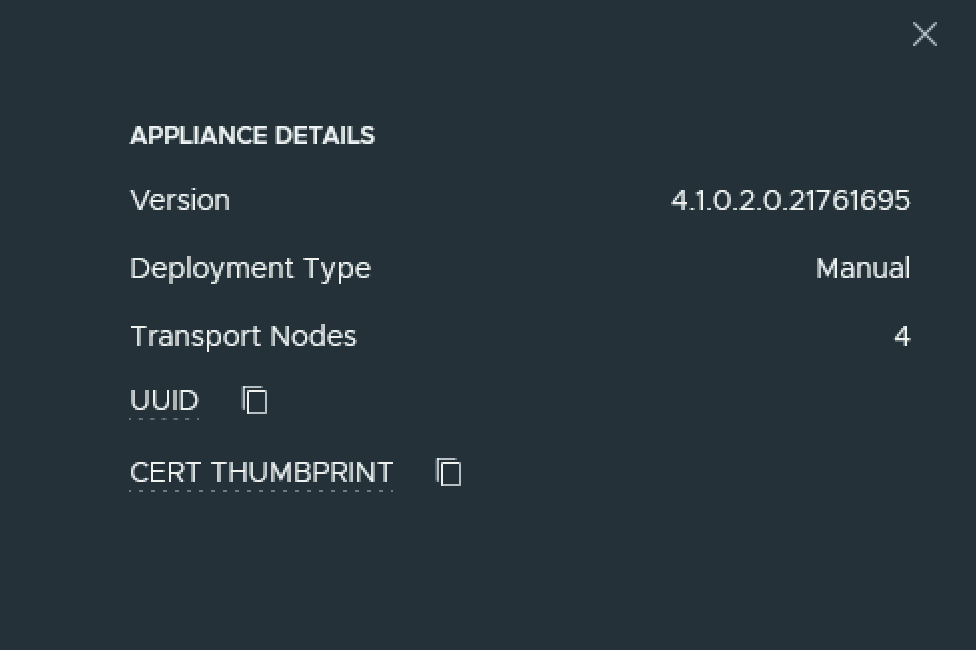
For authentication I used basic, per best practices we should be using a token.
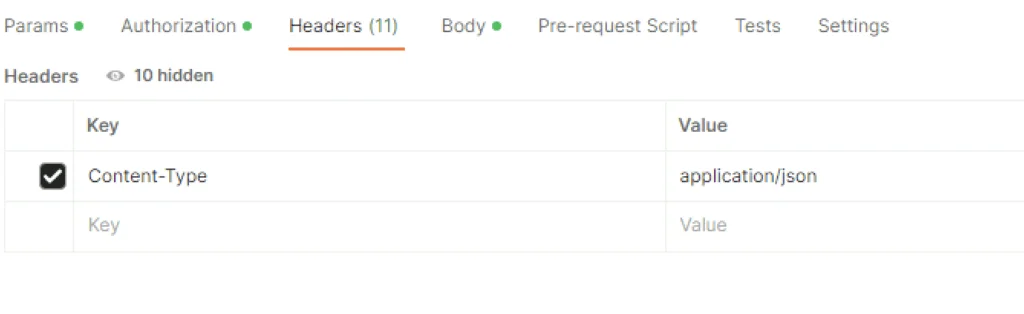
For headers had to add Content-Type application\json ex
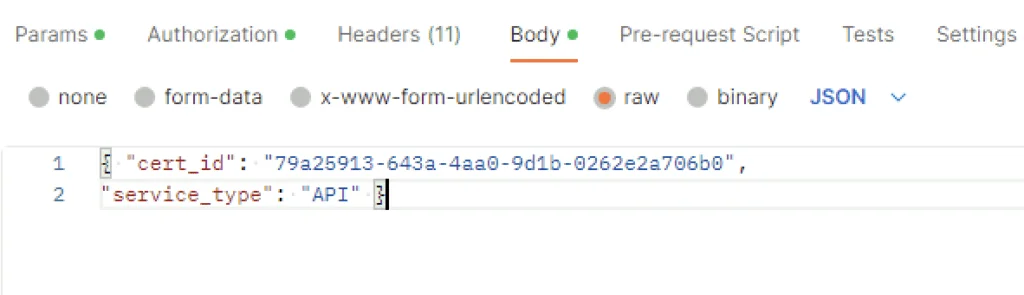
In the body I picked raw and added the following in
{ "cert_id": "79a25913-643a-4aa0-9d1b-0262e2a706b0",

"service_type": "API" }
The cert ID is from the certificate I generated earlier. ex
Verifying the New Certificate
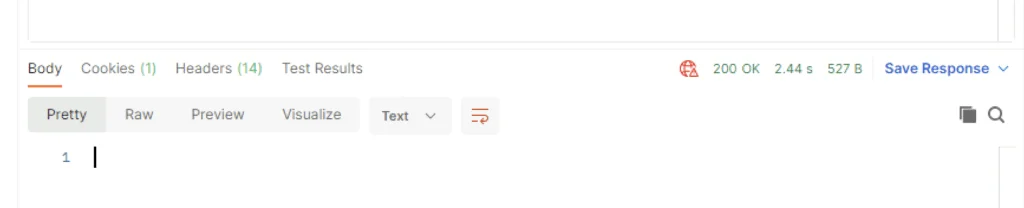
Once I clicked send I was presented back with a 200 OK
Going in the web browser I can also see that the new certificate is now used and the old one doesn’t have anything assigned to it ex
Removing the Old Certificate
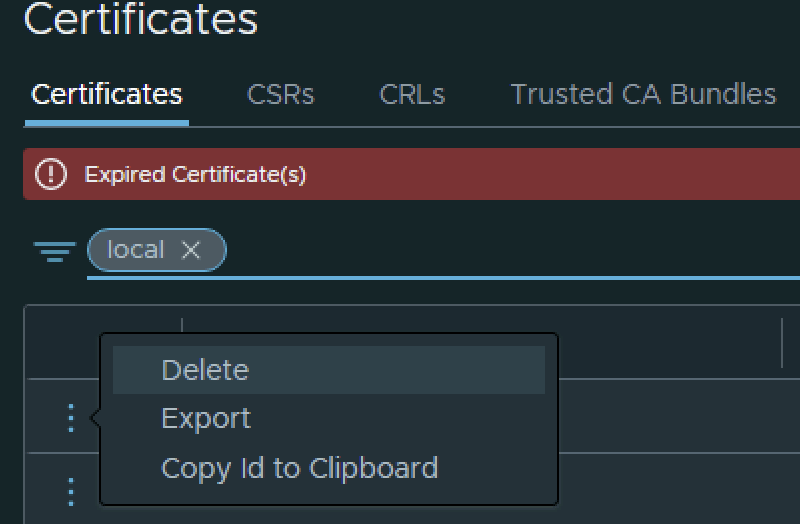
The final step I did was removing the old certificate by clicking on the 3 dots to left and picking delete from the menu
NSX has several other Corfu certificates that expire the same way; for example, I covered replacing the MP Corfu certificate in a separate guide.