
This historical lab procedure upgraded an ESXi 8 host to the ESX 9.0 GA profile, build 24755229, with esxcli. Review the VCF 9 platform release information and confirm that this standalone method is supported for your environment before continuing.
Broadcom’s build-number table now lists later 9.0 releases and a separate 9.1 train. On August 25, 2026, those entries included 9.0.2.0100 build 25595025 and 9.1.0.0200 build 25557999. Neither is an automatic replacement target: use the approved VCF bill of materials, upgrade path, compatibility results and exact depot profile for the environment.
Prepare the Host and Enter Maintenance Mode
Do not apply an image profile while the host is carrying workloads. Broadcom’s esxcli patching procedure requires maintenance mode before esxcli software profile update.
Before continuing:
- Confirm the target ESXi release, server firmware, hardware, vCenter Server and integrated products are compatible. Use the hardware vendor’s custom image when required.
- Back up the ESXi host configuration and verify the recovery path.
- Migrate or shut down every user VM. DRS can evacuate workloads when configured; do not manually power off or migrate vCLS VMs unless Broadcom Support directs you to do so.
- Confirm that the remaining cluster can satisfy the intended vSphere HA failover policy while this host is unavailable.
- For vSAN, verify cluster health and object compliance, confirm there are no active resynchronizations, select the data-migration option appropriate to the storage policies and available capacity, and wait for evacuation to finish. Do not choose No data migration without understanding the resulting availability risk.
- If the host is NSX-prepared, follow the matching NSX kernel-module and upgrade requirements in Broadcom KB 312013. For a VCF-managed host, use the supported VCF lifecycle workflow rather than this standalone process.
Enter maintenance mode from the vSphere Client, then confirm the state from the ESXi shell:
vim-cmd hostsvc/hostsummary | grep inMaintenanceMode
Continue only when the result is true. Unless the validated design explicitly supports parallel remediation, upgrade one host at a time.
Opening the Firewall for the Online Depot
Open the firewall for outgoing HTTP traffic to the online depot:
esxcli network firewall ruleset set -e true -r httpClient
Listing the Available ESX 9 Profiles
Obtain a customer-specific token for the entitled Site ID using Broadcom’s authenticated-download instructions. Treat the token as a credential and replace REPLACE_WITH_DOWNLOAD_TOKEN locally; do not publish the completed URL.
Set the authenticated main-depot URL and list the available profiles:
DEPOT_URL='https://dl.broadcom.com/REPLACE_WITH_DOWNLOAD_TOKEN/PROD/COMP/ESX_HOST/main/vmw-depot-index.xml'
esxcli software sources profile list -d "$DEPOT_URL"
This returned a list of updates that were available:

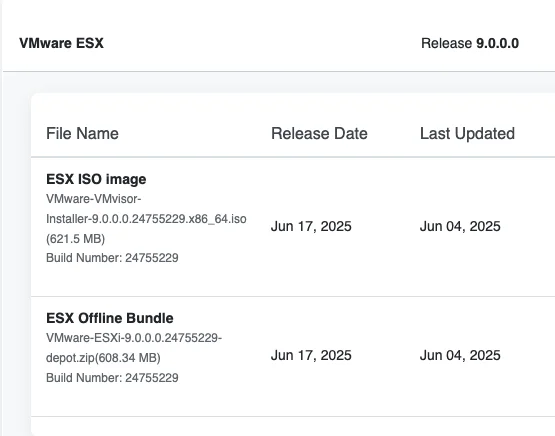
For this June 2025 lab, I deliberately selected ESXi-9.0.0-24755229-standard from the VCF 9 download portal. That exact GA profile is the article’s historical target; it is not a moving “latest” profile and has since been superseded.
Running the Upgrade
After verifying that the listed profile matched the approved target, I used a dry run to review the proposed changes and then applied that same profile:
TARGET_PROFILE='ESXi-9.0.0-24755229-standard'
esxcli software profile update --dry-run -p "$TARGET_PROFILE" -d "$DEPOT_URL"
Only after the dry-run output was clean did I run the live update separately:
esxcli software profile update -p "$TARGET_PROFILE" -d "$DEPOT_URL"
If you run in to the below error follow my other post here:

Rebooting and Verifying the Build
Once the upgrade was complete I was presented with this output:

The installation reported that a reboot was required, so I rebooted the server while it remained in maintenance mode.
After the server was back up, ESXi reported build 24755229.

Restoring the Firewall Rule
Disable the temporary outbound HTTP firewall exception:
esxcli network firewall ruleset set -e false -r httpClient
unset TARGET_PROFILE DEPOT_URL
Validate and Exit Maintenance Mode
Confirm the build and active image profile, then validate management networking, storage paths and cluster health before returning the host to service:
vmware -vl
esxcli software profile get
For a vSAN host, wait for any post-reboot resynchronization to complete and confirm object health. For an NSX-prepared host, confirm its transport-node and datapath status. When validation succeeds, exit maintenance mode from the vSphere Client or run:
vim-cmd /hostsvc/maintenance_mode_exit