Article cover image

Upgrading Aria Operations to 8.17.1 via Aria Suite Lifecycle

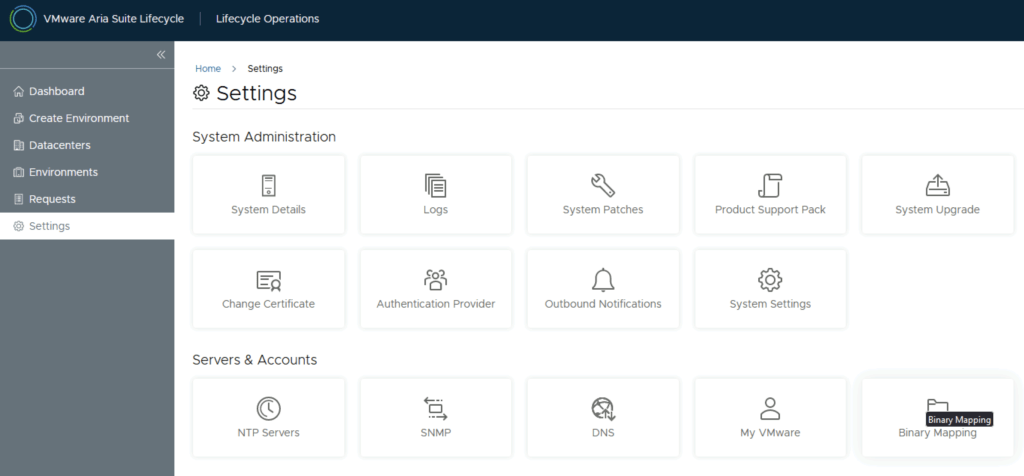
In this post i will go over upgrading my 8.x Aria Operations appliance to 8.17.1 using Aria Suite Lifecycle. As a pre requirement we do need to have Aria Suite Lifecycle upgraded to 8.16. Instructions can be found here. The upgrade does not include the latest Product Support Pack. We can apply the latest Product Support Pack following the instructions here. To get started we can go to Aria Suite Lifecycle -> Lifecycle Operations -> Settings -> Binary Mapping. (If you haven’t added your My VMware credentials you will need to do that first by going to Aria Suite Lifecycle -> Lifecycle Operations -> Settings -> My VMware) ...
June 19, 2024 · 3 min · Cosmin
Article cover image

Aria Suite Lifecycle Product Support Pack (PSPACK) upgrade

In this guide i will go over the steps of getting an existing 8.x Aria Suite Lifecycle appliance to support the latest product releases available. Here is a great blog that goes in to the details about what the Product Support Pack is https://blogs.vmware.com/management/2019/01/vrslcm-pspak.html. Typically the newer Product Support Pack is included part of the upgrade for Aria Suite Lifecycle, however sometimes there are product releases in between releases where product support packs come in handy. ...

June 19, 2024 · 2 min · Cosmin

Creating a Custom Role in vCenter for Aria for Logs (vRealize Log Insight): A Step-by-Step Guide

Introduction Logs play a pivotal role in the management and troubleshooting of IT environments. Aria for Logs (formerly known as vRealize Log Insight) provides powerful log management capabilities, enabling deep analytical insights and real-time monitoring of data from various sources, including vSphere. To ensure Aria for Logs effectively collects and analyzes log data, it requires specific permissions within your vCenter Server. This blog post will guide you through creating a custom role in vCenter tailored for the Aria for Logs service account. ...

May 13, 2024 · 2 min · Cosmin

Creating a Custom Role in vCenter for Aria Automation: A Step-by-Step Guide

Introduction Automation in VMware environments enhances efficiency, reduces human error, and improves the consistency of operations. Aria Automation (formerly vRealize Automation) is a powerful tool designed to automate processes in your VMware infrastructure. However, to fully leverage its capabilities, Aria Automation requires specific permissions in vCenter. This blog post will guide you through creating a custom role in vCenter with all necessary permissions for the Aria Automation service account. Prerequisites ...

May 13, 2024 · 3 min · Cosmin

Creating a Custom Role in vCenter for Aria Operations Actions

Introduction Monitoring your VMware infrastructure effectively is crucial for maintaining system health and performance. VMware’s Aria Operations (formerly vRealize Operations) provides comprehensive monitoring capabilities, but it requires specific permissions to function optimally. In this blog post, we’ll walk through the steps to create a custom role in vCenter specifically for the Aria Operations service account, ensuring it has the necessary permissions to monitor and take actions in your infrastructure. Prerequisites Before we begin, ensure you have the following: ...

May 13, 2024 · 3 min · Cosmin

Creating a Custom Role in vCenter for Aria Operations Monitoring

Introduction Monitoring your VMware infrastructure effectively is crucial for maintaining system health and performance. VMware’s Aria Operations (formerly vRealize Operations) provides comprehensive monitoring capabilities, but it requires specific permissions to function optimally. In this blog post, we’ll walk through the steps to create a custom role in vCenter specifically for the Aria Operations service account, ensuring it has the necessary permissions to monitor your infrastructure. Prerequisites Before we begin, ensure you have the following: ...

May 13, 2024 · 3 min · Cosmin

Setting User SSH Keys in NSX: A Guide for Custom Labels and Types

In VMware NSX, configuring SSH keys for users with specific labels and types provides a tailored access control approach that enhances both security and management capabilities. This blog walks through the process of setting user-specific SSH keys in NSX, using customized labels and types for better organization and identification. Overview SSH keys are crucial for secure authentication in NSX environments, allowing administrators to manage access without exposing systems to the risks of password-based logins. By setting SSH keys with specific labels and types, you can streamline user access management and improve security configurations. ...

May 1, 2024 · 3 min · Cosmin
Article cover image

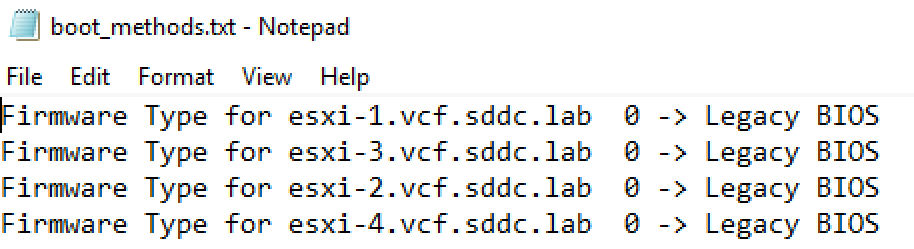
Automating Legacy Boot Option Checks Across ESXi Hosts with PowerShell and Plink

In the evolving landscape of VMware ESXi environments, maintaining compatibility and ensuring that systems adhere to specific boot requirements is essential. As more environments transition towards UEFI, there might still be a need to check or enforce legacy BIOS boot methods on certain ESXi servers, especially for compatibility with older hardware or specific operational requirements. This blog post will guide VMware administrators on how to automate the process of checking the boot option (UEFI or Legacy BIOS) on multiple ESXi hosts using PowerShell and Plink. ...

April 11, 2024 · 3 min · Cosmin
Article cover image

Deploying the Aria Suite Lifecycle using VCF 5

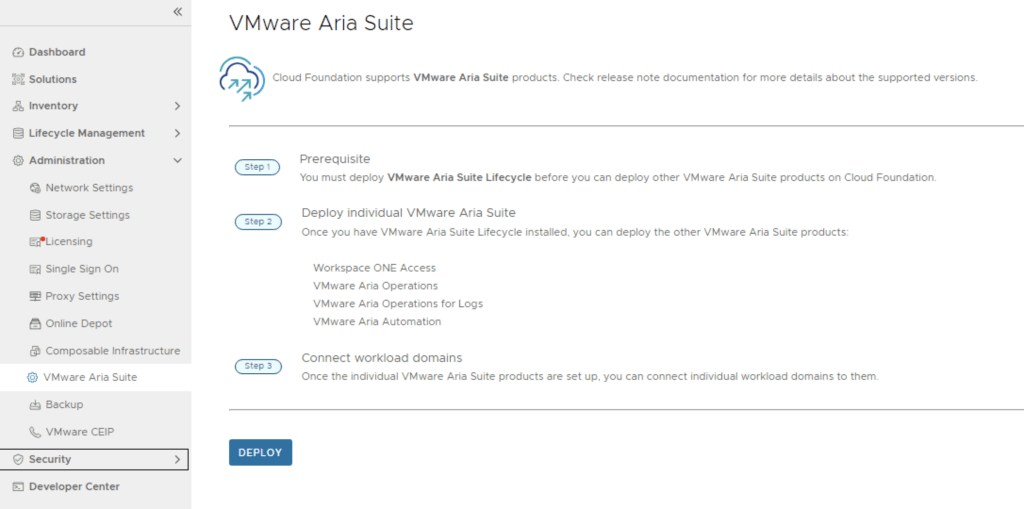
The official documentation for deploying the Aria Suite can be found here First step is to download the bundle by going to sddc-manager -> Repository -> Bundle management. Look for VMware Software Install Bundle - vRealize Suite Lifecycle Manager 8.16.0-23377566 After the download is complete we can go to Administration -> VMware Aria Suite and a deploy button should be available. If the deploy button is not available due to X-Region Application Virtual Network is not created errorplease follow the instructions found here: ...

April 7, 2024 · 2 min · Cosmin
Article cover image

How to Enable SSH on the NSX appliance

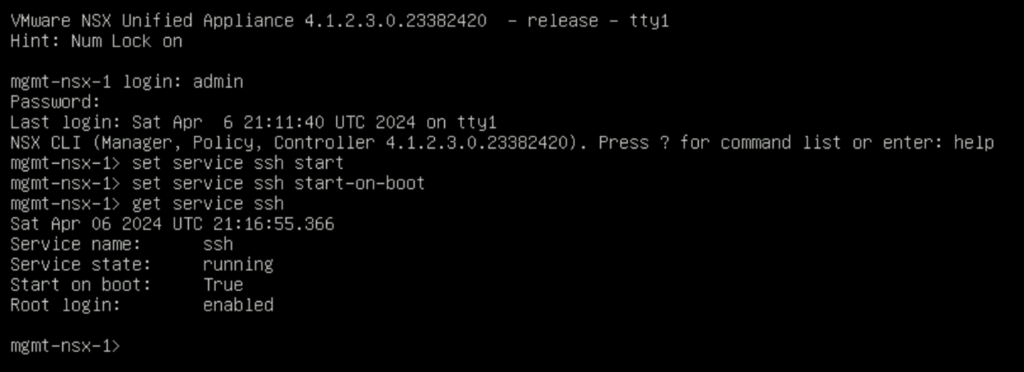
Enabling SSH on NSX appliances via the CLI (Command Line Interface) is an essential skill for VMware administrators, providing a more direct and scriptable approach to managing and configuring the NSX environment. Here’s how to enable SSH on NSX from the CLI, allowing for secure, remote administration of your virtual network infrastructure. Pre-Requisites Ensure you have local or console access to the NSX appliance (NSX Manager, NSX Edge, or Controller) for initial setup. Administrative credentials will be required to execute the following commands. The instructions have been tested on NSX 4.1.2.3 ...

April 6, 2024 · 2 min · Cosmin
VCF Assistant
Hi! I'm the VCF Assistant. Ask me anything about VMware Cloud Foundation, ESXi, vCenter, NSX, Aria Suite, or infrastructure automation.