ESX 9 upgrade options shown: no-tools, standard. PartnerSupported, dates 2025-06-17.

Patching/Upgrading ESXi 8 to ESX 9.0 GA via esxcli

This historical lab procedure upgraded an ESXi 8 host to the ESX 9.0 GA profile, build 24755229, with esxcli. Review the VCF 9 platform release information and confirm that this standalone method is supported for your environment before continuing. Broadcom’s build-number table now lists later 9.0 releases and a separate 9.1 train. On August 25, 2026, those entries included 9.0.2.0100 build 25595025 and 9.1.0.0200 build 25557999. Neither is an automatic replacement target: use the approved VCF bill of materials, upgrade path, compatibility results and exact depot profile for the environment. ...

 · Updated  · 
Patching/Upgrading ESXi 8 to ESX 9.0 GA via esxcli
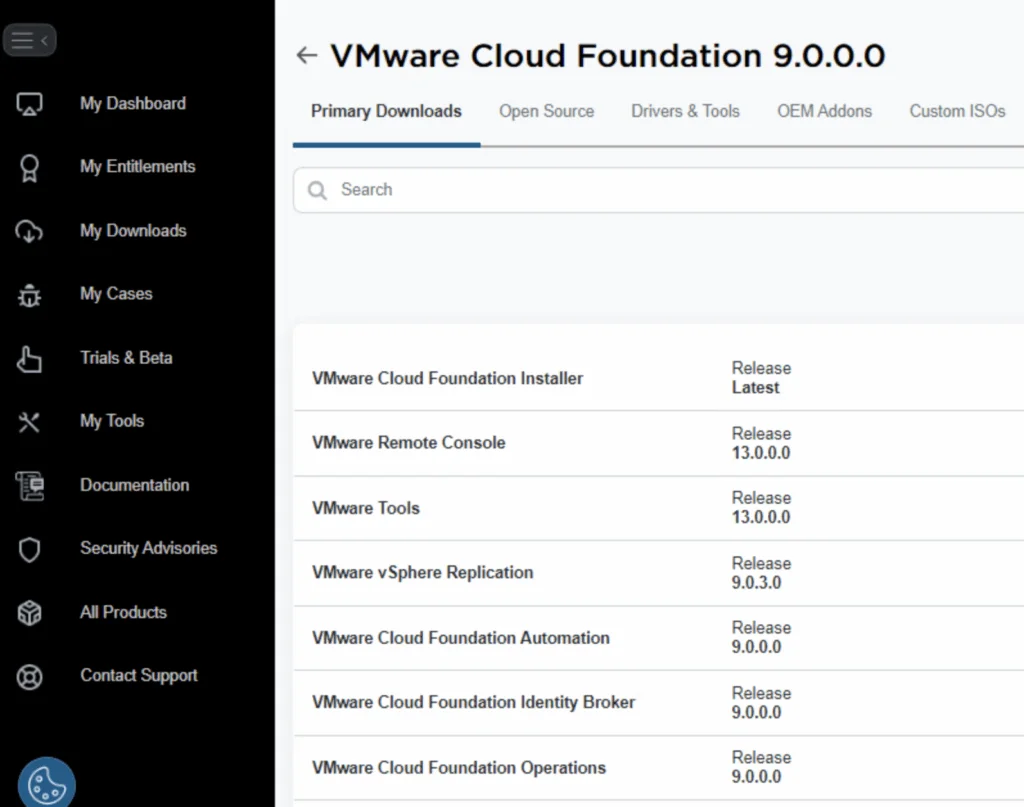
VMware Cloud Foundation 9.0.0.0 download page showing various components and their releases.

Upgrading Aria Operations to 9.0 Using a .PAK File

This walkthrough records an Aria Operations 9.0 upgrade with a .pak file and the checks I use to verify the cluster afterward. Preparing for the Upgrade Prerequisites Before starting the upgrade, ensure the following prerequisites are met: Backup the Existing Deployment: Take a snapshot of all nodes in the Aria Operations (Master, Cloud proxies, and any other nodes). Confirm backups. Download the .PAK File: Log in to the Broadcom Support Portal. ...

Upgrading Aria Operations to 9.0 Using a .PAK File
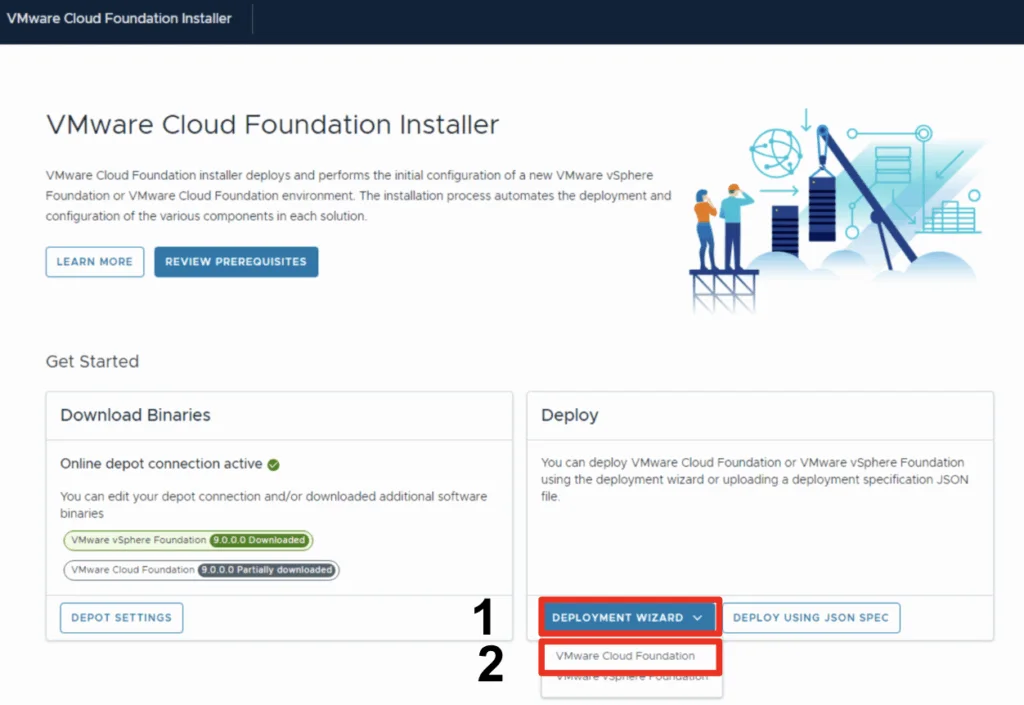
VMware Cloud Foundation Installer screen shows download and deployment options for a new VCF instance.

Deploy a VCF 9 Instance in an new VCF fleet

In this blog we will go over deploying a VCF 9 instance using existing components. This assumes the VCF Installer appliance is already deployed and configured. Once logged on and binaries downloaded we can go through the Deployment wizard Click Deployment Wizard to bring up the menu Click on VMware Cloud Foundation Because I do not yet have any environments upgraded to the new fleet management this will be a new VCF Fleet. ...

Deploy a VCF 9 Instance in an new VCF fleet
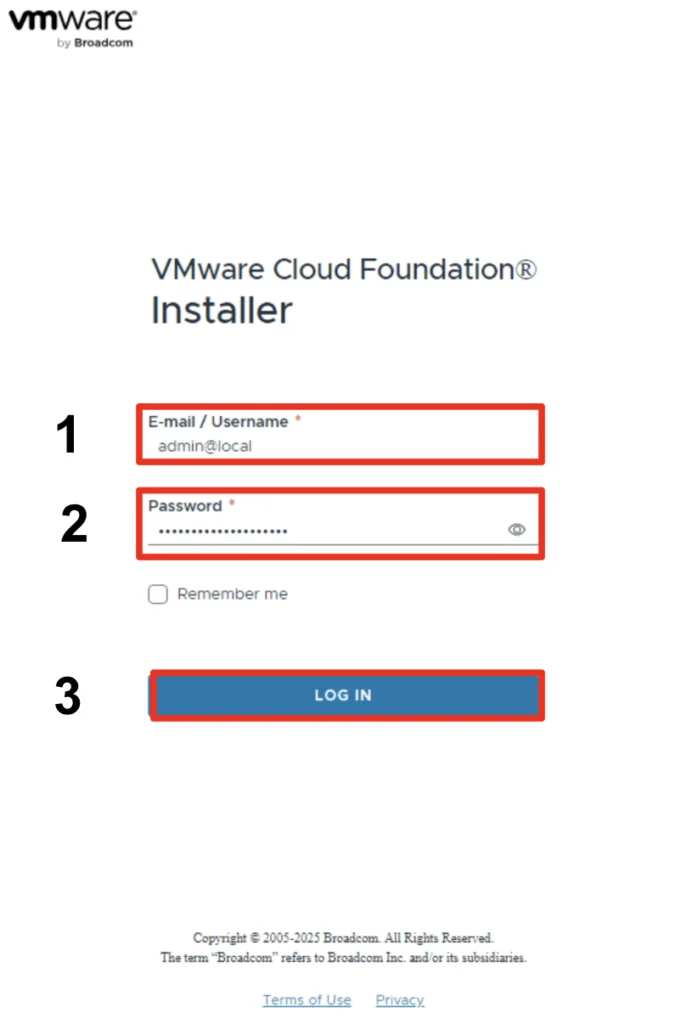
VMware Cloud Foundation Installer login screen with fields for email/username and password, and a 'Log In' button.

Configuring the VCF 9.0 Installer: Depot and Bundle Setup

With the release of VCF 9 (Official What’s New blog can be found here) I wanted to get my lab environment upgraded so I can try out all of the new features. In my previous post we went over the deployment of the appliance. In this post we will be covering the configuration. Configure the VMware Cloud Foundation Installer appliance Once the appliance is deployed we can navigate to https://ip_address/ui or https://hostname/ui of the appliance. If everything is working properly we should be presented with a login screen. ...

 · Updated  · 
Configuring the VCF 9.0 Installer: Depot and Bundle Setup
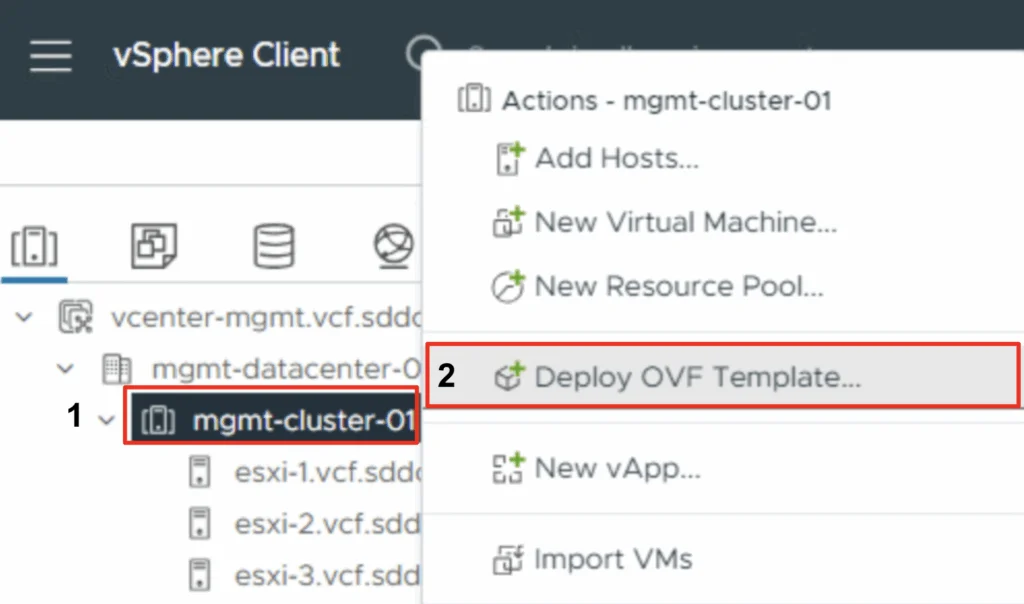
VSphere Client interface with options for deploying an OVF template in the 'mgmt-cluster-01' datacenter.

Deploying the VCF 9.0 Installer Appliance in vCenter

With the release of VCF 9 (Official What’s New blog can be found here) I wanted to get my lab environment upgraded so I can try out all of the new features. To get started we need to download the VMware Cloud Foundation Installer from the VMware Cloud Foundation 9.0.0.0 page found here. In this post we will cover only the deployment. The configuration is available in another post. Deploy the VMware Cloud Foundation Installer appliance Once the appliance is downloaded we need to get the ova deployed. ...

 · Updated  · 
Deploying the VCF 9.0 Installer Appliance in vCenter

Fixing “Received Too Large SFTP Packet” When Connecting to vCenter Using WinSCP

The Problem When trying to connect to a vCenter Server Appliance (VCSA) using WinSCP, many admins encounter the following error: Received too large (1433299822 B) SFTP packet. Max supported packet size is 1024000 B This occurs because the default shell used by the vCenter appliance (/bin/appliancesh) is not compatible with SFTP, which WinSCP attempts to use by default. The Solution To successfully connect to VCSA and transfer files using WinSCP, you need to: ...

Fixing “Received Too Large SFTP Packet” When Connecting to vCenter Using WinSCP
VMware Aria Suite Lifecycle dashboard showing environments and datacenters, with "globalenvironment" highlighted.

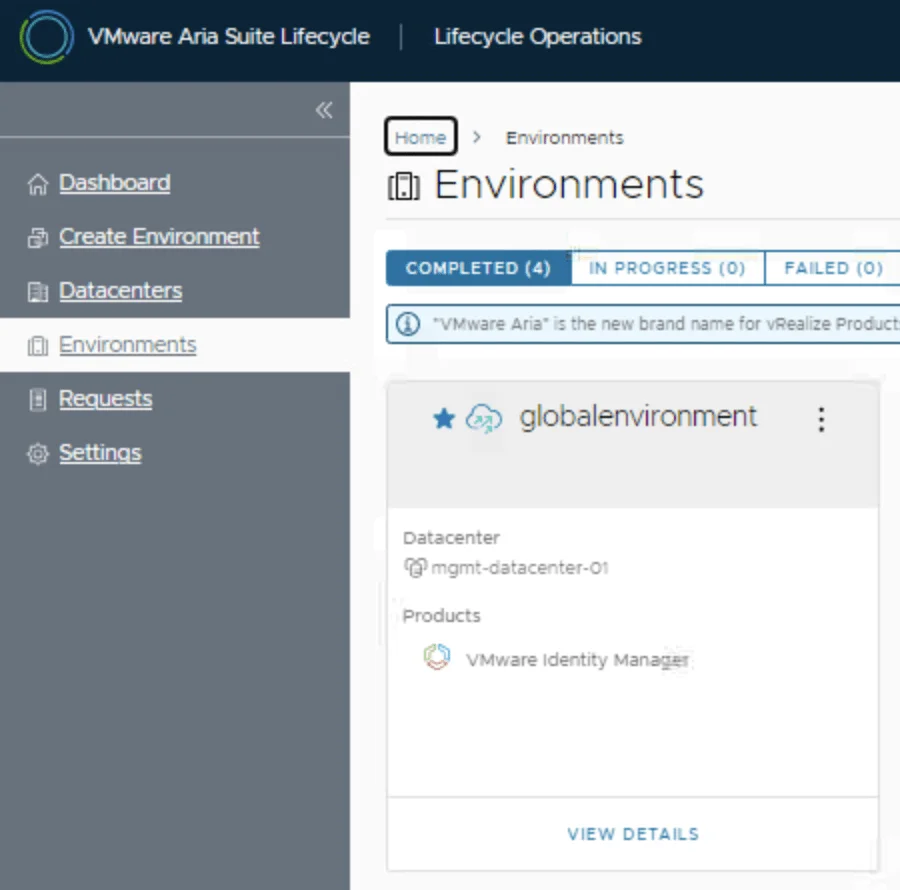
Replacing the VMware Identity Manager (vIDM) Certificate using VMware Aria Suite Lifecycle 8.18

Overview: Why and When to Replace the vIDM Certificate VMware Identity Manager (vIDM), also known as Workspace ONE Access, uses an SSL certificate to secure its web interface and establish trust with integrated VMware products (like vRealize/Aria Automation and Operations). Replacing this certificate is important in scenarios such as: Certificate Expiry: SSL certificates have expiration dates. You should replace the vIDM certificate before it expires to avoid service disruptions. An expired certificate can cause login failures and management tasks (like powering on vIDM or updating it) to fail. Self-Signed to CA-Signed: Out-of-the-box or lab deployments often use self-signed certificates, which trigger browser warnings and may not be trusted by other systems. Replacing a self-signed certificate with one signed by a trusted Certificate Authority (CA) eliminates these trust warnings and meets security compliance requirements. Security or Policy Requirements: Your organization might require using specific corporate CA certificates or updating certificates periodically for security. If the current certificate was compromised or if the domain name of the vIDM appliance changes, a replacement is needed. Integration Trust Issues: vIDM acts as the authentication provider for other VMware products. If those products do not trust vIDM’s certificate (e.g., after an update or if using a new CA), you should replace or re-trust the certificate to ensure seamless integration. In summary, proactively replace the vIDM certificate before it expires or whenever you need to switch to a certificate signed by a trusted CA. This ensures uninterrupted user access and integration with other services. Always schedule certificate updates during a maintenance window, as the process will restart services on vIDM and could temporarily disrupt logins. ...

Replacing the VMware Identity Manager (vIDM) Certificate using VMware Aria Suite Lifecycle 8.18

Step-by-Step Guide to Deploying Salt Open Source

Salt (SaltStack) is a powerful open-source configuration management and automation tool. Below is a step-by-step guide to deploying Salt Open Source for centralized configuration and management. Preparing the System Step 1: Update Your System Before installing Salt, update your package repositories and upgrade your system packages: sudo apt update sudo apt upgrade -y Installing and Configuring the Salt Master Step 2: Install Salt Master On your master server, install the Salt master package: ...

Step-by-Step Guide to Deploying Salt Open Source

How to Add Custom Disks with Drive Letters and Labels in Aria Automation (VMware by Broadcom)

If you’re working with Aria Automation (formerly vRealize Automation) and want to give users the ability to add extra disks to a Windows VM (and define their drive letter and volume label) you’re in the right place. This guide shows you how to build a flexible and reusable cloud template (blueprint) that handles additional disks dynamically. We’ll cover: YAML blueprint inputs for user-defined disks Cloud-init with PowerShell to configure drives Handling drive letter and label assignment dynamically Ensuring all disks are initialized and formatted properly Step 1: Define Inputs for Additional Disks In your Aria Automation blueprint YAML, start by defining an input array that allows users to specify up to 4 additional disks, including their desired SCSI unit number, disk size, drive letter, and volume label. ...

How to Add Custom Disks with Drive Letters and Labels in Aria Automation (VMware by Broadcom)
VMware Aria Operations dashboard shows repeated vCenter API gateway events.

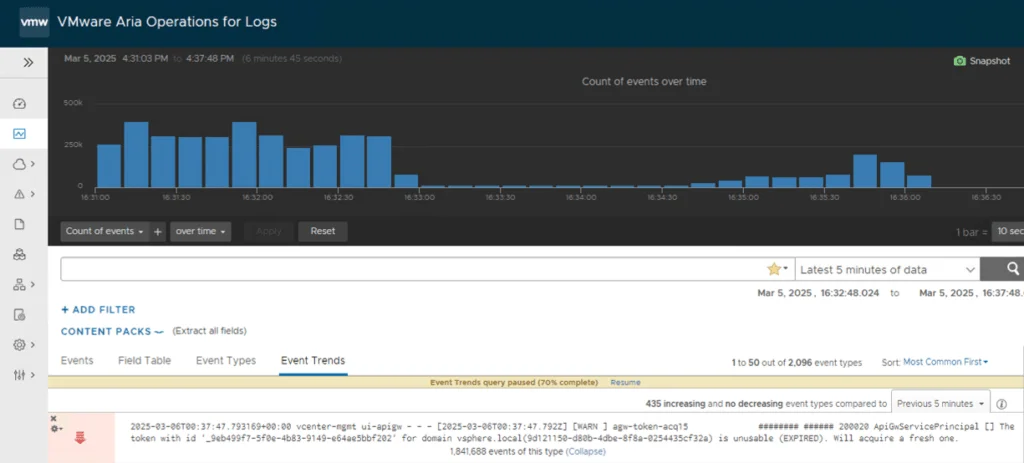
Resolve Excessive ApiGwServicePrincipal Logging in vCenter Server 8.0

Repeated ApiGwServicePrincipal expired-token warnings in apigw.log are a known vCenter Server 8.0 issue. Broadcom identifies a possible Security Token Service (STS) condition that causes an endless loop in the vsphere-ui service. The permanent resolution is to upgrade to vCenter Server 8.0 Update 3e or a later supported release. An earlier version of this article recommended changing the rsyslog imfile severity assigned to apigw.log. That does not stop the messages, reduce how often vCenter writes them, or correct the STS/UI loop. The procedure has been removed. ...

 · Updated  · 
Resolve Excessive ApiGwServicePrincipal Logging in vCenter Server 8.0