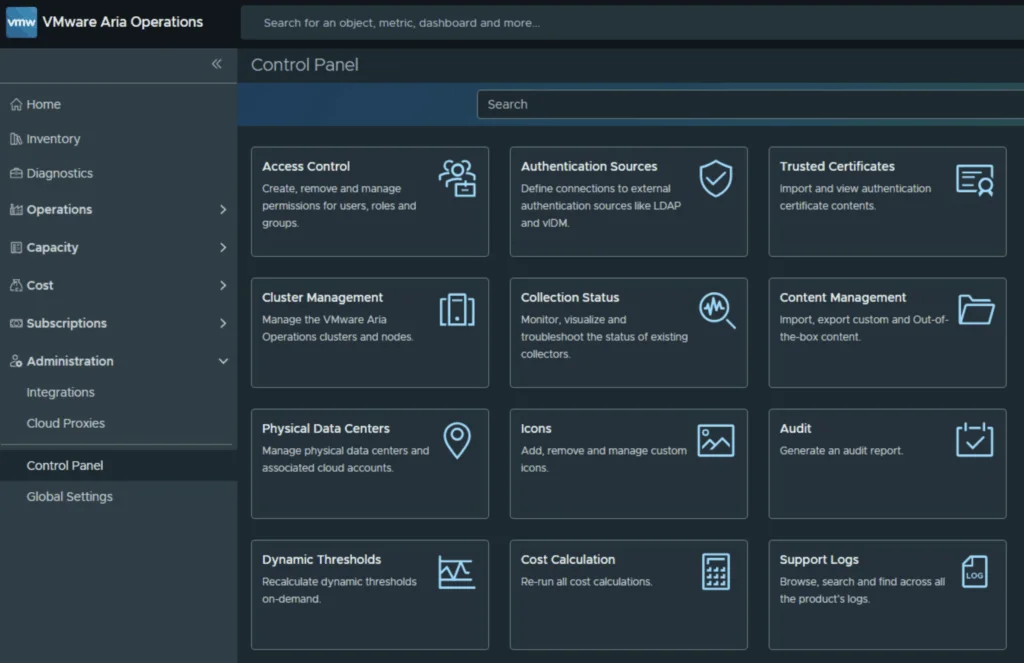
VMware Cloud Foundation Operations UI showing SDDC Manager update details for VCF 9.0.

Upgrading VCF 9.0 SDDC Manager to 9.0.1: A Step-by-Step Guide

Upgrading your SDDC Manager from version 9.0 to 9.0.1 is a relatively straightforward process when done through the integrated Lifecycle interface. Below is a guide to go over this patch upgrade. 1. Navigate to the Update Section Log into Operations → Fleet Management. Under Lifecycle → VCF Instances, select the VCF instance you want to upgrade. Look for the available update section. If you see SDDC Manager Update 9.0.1, click the Download icon. If no update appears, double-check your depot configuration and ensure your binary repositories are correctly set up. ...

Upgrading VCF 9.0 SDDC Manager to 9.0.1: A Step-by-Step Guide
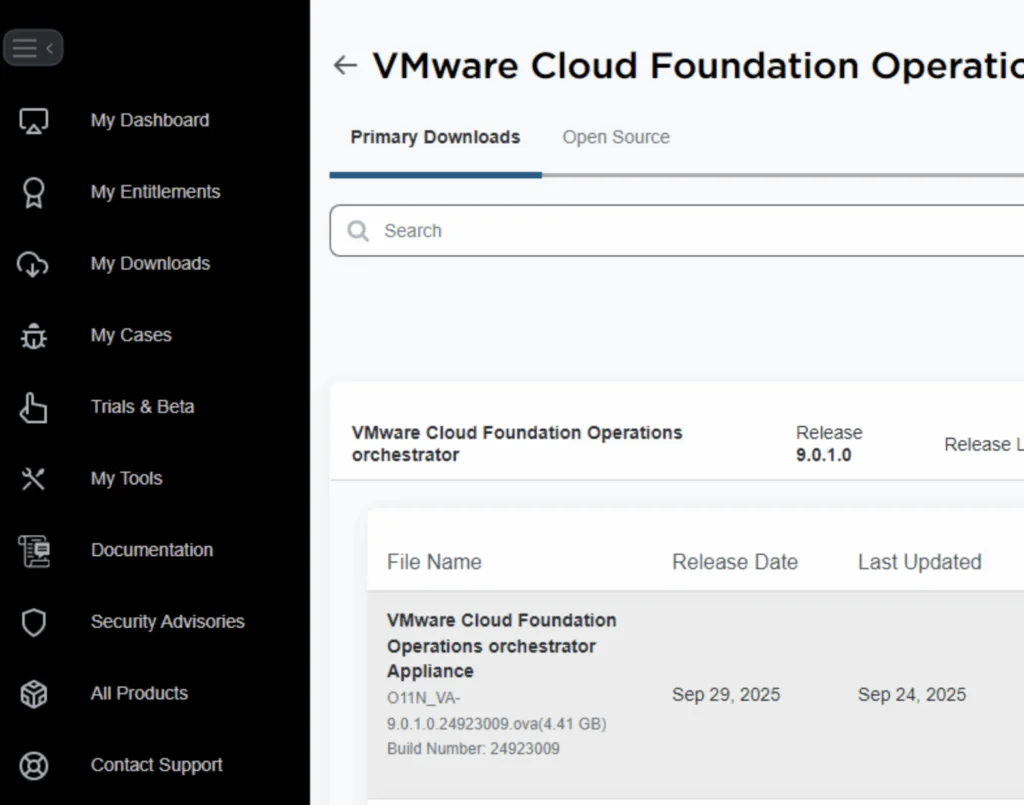
VMware Cloud Foundation Operations fleet management download page shows release details and file info.

Deploying VCF Fleet Management 9 from OVA: A Step-by-Step Guide

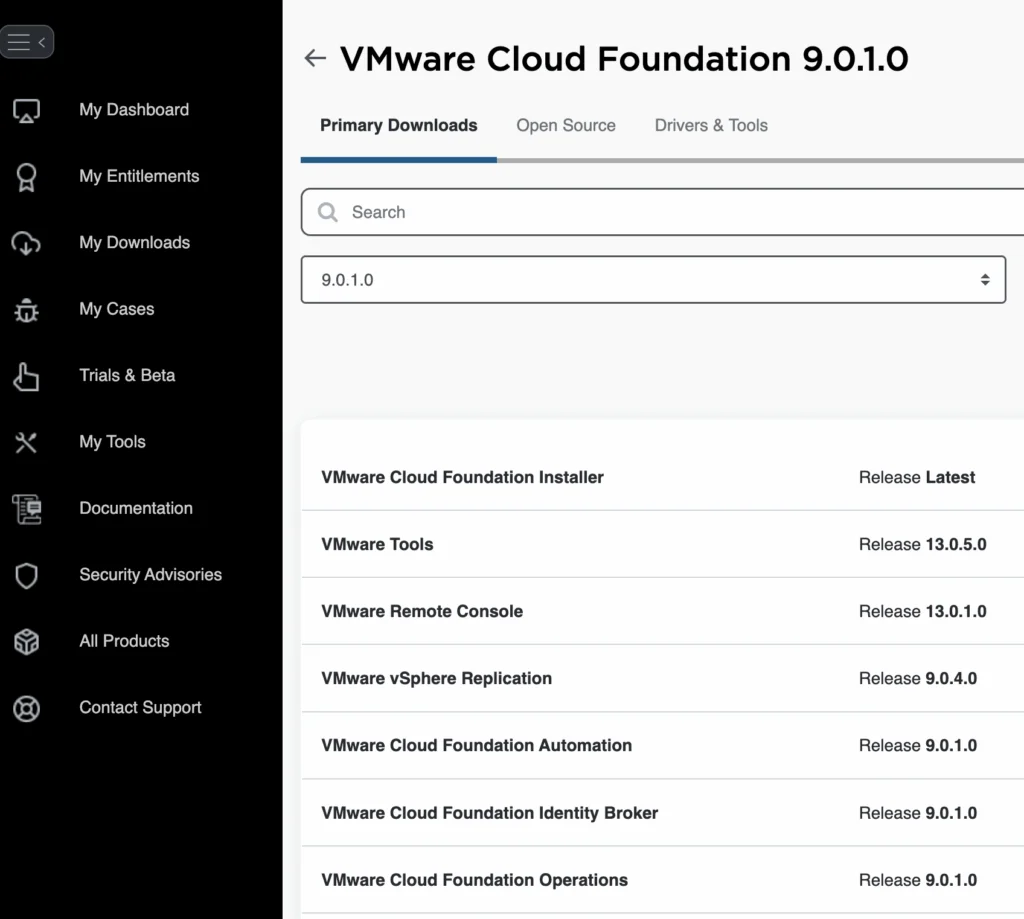
Deploying the VCF Fleet Management (Operations / Fleet Manager) appliance using an OVA is a common approach when standing up a new VMware Cloud Foundation (VCF) 9 environment or re-deploying the component. Below is a refined guide covering the deployment, configuration, and integration steps. 1. Prerequisites & Downloading Binaries Before you deploy the OVA: Log into the Broadcom Support Portal and obtain the required binaries and OVA files for the Fleet Manager. Direct link can be found here. ...

Deploying VCF Fleet Management 9 from OVA: A Step-by-Step Guide
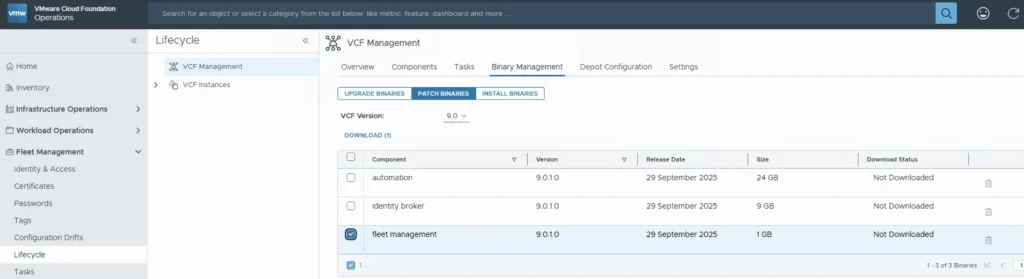
VCF 9.0.1 binary management for fleet management upgrade.

Upgrading VCF 9.0.0 Fleet Management to 9.0.1: A Step-by-Step Guide

Upgrading your VCF Fleet Management from version 9.0.0 to 9.0.1 is a relatively modest patch update, but careful execution ensures minimal disruption. Below is a step-by-step guide to walk you through the process safely. Download the Patch Download the patch by going to Fleet Management -> Binary Management -> Patch Binaries -> Select fleet management -> Download. ...

Upgrading VCF 9.0.0 Fleet Management to 9.0.1: A Step-by-Step Guide
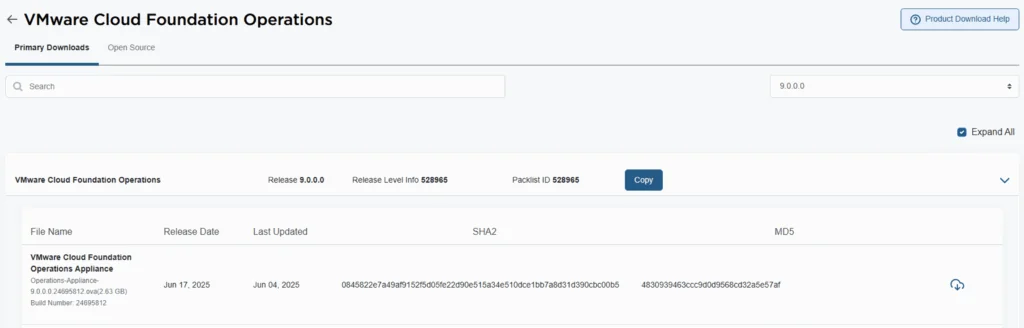
VMware Cloud Foundation Operations 9.0.0.0 release details with file name, release date, and SHA2/MD5 checksums.

Deploying VCF Operations 9 from OVA: A Step-by-Step Guide

VMware Cloud Foundation 9 (VCF 9) introduces a streamlined deployment experience with the VCF Installer appliance, replacing the older Cloud Builder model. One of the core components in that workflow is VCF Operations, which provides unified lifecycle, monitoring, and fleet management across your private cloud environment. In this guide, we walk through deploying VCF Operations 9 from an OVA, detailing prerequisites, deployment steps, and post-deploy tasks. 1. Prerequisites & Preparation Before you deploy, make sure these items are in place: ...

Deploying VCF Operations 9 from OVA: A Step-by-Step Guide

Fixing “PostgreSQL won’t start after reboot” on VCF Operations Fleet Management 9.0.1, and automating it

When upgrading the VCF Operations Fleet Management appliance to 9.0.1, you might hit a reboot surprise: vPostgres fails to start, and the fleet-management certificate is regenerated. You’ll see journal errors like: pg_ctl: could not open PID file "/var/vmware/vpostgres/current/pgdata/postmaster.pid": Permission denied systemd[1]: vpostgres.service: Control process exited, code=exited, status=1/FAILURE Broadcom’s KB confirms the symptoms and provides the manual steps to fix permissions on the Postgres data dir and to normalize the regenerated cert/key filenames, followed by service restarts. If you are also moving the analytics side to the same release, I covered upgrading VCF Operations to 9.0.1 using a .PAK file separately. ...

Fixing “PostgreSQL won’t start after reboot” on VCF Operations Fleet Management 9.0.1, and automating it

WordPress to Cloudflare Workers: how I statically mirrored my entire site (and kept search & lightbox!)

I wanted to cache everything behind Cloudflare and stop worrying about PHP, MySQL, and plugin drift on my backup site cosmin.gq. I tried one-click export plugins (both the free and paid Simply Static), but I couldn’t get a clean export that behaved like the live site. So I rolled up my sleeves and wrote a Bash script that: crawls the site using the official sitemaps (including .gz children), mirrors HTML + assets incrementally, cleans up quirks like ?p= permalinks, generates a small search index (no dependencies, no bs4), adds a lightweight lightbox for images, and serves it all from Cloudflare Workers Static Assets with a smart router that understands /path, /path/, /path.html, and /path/index.html. Below is the story of how each section of the script came to be, what went wrong, what I learned, and why each piece is there. ...

 · Updated  · 
WordPress to Cloudflare Workers: how I statically mirrored my entire site (and kept search & lightbox!)
VCF Operations UI showing policy definition with "Default Policy" active.

Suppress ESXi Host Alerts in VCF Operations 9 When a Host Enters Maintenance Mode

When a vSphere admin places an ESXi host in vCenter maintenance mode, VCF Operations should automatically suppress host alerts for that object, without pausing metric collection, and then restore alerting when maintenance ends. Why this approach? In VCF 9, you can avoid alert noise during maintenance in two ways: Maintenance Schedules , pause both collection and alerts during a defined window (best for planned maintenance). Policy-based alert suppression (this post) , keep metrics flowing but disable host alert definitions while the host is in maintenance. This is done with a policy attached to a dynamic custom group keyed to the host’s Maintenance Mode property. Note on naming: In VCF 9, VCF Operations is the successor to Aria/vRealize Operations and is part of the unified Cloud Foundation experience. If you’re upgrading from Aria Operations, see Broadcom’s “Upgrade to VCF Operations 9.0.” ...

Suppress ESXi Host Alerts in VCF Operations 9 When a Host Enters Maintenance Mode
Settings page in VMware Aria Suite Lifecycle showing various configuration options.

Upgrading Aria Operations to 9.0 via Aria Suite Lifecycle

In this post I will go over upgrading Aria Operations 8.18.x appliance to 9.0 using Aria Suite Lifecycle. As a pre requirement we do need to have Aria Suite Lifecycle upgraded to 8.18 Patch 2. Instructions can be found here. Uploading the 9.0 Upgrade Binaries To get started we can go to Aria Suite Lifecycle -> Lifecycle Operations -> Settings -> Binary Mapping. ...

Upgrading Aria Operations to 9.0 via Aria Suite Lifecycle
VMware Aria Suite Lifecycle Manager 8.18.0 PATCH2 details, including status, type, and download link.

Applying VMware Aria Suite Lifecycle Manager 8.18 Patch 2

Patch 2 prepares Aria Suite Lifecycle Manager (ASLCM) for VMware Cloud Foundation 9.0 migrations. It does not deliver new features or hot-fixes, so only install it if VCF 9.0 (or the new VCF Operations appliance) is on your near-term roadmap. Why Patch 2 Matters Patch 2 updates the appliance-level services that let ASLCM recognize and orchestrate VCF 9.0 components (for example, Aria Operations 9.0). Without it, the 8.18 lifecycle UI cannot import or upgrade those binaries. If you are staying on VCF 5.x/8.x for a while, you can safely defer this patch. ...

Applying VMware Aria Suite Lifecycle Manager 8.18 Patch 2
Cloud Foundation UI showing updates for mgmt-domain version 5.2.1.0.

Upgrading VCF 5.2.1 to VCF 9 Step by Step

With the release of VCF 9 I wanted to get my lab upgraded. The release blog can be found here and the release notes are here Please note that some of the components within the VCF will still need additional upgrading. Please read the release notes for additional details. Planning the Upgrade We can start by going to Inventory -> Workload Domains -> Select the domain -> Updates -> Plan Upgrade. ...

Upgrading VCF 5.2.1 to VCF 9 Step by Step