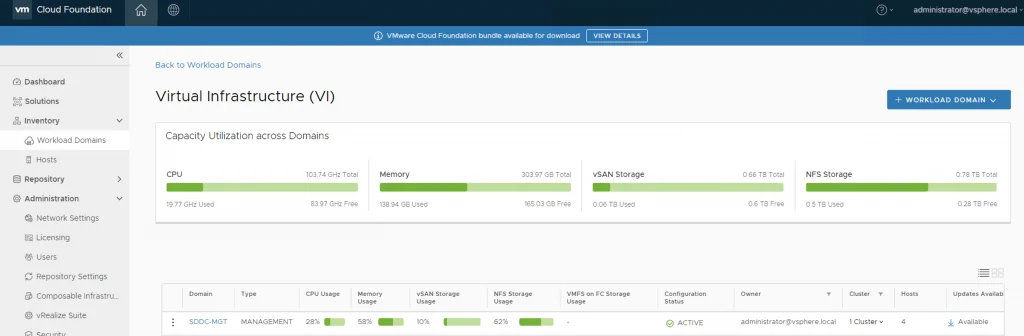
VMware Cloud Foundation dashboard showing CPU, memory, and storage usage across domains.

Upgrading VCF 4.0.1 to 4.0.1.1

This VMware Cloud Foundation Upgrade 4.0.1.0 to 4.0.1.1 contains critical bugs and security fixes. For more information, see https://docs.vmware.com/en/VMware-Cloud-Foundation/4.0.1/rn/VMware-Cloud-Foundation-401-Release-Notes.html#4.0.1.1-Release For VCF on VxRail see https://docs.vmware.com/en/VMware-Cloud-Foundation/4.0.1/rn/vmware-cloud-foundation-on-dell-emc-vxrail-19-release-notes.html#Patch%20Releases If you dont see any updates you can follow the first couple of steps in my other post here: https://cosmin.us/upgrading-vcf-4-0-to-vcf-4-0-1/ Downloading the Update Bundle Once I logged on to my SDDC Manager I was able to see that na update is already available for me to download: ...
Upgrading VCF 4.0.1 to 4.0.1.1

vCenter update from the command line

I’ve ran recently in to an issue where I couldn’t perform an update from the admin UI, in order to get up and running I executed the following from a ssh shell. I was luky enough to find the documentation here /usr/lib/applmgmt/support/scripts/software-packages.py install --url Some of the additional options that could be used software-packages stage --url software-packages install --staged I like to perform the update from the command line because it gives me additional information that I might not be able to see in the UI ...

vCenter update from the command line
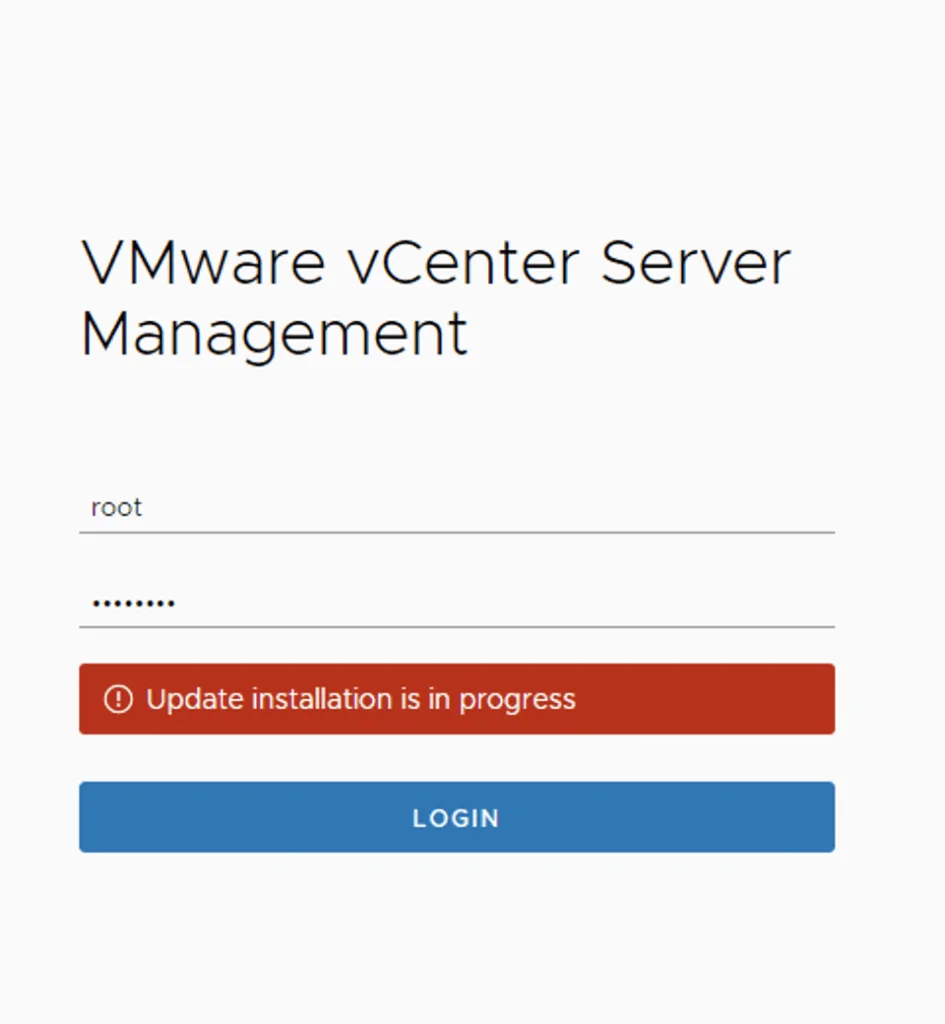
Login screen for VMware vCenter Server Management with update installation in progress.

vCenter Appliance Update installation is in progress

I recently ran in to an issue where the vCenter server appliance update timed out. Rebooting the vCenter server brought the server back up but I was unable to log in to the administration section due to an Update installation in progress error Doing some research I found that there is a file that holds this information fount at /etc/applmgmt/appliance/software_update_state.conf At this point all I had to do was edit the file using vi ...

vCenter Appliance Update installation is in progress

Upgrading ESXi via the Command Line

This historical lab example shows how I updated an ESXi 7.0 host from the command line when I could not use the UI. Broadcom has retired the original public depot, so its executable URL has been removed and the preserved example below uses an offline-bundle variable. ESXi 7 also reached End of General Support on October 2, 2025. Prepare the Host and Enter Maintenance Mode Broadcom’s current esxcli patching procedure requires the ESXi host to be in maintenance mode before esxcli software profile update. ...

 · Updated  · 
Upgrading ESXi via the Command Line
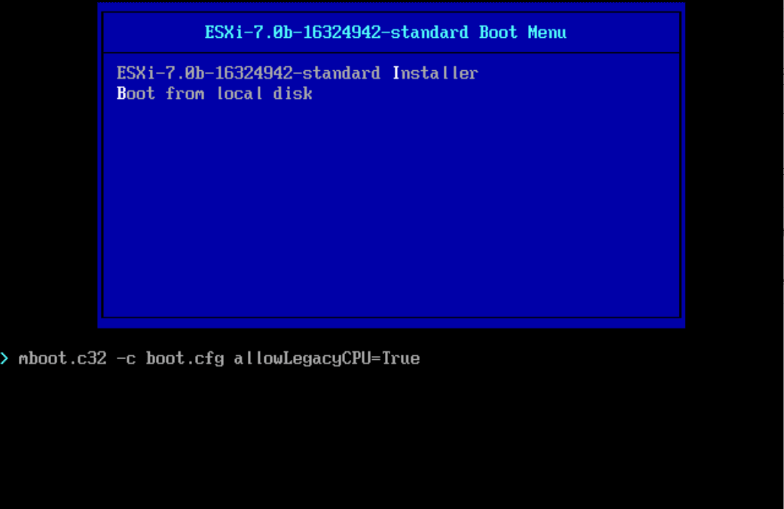
ESXi 7.0b boot menu showing installer and local disk options.

Install/Upgrade ESXi 7.0 on unsupported hardware.

As I was installing\upgrading my lab environment to ESXi 7.0 I received an error that the CPU was unsupported. As per the release notes vSphere 7.0 release notes my CPU is no longer on the compatibility list. Since this is a lab environment I wanted to continue using my current hardware. It goes without saying that this method should not be used in a production environment. To allow the legacy CPU all I had to do is boot up from the ISO, on the boot Menu I pressed TAB or Shift + O and added allowLegacyCPU=True option as seen in the screenshot below ...

 · Updated  · 
Install/Upgrade ESXi 7.0 on unsupported hardware.
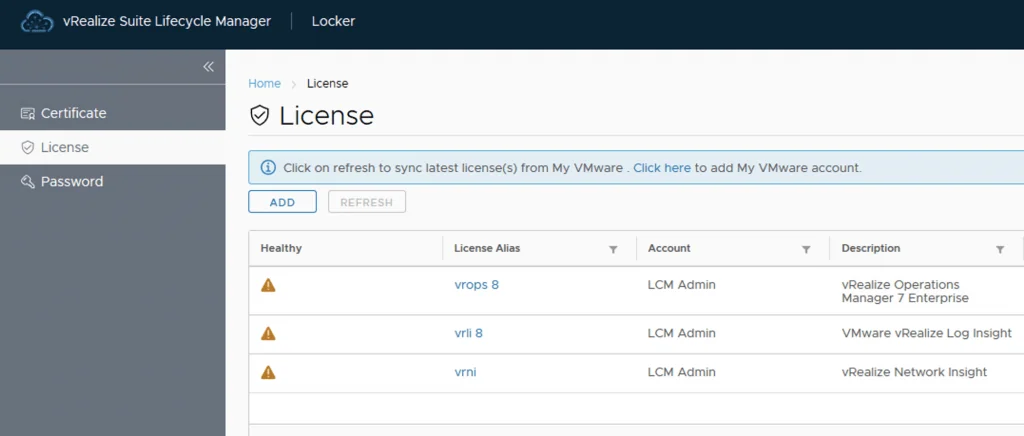
License management screen in vRealize Suite Lifecycle Manager showing vRealize Operations Manager, Log Insight, and Network Insight licenses.

Change or update vRealize Automation 8 License key

After a recent deployment of VRA 8 with a trial key in my lab I realized that my key was about to expire. It was time to get it changed with my production key. The key can be changed via Lifecycle Manager or via CLI. Changing the vRealize Automation 8 License key via Lifecycle Manager To change the license via lifecycle manager we need to go to Lifeycle Manager -> Locker -> License ...

 · Updated  · 
Change or update vRealize Automation 8 License key
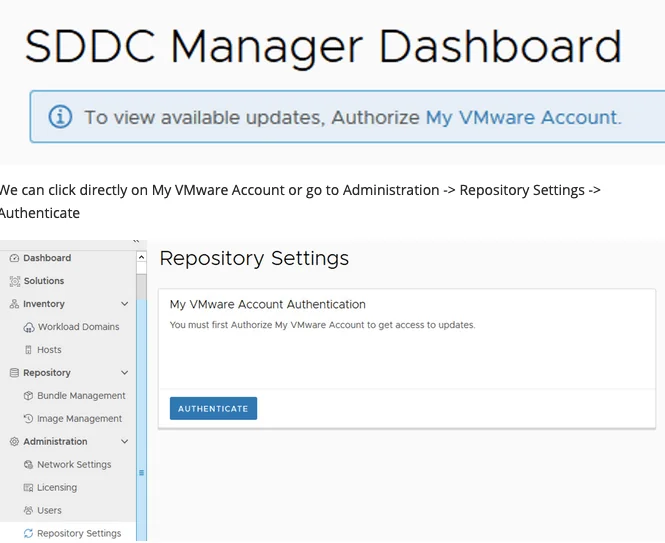
Dashboard shows VMware account authorization needed for updates.

Upgrading VCF 4.0 to VCF 4.0.1

With the release of VCF 4.0.1 I wanted to go through the patch in my lab. The release notes can be found here: https://docs.vmware.com/en/VMware-Cloud-Foundation/4.0.1/rn/VMware-Cloud-Foundation-401-Release-Notes.html Authorizing the Account and Downloading the Bundle When I logged on to my SDDC Manager I noticed that there weren’t any updates available and I was prompted with an information bar To view available updates, Authorize My VMware Account. ...

 · Updated  · 
Upgrading VCF 4.0 to VCF 4.0.1
Error message shows upgrade issue; run "restart service install-upgrade" on NSX Manager.

NSX 2.5.0 to NSX 2.5.1 fails with error “restart service install-upgrade” on the NSX Manager.

I’ve recently ran through a problem when trying to upgrade NSX-T from version 2.5.0 to 2.5.1. When using the Upgrade function within the UI I was getting the following error: This page is only available on the NSX Manager where Upgrade Coordinator is running. To configure the service, run the command restart service install-upgrade on the NSX Manager. ...

 · Updated  · 
NSX 2.5.0 to NSX 2.5.1 fails with error “restart service install-upgrade” on the NSX Manager.