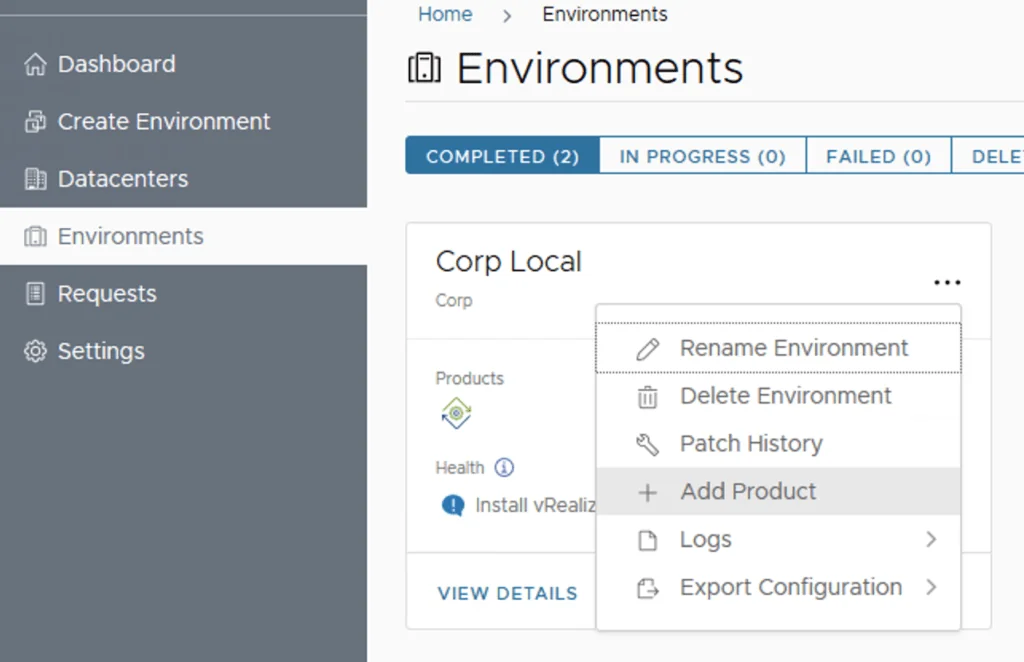
Datacenter management UI showing options to add, view, and delete datacenters.

Deploying vIDM with vRealize Lifecycle Manager in a VCF 4 Environment

If you followed my previous posts Deploying the vRealize suite using VCF 4.0 and vRealize Lifeycycle Manager (vRSLCM) enable product dowloads you should now have vRA and vIDM already downloaded. Because im running on a deployment from VCF i can see that the datacenter was already provioned for me under under Home -> Lifecycle Operations -> Datacenters ...

September 13, 2020 · Cosmin Trif
vRealize Lifecycle Manager certificate management screen shows options to generate, import, and create a CSR.

vRealize Lifeycycle Manager (vRSLCM) 8 certificate mangement

vRealize Lifeycycle Manager (vRSLCM) come with a Certificate Management feature. We can access the certificate management from Home -> Locker -> Certificate We can generate Self Signed certificates for products managed by Lifecycle Manager as well as certificate requests to be signed by a certification authority Generate a new CSR ...

September 13, 2020 · Cosmin Trif
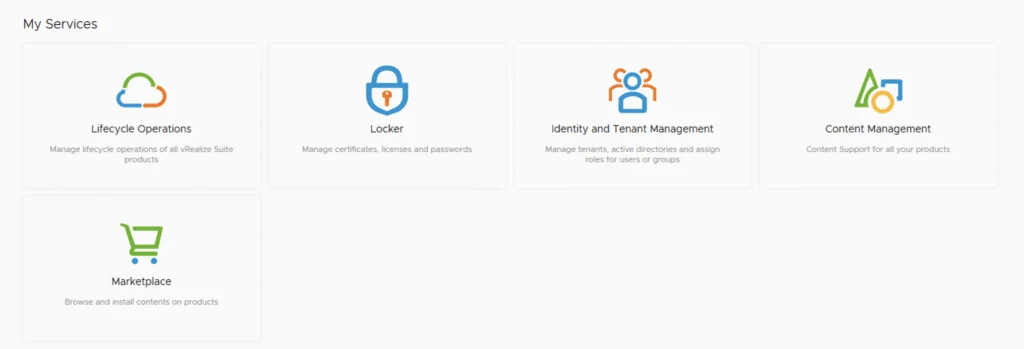
My Services: Lifecycle Operations, Locker, Identity and Tenant Management, Content Management, Marketplace.

vRealize Lifeycycle Manager (vRSLCM) enable product dowloads

In order to enable product downloads in lifecycle manager we need to go to Lifecycle Operations Settings -> My vmware Add my vmware account. Make sure the account added has a proper entitlement to perform downloads and patches. With the releases of 8.x and above we now have a password vault that we need to add the passwords to. When presented with the add my VMware Account Detail screen press on Click here to add a new password ...

September 13, 2020 · Cosmin Trif
Error message: X-Region Application Virtual Network not created.

X-Region Application Virtual Network is not created error

While trying to deploy vRealize Suite Lifecycle Manager in VCF 4, i was prompted by an error X-Region Application Virtual Network is not created After doing some research i found out that the error is due to AVN not getting deployed part of the initial deployment. I remembered that VCF 4 doesnt actually require it so after i did some research i was able to find a kb article that allowed me to continue with my install. KB 78608 ...

September 13, 2020 · Cosmin Trif
The image shows a vRealize Suite Lifecycle Manager deployment page with options like Dashboard, Solutions, and Repository visible on the left.

Deploying the vRealize suite using VCF 4.0

The official documentation for deploying the vRealize suite can be found here First step is to download the bundle by going to sddc-manager -> Repository -> Bundle management. Look for VMware Software Install Bundle - vRealize Suite Lifecycle Manager 8.1.0-16256499 After the download is complete we can go to Administration -> vRealize Suite and a deploy button should be available. If the deploy button is not available due to X-Region Application Virtual Network is not created errorplease follow the instructions found here: ...

September 13, 2020 · Cosmin Trif

Downloading specific VCF bundles

I wanted to reuse my VCF downloaded bundles on another SDDC Manager system so that i wont have to download it from internet again. Ive found an easy guide here in the VMware documentation. My goal was to download the specific bundle once and upload it on other SDDC Managers. The first command from SDDC manager was to list the bundles. The lcm bundle transfer utility can be found in /opt/vmware/vcf/lcm/lcm-tools/bin ...

September 6, 2020 · Cosmin Trif
The image shows a VMware Software Install Bundle for vCenter Server 7.0.0 released on 08/06/2020, 8 GB in size.

Properly cleaning up VCF downloads//bundles

With all the recent releases for VCF i noticed that my file system was getting full and once the updates are complete i wanted to reclaim all that used space. The first step was to identify the Bundle ID. We can find this by going to the bundle itself and checking out the details by clicking on View Details ...

August 31, 2020 · Cosmin Trif
VMware Cloud Foundation dashboard showing CPU, memory, and storage usage across domains.

Upgrading VCF 4.0.1 to 4.0.1.1

This VMware Cloud Foundation Upgrade 4.0.1.0 to 4.0.1.1 contains critical bugs and security fixes. For more information, see https://docs.vmware.com/en/VMware-Cloud-Foundation/4.0.1/rn/VMware-Cloud-Foundation-401-Release-Notes.html#4.0.1.1-Release For VCF on VxRail see https://docs.vmware.com/en/VMware-Cloud-Foundation/4.0.1/rn/vmware-cloud-foundation-on-dell-emc-vxrail-19-release-notes.html#Patch%20Releases If you dont see any updates you can follow the first couple of steps in my other post here: http://13.90.130.7/2020/07/16/upgrading-vcf-4-0-to-vcf-4-0-1/ Once i logged on to my SDDC Manager i was able to see that na update is already available for me to download: ...

August 30, 2020 · Cosmin Trif

vCenter update from the command line

Ive ran recently in to an issue where i couldnt perform an update from the admin UI, in order to get up and running i executed the following from a ssh shell. I was luky enough to find the documentation here /usr/lib/applmgmt/support/scripts/software-packages.py install --url Some of the additional options that could be used software-packages stage --url software-packages install --staged I like to perform the update from the command line because it gives me additional information that i might not be able to see in the UI ...

August 30, 2020 · Cosmin Trif
Login screen for VMware vCenter Server Management with update installation in progress.

vCenter Appliance Update installation is in progress

I recently ran in to an issue where the vCenter server appliance update timed out. Rebooting the vCenter server brought the server back up but i was unable to log in to the administration section due to an Update installation in progress error Doing some research i found that there is a file that holds this information fount at /etc/applmgmt/appliance/software_update_state.conf At this point all i had to do was edit the file using vi ...

August 30, 2020 · Cosmin Trif