Article cover image

Creating a customized Snapshot as a Day 2 Action in vRA 8.2

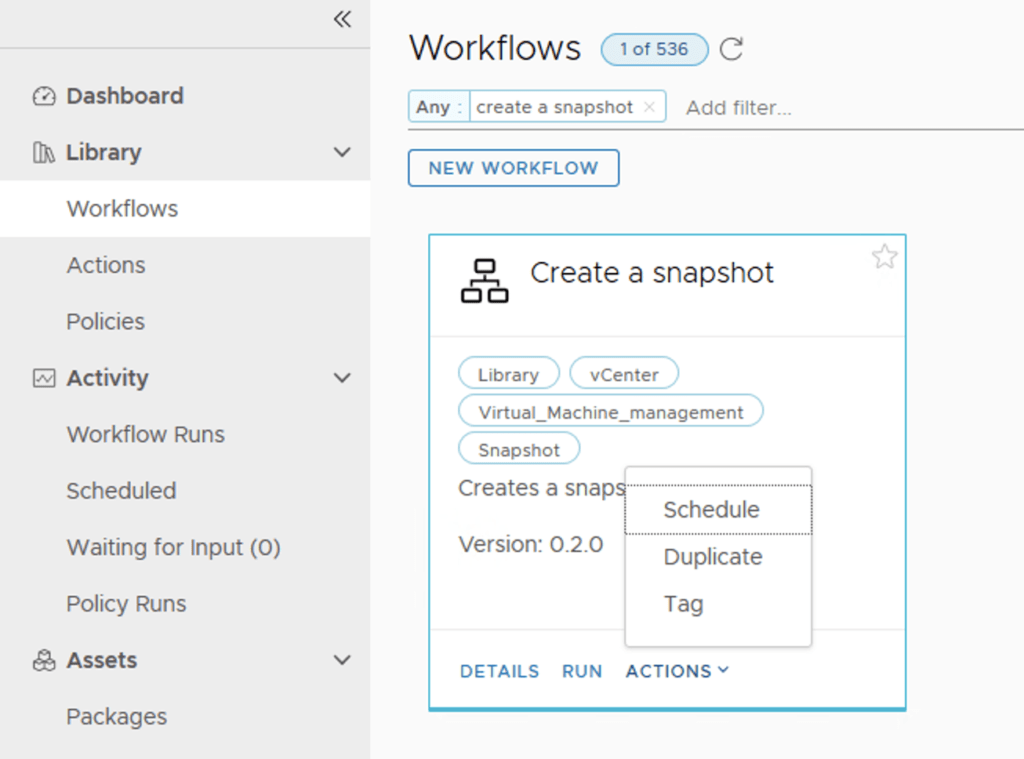
I wanted to give my users the capability to create a snapshot but limit them to only 1 snapshot and have a predefined description from the snapshot so i can know that it was taken from vRA. For the purpose of this i will be using a customer workflow in Orchestrator and Resource Actions and in Cloud Assembly. Since Orchestrator comes with a number of pre defined workflows in always like to jump start by find something thats similar with what im trying to do. For the purpose of this we will be using the Create Snapshot Workflow. ...
January 1, 2021 · 4 min · Cosmin
Article cover image

Adding events from vCenter to Operations Manager

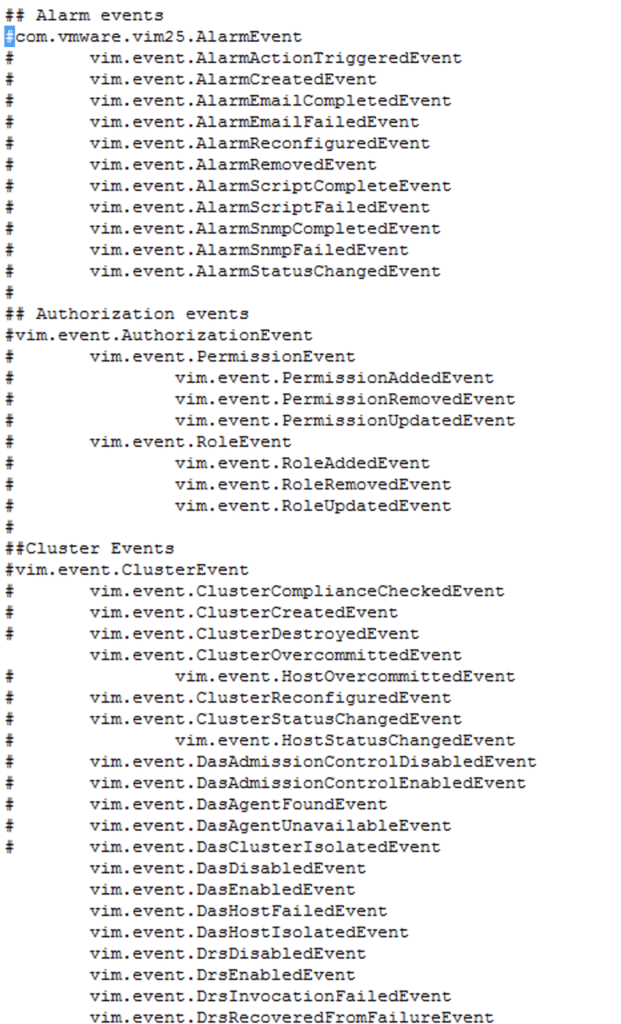
I recently ran in to a situation where one of the events in vCenter wasn’t showing up in Operations Manager Doing some research and i found this kb article: 65106 Basically theres a file called eventlist.txt under /usr/lib/vmware-vcops/user/plugins/inbound/vmwarevi_adapter3/conf/ on the master node so i logged on to master node via ssh and did vi /usr/lib/vmware-vcops/user/plugins/inbound/vmwarevi_adapter3/conf/eventlist.txt Comment out the event that we want to get alerts for and restart the service by running ...

December 4, 2020 · 1 min · Cosmin
Article cover image

Doing a full restore of the Mac mini M1

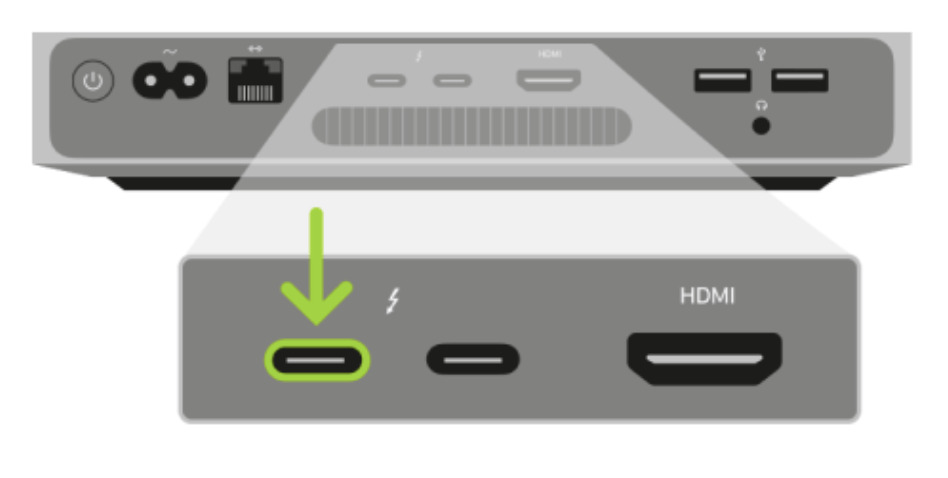
I would try the restore options first. You can find instructions for the restore menu here If the recovery menu doesn’t work put the Mac mini in DFU mode by following the instructions I have here One the device is in DFU open Apple Configurator 2 (Mac Only sorry Windows folks). Make sure you are at least at version Version 2.13.2 Connect the USB-C cable to the Mac and the Mac mini to the port closest to the ethernet port ...

November 22, 2020 · 1 min · Cosmin

Booting Mac mini M1 in DFU mode

Disconnect the power cord from the Mac Mini. Plug USB-C/Thunderbolt cable into the USB-C port next to the ethernet port. Plug the other end into the Host Mac. While holding down the power button, connect the Mac Mini to power and continue to hold the power button for about 3-5 seconds You should now see the DFU logo on the Host Mac.

November 22, 2020 · 1 min · Cosmin
Article cover image

How to restart the new Mac mini M1 in recovery mode?

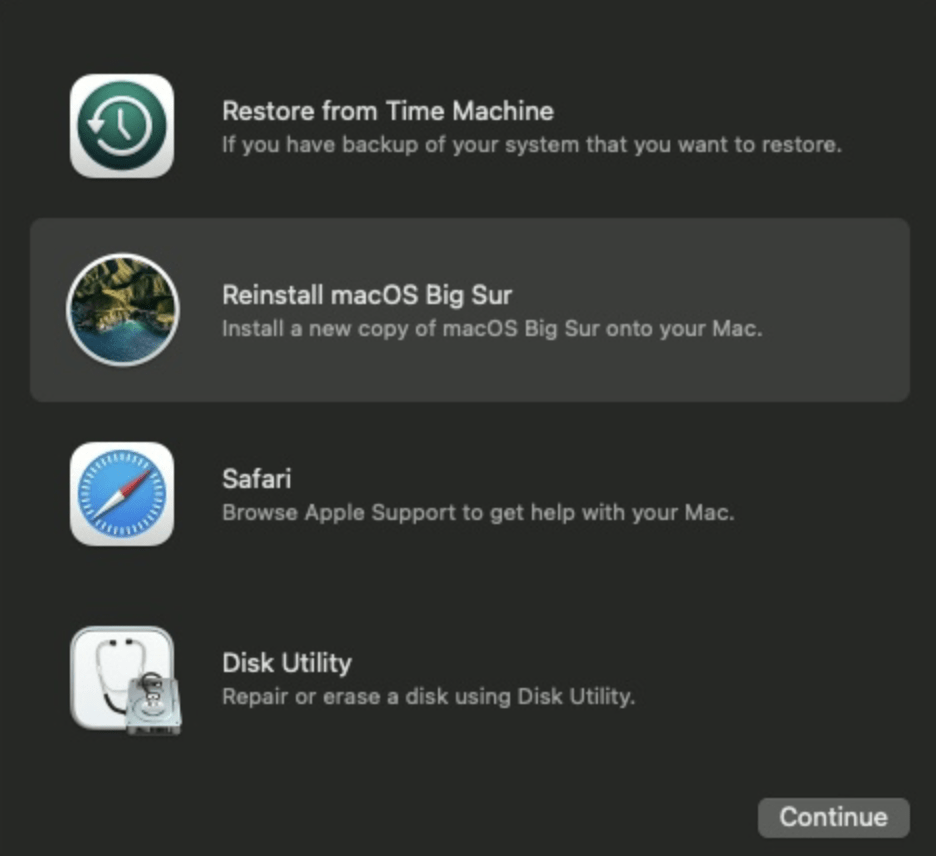
I recently purchased one of the newer Mac mini devices with the new M1 chipset. Unfortunately I went with the lower edition that had 256 GB and I wanted to send it back to purchase the bigger 512 GB edition, but I wanted to clean my installation. In order to to boot in the recovery mode to reinstall the os I had to perform the following steps: Make sure the Mac mini is off, if its not off just shut it off Hold the power button until the options appear, it might seem like a long time but keep holding it. It took about 15 seconds for me. A menu should appear that shows the hard drive and Options. Select options and continue You will see the apple logo and then a new menu should appear with additional options. It would look like this: ...

November 22, 2020 · 1 min · Cosmin
Article cover image

Patching\Upgrading ESXi 7 to ESXi7U1 via esxcli

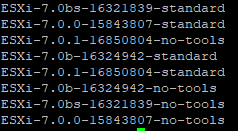
With the latest release of ESXi7U1 i wanted to get my lab up to date. I dont have enough resources in my lab to migrate the vCenter to another ESXi server so i want to perform the upgrade via cli. More details about the release can found here The first step was to open the firewall for outgoing traffic for http esxcli network firewall ruleset set -e true -r httpClient Second step was to list the updates by executing ...

October 28, 2020 · 1 min · Cosmin
Article cover image

ESXi No space left on device error when upgrading

While i was trying to perform an upgrade to my ESXi installation i ran in to the below error: The fix was pretty simple. The hypervisor doesnt have enough space to download and install the package so we need to enable one of the available datastores for the function. For vCenter go to the host in question to Configure -> System -> System Swap While reviewing the configuration i noticed that i had 2 options enabled ...

October 28, 2020 · 1 min · Cosmin
Article cover image

Upgrading VCF 4.0.1.1 to 4.1.0.0

With the release of of VCF 4.1 i wanted to get my lab upgraded. The release blog can be found here and the release notes are here In my case i pre downloaded the VMware Cloud Foundation Update 4.1.0.0 by going to Repository -> Bundle management -> Download now The next step is to upgrade VCF by going to Inventory -> Workload Domains -> Select the workload domain -> Update/Patches -> Update Now ...

October 14, 2020 · 3 min · Cosmin
Article cover image

Unable to Sync Lifecycle Manager 'integrity.fault.HostPatchInvalidVendorCode'

After upgrading my vCenter Server to the latest vSphere 7.0 Update 1, I was unable to see ESXi 7.0 Update 1 Image. When I attempted to sync the updates I got the error “Download patch definitions task failed while syncing depots. Error: ‘integrity.fault.HostPatchInvalidVendorCode’.” Seeing as the error mentioned the depots, navigate to Menu->Lifecycle Manager and then select the Settings tab and then Patch Setup. Select the radio button for Partner provided Addons for ESXi and click Disable. Proceed to click on Action and then Sync Updates. The sync should now complete successfully. ...

October 10, 2020 · 1 min · Cosmin
Article cover image

vCLS not starting with Insufficient resources message

With the release of vCenter 7 Update 1, VMware introuced the vCLS (vSphere Clustering Service). More information can be found here. Looking at the error details it looks like it is looking for a feature called cpuid.mwait Reviewing the VMX file it seems like EVC is enabled on the vCLS VMs. I didnt want to enable EVC on the whole cluster so i wanted to do it only on the specific VMs. ...

October 10, 2020 · 1 min · Cosmin
VCF Assistant
Hi! I'm the VCF Assistant. Ask me anything about VMware Cloud Foundation, ESXi, vCenter, NSX, Aria Suite, or infrastructure automation.