Downgrading the ESXi version to a different build

During one of the recent upgrades in my VCF environment i accidentally upgraded the ESXi 7.x build number to a later build that was not in the validated design which caused all kinds of issues and errors in my sddc manager. In order to address this i wanted to see i could actually downgrade the packages to a lower build number. It goes without saying that this procedure should not be done in a production environment and you should contact VMware customer support for an supported downgrade method. We will be working in the ESXi cli on this guide ...
October 25, 2021 · 2 min · Cosmin
Article cover image

Upgrading vROPS (vRealize Operations Manager) to 8.6 via the .pak file

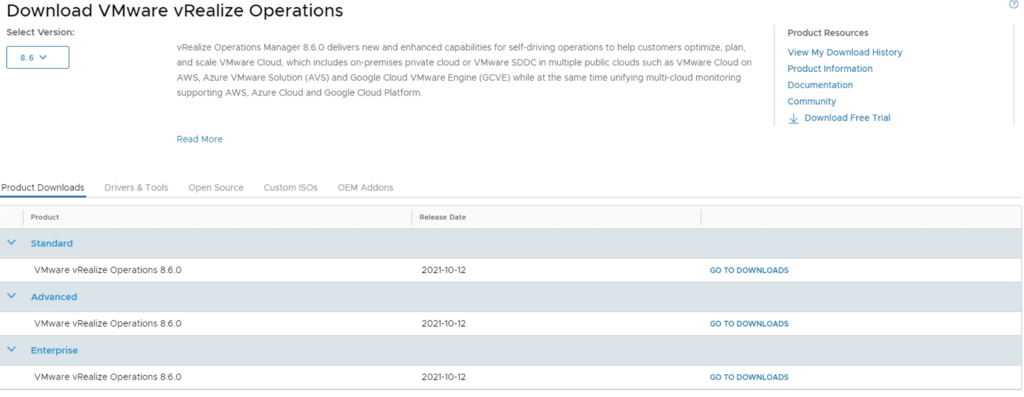
In this guide we will go over upgrading vROPS (vRealize Operations Manager) to the latest 8.6 releases using the .pak file. If you you vRSLCM (vRealize Suite Lifecycle Manager) i would strongly recommend upgrading using the vRSLCM method found here as it does additional checks of the environment like compatibility with the rest of the vRealize Products we might have installed. The release notes for vROPS 8.6 can be found here To get started we need to download the .pak file from the new customerconnect portal (previously known as my vmware). The direct link to the product download page can be found here. Make sure we have 8.6 selected under the Select Version and click on any of the Go To Downloads links ...

October 25, 2021 · 3 min · Cosmin
Article cover image

Upgrading vROPS (vRealize Operations Manager) to 8.6 via vRSLCM

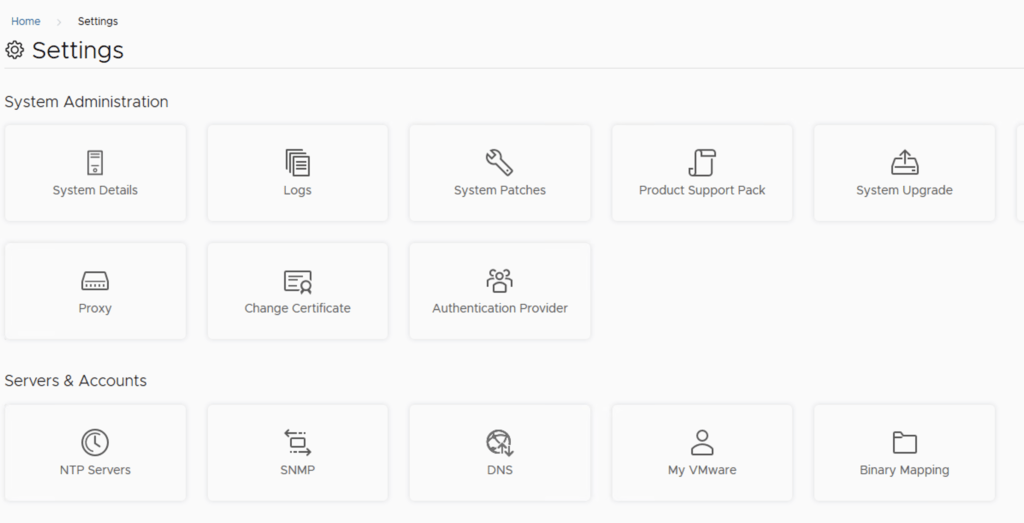
In this post i will go over upgrading my 8.x vROPS appliance to 8.6 using vRSLCM (vRealize Suite Lifecycle Manager). As a pre requirement we do need to have vRSLCM (vRealize Lifecycle Manager) upgraded to 8.6. Instructions can be found here. The upgrade already includes the latest Product Support Pack so an update to the Product Support Pack is not required. To get started we can go to vRealize Lifecycle Manager -> Lifecycle Operations -> Settings -> Binary Mapping. (If you haven’t added your My VMware credentials you will need to do that first by going to vRealize Lifecycle Manager -> Lifecycle Operations -> Settings -> My VMware) ...

October 25, 2021 · 3 min · Cosmin
Article cover image

Upgrading vRA (vRealize Automation) to 8.6

In this post i will go over upgrading my 8.x vRA appliance to 8.6. As a pre requirement we do need to have vRSLCM (vRealize Lifecycle Manager) upgraded to 8.6. Instructions can be found here. The upgrade already includes the latest Product Support Pack so an update to the Product Support Pack is not required. To get started we can go to vRealize Lifecycle Manager -> Lifecycle Operations -> Settings -> Binary Mapping. (If you haven’t added your My VMware credentials you will need to do that first by going to vRealize Lifecycle Manager -> Lifecycle Operations -> Settings -> My VMware) ...

October 23, 2021 · 3 min · Cosmin
Article cover image

Skip-Level Upgrading VCF 4.1.0.1 to 4.3.1.0 Step by Step

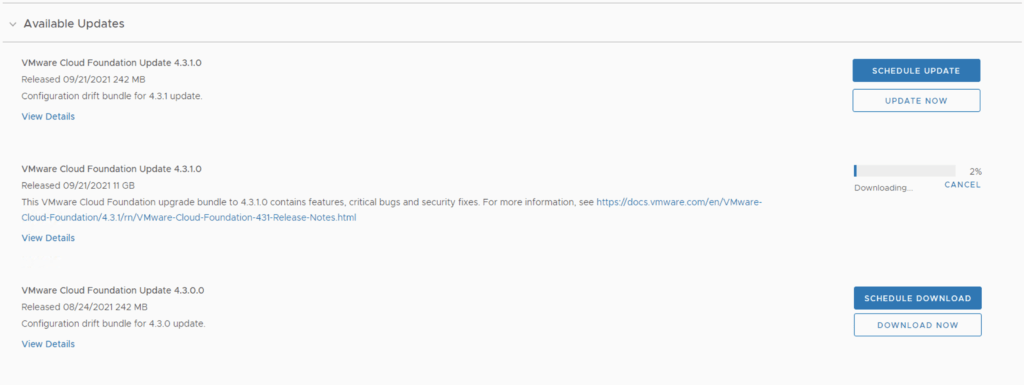
With the release of of VCF 4.3.1 i wanted to get my lab upgraded. The release blog can be found here and the release notes are here In order to get to 4.3.1.0 in the past we had to upgrade to each version incrementally. As per the documentation found here we can now upgrade from any release past 4.1.0.1 directly to 4.3.1 skipping the releases in between. We can do so by going to Repository -> Bundle management -> Download now. Download the Configuration drift bundle as well as the Update package. ...

October 23, 2021 · 3 min · Cosmin
Article cover image

vROPS 8.6 UI Overview

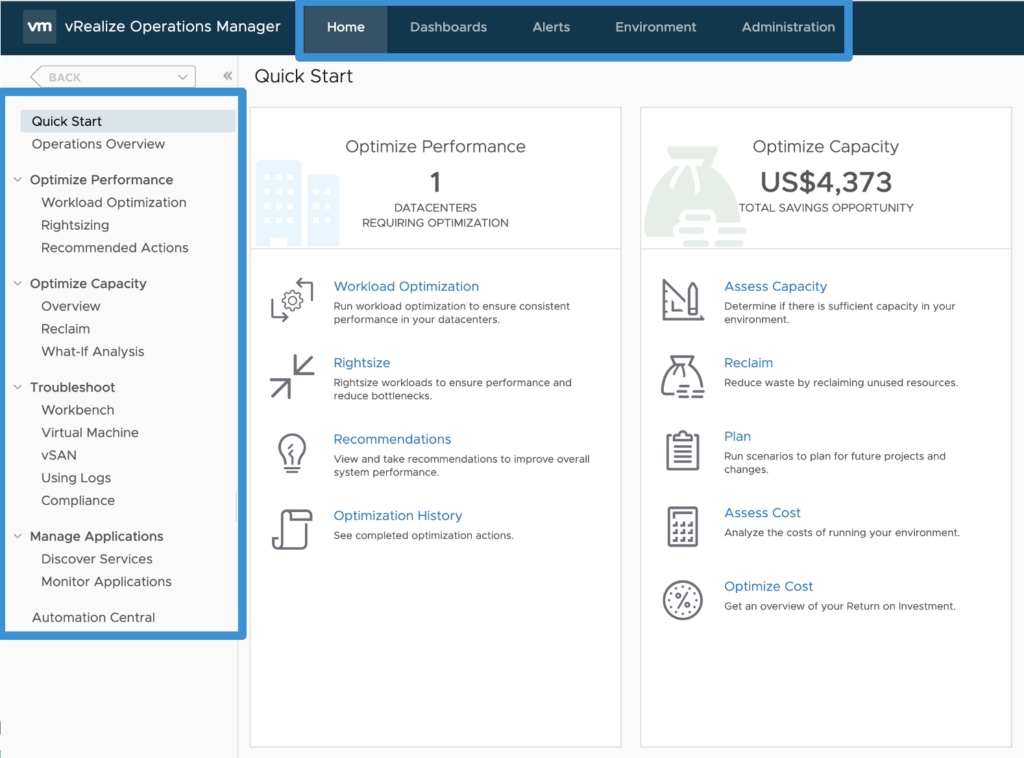
During VMworld 2021 we announced vRealize Operations 8.6 which now provides allot of new features and capabilities. You can see an Whats New overview here as well as a feature walk through here. I this post we will focus specifically on the UI enhancements. The UI changes are the same for the SaaS version as well as the on premise release. Lets dive in! When we used to log on to vRealize Operations in the past we used to have a list of menu items up top as well as the left side example: ...

October 21, 2021 · 2 min · Cosmin
Article cover image

vCenter upgrade fails with Exception occurred in postinstallHook error

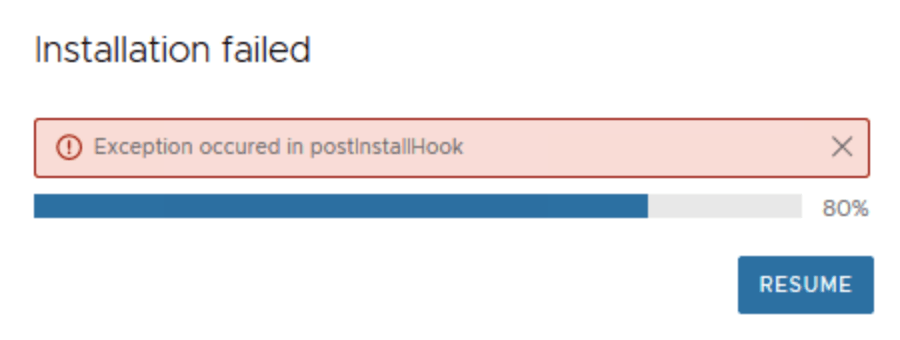
I was recently going through a vCenter upgrade and got stuck at an error Exception occurred in postinstallHook. I tried reverting from snapshot and trying again but i ran through the same issue. The issue in my case was that the catalina.properties had the wrong permissions. The fix was to change the permissions to perfcharts:cis and then resuming the update in the VAMI interface. The catalina.properties is located /usr/lib/vmware-perfcharts/tc-instance/conf/catalina.properties. The command to fix it is ...

October 19, 2021 · 1 min · Cosmin
Article cover image

Authentication failed, Lifecycle Manager server could not be contacted

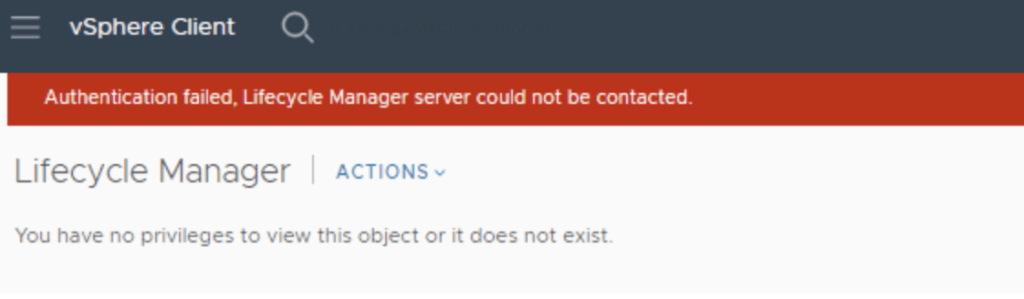
I recently upgraded my vCenter to 7.0.3 18700403 and i noticed that when i went to Lifecycle Manager i was welcomed with this error. “Authentication failed, Lifecycle Manager server could not be contacted.” Im not aware of a fix for this issue however using the administrator@vsphere.local seems to be working.

October 12, 2021 · 1 min · Cosmin
Article cover image

Upgrading vRSLCM (vRealize Lifecycle Manager) to 8.6

In this guide i will go over the steps of getting an existing 8.x vRSLCM appliance upgraded to the latest 8.6 release. The release notes can be found here The first step is to lo in to vRealize Suite Lifecycle Manager under the Lifecycle Operations section Go to settings -> System Upgrade Click on Check for Upgrade We can see that the check found a new version available for 8.6.0.20 ...

October 12, 2021 · 1 min · Cosmin
Article cover image

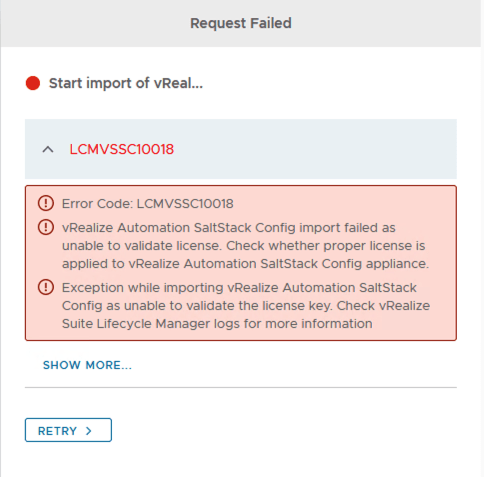
Error Code: LCMVSSC10018

If you like me deployed SSC (SaltStack Config) outside of LCM and are now trying to import it under LCM management you probably ran in to the following error: Error Code: LCMVSSC10018 vRealize Automation SaltStack Config import failed as unable to validate license. Check whether proper license is applied to vRealize Automation SaltStack Config appliance. Exception while importing vRealize Automation SaltStack Config as unable to validate the license key. Check vRealize Suite Lifecycle Manager logs for more information ...

October 4, 2021 · 1 min · Cosmin
VCF Assistant
Hi! I'm the VCF Assistant. Ask me anything about VMware Cloud Foundation, ESXi, vCenter, NSX, Aria Suite, or infrastructure automation.