Article cover image

vRSLCM (vRealize Lifecycle Manager) Product Support Pack

In this guide i will go over the steps of getting an existing 8.x vRSLCM appliance to support the latest product releases available. Here is a great blog that goes in to the details about what the Product Support Pack is https://blogs.vmware.com/management/2019/01/vrslcm-pspak.html. Typically the newer Product Support Pack is included part of the upgrade for LCM, however sometimes there are product releases in between releases where product support packs come in handy. ...

February 3, 2023 · 2 min · Cosmin
Article cover image

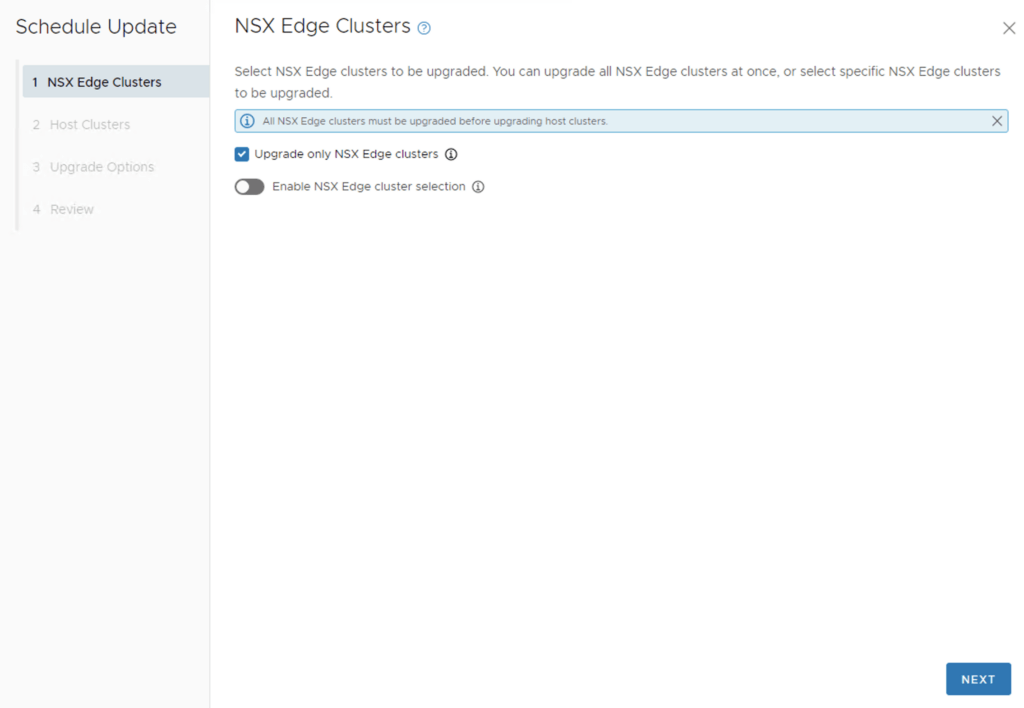
Upgrading VCF 4.4.0 to 4.5 Step by Step

With the release of of VCF 4.5 i wanted to get my lab upgraded. The release blog can be found here and the release notes are here Please note that some of the components within the VCF will still need additional upgrading. Please read the release notes for additional details. We can start by going to Lifecycle Management -> Bundle management -> Download now. If you do not see the newest releases go to Administration -> Repository settings and add a VMware Customer Connect account that has access to perform downloads. ...

February 3, 2023 · 4 min · Cosmin

Why Choose vRealize Automation (vRA) over Ansible

Ansible and vRealize Automation (vRA) are both popular DevOps tools for infrastructure automation and provisioning. However, the two tools have different strengths and use cases, and choosing the right one for your organization can be a challenge. In this blog post, we’ll explore the key differences between vRA and Ansible and why you might choose vRA over Ansible. Complexity of Deployment Ansible is a simple, agentless tool that is easy to install and configure. However, as the complexity of your deployment increases, the simplicity of Ansible can quickly become a hindrance. vRA, on the other hand, is a complex tool that is designed to handle complex deployments, making it an ideal choice for large, complex environments. ...

February 1, 2023 · 2 min · Cosmin

Why Choose VMware vRealize Automation Over Puppet

When it comes to managing large, complex IT infrastructure, two of the most popular tools are VMware vRealize Automation (vRA) and Puppet. Both tools have their strengths and weaknesses, but in this article, we will examine why you might choose vRealize Automation over Puppet. Integrated Management: vRA integrates with VMware’s vSphere virtualization platform, allowing for a seamless management of virtual machines (VMs). With Puppet, you would need to use additional tools to manage your virtual environment. Cloud Management: vRA is capable of managing both on-premise and cloud infrastructure, making it an ideal solution for hybrid cloud environments. Puppet, on the other hand, is primarily focused on on-premise deployments. Automation: Automation is at the core of both vRA and Puppet. However, vRA provides a more comprehensive automation solution with its built-in workflows and drag-and-drop design. This makes it easier for users to automate their infrastructure without having to write complex code. Self-Service: vRA provides a self-service portal for users to request and manage their own resources, reducing the burden on IT. Puppet does not have this capability, making it a less attractive option for organizations looking to implement a self-service model. Cost: vRA is a commercial product and is typically more expensive than Puppet. However, the added features and integration with other VMware products make it a more cost-effective solution in the long run. In conclusion, if you are looking for a comprehensive and integrated management solution that covers both on-premise and cloud environments, then vRealize Automation is the way to go. It provides a more user-friendly automation solution, with a self-service portal, making it easier for users to manage their infrastructure. However, if you are on a tight budget and have a primarily on-premise deployment, Puppet might be a better fit for your organization. ...

February 1, 2023 · 2 min · Cosmin

Why Choose VMware vRealize Automation (vRA) over Terraform

In the world of infrastructure as code (IAC), there are many tools to choose from. Two popular options are VMware vRealize Automation (vRA) and Terraform. While both have their strengths, there are compelling reasons to choose vRA over Terraform. End-to-End Automation: vRA automates the entire software-defined data center (SDDC) lifecycle, from provisioning to decommissioning. Terraform is more limited, focusing only on infrastructure provisioning. User Experience: vRA provides a user-friendly interface, making it easier for non-technical users to request and manage infrastructure. Terraform, on the other hand, requires more technical expertise to use effectively. Integration with VMware: vRA integrates with other VMware products, such as vSphere, NSX, and vSAN, allowing for a seamless experience. Terraform can also integrate with VMware, but it requires more manual effort to set up the integration. Enterprise-Grade Security: vRA includes enterprise-grade security features, such as role-based access control and multi-factor authentication. Terraform does not have built-in security features, requiring additional tools or manual effort to secure the environment. Robust Compliance Features: vRA includes compliance features, such as blueprints that enforce specific policies and standards, making it easier to meet regulatory requirements. Terraform does not have built-in compliance features, leaving it up to the user to ensure compliance. Strong Support: vRA has a large, global community of users and is backed by VMware, a well-established company in the tech industry. Terraform is a relatively new tool with a smaller community, making support and resources more limited. In conclusion, vRA offers a complete automation solution for the SDDC, making it a great choice for enterprises that want a user-friendly interface, strong security features, robust compliance features, and strong support. Terraform, while a powerful tool, is better suited for infrastructure provisioning and requires more technical expertise and manual effort to secure and ensure compliance. ...

February 1, 2023 · 2 min · Cosmin

Why organizations should choose vRealize Automation as their automation solution

In our previous blog, we discussed the importance of automating virtual infrastructure and why now is the ideal time to do so. In this follow-up blog, we will delve deeper into why organizations should choose vRealize Automation as their automation solution. Improved efficiency: vRealize Automation streamlines the deployment and management of virtual infrastructure by automating manual processes, reducing the time and effort required to manage virtual resources. This leads to improved operational efficiency and reduces the risk of manual errors, which can be time-consuming and costly to rectify. With vRealize Automation, organizations can deploy and manage virtual resources in a matter of minutes, freeing up valuable IT resources to focus on more important tasks. Enhanced scalability: As businesses grow, their IT infrastructure must also grow to keep pace. vRealize Automation provides organizations with the ability to scale their virtual infrastructure as their business needs change, ensuring that their IT infrastructure can always meet the demands of their business. With vRealize Automation, organizations can easily deploy new virtual resources as required, without the need for manual intervention. Improved compliance and security: The deployment and management of virtual infrastructure must comply with various regulations and industry standards, such as HIPAA, PCI DSS, and ISO 27001. vRealize Automation provides robust security and compliance features, ensuring that virtual infrastructure is deployed and managed in a secure and compliant manner. With vRealize Automation, organizations can easily enforce security policies and ensure that their virtual infrastructure is in compliance with industry standards. Increased collaboration: vRealize Automation integrates with other VMware products, such as vSphere, NSX, and vSAN, enabling organizations to automate their entire virtual infrastructure. This improves collaboration between IT and development teams, as well as between different business units. With vRealize Automation, teams can work together to deploy and manage virtual infrastructure, ensuring that all virtual resources are deployed and managed in a consistent manner. Increased agility: In today’s fast-paced business environment, organizations must be able to quickly and easily deploy new products and services to meet customer demand. vRealize Automation provides organizations with the ability to quickly and easily deploy and manage virtual infrastructure, reducing the time to market for new products and services. With vRealize Automation, organizations can deploy new virtual resources in minutes, freeing up valuable IT resources to focus on other tasks. In conclusion, vRealize Automation provides organizations with the tools and capabilities needed to automate their virtual infrastructure, resulting in improved efficiency, scalability, compliance, security, and agility. By automating manual processes, organizations can reduce the time and effort required to manage virtual resources, freeing up valuable IT resources to focus on more important tasks. To learn more about how vRealize Automation can benefit your organization, visit the VMware website. ...
January 31, 2023 · 3 min · Cosmin

SaltStack: The Ultimate Tool for Windows Patch Management

Windows systems are vulnerable to security threats and need to be regularly patched to protect against these threats. However, managing patches for a large number of Windows systems can be a tedious and time-consuming task. This is where SaltStack comes in to help. SaltStack is a popular open-source configuration management and orchestration tool that can be used to manage Windows systems, including patch management. In this blog, we will discuss how to use SaltStack to patch Windows systems. ...

January 31, 2023 · 3 min · Cosmin

vROPs tagging and workload optimization

Optimizing workloads in a custom datacenter with multiple clusters is a challenging task that requires a comprehensive understanding of the underlying infrastructure and the applications running on it. One of the key components of this optimization process is proper tagging using vRealize Operations Manager (vROPs). Tagging in vROPs is a process of assigning metadata to objects such as virtual machines, hosts, and clusters. This metadata provides context to the objects and helps to categorize them based on their characteristics, making it easier to manage and monitor the infrastructure. ...

January 30, 2023 · 2 min · Cosmin

vROPs DRS requirements across multiple data centers

vSphere Resource Management with vRealize Operations (vROPs) DRS across multiple data centers is a critical requirement for managing large-scale virtualized environments. In this blog, we’ll discuss the requirements for using DRS in vROPs across multiple data centers. Cross vCenter vMotion (CVC-vMotion) Support: CVC-vMotion enables vMotion of virtual machines across multiple vCenter servers. This capability is a pre-requisite for vROPs DRS across multiple data centers. vCenter Server 6.7 Update 1 or later: vROPs DRS across multiple data centers requires vCenter Server 6.7 Update 1 or later. This ensures that the necessary APIs are available to enable vROPs to manage resources across multiple vCenter servers. Network Connectivity: All data centers should have a reliable and high-speed network connectivity, with the necessary firewall ports opened for communication between vCenter servers and vROPs instances. vROPs Replication: vROPs instances in different data centers must be able to communicate with each other. vROPs replication can be used to keep the data in all vROPs instances in sync, ensuring that the vROPs DRS decisions are based on consistent data. Same vROPs version: All vROPs instances must be running the same version of vROPs to ensure compatibility and prevent any issues with data consistency. Same vROPs license: All vROPs instances must be licensed with the same vROPs license, and the license should include the vROPs DRS capability. Cluster Configuration: The virtual machines that need to be managed by vROPs DRS must be in a vSphere cluster that spans across multiple vCenter servers. The vSphere cluster must be configured with the appropriate DRS settings, such as automated DRS, to ensure that vROPs DRS can make effective resource management decisions. In conclusion, vROPs DRS across multiple data centers is a powerful tool for managing virtualized environments at scale. By following these requirements, organizations can ensure that their vROPs DRS implementation is effective, efficient, and reliable. ...

January 30, 2023 · 2 min · Cosmin

DRS Rules in vROPs and vCenter

The Distributed Resource Scheduler (DRS) is a key component of the vSphere platform, and is used to manage resource allocation and workload distribution within virtualized data centers. DRS works by analyzing resource utilization and workload demands of virtual machines (VMs) and making recommendations for placement and resource allocation based on a set of rules. In the context of vRealize Operations Manager (vROps), DRS rules play an important role in ensuring optimal performance and utilization of virtualized resources. By using vROps, administrators can monitor resource utilization and workload demands in real-time, and make informed decisions about resource allocation based on this data. ...

January 30, 2023 · 2 min · Cosmin
VCF Assistant
Hi! I'm the VCF Assistant. Ask me anything about VMware Cloud Foundation, ESXi, vCenter, NSX, Aria Suite, or infrastructure automation.