Differences between SaltStack and Terraform

Infrastructure management has come a long way in recent years, with a variety of tools and frameworks available to help you provision, configure, and manage your infrastructure. Two popular tools in this space are SaltStack and Terraform, but they serve different purposes and have different strengths. In this post, we’ll explore the differences between SaltStack and Terraform, and when you might choose one over the other. SaltStack: Configuration Management SaltStack is a configuration management tool that allows you to define and apply a set of configurations or settings to a group of servers or other infrastructure components. Configuration management is an important aspect of infrastructure management because it ensures that all servers and systems in your infrastructure are consistent and conform to a known configuration. This can help with security, reliability, and troubleshooting. ...

February 24, 2023 · 3 min · Cosmin
Article cover image

Upgrading SSC (SaltStack Config) to 8.11.1 using vRSLCM

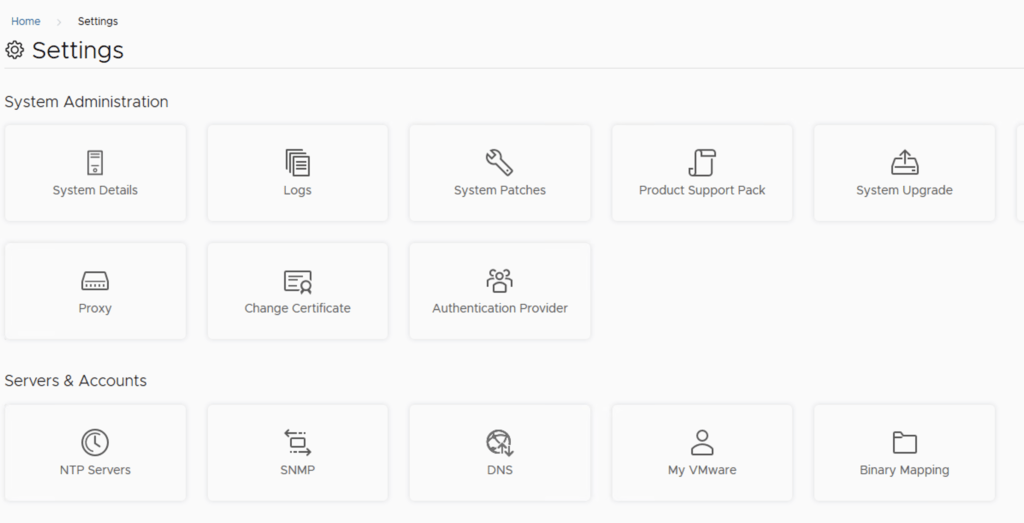
In this post i will go over upgrading my 8.x SSC appliance to 8.11.1. As a pre requirement we do need to have vRSLCM (vRealize Lifecycle Manager) upgraded to 8.11.1. Instructions can be found here. The upgrade does not include the latest PSPACK that contains the 8.11.1 SaltStack Config release. Instructions to get the PSPACK can be found on my other blog post here. To get started we can go to vRealize Lifecycle Manager -> Lifecycle Operations -> Settings -> Binary Mapping. (If you haven’t added your My VMware credentials you will need to do that first by going to vRealize Lifecycle Manager -> Lifecycle Operations -> Settings -> My VMware) ...

February 22, 2023 · 2 min · Cosmin

Comparing vRealize Automation to Chef

vRealize Automation and Chef are both popular tools used in IT automation, but they approach automation in different ways. In this blog, we will compare vRealize Automation with Chef to help you understand their differences and similarities. What is vRealize Automation? vRealize Automation is an IT automation tool that enables the automation of the deployment and management of virtual infrastructure and applications. It helps organizations to streamline their IT processes and create more efficient workflows. vRealize Automation provides a single platform for IT teams to manage and automate the deployment of infrastructure and applications. ...

February 15, 2023 · 3 min · Cosmin

Comparing vRealize Automation to Chef

vRealize Automation and Chef are both popular tools used in IT automation, but they approach automation in different ways. In this blog, we will compare vRealize Automation with Chef to help you understand their differences and similarities. What is vRealize Automation? vRealize Automation is an IT automation tool that enables the automation of the deployment and management of virtual infrastructure and applications. It helps organizations to streamline their IT processes and create more efficient workflows. vRealize Automation provides a single platform for IT teams to manage and automate the deployment of infrastructure and applications. ...

February 15, 2023 · 3 min · Cosmin

Comparing vRealize Automation to Jenkins

In the world of DevOps, automation tools are essential for managing infrastructure, applications, and processes. Two popular tools for automation are vRealize Automation and Jenkins. Both tools are designed to simplify and streamline processes, but they have different strengths and weaknesses. In this blog, we’ll compare vRealize Automation and Jenkins to help you decide which tool is right for your automation needs. What is vRealize Automation? vRealize Automation is a cloud automation tool developed by VMware. It is designed to automate the deployment and management of applications, infrastructure, and multi-cloud environments. vRealize Automation provides an end-to-end solution for automating infrastructure and application delivery across a hybrid cloud environment. ...

February 15, 2023 · 3 min · Cosmin

SaltStack Config vs Terraform: A Comparison of Two Leading Infrastructure Management Tools

When it comes to automating and managing large-scale infrastructure, two popular tools are SaltStack Config and Terraform. While both tools offer valuable solutions, SaltStack Config stands out as the better choice for organizations looking for a comprehensive solution. SaltStack Config is a configuration management tool that offers a unique combination of powerful configuration management and resource management features. Its master-minion architecture enables efficient communication between the master node and the minions, allowing for the enforcement of desired state configurations across a large number of servers. This makes SaltStack Config the ideal solution for organizations that need to manage and maintain a large number of servers. ...

February 7, 2023 · 2 min · Cosmin

Comparing vROps Workload Optimizations with CWOM

VMware vRealize Operations (vROps) is not the only tool available for managing the performance and capacity of virtual environments. Another solution that has gained popularity in recent years is the Cloud Workload Optimization Manager (CWOM). In this blog, we will compare vROps workload optimizations with CWOM to help organizations determine which solution is best suited for their needs. Functionality vROps provides a comprehensive set of features for managing the performance and capacity of virtual environments. It includes advanced performance analytics, customized workload optimizations, improved visibility, and cost savings. On the other hand, CWOM is a more specialized tool that focuses on optimizing resource utilization for cloud workloads. While CWOM has some similar features to vROps, it lacks the depth of functionality provided by vROps. Scalability vROps is designed to manage large, complex virtual environments and is highly scalable. It can support multiple vCenter servers, hundreds of thousands of virtual machines, and provide real-time performance data. CWOM, on the other hand, is designed for smaller cloud environments and may not be suitable for organizations with large virtual environments. Integration vROps integrates seamlessly with other VMware products and solutions, such as vCenter and NSX, to provide a unified view of the virtual environment. CWOM, on the other hand, is designed to work with specific cloud platforms and may not provide the same level of integration as vROps. Cost vROps is a premium solution that is typically more expensive than CWOM. However, the comprehensive set of features provided by vROps and its ability to manage large, complex virtual environments can make it a more cost-effective solution in the long run. In conclusion, vROps workload optimizations provide a comprehensive solution for managing virtual environments, while CWOM is a specialized tool for optimizing resource utilization for cloud workloads. Organizations should consider their specific needs, the size and complexity of their virtual environment, and their budget when deciding between vROps and CWOM. ...
February 7, 2023 · 2 min · Cosmin

Benefits of Using vROps Workload Optimizations Over Regular DRS

VMware vRealize Operations (vROps) is a comprehensive solution for managing the performance and capacity of virtual environments. It offers several workload optimizations to help administrators balance resource utilization, meet SLAs, and ensure optimal performance. These optimizations go beyond what is possible with traditional Distributed Resource Scheduler (DRS) and can provide numerous benefits to organizations. In this blog, we will explore some of the advantages of using vROps workload optimizations over regular DRS. ...

February 7, 2023 · 2 min · Cosmin
Article cover image

Upgrading vIDM (VMware Identity Manager ) to 3.3.7 via vRSLCM

In this post i will go over upgrading my 3.3.6 vIDM appliance to 3.3.7 using vRSLCM (vRealize Suite Lifecycle Manager). If you want to upgrade to LCM 8.10 instructions can be found here. The upgrade does not include the latest PSPACK that contains the 3.3.7 vIDM release. Instructions to get the PSPACK can be found on my other blog post here. To get started we can go to vRealize Lifecycle Manager -> Lifecycle Operations -> Settings -> Binary Mapping. (If you haven’t added your My VMware credentials you will need to do that first by going to vRealize Lifecycle Manager -> Lifecycle Operations -> Settings -> My VMware) ...

February 3, 2023 · 3 min · Cosmin
Article cover image

Deploying vRA 8.11 using the Easy Installer

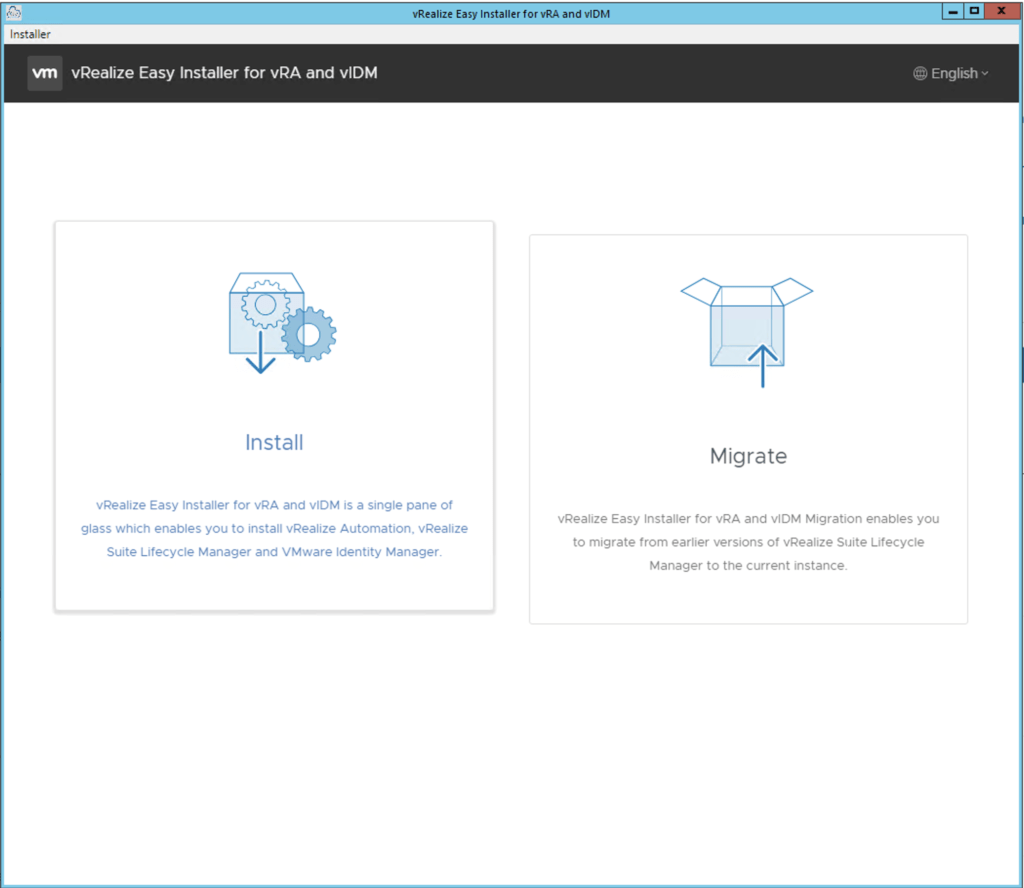
In this guide i will go over the deployment of vRA 8.11 using the Easy Installer. The reason i like the Easy Installer is because it deploys everything that i need. vIDM, Lifecycle Manager as well as vRA. To get started we need to download the installer from here. Once downloaded mount the iso as a drive using your favorite tool or extract it as a archive using something like 7-zip Once mounted go to the CDROM in the vrlcm-ui-installer\Mac directory if on mac or vrlcm-ui-installer\win32 if you are on windows. In here run the installer file ...

February 3, 2023 · 4 min · Cosmin
VCF Assistant
Hi! I'm the VCF Assistant. Ask me anything about VMware Cloud Foundation, ESXi, vCenter, NSX, Aria Suite, or infrastructure automation.