
While I was trying to perform an upgrade to my ESXi installation I ran in to the below error:

The fix was pretty simple. The hypervisor doesn’t have enough space to download and install the package so we need to enable one of the available datastores for the function.
For vCenter go to the host in question to Configure -> System -> System Swap
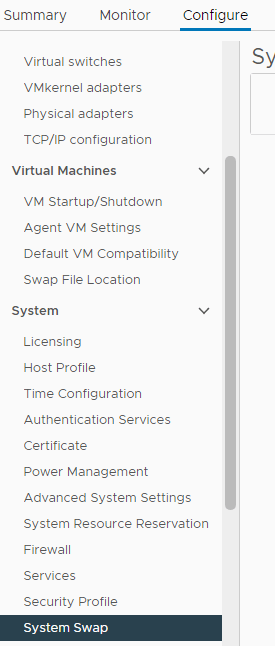
While reviewing the configuration I noticed that I had 2 options enabled

Clicking on the edit button on the right corner I noticed that I can add one of the datastores
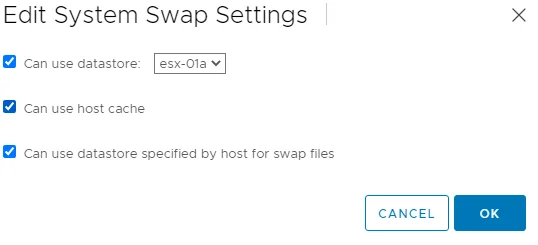
After I Clicked ok I was able to continue with my upgrade. For the full upgrade procedure, see patching/upgrading ESXi 7 to ESXi 7U1 via esxcli.