While doing maintenance on my vSAN cluster recently I had the need to disable the vCLS in order to fully shut down the cluster. Doing some reasearch I found kb article 80472 that talk about temporarily disabling the service in order to perform maintenance. The steps are fairly easy
First we need to get the Cluster id from vSphere. To do so all we need to do is select the cluster and look at the url. For example
https://<fqdn-of-vCenter-server>/ui/app/cluster;nav=h/urn:vmomi:ClusterComputeResource:domain-c8:eef257af-fa50-455a-af7a-6899324fabe6/summary
In the case above all we care about is the 8 number in domain-c8.
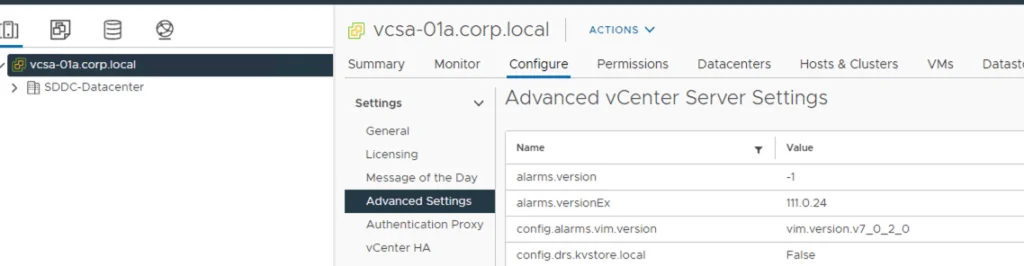
Next we need to navigate to the vCenter server -> Configure -> Advanced Settings example:

Click on edit Setting to the right:
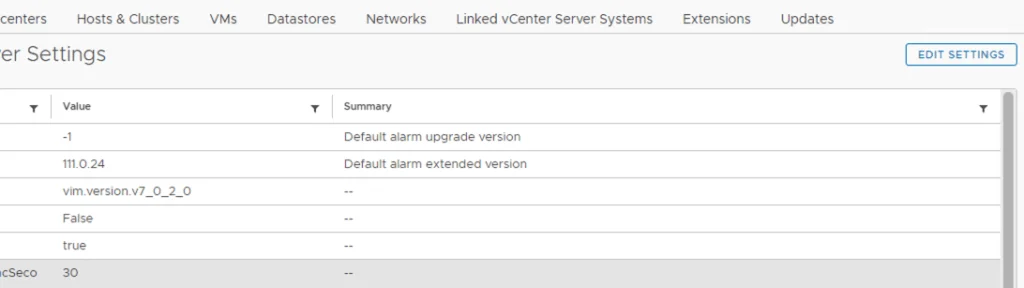
Add a new key. Replace <number> with the number found in the previous step.
config.vcls.clusters.domain-c<number>.enabled and value False
It would look like this:

Click on Add and click Save
vCLS monitoring will initiate a clean-up of the VMs and we should notice that all of the vCLS VMs are gone.
After the maintenance is complete dont forget to set the same value to True in order to re enable the HA and DRS services. If the vCLS VMs fail to power back on afterwards, see my post on vCLS not starting with Insufficient resources.