Integrating your VI Workload Domain with VMware Aria Operations for Logs enhances log management and analytics within VMware Cloud Foundation. This guide provides a step-by-step process to establish this connection using the SDDC Manager.
Before You Begin
Prerequisites:
Administrative Access: Ensure you have admin credentials for SDDC Manager.
Deployed Components: Both VMware Aria Operations for Logs and the VI Workload Domain should be deployed and operational.
Connecting Through SDDC Manager
Steps to Connect:
Log into SDDC Manager:
Open your web browser and navigate to
https://<sddc_manager_fqdn>.Enter your admin username and password to access the dashboard.
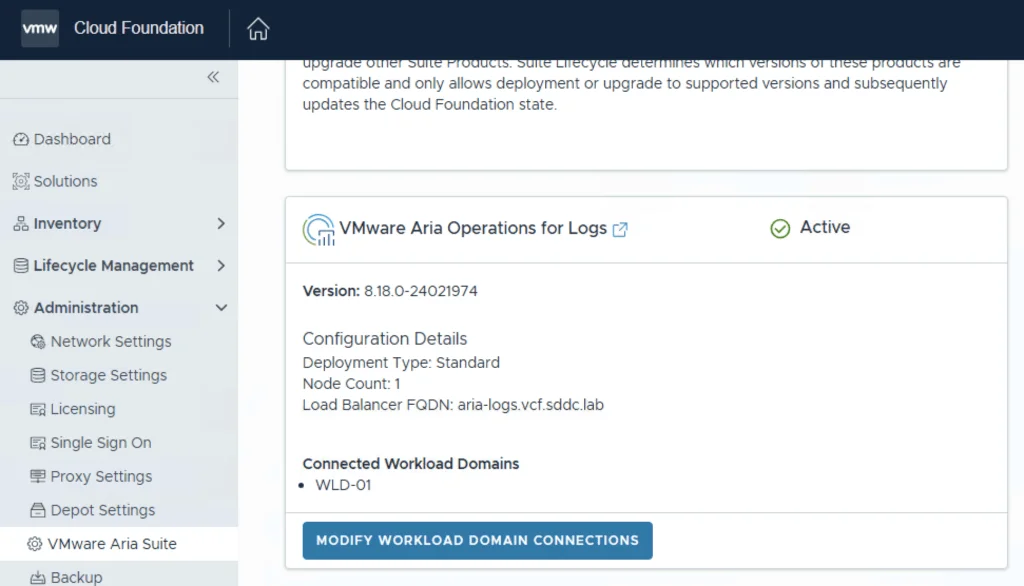
Access VMware Aria Suite Settings:
In the navigation pane on the left, click on Administration.
Under the Administration section, select VMware Aria Suite.
Modify Workload Domain Connections:
On the VMware Aria Suite page, locate the VMware Aria Operations for Logs card.
Click on Modify Workload Domain connections.

Selecting the VI Workload Domain
Select the VI Workload Domain:
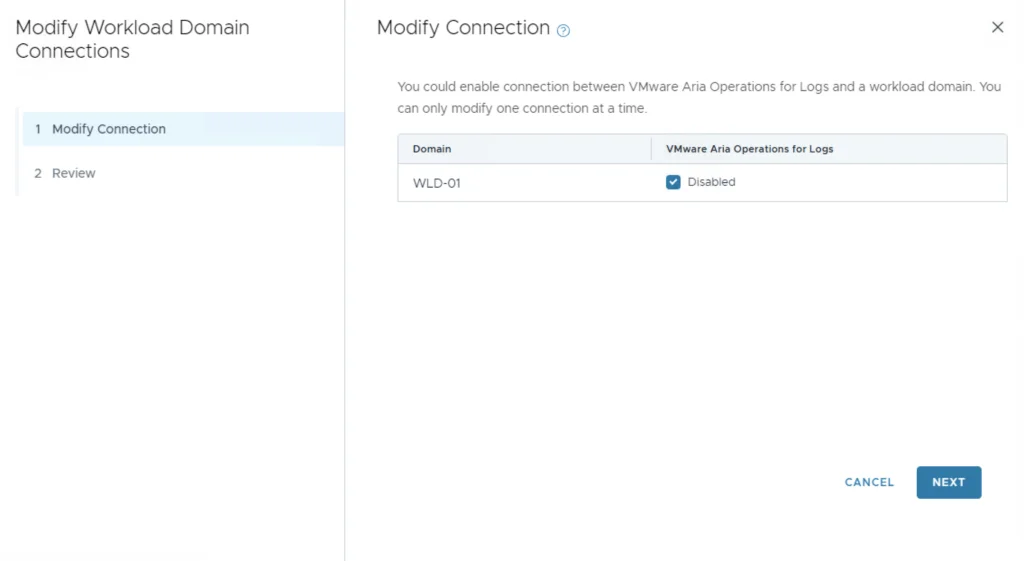
On the Modify Connection page, find the row corresponding to your VI Workload Domain.
In the VMware Aria Operations for Logs column for that domain, check the box to enable the connection.
Click Next to proceed.
Review and Confirm:
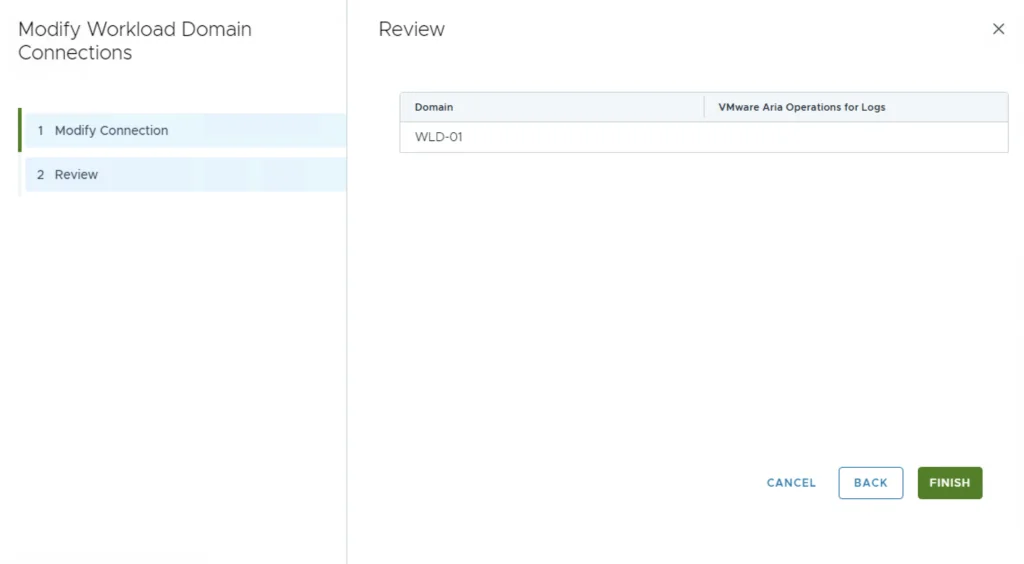
On the Review page, ensure all details are correct.
Click Finish to complete the connection process.
Verifying the Tasks and Log Flow
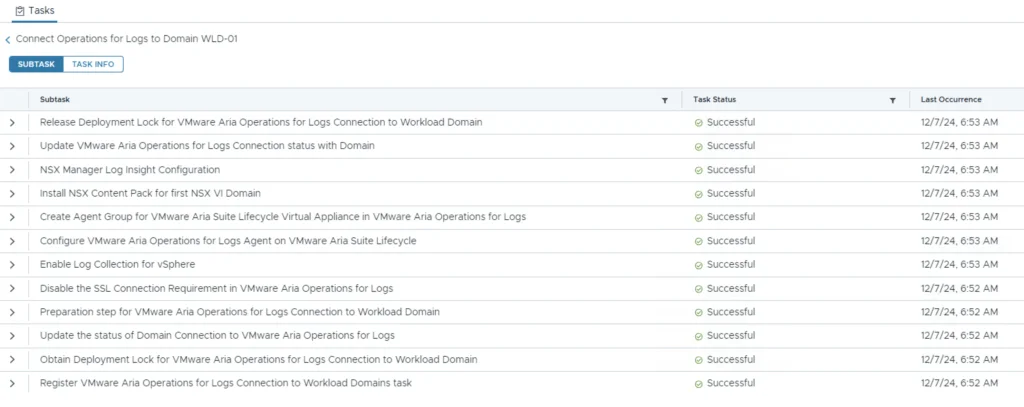
Verify the Tasks:
- We can dive into the tasks to see all of the configuration items that VCF configured
Verify the Connection:
After completion, logs from the VI Workload Domain’s management components should start flowing into VMware Aria Operations for Logs.
To confirm, log into VMware Aria Operations for Logs and check for incoming logs from the newly connected domain.
Wrapping Up
Conclusion:
By following these steps, you’ve successfully integrated your VI Workload Domain with VMware Aria Operations for Logs, enhancing your infrastructure’s logging and analytics capabilities. If you want to query the collected logs programmatically, see my guide on querying the Aria Operations for Logs API by hostname.
Further Reading
References:
For more detailed information, refer to VMware’s official documentation:
If you have any questions or need further assistance, feel free to ask in the comments below.