
VCF releases filled the SDDC Manager filesystem in my lab, so I used the bundle cleanup utility to reclaim the space.
The first step was to identify the Bundle ID. We can find this by going to the bundle itself and checking out the details by clicking on View Details

For example this specific Bundle ID is 86da0038-b68d-4368-8be1-576568a68c54
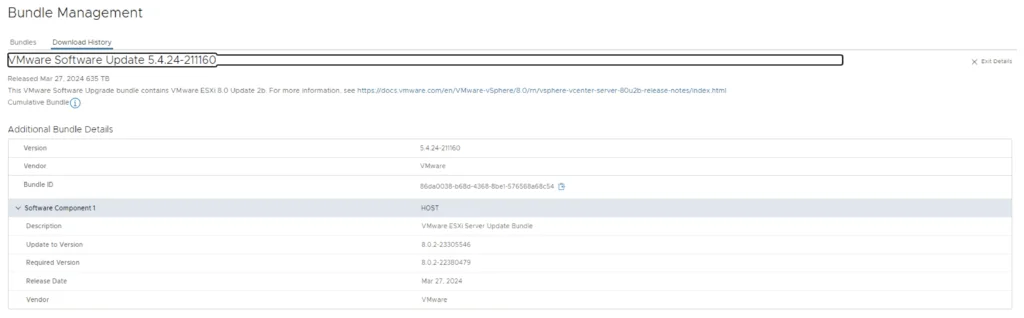
At this point I had to log in to the sddc manager and issue the following command:
/opt/vmware/vcf/lcm/lcm-app/bin/bundle_cleanup.py 86da0038-b68d-4368-8be1-576568a68c54

We can also specify multiple bundle IDs:
/opt/vmware/vcf/lcm/lcm-app/bin/bundle_cleanup.py 96368be7-554c-40d1-81ef-3ad0b47c16f0 7d5af5d8-0f01-4fc5-b22b-c805f5cd00fb cf4ab52f-b999-4f6a-8c29-2db829110925

If you only want to pull down the bundles you actually need, I covered that in downloading specific VCF bundles via CLI.
I hope this helps