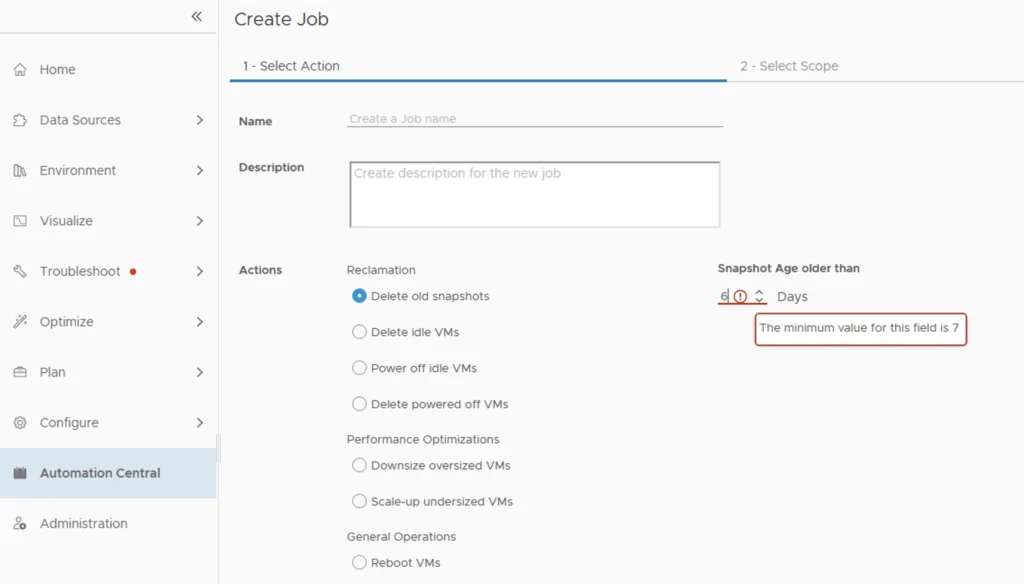
I recently ran through an issue where I wanted to automatically delete snapshots after 5 days instead of the default 7 days that comes out of box in automation central. I wanted to change delete old snapshot restriction from 7 days to 5 days.

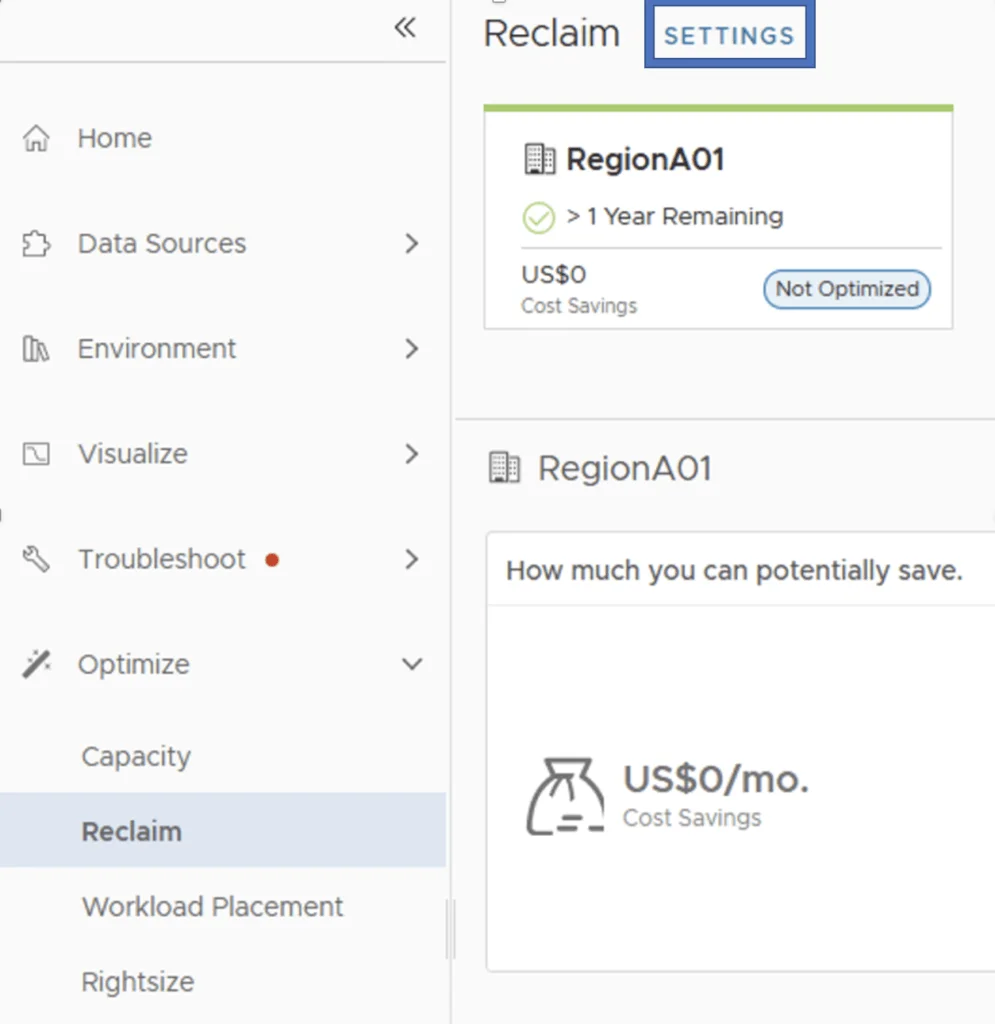
It seems like the restriction comes from the Reclaim Settings. In order to change it we can go to Optimize -> Reclaim -> Settings
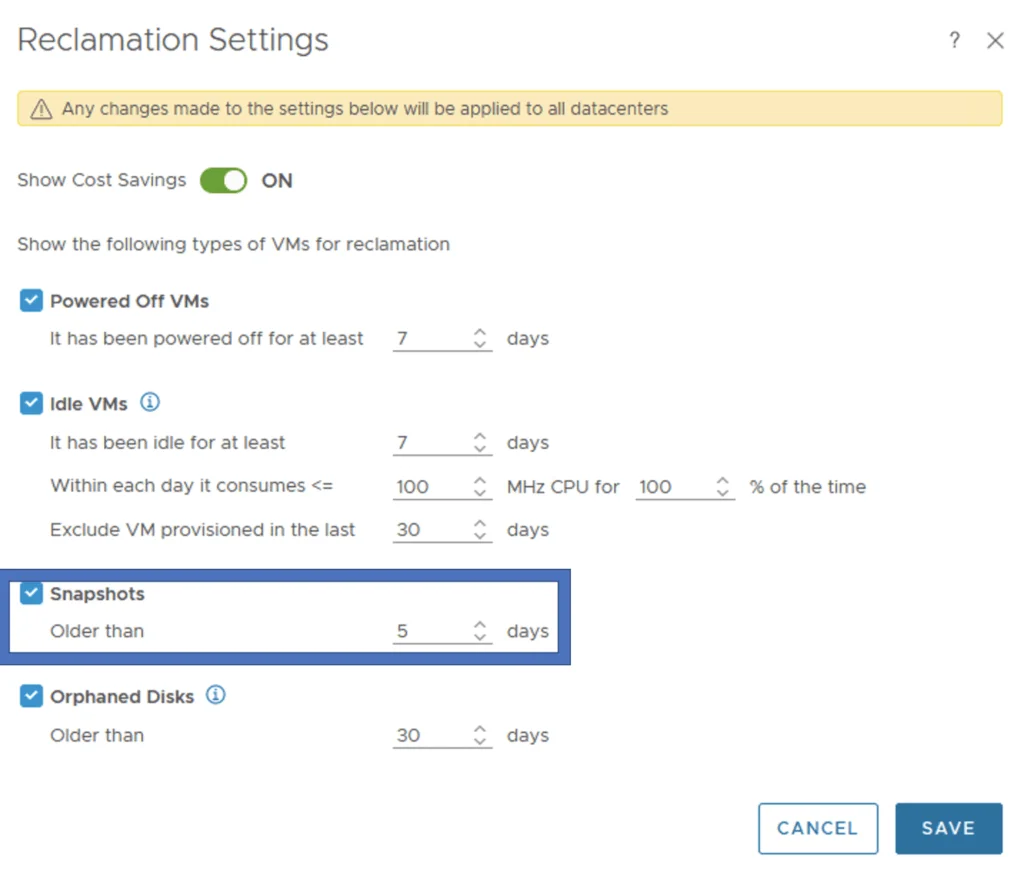
Change the Snapshots setting to older than
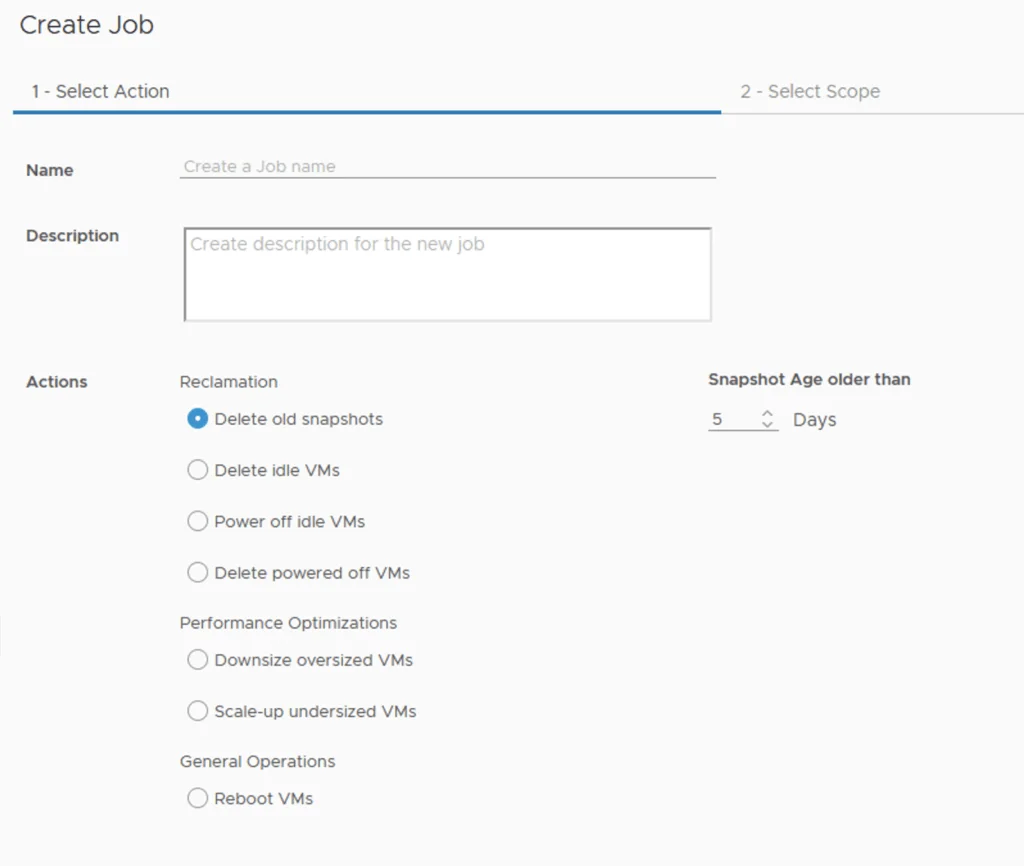
Going to Automation Central I was able to confirm that the minimum is now 5 days
If you are still finding your way around the redesigned vROps 8.6 interface, I covered where everything moved in this UI navigation guide.