ESXi 9 upgrade options shown: no-tools, standard. PartnerSupported, dates 2025-06-17.

Patching//Upgrading ESXi 8 to ESXi 9 via esxcli

With the latest release of ESXi 9 i wanted to get my lab up to date. I don’t have enough resources in my lab to migrate the vCenter to another ESXi server so i want to perform the upgrade via cli. More details about the release can found here The first step was to open the firewall for outgoing traffic for http esxcli network firewall ruleset set -e true -r httpClient Second step was to list the updates by executing ...

June 20, 2025 · Cosmin Trif

Fixing “Received Too Large SFTP Packet” When Connecting to vCenter Using WinSCP

The Problem When trying to connect to a vCenter Server Appliance (VCSA) using WinSCP, many admins encounter the following error: Received too large (1433299822 B) SFTP packet. Max supported packet size is 1024000 B This occurs because the default shell used by the vCenter appliance (/bin/appliancesh) is not compatible with SFTP, which WinSCP attempts to use by default. The Solution To successfully connect to VCSA and transfer files using WinSCP, you need to: ...

June 11, 2025 · Cosmin Trif
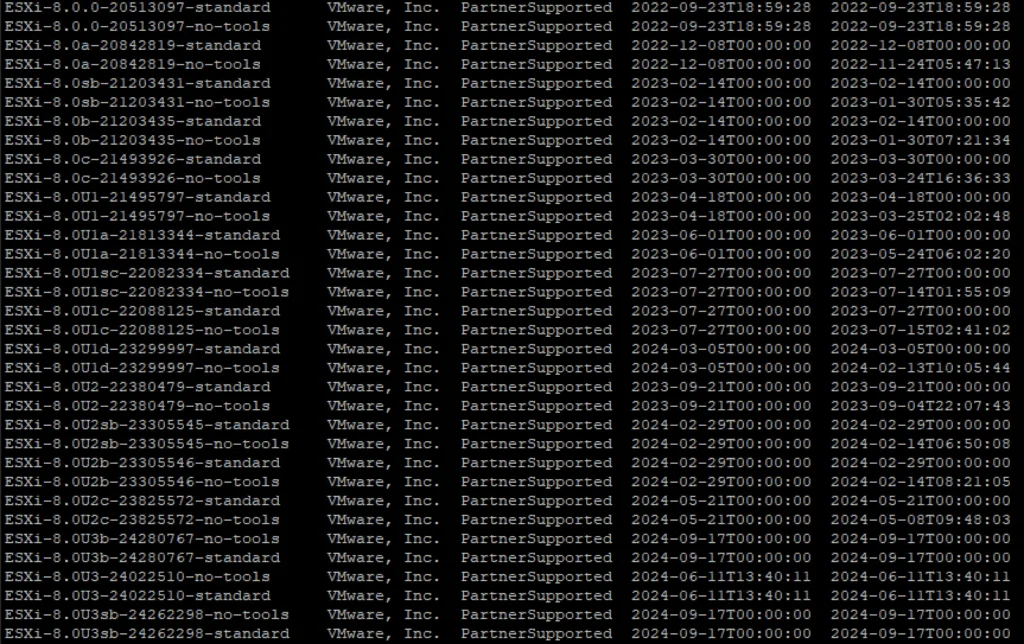
This image lists VMware ESXi versions and their support status.

Patching//Upgrading ESXi 8 to ESXi8U3b via esxcli

With the latest release of ESXi8U3b i wanted to get my lab up to date. I dont have enough resources in my lab to migrate the vCenter to another ESXi server so i want to perform the upgrade via cli. More details about the release can found here The first step was to open the firewall for outgoing traffic for http esxcli network firewall ruleset set -e true -r httpClient Second step was to list the updates by executing ...

November 9, 2024 · Cosmin Trif
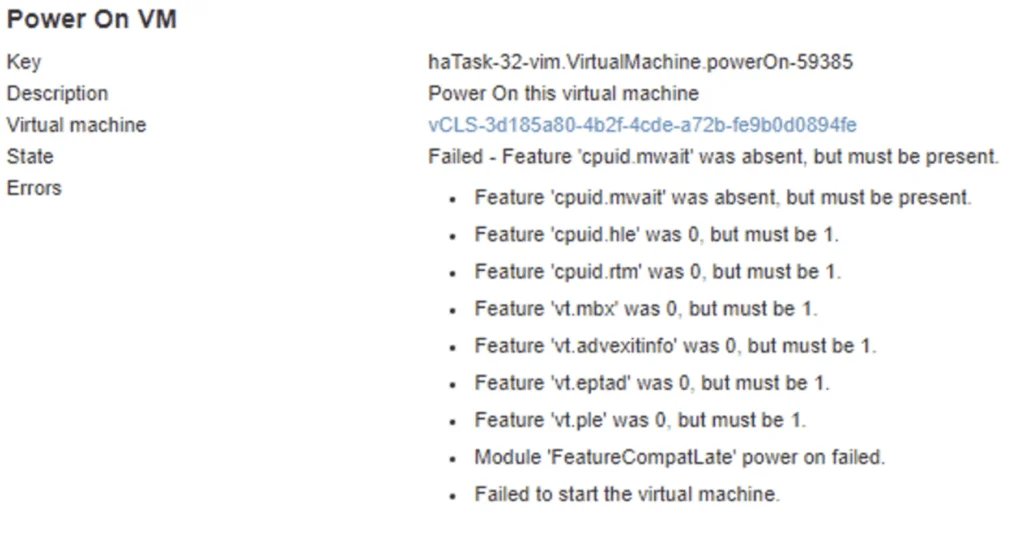
VM power-on fails due to missing CPU features.

vCLS not starting with Failed - Feature 'cpuid.mwait' was absent, but must be present error

With the release of vCenter 7 Update 1, VMware introduced the vCLS (vSphere Clustering Service). More information can be found here. Looking at the error details it looks like it is looking for a feature called cpuid.mwait Reviewing the VMX file it seems like EVC is enabled on the vCLS VMs. I didnt want to enable EVC on the whole cluster so i wanted to do it only on the specific VMs. ...

July 28, 2024 · Cosmin Trif

Creating a Custom Role in vCenter for Aria for Logs (vRealize Log Insight): A Step-by-Step Guide

Introduction Logs play a pivotal role in the management and troubleshooting of IT environments. Aria for Logs (formerly known as vRealize Log Insight) provides powerful log management capabilities, enabling deep analytical insights and real-time monitoring of data from various sources, including vSphere. To ensure Aria for Logs effectively collects and analyzes log data, it requires specific permissions within your vCenter Server. This blog post will guide you through creating a custom role in vCenter tailored for the Aria for Logs service account. ...

May 13, 2024 · Cosmin Trif
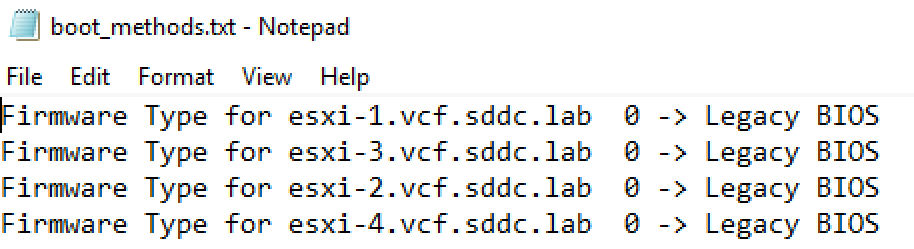
The image shows a Notepad file listing firmware type settings for ESXi hosts, indicating Legacy BIOS for all entries.

Automating Legacy Boot Option Checks Across ESXi Hosts with PowerShell and Plink

In the evolving landscape of VMware ESXi environments, maintaining compatibility and ensuring that systems adhere to specific boot requirements is essential. As more environments transition towards UEFI, there might still be a need to check or enforce legacy BIOS boot methods on certain ESXi servers, especially for compatibility with older hardware or specific operational requirements. This blog post will guide VMware administrators on how to automate the process of checking the boot option (UEFI or Legacy BIOS) on multiple ESXi hosts using PowerShell and Plink. ...

April 11, 2024 · Cosmin Trif

Enhancing vCenter Server Firewall Management with Ansible

In today’s dynamic IT environments, maintaining a secure and efficient infrastructure is paramount. For VMware vSphere administrators, managing the firewall settings on vCenter servers is a critical task that ensures the security of the entire virtualized infrastructure. Ansible, an open-source automation tool, offers a streamlined approach to managing firewall settings across multiple vCenter servers. This blog post will guide you through automating vCenter server firewall configurations using Ansible, showcasing how to apply these changes across multiple servers seamlessly. ...

March 21, 2024 · Cosmin Trif

Streamlining vCenter Server Firewall Management with SaltStack Config

In the realm of VMware vSphere management, securing your vCenter Server is critical to maintaining a robust and secure infrastructure. SaltStack Config, integrated into VMware’s vRealize Automation suite, offers a powerful way to automate and manage configurations across your VMware environment, including firewall settings. This blog explores how to leverage SaltStack Config to automate firewall adjustments on your vCenter servers, ensuring consistent security policies and simplifying the process across multiple instances. ...

March 21, 2024 · Cosmin Trif

Automating vCenter Server Firewall Configuration with PowerShell: A Guide for Scaling to Multiple Environments

The vCenter Server acts as the central nervous system for VMware vSphere environments, providing crucial management capabilities. As with any critical component of your infrastructure, ensuring the vCenter Server is secured is paramount. The firewall settings play a vital role in protecting your vCenter Server against unauthorized access. This blog post dives into how you can programmatically change the firewall settings on the vCenter Server using PowerShell, and how to scale this automation across multiple vCenter servers efficiently. ...

March 21, 2024 · Cosmin Trif

Install/Upgrade ESXi 8.0 on unsupported hardware.

As i was installing\upgrading my lab environment to ESXi 7.0 i received an error that the CPU was unsupported. As per the release notes vSphere 8.0 release notes my CPU is no longer on the compatibility list. Since this is a lab environment i wanted to continue using my current hardware. It goes without saying that this method should not be used in a production environment. To allow the legacy CPU all I had to do is boot up from the ISO, on the boot Menu I pressed TAB or Shift + O and added allowLegacyCPU=True option as seen in the screenshot below ...

April 26, 2023 · Cosmin Trif