Automating vCenter Server Firewall Configuration with PowerShell: A Guide for Scaling to Multiple Environments

The vCenter Server acts as the central nervous system for VMware vSphere environments, providing crucial management capabilities. As with any critical component of your infrastructure, ensuring the vCenter Server is secured is paramount. The firewall settings play a vital role in protecting your vCenter Server against unauthorized access. This blog post dives into how you can programmatically change the firewall settings on the vCenter Server using PowerShell, and how to scale this automation across multiple vCenter servers efficiently. ...

March 21, 2024 · Cosmin Trif

Mastering the /v1/credentials API in SDDC Manager for Enhanced Security Management

In the rapidly evolving landscape of VMware’s Cloud Foundation, security management is a cornerstone for maintaining the integrity and confidentiality of the software-defined data center (SDDC). The SDDC Manager, a critical component of VMware’s Cloud Foundation, offers a comprehensive suite of APIs for managing various aspects of the SDDC, including credentials management. This blog post delves into the specifics of leveraging the /v1/credentials API in SDDC Manager, offering a detailed guide for VMware professionals to enhance their security posture through efficient credentials management. ...

March 16, 2024 · Cosmin Trif
The image shows a URL path for a SDDC Manager API explorer task subtask.

Stopping a Running Task in SDDC Manager: A Step-by-Step Guide

In the world of VMware’s Cloud Foundation, the SDDC Manager plays a pivotal role in streamlining and automating the deployment, management, and orchestration of the software-defined data center components. However, administrators occasionally face the need to halt an ongoing task for various reasons, such as incorrect parameters or prioritizing other operations. This blog post provides a detailed walkthrough on how to gracefully stop a running task in SDDC Manager, ensuring minimal impact on the environment and maintaining system integrity. ...

March 16, 2024 · Cosmin Trif
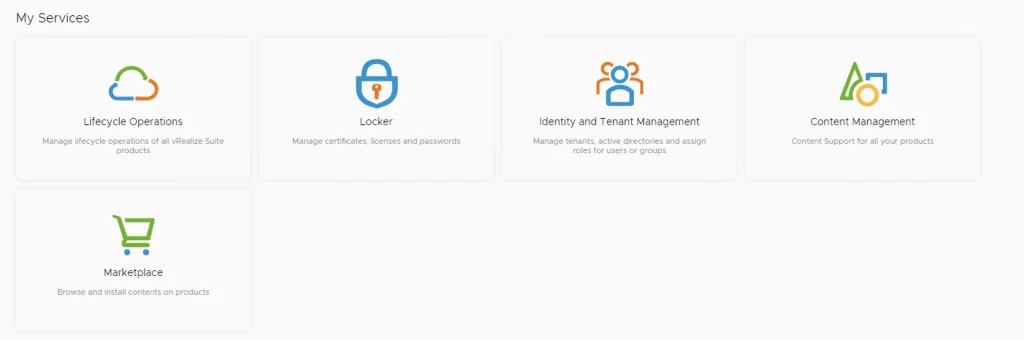
The image shows a VMware Aria Suite lifecycle upgrade interface with options like Lifecycle Operations, Locker, Identity and Tenant Management, Content Management, Marketplace, and VMware Aria Cloud.

VMware Aria Suite Lifecycle upgrade to 8.16

In this guide i will go over the steps of getting an existing 8.x vRSLCM appliance upgraded to the latest 8.16 release. The release notes can be found here. We can upgrade from vRealize Lifecycle Manager to VMware Aria Suite Lifecycle. The first step is to log in to VMware Aria Suite Lifecycle under the Lifecycle Operations section ...

March 13, 2024 · Cosmin Trif

Navigating Alerts, Symptoms, and Notifications in VMware Aria Operations

In the realm of IT infrastructure management, staying ahead of potential issues and ensuring optimal performance are paramount. VMware Aria Operations, formerly known as vRealize Operations (vROps), provides a comprehensive solution for monitoring, troubleshooting, and optimizing virtual environments. A critical feature of Aria Operations is its alerting system, which uses symptoms to detect issues and then notifies administrators through various channels. This blog explores the intricacies of alerts, symptoms, and notifications within VMware Aria Operations, offering a guide to effectively utilizing these features for maintaining a healthy IT environment. ...

February 6, 2024 · Cosmin Trif
Upgrade wizard step for taking a snapshot during Aria Operations for Logs 8.14.1 upgrade.

Upgrading Aria Operations for Logs to 8.14.1 via VMware Aria Suite Lifecycle

In this post i will go over upgrading my 8.x vRLI appliance to Aria Operations for Logs 8.14.1 using VMware Aria Suite Lifecycle. As a pre requirement we do need to have VMware Aria Suite Lifecycle upgraded to 8.14. Instructions can be found here. The upgrade does not include the latest PSPACK that contains the 8.14.1 Aria Automation Config release. Instructions to get the PSPACK can be found on my other blog post here. ...

December 5, 2023 · Cosmin Trif
Settings page with options for system administration and servers/accounts, relevant for VMware Aria Operations upgrade.

Upgrading VMware Aria Operations to 8.14 via VMware Aria Suite Lifecycle

In this post i will go over upgrading my 8.x vROPS appliance to 8.14 using VMware Aria Suite Lifecycle. As a pre requirement we do need to have vRSLCM (vRealize Lifecycle Manager) upgraded to 8.14 Instructions can be found here. The upgrade already includes the latest Product Support Pack so an update to the Product Support Pack is not required. To get started we can go to VMware Aria Suite Lifecycle -> Lifecycle Operations -> Settings -> Binary Mapping. (If you haven’t added your My VMware credentials you will need to do that first by going to VMware Aria Suite Lifecycle -> Lifecycle Operations -> Settings -> My VMware) ...

October 25, 2023 · Cosmin Trif
Settings page with options for system administration and servers/accounts.

Upgrading Aria Operations for Logs to 8.14 via VMware Aria Suite Lifecycle

In this post i will go over upgrading my 8.x vRLI appliance to Aria Operations for Logs 8.14 using VMware Aria Suite Lifecycle. As a pre requirement we do need to have VMware Aria Suite Lifecycle upgraded to 8.14. Instructions can be found here. The upgrade already includes the latest Product Support Pack so an update to the Product Support Pack is not required. To get started we can go to VMware Aria Suite Lifecycle -> Lifecycle Operations -> Settings -> Binary Mapping. (If you haven’t added your My VMware credentials you will need to do that first by going to vRealize Lifecycle Manager -> Lifecycle Operations -> Settings -> My VMware) ...

October 25, 2023 · Cosmin Trif
Settings page with options for system administration, including System Upgrade, Logs, and more.

Upgrading VMware Aria Suite Lifecycle to 8.14

In this guide i will go over the steps of getting an existing 8.x vRSLCM appliance upgraded to the latest 8.14 release. The release notes can be found here. We can upgrade from vRealize Lifecycle Manager to VMware Aria Suite Lifecycle. The first step is to log in to vRealize Suite Lifecycle Manager under the Lifecycle Operations section ...

October 25, 2023 · Cosmin Trif
This image shows the "NSX Edge Clusters" step in a VCF upgrade wizard, with options to upgrade all or specific clusters.

Upgrading VCF 4.3.x to VCF 5 Step by Step

With the release of of VCF 5 I wanted to get my lab upgraded. The release blog can be found here and the release notes are here Please note that some of the components within the VCF will still need additional upgrading. Please read the release notes for additional details. We can start by going to Inventory -> Workload Domains -> Select the domain -> Update/Patches -> Select the VCF version -> Download now. If you do not see the newest releases go to Administration -> Online Depot and add a VMware Customer Connect account that has access to perform downloads. ...

June 27, 2023 · Cosmin Trif