Setting User SSH Keys in NSX

In VMware NSX, configuring SSH keys for users with specific labels and types provides a tailored access control approach that enhances both security and management capabilities. This blog walks through the process of setting user-specific SSH keys in NSX, using customized labels and types for better organization and identification. Overview SSH keys are crucial for secure authentication in NSX environments, allowing administrators to manage access without exposing systems to the risks of password-based logins. By setting SSH keys with specific labels and types, you can streamline user access management and improve security configurations. ...

January 28, 2025 · 3 min · Cosmin
Article cover image

Upgrading Aria Operations to 8.18.2 Using a .PAK File

Upgrading Aria Operations (formerly VMware vRealize Operations) is a crucial task to ensure you’re using the latest features, security patches, and performance improvements. In this guide, we’ll walk through the step-by-step process of upgrading Aria Operations using a .pak file. Prerequisites Before starting the upgrade, ensure the following prerequisites are met: Backup the Existing Deployment: • Take a snapshot of all nodes in the Aria Operations (Master, Cloud proxies, and any other nodes). ...
January 16, 2025 · 3 min · Cosmin
Article cover image

Step-by-Step Guide: Upgrading Aria Operations for Logs to 8.18.1 Using a .PAK File

Upgrading Aria Operations for Logs (formerly VMware vRealize Log Insight) is a crucial task to ensure you’re using the latest features, security patches, and performance improvements. In this guide, we’ll walk through the step-by-step process of upgrading Aria Operations for Logs using a .pak file. Prerequisites Before starting the upgrade, ensure the following prerequisites are met: Backup the Existing Deployment: • Take a snapshot of all nodes in the Aria Operations for Logs cluster (Master, Worker, and any nodes). ...

January 16, 2025 · 3 min · Cosmin
Article cover image

Upgrading Aria Operations for Logs to 8.18.1 via VMware Aria Suite Lifecycle

In this post, I will guide you through upgrading your 8.x vRLI appliance to Aria Operations for Logs 8.18.1 using VMware Aria Suite Lifecycle. Before proceeding, ensure that your VMware Aria Suite Lifecycle is upgraded to version 8.18. You can find the upgrade instructions here. Note that the upgrade does not include the latest PSPACK containing the 8.18.1 Aria Operations for Logs release. Instructions for obtaining the PSPACK are available in here. ...

January 16, 2025 · 2 min · Cosmin
Article cover image

Aria Suite Lifecycle 8.18 Product Support Pack (PSPACK4) upgrade - manual version

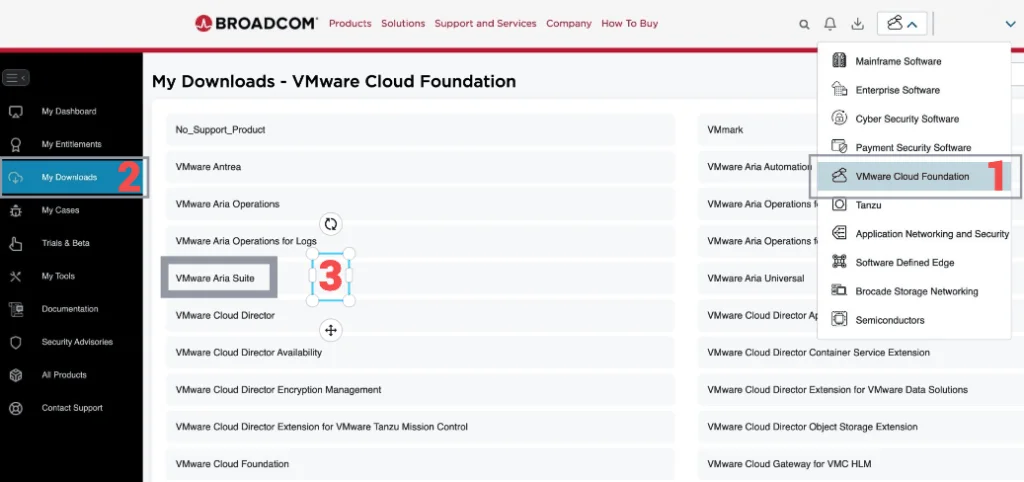
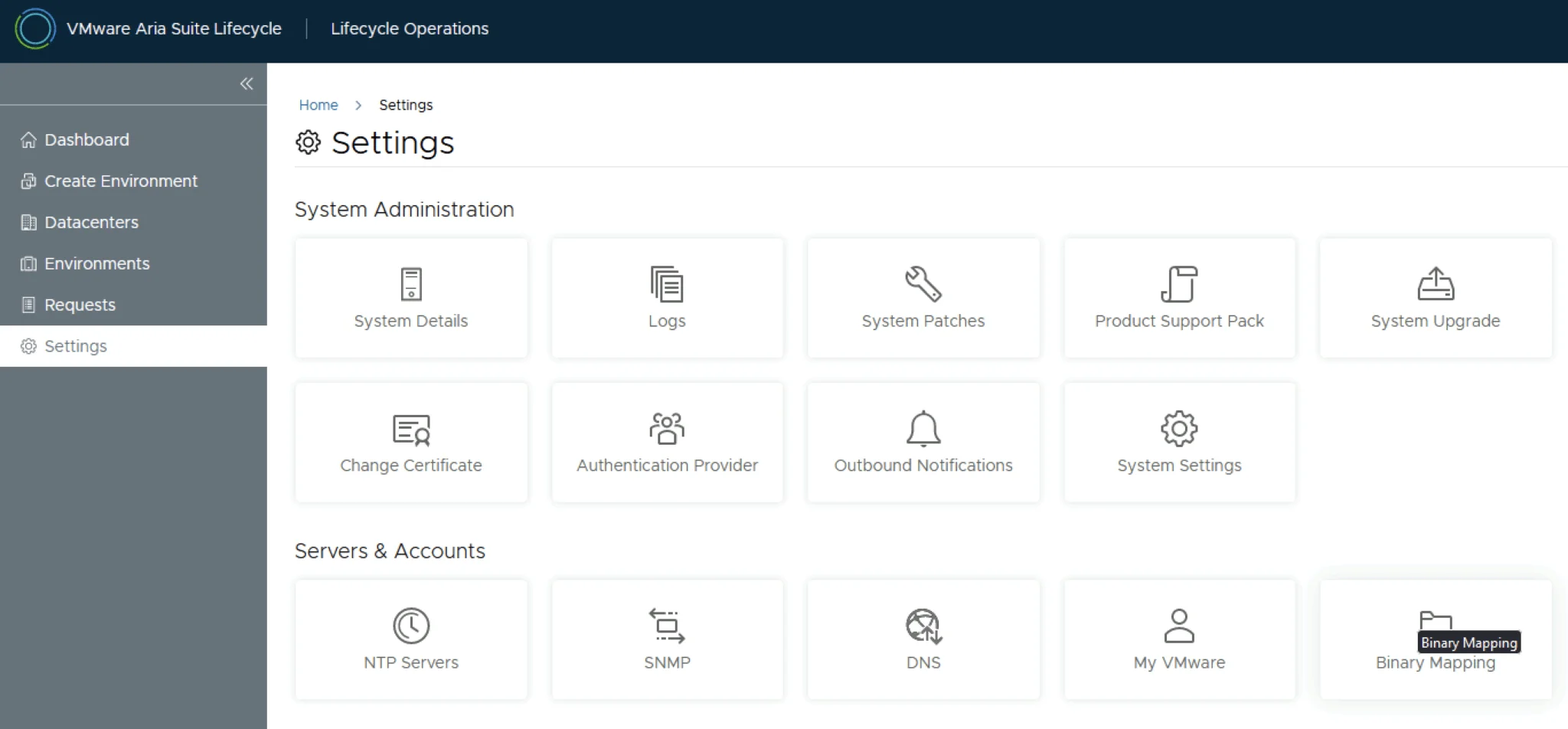
In this guide i will go over the manual steps of getting an existing 8.x Aria Suite Lifecycle appliance to support the latest product releases available. Here is a great blog that goes in to the details about what the Product Support Pack is https://blogs.vmware.com/management/2019/01/vrslcm-pspak.html. Typically the newer Product Support Pack is included part of the upgrade for Aria Suite Lifecycle, however sometimes there are product releases in between releases where product support packs come in handy. As of 8.16.0 Product Support Pack 4 we can no longer automatically download the Product Support Pack files. The release notes can be found here. ...

January 16, 2025 · 2 min · Cosmin
Article cover image

Patching\Upgrading ESXi 8 to ESXi8U3b via esxcli

With the latest release of ESXi8U3b i wanted to get my lab up to date. I dont have enough resources in my lab to migrate the vCenter to another ESXi server so i want to perform the upgrade via cli. More details about the release can found here The first step was to open the firewall for outgoing traffic for http esxcli network firewall ruleset set -e true -r httpClient Second step was to list the updates by executing ...

November 9, 2024 · 1 min · Cosmin
Article cover image

Aria Suite Lifecycle 8.18 Product Support Pack (PSPACK) upgrade - manual version

In this guide i will go over the manual steps of getting an existing 8.x Aria Suite Lifecycle appliance to support the latest product releases available. Here is a great blog that goes in to the details about what the Product Support Pack is https://blogs.vmware.com/management/2019/01/vrslcm-pspak.html. Typically the newer Product Support Pack is included part of the upgrade for Aria Suite Lifecycle, however sometimes there are product releases in between releases where product support packs come in handy. As of 8.16.0 Product Support Pack 4 we can no longer automatically download the Product Support Pack files. The release notes can be found here. ...

October 15, 2024 · 2 min · Cosmin
Article cover image

Upgrading VCF 5.x to VCF 5.2.1 Step by Step

With the release of VCF 5.2.1 I wanted to get my lab upgraded. The release blog can be found here and the release notes are here Please note that some of the components within the VCF will still need additional upgrading. Please read the release notes for additional details. We can start by going to Inventory -> Workload Domains -> Select the domain -> Updates -> Plan Upgrade. Select VMware Cloud Foundation 5.2.1.0 -> Confirm ...

October 14, 2024 · 4 min · Cosmin
Article cover image

VMware Aria Suite Lifecycle upgrade to 8.18

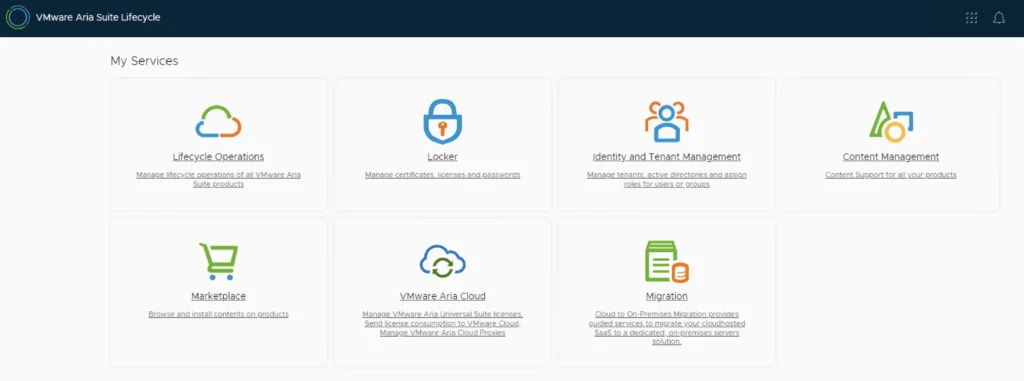
In this guide i will go over the steps of getting an existing 8.x vRSLCM appliance upgraded to the latest 8.18 release. The release notes can be found here. We can upgrade from vRealize Lifecycle Manager to VMware Aria Suite Lifecycle. The first step is to log in to VMware Aria Suite Lifecycle under the Lifecycle Operations section Go to Settings -> System Upgrade Click on Check for Upgrade ...

July 28, 2024 · 1 min · Cosmin
Article cover image

Upgrading VCF 5.x to VCF 5.2 Step by Step

With the release of VCF 5.2 I wanted to get my lab upgraded. The release blog can be found here and the release notes are here Please note that some of the components within the VCF will still need additional upgrading. Please read the release notes for additional details. We can start by going to Inventory -> Workload Domains -> Select the domain -> Updates -> Plan Upgrade. Select VMware Cloud Foundation 5.2.0.0 -> Confirm ...

July 27, 2024 · 3 min · Cosmin
VCF Assistant
Hi! I'm the VCF Assistant. Ask me anything about VMware Cloud Foundation, ESXi, vCenter, NSX, Aria Suite, or infrastructure automation.