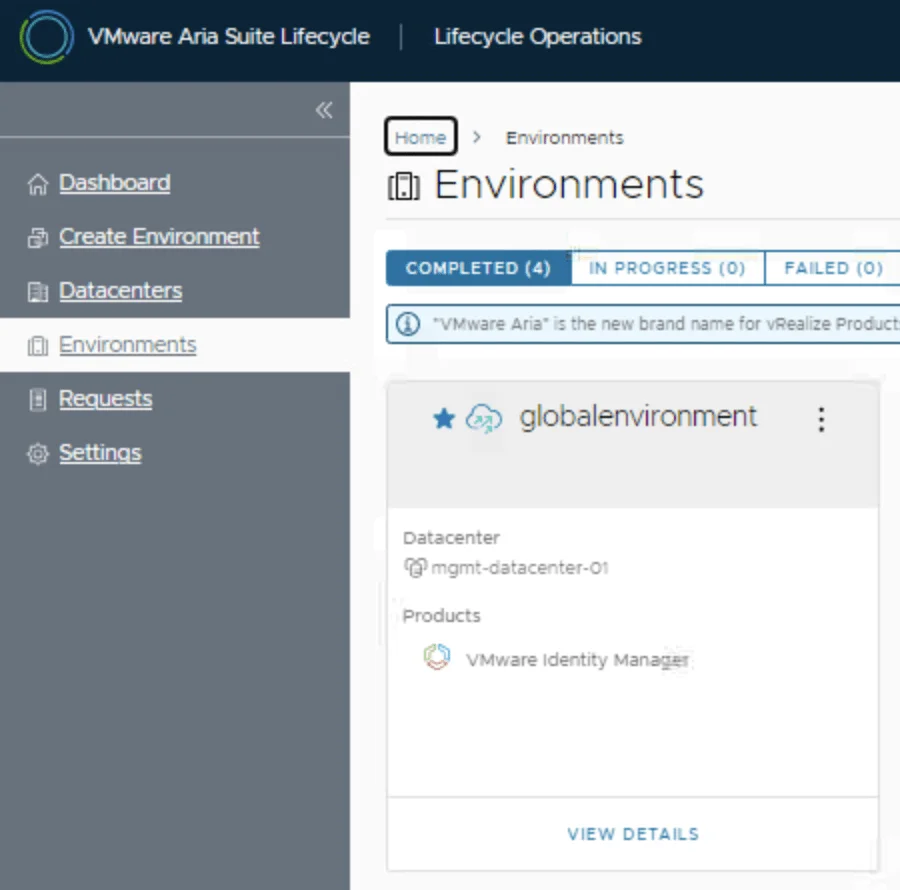
VMware Aria Suite Lifecycle dashboard showing environments and datacenters, with "globalenvironment" highlighted.

Replacing the VMware Identity Manager (vIDM) Certificate using VMware Aria Suite Lifecycle 8.18

Overview: Why and When to Replace the vIDM Certificate VMware Identity Manager (vIDM), also known as Workspace ONE Access, uses an SSL certificate to secure its web interface and establish trust with integrated VMware products (like vRealize/Aria Automation and Operations). Replacing this certificate is important in scenarios such as: Certificate Expiry: SSL certificates have expiration dates. You should replace the vIDM certificate before it expires to avoid service disruptions. An expired certificate can cause login failures and management tasks (like powering on vIDM or updating it) to fail. Self-Signed to CA-Signed: Out-of-the-box or lab deployments often use self-signed certificates, which trigger browser warnings and may not be trusted by other systems. Replacing a self-signed certificate with one signed by a trusted Certificate Authority (CA) eliminates these trust warnings and meets security compliance requirements. Security or Policy Requirements: Your organization might require using specific corporate CA certificates or updating certificates periodically for security. If the current certificate was compromised or if the domain name of the vIDM appliance changes, a replacement is needed. Integration Trust Issues: vIDM acts as the authentication provider for other VMware products. If those products do not trust vIDM’s certificate (e.g., after an update or if using a new CA), you should replace or re-trust the certificate to ensure seamless integration. In summary, proactively replace the vIDM certificate before it expires or whenever you need to switch to a certificate signed by a trusted CA. This ensures uninterrupted user access and integration with other services. Always schedule certificate updates during a maintenance window, as the process will restart services on vIDM and could temporarily disrupt logins. ...
Replacing the VMware Identity Manager (vIDM) Certificate using VMware Aria Suite Lifecycle 8.18

Step-by-Step Guide to Deploying Salt Open Source

Salt (SaltStack) is a powerful open-source configuration management and automation tool. Below is a step-by-step guide to deploying Salt Open Source for centralized configuration and management. Preparing the System Step 1: Update Your System Before installing Salt, update your package repositories and upgrade your system packages: sudo apt update sudo apt upgrade -y Installing and Configuring the Salt Master Step 2: Install Salt Master On your master server, install the Salt master package: ...

Step-by-Step Guide to Deploying Salt Open Source
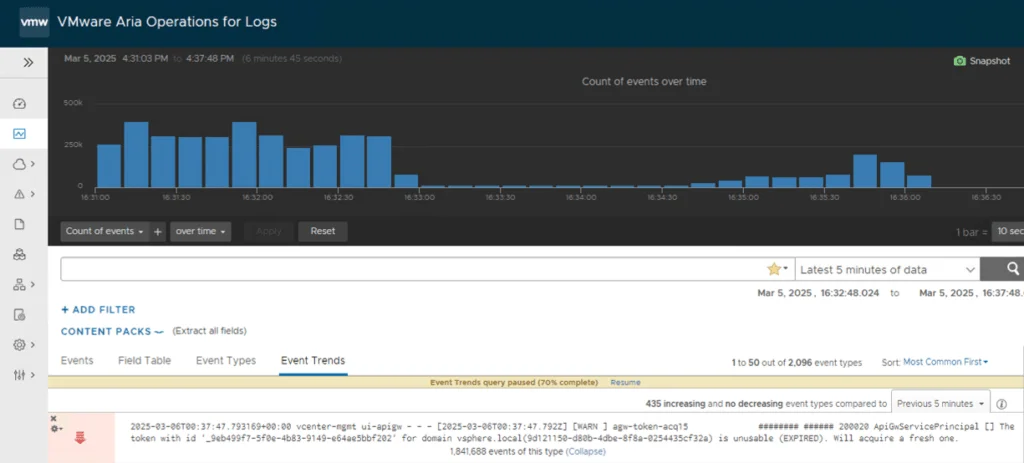
VMware Aria Operations dashboard shows repeated vCenter API gateway events.

Resolve Excessive ApiGwServicePrincipal Logging in vCenter Server 8.0

Repeated ApiGwServicePrincipal expired-token warnings in apigw.log are a known vCenter Server 8.0 issue. Broadcom identifies a possible Security Token Service (STS) condition that causes an endless loop in the vsphere-ui service. The permanent resolution is to upgrade to vCenter Server 8.0 Update 3e or a later supported release. An earlier version of this article recommended changing the rsyslog imfile severity assigned to apigw.log. That does not stop the messages, reduce how often vCenter writes them, or correct the STS/UI loop. The procedure has been removed. ...

 · Updated  · 
Resolve Excessive ApiGwServicePrincipal Logging in vCenter Server 8.0

Understanding VMSA-2025-0004 and Protecting Your VMware Environment

Current update: This March 2025 article is retained as historical context. Its original version incorrectly said patches were not yet available, but Broadcom’s initial advisory already included fixed versions. Use VMSA-2025-0004: Current Remediation and Fixed Versions for current, remediation-first guidance. Broadcom released VMSA-2025-0004 on March 4, 2025. The advisory covers serious vulnerabilities in VMware ESXi, Workstation, and Fusion, plus products that consume ESXi such as VMware Cloud Foundation and VMware Telco Cloud Platform. Fixed versions were available in the advisory’s response matrix at publication. ...

 · Updated  · 
Understanding VMSA-2025-0004 and Protecting Your VMware Environment
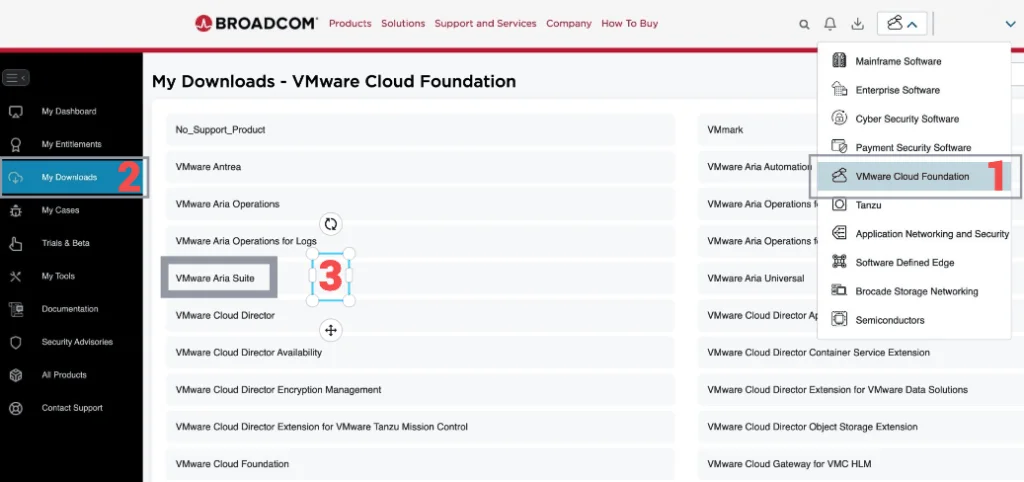
Broadcom portal with a menu for VMware Cloud Foundation downloads, highlighting the Aria Suite and other related tools.

Upgrading Aria Operations to 8.18.3 Using a .PAK File

This walkthrough records an Aria Operations upgrade with a .pak file and the checks I use to verify the cluster afterward. If you manage your environment with Lifecycle Manager instead, I covered upgrading Aria Operations to 8.18.3 via Aria Suite Lifecycle separately. Preparing for the Upgrade Prerequisites Before starting the upgrade, ensure the following prerequisites are met: Backup the Existing Deployment: Take a snapshot of all nodes in the Aria Operations (Master, Cloud proxies, and any other nodes). ...

Upgrading Aria Operations to 8.18.3 Using a .PAK File

Error LCMVRNICONFIG90115 in VMware Aria Suite Lifecycle Manager

If you’re a system administrator or IT professional working with VMware Aria Suite Lifecycle Manager, you might have hit a roadblock when trying to import a VMware Aria Operations for Networks instance. The error in question? LCMVRNICONFIG90115. Here’s what it looks like: Error Code: LCMVRNICONFIG90115 Invalid credentials provided for Console user. Please retry with correct console password. Invalid credentials provided for Console user. Please retry with correct console password. On the surface, this error screams “wrong password!” But even if you’re certain the credentials are spot-on, the issue might persist. Spoiler alert: the fix lies in enabling FIPS mode on the Aria Suite Lifecycle appliance. In this blog post, I’ll break down why this error happens, how FIPS mode resolves it, and provide a step-by-step guide to get you back on track. ...

Error LCMVRNICONFIG90115 in VMware Aria Suite Lifecycle Manager

SaltStack Config vs Ansible Tower: A Comprehensive Comparison of Two Leading Configuration Management Tools

In today’s fast-paced IT landscape, managing infrastructure efficiently is a top priority. Configuration management tools like SaltStack Config and Ansible Tower empower IT teams to automate server provisioning, software deployment, and system maintenance. But how do these two solutions compare, and which one is the best fit for your organization? In this detailed comparison of SaltStack Config vs Ansible Tower, we’ll explore their key features, use cases, strengths, and weaknesses. Whether you’re searching for scalability, ease of use, or seamless integrations, this guide will help you decide which tool aligns with your automation needs. ...

SaltStack Config vs Ansible Tower: A Comprehensive Comparison of Two Leading Configuration Management Tools

Understanding the Differences Between SaltStack and Terraform

SaltStack and Terraform solve different layers of infrastructure work. SaltStack manages configuration on servers, while Terraform provisions infrastructure. This comparison covers their architectures, use cases, and how the two tools can work together. What is SaltStack? SaltStack, commonly known as Salt, is a configuration management tool designed to automate the setup, configuration, and ongoing maintenance of servers. It thrives in environments where consistency and control over server states are paramount. Salt operates on a master-minion architecture, where a central master server orchestrates commands and configurations across multiple minion servers in real time. ...

Understanding the Differences Between SaltStack and Terraform

Comparing VMware vSAN ESA and Traditional Storage Solutions

In today’s blog, we’re diving into the world of storage solutions, specifically comparing VMware’s vSAN Express Storage Architecture (ESA) with traditional storage systems like SAN (Storage Area Network) and NAS (Network Attached Storage). If you’re wondering which storage solution is right for your environment, this post is for you. We’ll explore the key differences in architecture, performance, scalability, cost, management, and use cases to help you make an informed decision. ...

Comparing VMware vSAN ESA and Traditional Storage Solutions

Tracking Licensed Assets in VMware Aria Automation

I often find myself fielding questions about how to effectively manage and monitor licensing in VMware Aria Automation. Licensing is a critical piece of the puzzle when it comes to ensuring compliance, optimizing resource usage, and maintaining operational efficiency in your automation environment. Recently, I was asked about tracking licensed assets, and I’m excited to share a practical approach using the powerful vracli command-line interface (CLI), specifically the vracli license usage command. In this blog, I’ll walk you through how to leverage this tool to gain visibility into your licensed assets, why it matters, and some actionable insights for managing your Aria Automation deployment. ...

Tracking Licensed Assets in VMware Aria Automation