Fixing “PostgreSQL won’t start after reboot” on VCF Operations Fleet Management 9.0.1 — and automating it

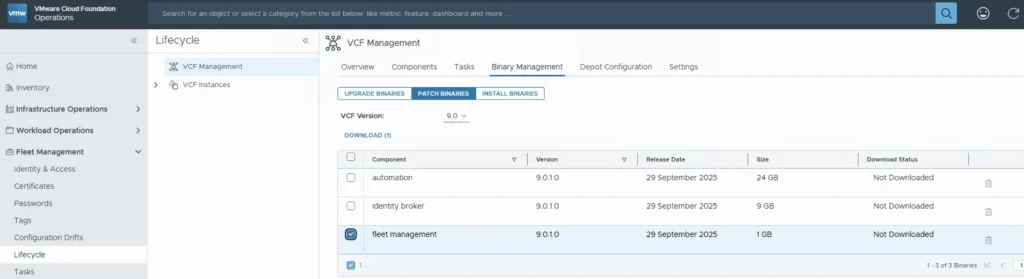
When upgrading the VCF Operations Fleet Management appliance to 9.0.1, you might hit a reboot surprise: vPostgres fails to start, and the fleet-management certificate is regenerated. You’ll see journal errors like: pg_ctl: could not open PID file "/var/vmware/vpostgres/current/pgdata/postmaster.pid": Permission denied systemd[1]: vpostgres.service: Control process exited, code=exited, status=1/FAILURE Broadcom’s KB confirms the symptoms and provides the manual steps to fix permissions on the Postgres data dir and to normalize the regenerated cert/key filenames, followed by service restarts. If you are also moving the analytics side to the same release, I covered upgrading VCF Operations to 9.0.1 using a .PAK file separately. ...

September 30, 2025 · Cosmin Trif

WordPress to Cloudflare Workers: how I statically mirrored my entire site (and kept search & lightbox!)

I wanted to cache everything behind Cloudflare and stop worrying about PHP, MySQL, and plugin drift on my backup site cosmin.gq. I tried one-click export plugins (both the free and paid Simply Static), but I couldn’t get a clean export that behaved like the live site. So I rolled up my sleeves and wrote a Bash script that: crawls the site using the official sitemaps (including .gz children), mirrors HTML + assets incrementally, cleans up quirks like ?p= permalinks, generates a small search index (no dependencies, no bs4), adds a lightweight lightbox for images, and serves it all from Cloudflare Workers Static Assets with a smart router that understands /path, /path/, /path.html, and /path/index.html. Below is the story of how each section of the script came to be, what went wrong, what I learned, and why each piece is there. ...

August 22, 2025 · Cosmin Trif
VCF Operations UI showing policy definition with "Default Policy" active.

Suppress ESXi Host Alerts in VCF Operations 9 When a Host Enters Maintenance Mode

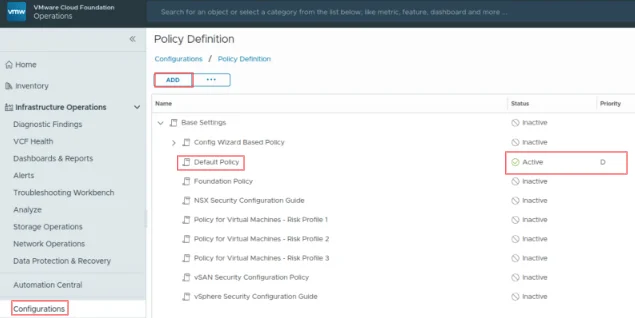
When a vSphere admin places an ESXi host in vCenter maintenance mode, VCF Operations should automatically suppress host alerts for that object, without pausing metric collection, and then restore alerting when maintenance ends. Why this approach? In VCF 9, you can avoid alert noise during maintenance in two ways: Maintenance Schedules – pause both collection and alerts during a defined window (best for planned maintenance). Policy-based alert suppression (this post) – keep metrics flowing but disable host alert definitions while the host is in maintenance. This is done with a policy attached to a dynamic custom group keyed to the host’s Maintenance Mode property. Note on naming: In VCF 9, VCF Operations is the successor to Aria/vRealize Operations and is part of the unified Cloud Foundation experience. If you’re upgrading from Aria Operations, see Broadcom’s “Upgrade to VCF Operations 9.0.” ...

July 30, 2025 · Cosmin Trif
VMware Aria Suite Lifecycle Manager 8.18.0 PATCH2 details, including status, type, and download link.

Applying VMware Aria Suite Lifecycle Manager 8.18 Patch 2

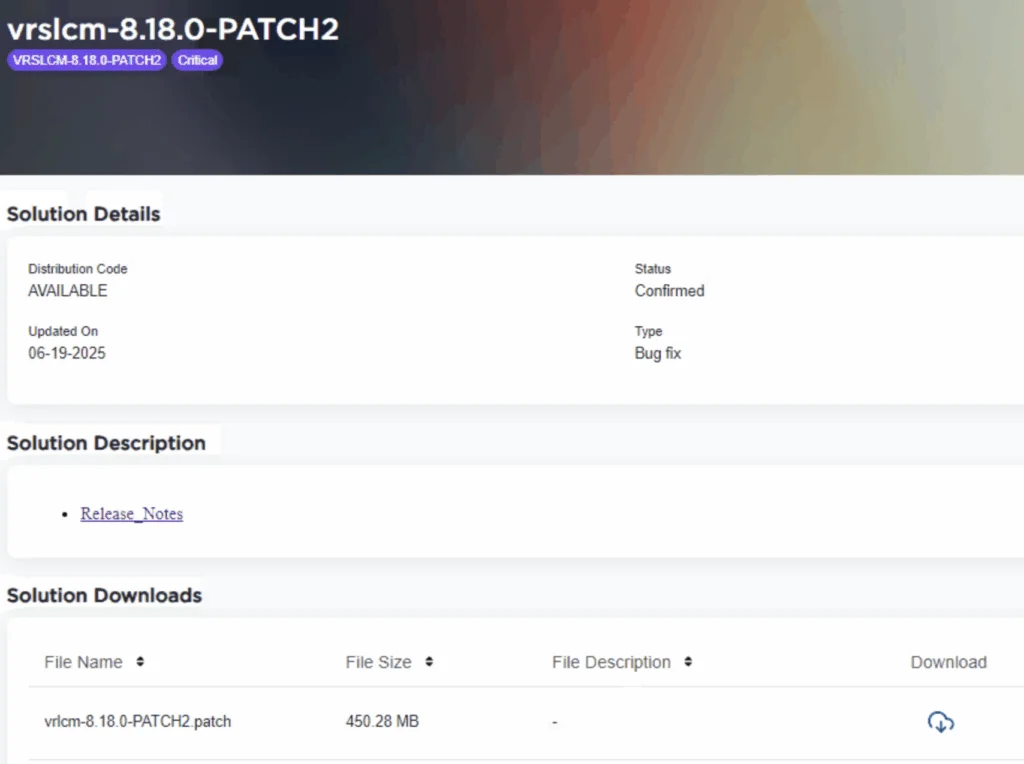
Patch 2 prepares Aria Suite Lifecycle Manager (ASLCM) for VMware Cloud Foundation 9.0 migrations. It does not deliver new features or hot-fixes, so only install it if VCF 9.0 (or the new VCF Operations appliance) is on your near-term roadmap. Why Patch 2 Matters Patch 2 updates the appliance-level services that let ASLCM recognize and orchestrate VCF 9.0 components (for example, Aria Operations 9.0). Without it, the 8.18 lifecycle UI cannot import or upgrade those binaries. If you are staying on VCF 5.x/8.x for a while, you can safely defer this patch. ...

June 20, 2025 · Cosmin Trif
VMware Cloud Foundation 9.0.0.0 download page showing various components and their releases.

Upgrading Aria Operations to 9.0 Using a .PAK File

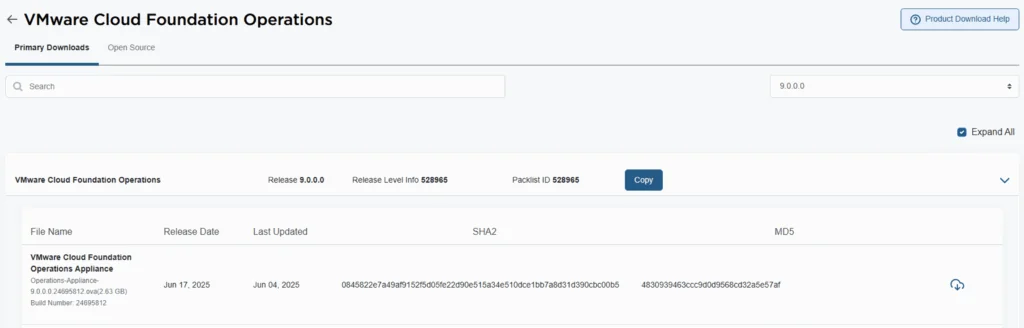
Upgrading Aria Operations (formerly VMware vRealize Operations) is a crucial task to ensure you’re using the latest features, security patches, and performance improvements. In this guide, we’ll walk through the step-by-step process of upgrading Aria Operations using a .pak file. Preparing for the Upgrade Prerequisites Before starting the upgrade, ensure the following prerequisites are met: Backup the Existing Deployment: • Take a snapshot of all nodes in the Aria Operations (Master, Cloud proxies, and any other nodes). ...

June 19, 2025 · Cosmin Trif
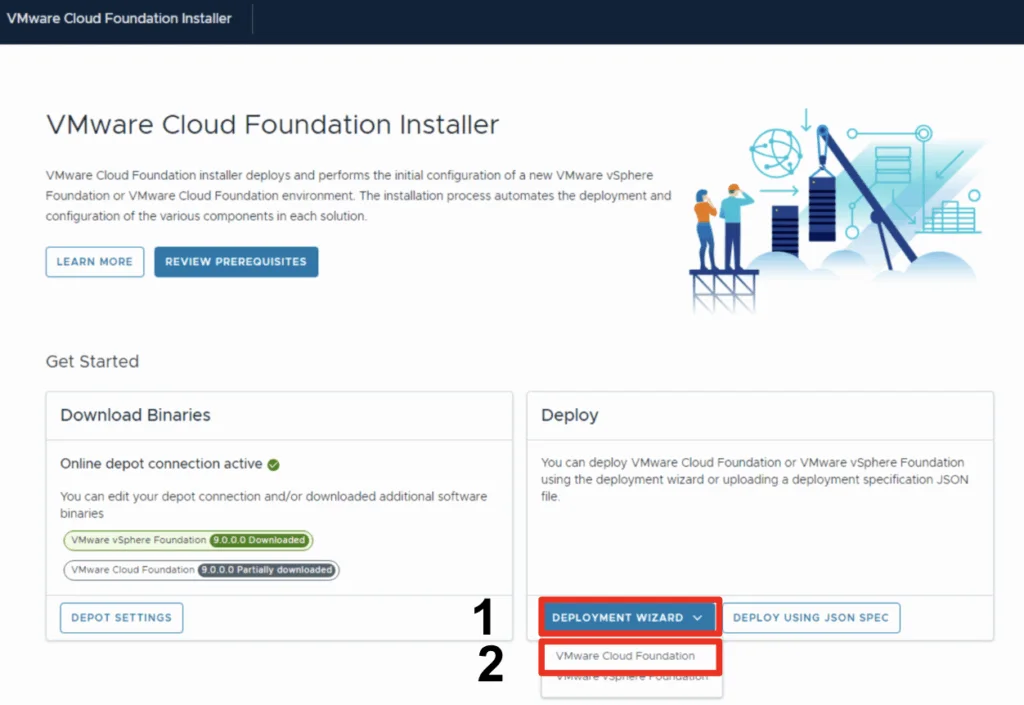
VMware Cloud Foundation Installer screen shows download and deployment options for a new VCF instance.

Deploy a VCF 9 Instance in an new VCF fleet

In this blog we will go over deploying a VCF 9 instance using existing components. This assumes the VCF Installer appliance is already deployed and configured. Once logged on and binaries downloaded we can go through the Deployment wizard Click Deployment Wizard to bring up the menu Click on VMware Cloud Foundation Because I do not yet have any environments upgraded to the new fleet management this will be a new VCF Fleet. ...

June 18, 2025 · Cosmin Trif
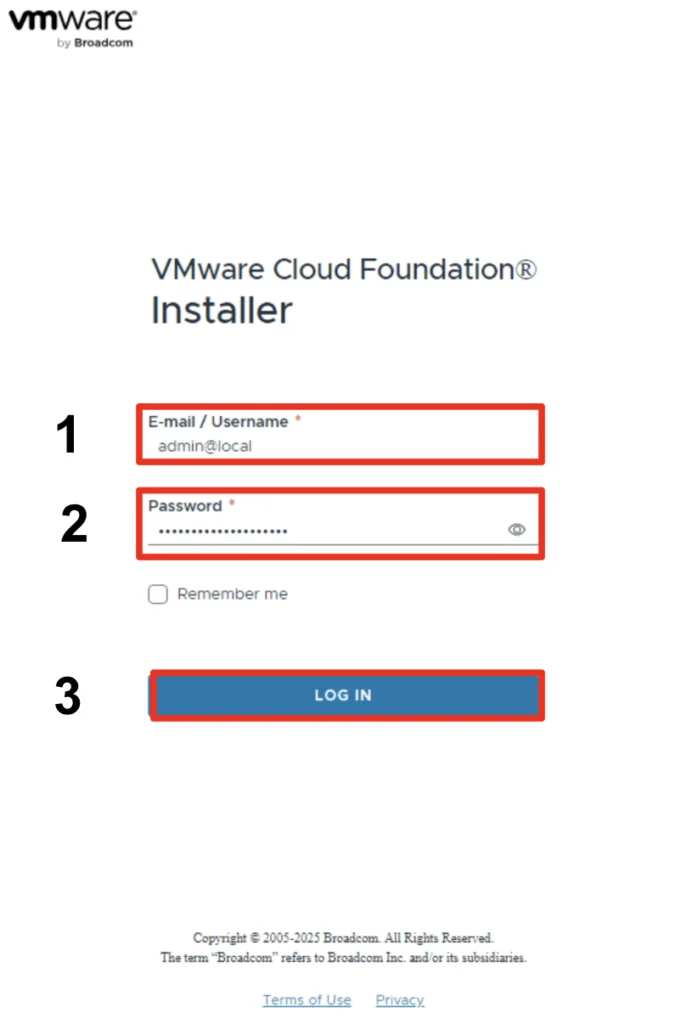
VMware Cloud Foundation Installer login screen with fields for email/username and password, and a 'Log In' button.

Configuring the VMware Cloud Foundation Installer appliance Step-by-step instructions

With the release of VCF 9 (Official What’s New blog can be found here) I wanted to get my lab environment upgraded so I can try out all of the new features. In my previous post we went over the deployment of the appliance. In this post we will be covering the configuration. Configure the VMware Cloud Foundation Installer appliance Once the appliance is deployed we can navigate to https://ip_address/ui or https://hostname/ui of the appliance. If everything is working properly we should be presented with a login screen. ...

June 18, 2025 · Cosmin Trif
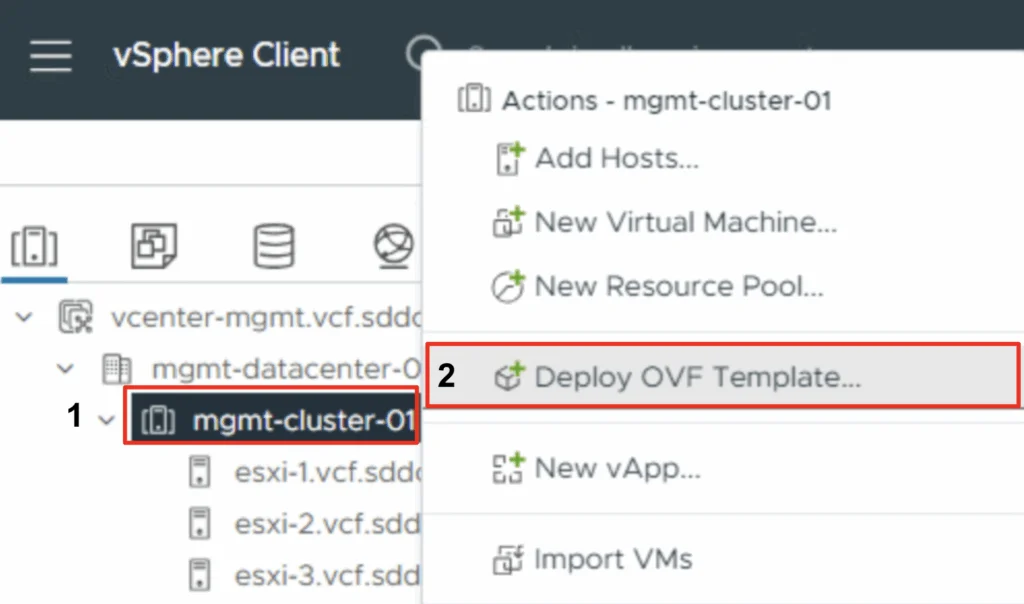
VSphere Client interface with options for deploying an OVF template in the 'mgmt-cluster-01' datacenter.

Deploying the VMware Cloud Foundation Installer appliance Step-by-step instructions

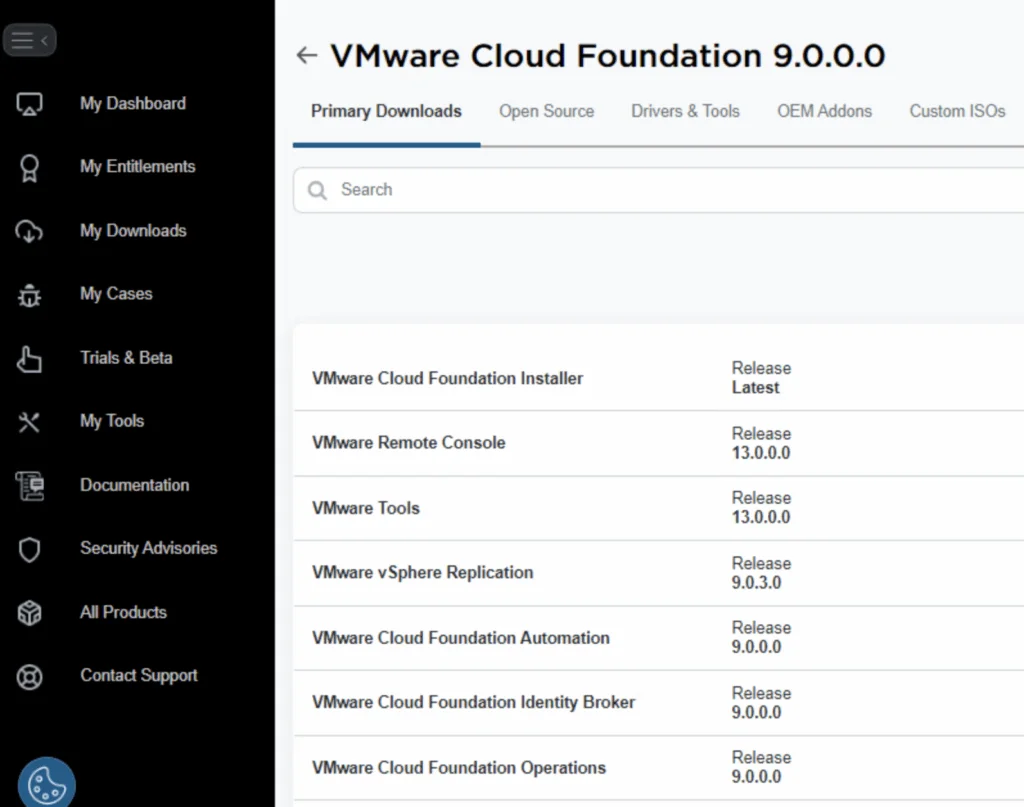
With the release of VCF 9 (Official What’s New blog can be found here) I wanted to get my lab environment upgraded so I can try out all of the new features. To get started we need to download the VMware Cloud Foundation Installer from the VMware Cloud Foundation 9.0.0.0 page found here. In this post we will cover only the deployment. The configuration is available in another post. Deploy the VMware Cloud Foundation Installer appliance Once the appliance is downloaded we need to get the ova deployed. ...

June 17, 2025 · Cosmin Trif
VMware Aria Suite Lifecycle dashboard showing environments and datacenters, with "globalenvironment" highlighted.

Replacing the VMware Identity Manager (vIDM) Certificate using VMware Aria Suite Lifecycle 8.18

Overview: Why and When to Replace the vIDM Certificate VMware Identity Manager (vIDM), also known as Workspace ONE Access, uses an SSL certificate to secure its web interface and establish trust with integrated VMware products (like vRealize/Aria Automation and Operations). Replacing this certificate is important in scenarios such as: Certificate Expiry: SSL certificates have expiration dates. You should replace the vIDM certificate before it expires to avoid service disruptions. An expired certificate can cause login failures and management tasks (like powering on vIDM or updating it) to fail. Self-Signed to CA-Signed: Out-of-the-box or lab deployments often use self-signed certificates, which trigger browser warnings and may not be trusted by other systems. Replacing a self-signed certificate with one signed by a trusted Certificate Authority (CA) eliminates these trust warnings and meets security compliance requirements. Security or Policy Requirements: Your organization might require using specific corporate CA certificates or updating certificates periodically for security. If the current certificate was compromised or if the domain name of the vIDM appliance changes, a replacement is needed. Integration Trust Issues: vIDM acts as the authentication provider for other VMware products. If those products do not trust vIDM’s certificate (e.g., after an update or if using a new CA), you should replace or re-trust the certificate to ensure seamless integration. In summary, proactively replace the vIDM certificate before it expires or whenever you need to switch to a certificate signed by a trusted CA. This ensures uninterrupted user access and integration with other services. Always schedule certificate updates during a maintenance window, as the process will restart services on vIDM and could temporarily disrupt logins. ...

May 8, 2025 · Cosmin Trif

Step-by-Step Guide to Deploying Salt Open Source

Salt (SaltStack) is a powerful open-source configuration management and automation tool. Below is a step-by-step guide to deploying Salt Open Source for centralized configuration and management. Preparing the System Step 1: Update Your System Before installing Salt, update your package repositories and upgrade your system packages: sudo apt update sudo apt upgrade -y Installing and Configuring the Salt Master Step 2: Install Salt Master On your master server, install the Salt master package: ...

April 9, 2025 · Cosmin Trif