Extracting SSL Thumbprint

I recently ran in to an issue where i had to re-register my NSX server with vIDM. The ask was to extract the Thumbprint from vIDM. The command i ran to extract it was: echo -n | openssl s_client -connect hostname:443 2>/dev/null | openssl x509 -noout -fingerprint -sha256 This can be used across multiple products where the Thumbprint needs to be extracted
October 10, 2020 · Cosmin Trif
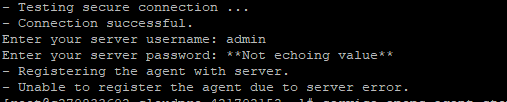
Error message shows server registration failure due to server error during vRealize Operation Endpoint Agent setup.

vRealize Operation Endpoint Agent (EPops) Unable to register error

While i was doing the operations endpoint install on a new vROPS environment i experienced an strange error that i didnt see before - Unable to register the agent due to server error. In order to find the issue i had to log in to my vROPS server in order to review the logs. I was able to find the End Point Adapter log file here: ...

September 27, 2020 · Cosmin Trif
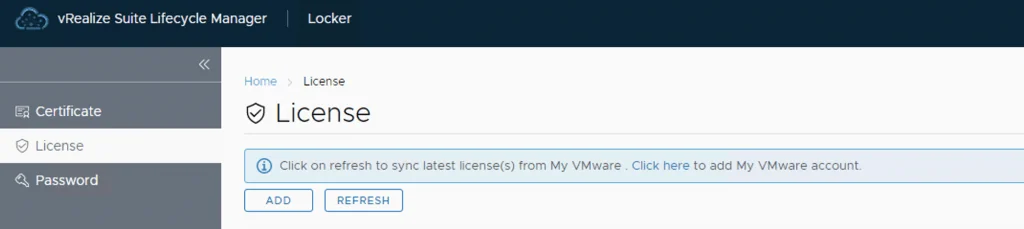
UI shows License tab in vRealize Lifecycle Manager with options to add or refresh licenses.

Adding keys in vRealize Lifecycle Manager in a VCF 4 Environment

From a lifecycle manager perspective we have a couple of ways to add keys to the environment If the my vmware user that is added to lifecycle manager has access to they keys, the keys can automatically discovered and imported. For this we can go to the locker from Home -> Locker -> License. If the keys are not discovered we can click on the refresh button up top to perform a manual sync ...

September 13, 2020 · Cosmin Trif
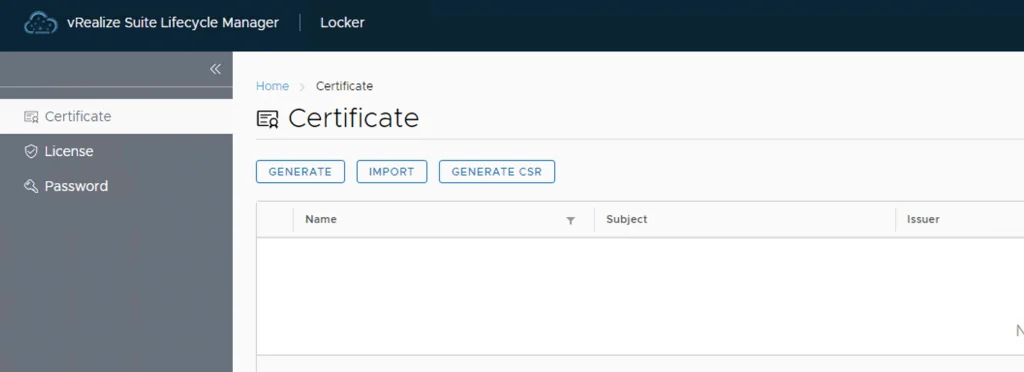
vRealize Lifecycle Manager certificate management screen shows options to generate, import, and create a CSR.

vRealize Lifeycycle Manager (vRSLCM) 8 certificate mangement

vRealize Lifeycycle Manager (vRSLCM) come with a Certificate Management feature. We can access the certificate management from Home -> Locker -> Certificate We can generate Self Signed certificates for products managed by Lifecycle Manager as well as certificate requests to be signed by a certification authority Generate a new CSR ...

September 13, 2020 · Cosmin Trif
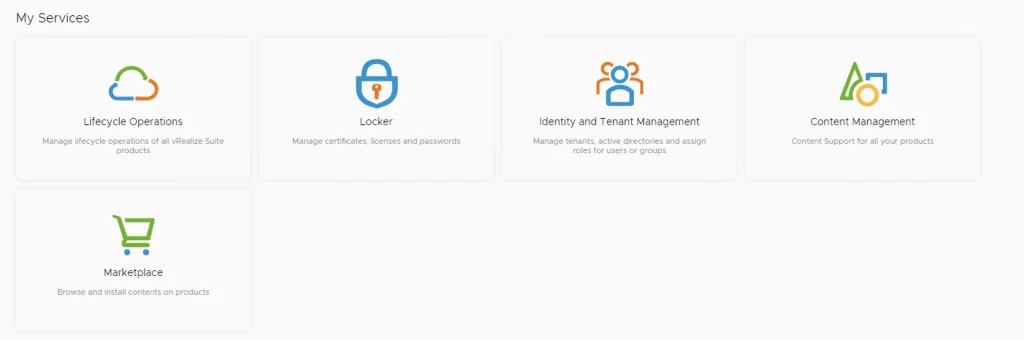
My Services: Lifecycle Operations, Locker, Identity and Tenant Management, Content Management, Marketplace.

vRealize Lifeycycle Manager (vRSLCM) enable product dowloads

In order to enable product downloads in lifecycle manager we need to go to Lifecycle Operations Settings -> My vmware Add my vmware account. Make sure the account added has a proper entitlement to perform downloads and patches. With the releases of 8.x and above we now have a password vault that we need to add the passwords to. When presented with the add my VMware Account Detail screen press on Click here to add a new password ...

September 13, 2020 · Cosmin Trif
Error message: X-Region Application Virtual Network not created.

X-Region Application Virtual Network is not created error

While trying to deploy vRealize Suite Lifecycle Manager in VCF 4, i was prompted by an error X-Region Application Virtual Network is not created After doing some research i found out that the error is due to AVN not getting deployed part of the initial deployment. I remembered that VCF 4 doesnt actually require it so after i did some research i was able to find a kb article that allowed me to continue with my install. KB 78608 ...

September 13, 2020 · Cosmin Trif
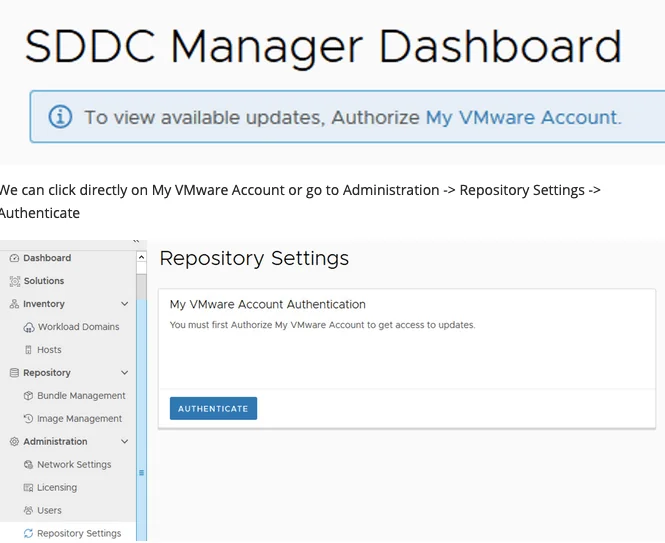
Dashboard shows VMware account authorization needed for updates.

Upgrading VCF 4.0 to VCF 4.0.1

With the release of VCF 4.0.1 i wanted to go through the patch in my lab. The release notes can be found here: https://docs.vmware.com/en/VMware-Cloud-Foundation/4.0.1/rn/VMware-Cloud-Foundation-401-Release-Notes.html When i logged on to my SDDC Manager i noticed that there weren’t any updates available and i was prompted with an information bar To view available updates, Authorize My VMware Account. We can click directly on My VMware Account or go to Administration -> Repository Settings -> Authenticate ...

July 16, 2020 · Cosmin Trif
Error message shows upgrade issue; run "restart service install-upgrade" on NSX Manager.

NSX 2.5.0 to NSX 2.5.1 fails with error “restart service install-upgrade” on the NSX Manager.

I`ve recently ran through a problem when trying to upgrade NSX-T from version 2.5.0 to 2.5.1. When using the Upgrade function within the UI i was getting the following error: This page is only available on the NSX Manager where Upgrade Coordinator is running. To configure the service, run the command “restart service install-upgrade” on the NSX Manager. ...

July 16, 2020 · Cosmin Trif