Settings page with options like System Details, Logs, System Patches, and more for SSC upgrade.

Upgrading SSC (SaltStack Config) to 8.9 using vRSLCM

In this post I will go over upgrading my 8.x SSC appliance to 8.9. As a pre requirement we do need to have vRSLCM (vRealize Lifecycle Manager) upgraded to 8.8.2. Instructions can be found here. The upgrade doesn’t include the required Product support pack. Instructions on how to get the latest support pack can be found here. Mapping the Upgrade Binary in vRSLCM To get started we can go to vRealize Lifecycle Manager -> Lifecycle Operations -> Settings -> Binary Mapping. (If you haven’t added your My VMware credentials you will need to do that first by going to vRealize Lifecycle Manager -> Lifecycle Operations -> Settings -> My VMware) ...
September 9, 2022 · Cosmin Trif
Settings page for vRA 8.9.0 upgrade, showing options for system administration and servers/accounts.

Upgrading vRA (vRealize Automation) to 8.9.0

In this post I will go over upgrading my 8.x vRA appliance to 8.9. As a pre requirement we do need to have vRSLCM (vRealize Lifecycle Manager) upgraded to 8.8.2 Instructions can be found here. The upgrade doesn’t include the required Product support pack. Instructions on how to get the latest support pack can be found here. Downloading the vRA 8.9.0 Binaries To get started we can go to vRealize Lifecycle Manager -> Lifecycle Operations -> Settings -> Binary Mapping. (If you haven’t added your My VMware credentials you will need to do that first by going to vRealize Lifecycle Manager -> Lifecycle Operations -> Settings -> My VMware) ...

September 9, 2022 · Cosmin Trif
A plane cockpit dashboard with gauges and a quote about virtualization management.

Why Automate Virtual Infrastructure, Why Do it Now, and Why Do it with vRealize Automation

Our IT culture has shifted from managing infrastructure to the management of services. We deliver a self-service catalog to our consumers who manage their environment. Providing our consumers with the self-service catalog reduced delivery of workloads from weeks to hours and it significantly increased their overall satisfaction. – Senior IT director and enterprise architect (Large Healthcare System in western Pennsylvania healthcare system) Automation is a journey. The primary reason to adopt automation is to streamline manual processes, enabling your information technology teams to focus on more valuable activities. The goal is to shift lifecycle management of workloads and day-to-day actions to the internal consumer. We look to the future to see where we want to end up and then plan how to get there. ...

August 1, 2022 · Cosmin Trif
Settings page with various options for system administration and server management.

Upgrading vRA (vRealize Automation) to 8.8.2

In this post I will go over upgrading my 8.x vRA appliance to 8.8.2. As a pre requirement we do need to have vRSLCM (vRealize Lifecycle Manager) upgraded to 8.8.2 Instructions can be found here. The upgrade already includes the latest Product Support Pack so an update to the Product Support Pack is not required. Mapping the Upgrade Binaries To get started we can go to vRealize Lifecycle Manager -> Lifecycle Operations -> Settings -> Binary Mapping. (If you haven’t added your My VMware credentials you will need to do that first by going to vRealize Lifecycle Manager -> Lifecycle Operations -> Settings -> My VMware) ...

July 13, 2022 · Cosmin Trif
Settings page for vRLI upgrade via vRSLCM, showing various administration and server configuration options.

Upgrading vRLI (vRealize Log Insight) to 8.8.2 via vRSLCM

In this post I will go over upgrading my 8.x vRLI appliance to 8.8.2 using vRSLCM (vRealize Suite Lifecycle Manager). As a pre requirement we do need to have vRSLCM (vRealize Lifecycle Manager) upgraded to 8.8.2. Instructions can be found here. The upgrade already includes the latest Product Support Pack so an update to the Product Support Pack is not required. Downloading the 8.8.2 Binaries To get started we can go to vRealize Lifecycle Manager -> Lifecycle Operations -> Settings -> Binary Mapping. (If you haven’t added your My VMware credentials you will need to do that first by going to vRealize Lifecycle Manager -> Lifecycle Operations -> Settings -> My VMware) ...

July 13, 2022 · Cosmin Trif
Settings page with options for System Administration and Servers & Accounts, relevant for upgrading SSC using vRSLCM.

Upgrading SSC (SaltStack Config) to 8.8.2 using vRSLCM

In this post I will go over upgrading my 8.x SSC appliance to 8.8.2. As a pre requirement we do need to have vRSLCM (vRealize Lifecycle Manager) upgraded to 8.8.2. Instructions can be found here. The upgrade already includes the latest Product Support Pack so an update to the Product Support Pack is not required. Adding the 8.8.2 Binaries in vRSLCM To get started we can go to vRealize Lifecycle Manager -> Lifecycle Operations -> Settings -> Binary Mapping. (If you haven’t added your My VMware credentials you will need to do that first by going to vRealize Lifecycle Manager -> Lifecycle Operations -> Settings -> My VMware) ...

July 13, 2022 · Cosmin Trif
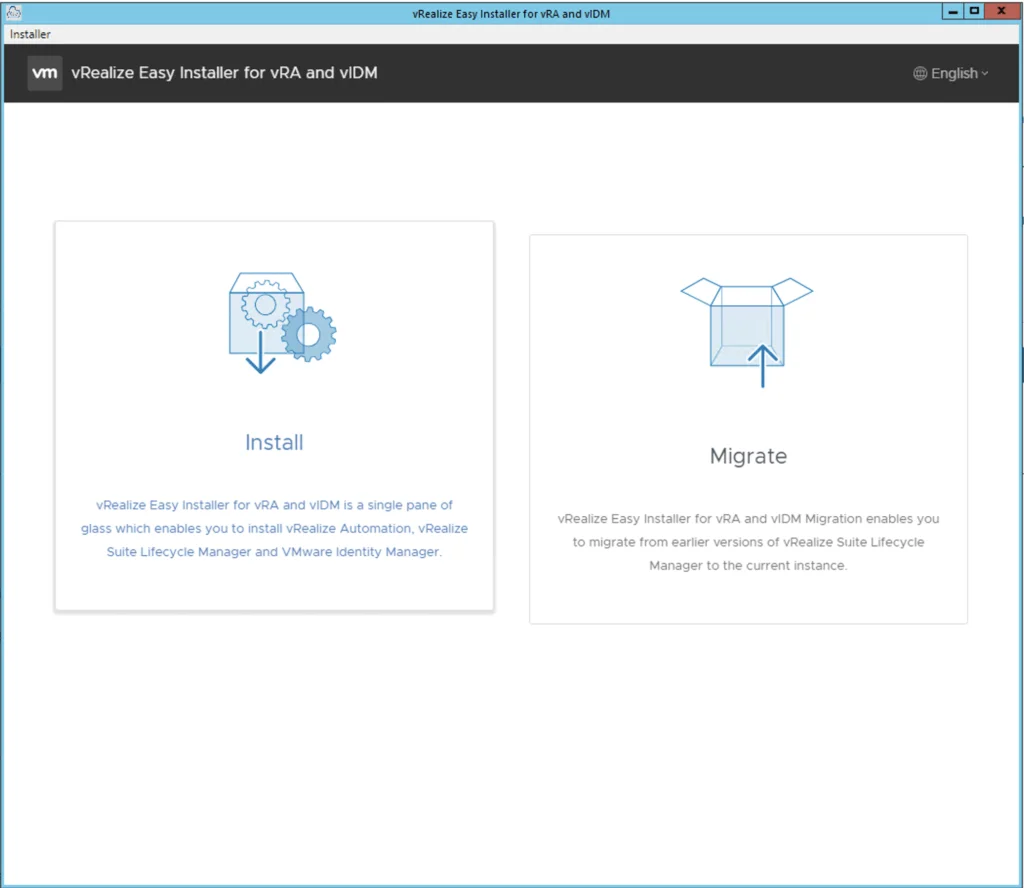
VRealize Easy Installer for vRA and vIDM with options to install or migrate.

Deploying vRA 8.8 using the Easy Installer

In this guide I will go over the deployment of vRA 8.8 using the Easy Installer. The reason I like the Easy Installer is because it deploys everything that I need. vIDM, Lifecycle Manager as well as vRA. Downloading and Mounting the Installer To get started we need to download the installer from here. Once downloaded mount the iso as a drive using your favorite tool or extract it as a archive using something like 7-zip ...

June 6, 2022 · Cosmin Trif
Settings page for vROPS upgrade via vRSLCM, showing various administration and server configuration options.

Upgrading vROPS (vRealize Operations Manager) to 8.6.3 via vRSLCM

In this post I will go over upgrading my 8.x vROPS appliance to 8.6.3 using vRSLCM (vRealize Suite Lifecycle Manager). As a pre requirement we do need to have vRSLCM (vRealize Lifecycle Manager) upgraded to 8.8 Instructions can be found here. The upgrade already includes the latest Product Support Pack so an update to the Product Support Pack is not required. Downloading the 8.6.3 Upgrade Binaries To get started we can go to vRealize Lifecycle Manager -> Lifecycle Operations -> Settings -> Binary Mapping. (If you haven’t added your My VMware credentials you will need to do that first by going to vRealize Lifecycle Manager -> Lifecycle Operations -> Settings -> My VMware) ...

May 16, 2022 · Cosmin Trif
Settings page for vRLI upgrade via vRSLCM, showing options like System Details, Logs, and Authentication Provider.

Upgrading vRLI (vRealize Log Insight) to 8.6.2 via vRSLCM

In this post I will go over upgrading my 8.x vRLI appliance to 8.6.2 using vRSLCM (vRealize Suite Lifecycle Manager). As a pre requirement we do need to have vRSLCM (vRealize Lifecycle Manager) upgraded to 8.6.2 or 8.7. Instructions can be found here. The upgrade already includes the latest Product Support Pack so an update to the Product Support Pack is not required. Downloading the Upgrade Binaries To get started we can go to vRealize Lifecycle Manager -> Lifecycle Operations -> Settings -> Binary Mapping. (If you haven’t added your My VMware credentials you will need to do that first by going to vRealize Lifecycle Manager -> Lifecycle Operations -> Settings -> My VMware) ...

May 16, 2022 · Cosmin Trif
Settings page for vRA 8.8 upgrade, showing various system and server management options.

Upgrading vRA (vRealize Automation) to 8.8

In this post I will go over upgrading my 8.x vRA appliance to 8.8. As a pre requirement we do need to have vRSLCM (vRealize Lifecycle Manager) upgraded to 8.78 Instructions can be found here. The upgrade already includes the latest Product Support Pack so an update to the Product Support Pack is not required. Mapping and Downloading the vRA 8.8 Binaries To get started we can go to vRealize Lifecycle Manager -> Lifecycle Operations -> Settings -> Binary Mapping. (If you haven’t added your My VMware credentials you will need to do that first by going to vRealize Lifecycle Manager -> Lifecycle Operations -> Settings -> My VMware) ...

May 16, 2022 · Cosmin Trif