Enhancing vCenter Server Firewall Management with Ansible

In today’s dynamic IT environments, maintaining a secure and efficient infrastructure is paramount. For VMware vSphere administrators, managing the firewall settings on vCenter servers is a critical task that ensures the security of the entire virtualized infrastructure. Ansible, an open-source automation tool, offers a streamlined approach to managing firewall settings across multiple vCenter servers. This blog post will guide you through automating vCenter server firewall configurations using Ansible, showcasing how to apply these changes across multiple servers seamlessly. ...
Enhancing vCenter Server Firewall Management with Ansible

Streamlining vCenter Server Firewall Management with SaltStack Config

In the realm of VMware vSphere management, securing your vCenter Server is critical to maintaining a robust and secure infrastructure. SaltStack Config, integrated into VMware’s vRealize Automation suite, offers a powerful way to automate and manage configurations across your VMware environment, including firewall settings. This blog explores how to leverage SaltStack Config to automate firewall adjustments on your vCenter servers, ensuring consistent security policies and simplifying the process across multiple instances. ...

Streamlining vCenter Server Firewall Management with SaltStack Config
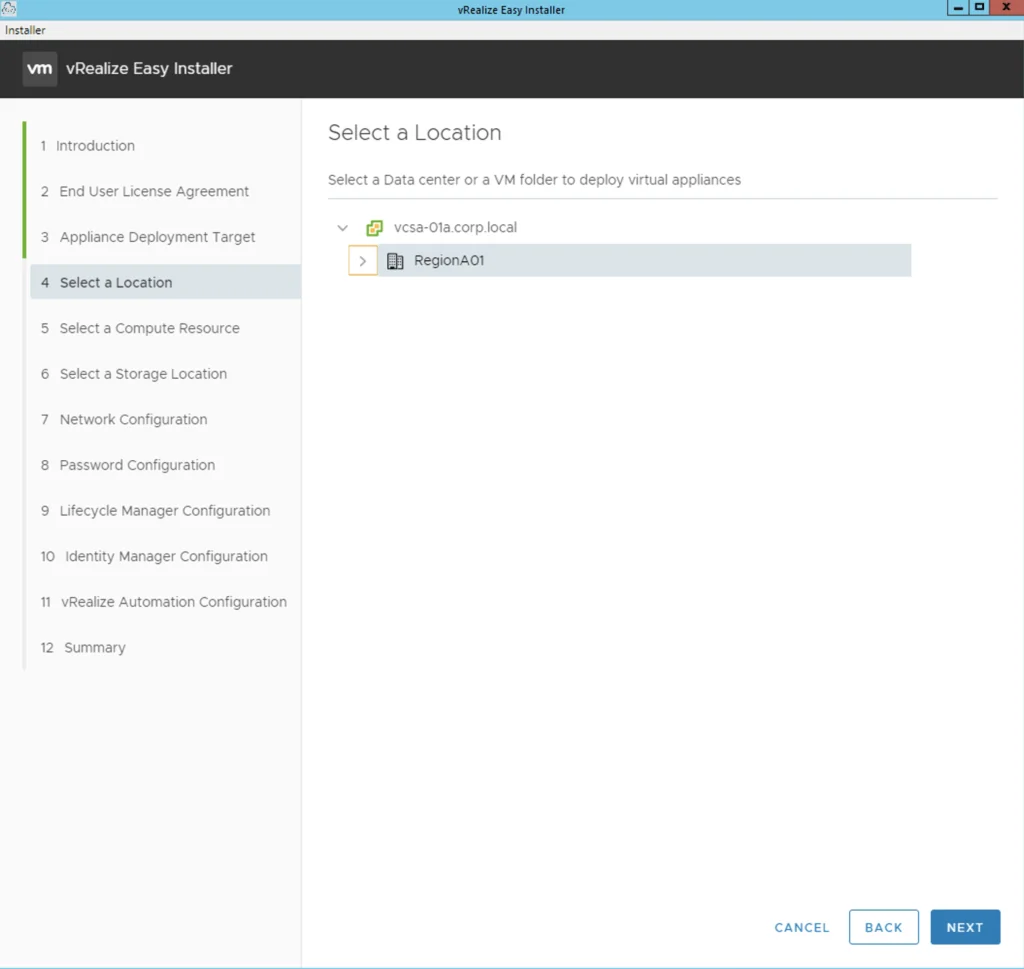
'Select a Location' step of the vRealize Easy Installer wizard, with options for deploying virtual appliances in a data center or VM folder.

Deploying Aria Automation 8.16 using the Easy Installer

In this guide I will go over the deployment of Aria Automation 8.16 using the Easy Installer. The reason I like the Easy Installer is because it deploys everything that I need: Identity Manager, Aria Suite Lifecycle as well as Aria Automation. Downloading and Mounting the Installer To get started we need to download the installer from here. Once downloaded mount the iso as a drive using your favorite tool or extract it as a archive using something like 7-zip ...

 · Updated  · 
Deploying Aria Automation 8.16 using the Easy Installer
Binary Mapping page in vRealize Suite Lifecycle Manager showing successful product binary mapping request.

Upgrading VMware Aria Automation to 8.14.1

In this post I will go over upgrading my 8.x vRA appliance to 8.14.1. As a pre requirement we do need to have VMware Aria Suite Lifecycle upgraded to 8.14. Instructions can be found here. The upgrade does not include the latest PSPACK that contains the 8.14.1 VMware Aria Automation release. Instructions to get the PSPACK can be found on my other blog post here. Downloading the 8.14.1 Upgrade Binaries To get started we can go to VMware Aria Suite Lifecycle -> Lifecycle Operations -> Settings -> Binary Mapping. (If you haven’t added your My VMware credentials you will need to do that first by going to VMware Aria Suite Lifecycle -> Lifecycle Operations -> Settings -> My VMware) ...

Upgrading VMware Aria Automation to 8.14.1
Upgrade wizard step for taking a snapshot during Aria Operations for Logs 8.14.1 upgrade.

Upgrading Aria Operations for Logs to 8.14.1 via VMware Aria Suite Lifecycle

In this post I will go over upgrading my 8.x vRLI appliance to Aria Operations for Logs 8.14.1 using VMware Aria Suite Lifecycle. As a pre requirement we do need to have VMware Aria Suite Lifecycle upgraded to 8.14. Instructions can be found here. The upgrade does not include the latest PSPACK that contains the 8.14.1 Aria Automation Config release. Instructions to get the PSPACK can be found on my other blog post here. ...

 · Updated  · 
Upgrading Aria Operations for Logs to 8.14.1 via VMware Aria Suite Lifecycle
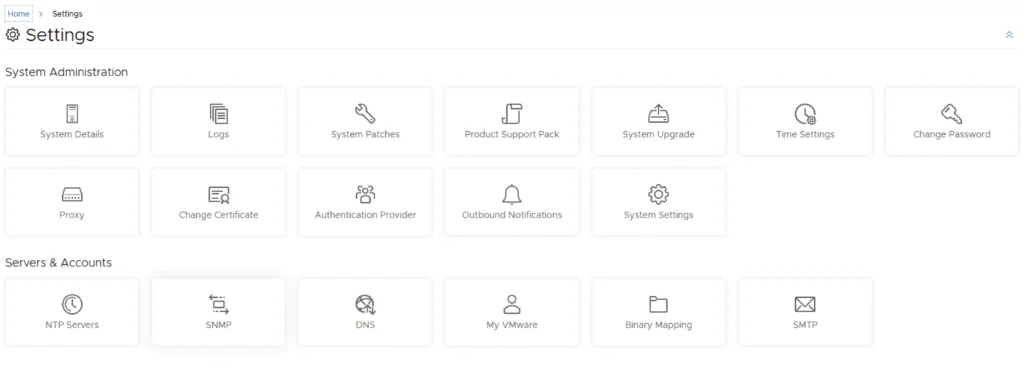
Settings page with options like System Details, Logs, and System Upgrade.

Upgrading VMware Aria Automation Config to 8.14.1

In this post I will go over upgrading my 8.x SSC appliance to 8.14.1. As a pre requirement we do need to have VMware Aria Suite Lifecycle upgraded to 8.14. Instructions can be found here. The upgrade does not include the latest PSPACK that contains the 8.14.1 Aria Automation Config release. Instructions to get the PSPACK can be found on my other blog post here. Mapping the Upgrade Binaries To get started we can go to VMware Aria Suite Lifecycle -> Lifecycle Operations -> Settings -> Binary Mapping. (If you haven’t added your My VMware credentials you will need to do that first by going to VMware Aria Suite Lifecycle -> Lifecycle Operations -> Settings -> My VMware) ...

Upgrading VMware Aria Automation Config to 8.14.1
Settings page for VMware Aria Automation, showing options like System Details, Logs, and System Upgrade.

Upgrading VMware Aria Automation to 8.14

In this post I will go over upgrading my 8.x vRA appliance to 8.14. As a pre requirement we do need to have VMware Aria Suite Lifecycle upgraded to 8.14. Instructions can be found here. The upgrade already includes the latest Product Support Pack so an update to the Product Support Pack is not required. Downloading the Upgrade Binaries To get started we can go to VMware Aria Suite Lifecycle -> Lifecycle Operations -> Settings -> Binary Mapping. (If you haven’t added your My VMware credentials you will need to do that first by going to VMware Aria Suite Lifecycle -> Lifecycle Operations -> Settings -> My VMware) ...

Upgrading VMware Aria Automation to 8.14
Settings page with options for system administration and servers/accounts.

Upgrading VMware Aria Automation Config to 8.14

In this post I will go over upgrading my 8.x SSC appliance to 8.14. As a pre requirement we do need to have VMware Aria Suite Lifecycle upgraded to 8.14. Instructions can be found here. The upgrade already includes the latest Product Support Pack so an update to the Product Support Pack is not required. Mapping and Downloading the 8.14 Binaries To get started we can go to VMware Aria Suite Lifecycle -> Lifecycle Operations -> Settings -> Binary Mapping. (If you haven’t added your My VMware credentials you will need to do that first by going to VMware Aria Suite Lifecycle -> Lifecycle Operations -> Settings -> My VMware) ...

Upgrading VMware Aria Automation Config to 8.14
Settings page with options for System Administration and Servers & Accounts, relevant for upgrading SSC using vRSLCM.

Upgrading SSC (SaltStack Config) to 8.12.1 using vRSLCM

In this post I will go over upgrading my 8.x SSC appliance to 8.12.1. As a pre requirement we do need to have VMware Aria Suite Lifecycle upgraded to 8.12. Instructions can be found here. The upgrade does not include the latest PSPACK that contains the 8.12.1 SaltStack Config release. Instructions to get the PSPACK can be found on my other blog post here. Downloading the Upgrade Binary via Binary Mapping To get started we can go to vRealize Lifecycle Manager -> Lifecycle Operations -> Settings -> Binary Mapping. (If you haven’t added your My VMware credentials you will need to do that first by going to vRealize Lifecycle Manager -> Lifecycle Operations -> Settings -> My VMware) ...

Upgrading SSC (SaltStack Config) to 8.12.1 using vRSLCM

SaltStack Config vs. Ansible Tower: A Comparison of Two Powerful Configuration Management Solutions

SaltStack Config and Ansible Tower are two powerful configuration management and infrastructure automation tools that cater to the needs of DevOps teams across the globe. While SaltStack Config is an open-source solution, Ansible Tower is the commercial, enterprise-ready version of Ansible Open Source. In this blog post, we will compare SaltStack Config and Ansible Tower in terms of architecture, ease of use, scalability, and features to help you make an informed decision on which tool is best suited for your requirements. ...

SaltStack Config vs. Ansible Tower: A Comparison of Two Powerful Configuration Management Solutions