Downgrading ESXi to a Different Build

During one of the upgrades in my VCF lab, I accidentally installed an ESXi 7.x build outside that VCF release’s validated design. This historical example records the lab recovery I tried. It is not a general production downgrade procedure. Warning: For a VCF-managed host or a production downgrade, stop and engage Broadcom Support. Downgrading can remove or replace drivers and components, can be incompatible with the current vCenter/NSX/firmware combination, and might leave the host unable to boot or rejoin its cluster. Use a supported rollback, reinstall or restore procedure when directed. ...

 · Updated  · 
Downgrading ESXi to a Different Build
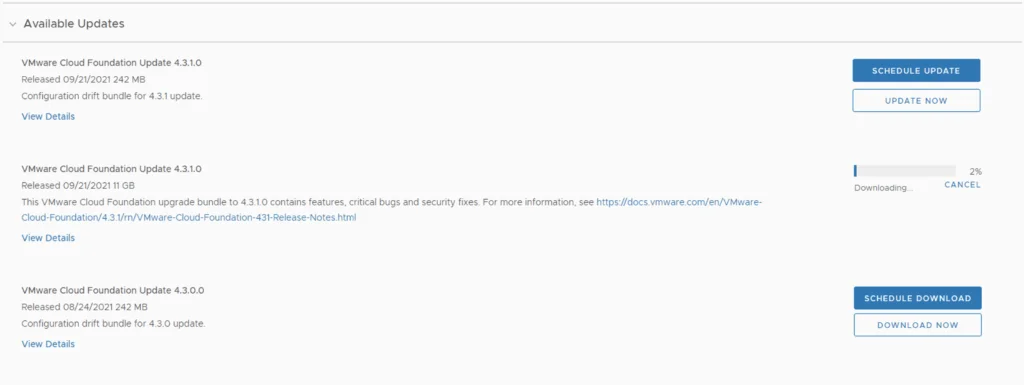
Update page for VMware Cloud Foundation showing available updates and download progress.

Skip-Level Upgrading VCF 4.1.0.1 to 4.3.1.0 Step by Step

With the release of of VCF 4.3.1 I wanted to get my lab upgraded. The release blog can be found here and the release notes are here Downloading the Upgrade Bundles In order to get to 4.3.1.0 in the past we had to upgrade to each version incrementally. As per the documentation found here we can now upgrade from any release past 4.1.0.1 directly to 4.3.1 skipping the releases in between. We can do so by going to Repository -> Bundle management -> Download now. Download the Configuration drift bundle as well as the Update package. ...

 · Updated  · 
Skip-Level Upgrading VCF 4.1.0.1 to 4.3.1.0 Step by Step
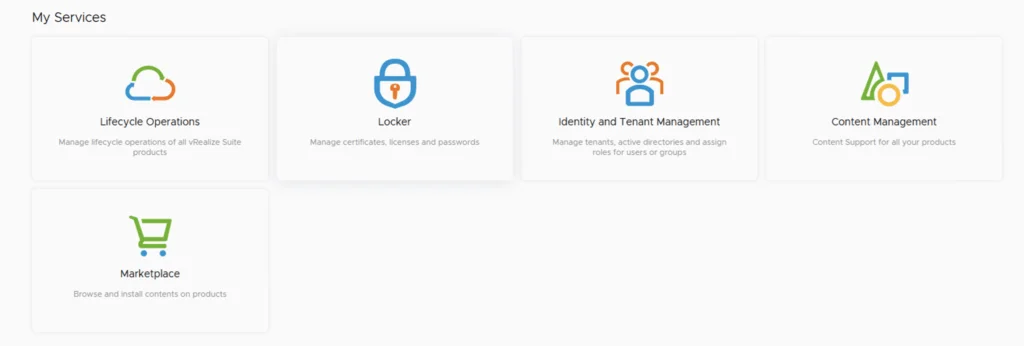
The image shows a user interface with five services: Lifecycle Operations, Locker, Identity and Tenant Management, Content Management, and Marketplace.

Usage Report for vRealize Cloud Licenses

In this post I will go over the Usage Report for vRealize Cloud Licenses. I will cover the online method which does the reporting automatically as well as the offline method that requires us to upload the usage manually. The documentation for the Usage Report can be found here. The vRealize Cloud Universal service description EULA and requirements can be found here. Reporting Responsibilities Under the EULA As described the EULA our responsibilities include: ...

Usage Report for vRealize Cloud Licenses
A cartoon rabbit holding a carrot with "That's all, folks!" text.

Shutting down a vSAN Cluster

I have the need to completely shut down some of my vSAN clusters for various clusters and ive been having a hard time finding the proper procedure. As of 2/16/2021 VMware released guidance here Here are the steps I took to do it on my end. If you have the vCLS service enabled follow my other instructions here prior to starting the rest of this guide. Disable cluster member updates from vCenter on each ESXi host in the cluster by running ...

 · Updated  · 
Shutting down a vSAN Cluster
VMware Cloud Foundation Update 4.1.0.1 available for download, 23% progress.

Upgrading VCF 4.1.0.0 to 4.2.0.0 Step by Step

With the release of of VCF 4.2 I wanted to get my lab upgraded. The release blog can be found here and the release notes are here Upgrading to VCF 4.1.0.1 First In order to get to 4.2.0.0 we have to upgrade to 4.1.0.1. We can do so by going to Repository -> Bundle management -> Download now The next step is to upgrade VCF by going to Inventory -> Workload Domains -> Select the workload domain -> Update/Patches -> Update Now for the VMware Cloud Foundation Update 4.1.0.1. The release notes can be found here ...

 · Updated  · 
Upgrading VCF 4.1.0.0 to 4.2.0.0 Step by Step
Running an update installer for vIDM 3.3.4 online upgrade.

vIDM 3.3.4 online upgrade

I wanted to go through the upgrade of vIDM 3.3.4 outside of lifecycle manager. I wanted to do it using the online upgrade via the console. Official documentation can be found here. First step is to log on to the console via the root credentials and upgrade the upgrade manager to 3.3.4 /usr/local/horizon/update/updatemgr.hzn updateinstaller Set the upgrade version that you are upgrading from in my case was 3.3.2 so I ran ...

 · Updated  · 
vIDM 3.3.4 online upgrade
VMware Cloud Foundation Update 4.1.0.0 details: Released 10/06/2020, 11 GB, available for download.

Upgrading VCF 4.0.1.1 to 4.1.0.0

With the release of of VCF 4.1 I wanted to get my lab upgraded. The release blog can be found here and the release notes are here Downloading the 4.1.0.0 Update Bundle In my case I pre downloaded the VMware Cloud Foundation Update 4.1.0.0 by going to Repository -> Bundle management -> Download now Applying the VCF 4.1.0.0 Update The next step is to upgrade VCF by going to Inventory -> Workload Domains -> Select the workload domain -> Update/Patches -> Update Now ...

 · Updated  · 
Upgrading VCF 4.0.1.1 to 4.1.0.0

Extracting SSL Thumbprint

I recently ran in to an issue where I had to re-register my NSX server with vIDM. The ask was to extract the Thumbprint from vIDM. The command I ran to extract it was: echo -n | openssl s_client -connect hostname:443 2>/dev/null | openssl x509 -noout -fingerprint -sha256 This can be used across multiple products where the Thumbprint needs to be extracted

 · Updated  · 
Extracting SSL Thumbprint
Creating a new environment in vRealize Lifecycle Manager for vRA deployment in a VCF 4 setup.

Deploying vRA with vRealize Lifecycle Manager in a VCF 4 Environment

If you followed my previous posts Deploying the vRealize suite using VCF 4.0 and enabling product downloads in vRealize Lifecycle Manager, you should now have vRA and vIDM already downloaded. In my previous post I went over the installation of vIDM which is a pre requisite for vRA. You can find the link here Creating a New Environment Next, we need to create a new environment that will be used to deploy vRA. For this we can go to Lifecycle Operations -> Create Environment. Fill in the necessary information and click next ...

 · Updated  · 
Deploying vRA with vRealize Lifecycle Manager in a VCF 4 Environment
Datacenter management UI showing options to add, view, and delete datacenters.

Deploying vIDM with vRealize Lifecycle Manager in a VCF 4 Environment

If you followed my previous posts Deploying the vRealize suite using VCF 4.0 and enabling product downloads in vRealize Lifecycle Manager, you should now have vRA and vIDM already downloaded. Creating the Environment in Lifecycle Operations Because im running on a deployment from VCF I can see that the datacenter was already provioned for me under under Home -> Lifecycle Operations -> Datacenters ...

 · Updated  · 
Deploying vIDM with vRealize Lifecycle Manager in a VCF 4 Environment